
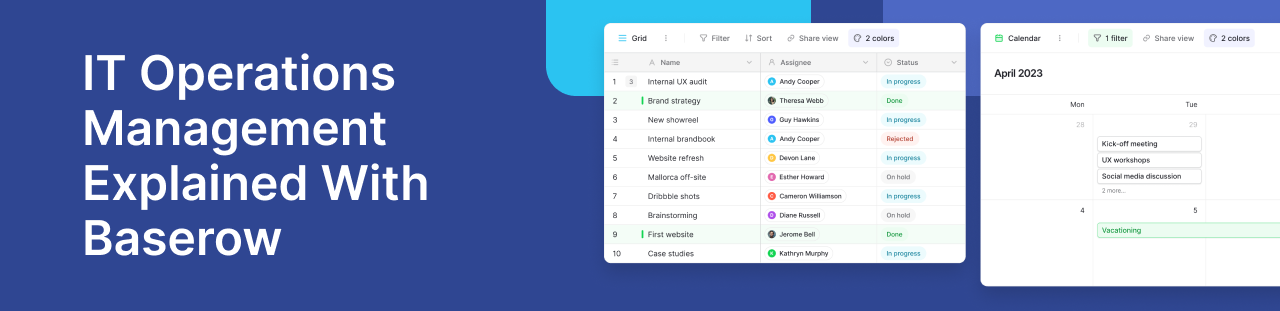
What is IT Operations Management?
IT Operations Management (ITOM) keeps an organization’s IT systems running reliably so employees and customers can access the services they need. It covers the daily work of managing networks, maintaining hardware and software, and responding to technical issues.
ITOM focuses on the infrastructure and applications that support everyday business activities, from email to online payments. When a system slows down or fails, IT teams work to restore service and limit disruption. Effective ITOM helps prevent outages, improve system performance, and prepare for changing business needs.

Why ITOM Matters in Today’s Business Landscape
Companies can’t afford downtime, data bottlenecks, or slow service response. Whether it’s ensuring 24/7 access to cloud systems, monitoring real-time performance of software, or managing network infrastructure, ITOM helps businesses remain agile and responsive.
A strategic ITOM approach not only prevents technical failures—it also improves productivity, customer satisfaction, and operational efficiency. ITOM teams are tasked with optimizing service management ITSM, reducing repetitive tasks, and ensuring that both hardware and software environments support evolving demands.
👉 Plan your IT projects with maximum flexibility, know more
Key Components of ITOM
1. Service Delivery and Management
Service delivery ensures IT services meet user needs and agreed performance targets. Teams track results and set service-level agreements (SLAs) that define expected availability and response times. Service management helps teams improve these services and use resources efficiently.
2. Network Infrastructure Management
Network management keeps devices and systems connected so people can access data safely and reliably. IT teams monitor routers, switches, and cloud connections to spot issues early and reduce service disruptions.
3. Hardware and Software Lifecycle Management
IT asset management covers hardware and software from purchase to retirement. Teams keep servers, computers, mobile devices, and applications updated and secure. Regular maintenance helps prevent failures, reduce security risks, and meet compliance requirements.
4. Service Operations and the Service Desk
Service operations cover the daily work of keeping IT services available, including fixing errors and making updates. The service desk gives users one place to report problems and request help. Teams record, prioritize, and assign these requests so each issue reaches the right person.
With Baserow, teams can build a shared database to track requests, assign owners, and record progress. They can also set up workflows to automate routine steps, such as updating records or sending notifications.
Managing Incidents Effectively in ITOM
One of the most critical responsibilities within IT Operations Management is incidents managing. An incident is any unplanned interruption or reduction in the quality of an IT service. Effective incidents managing ensures minimal disruption to business operations and faster restoration of services.
The key steps in an efficient incidents managing process include:
- Detection and Logging: Identifying incidents quickly using monitoring tools and documenting them systematically.
- Categorization and Prioritization: Assigning severity levels to incidents based on business impact to ensure critical issues are addressed first.
- Investigation and Diagnosis: Finding the root cause through real-time data analysis and collaboration among ITOM teams.
- Resolution and Recovery: Implementing fixes and restoring services as swiftly as possible.
- Closure and Reporting: Validating incident resolution and capturing lessons learned to improve future responses.
Automating parts of the incidents managing workflow, such as auto-ticket creation and priority-based escalations, significantly improves response times. Tools like Baserow allow teams to build customizable incident tracking databases that automate workflows, helping teams maintain visibility and efficiency during critical events.
What Does an IT Operations Manager Do?
An IT operations manager oversees the planning, execution, and control of ITOM processes. Their responsibilities include:
- Ensuring consistent service delivery
- Coordinating with ITOM teams across departments
- Automating workflows to reduce manual errors
- Managing incidents and real-time system monitoring
- Improving service quality through process refinement
Ultimately, they translate technical functions into business value, aligning IT operations with strategic objectives.
The Role of ITOM Software
Modern IT environments require advanced ITOM software to manage increasingly complex systems. These tools integrate functions like monitoring tools, alerting, asset tracking, and incident resolution into a centralized dashboard.
By combining information, ITOM software provides visibility into performance issues before they escalate. It helps operations management ITOM teams reduce downtime, respond proactively, and improve the quality of service operation.
Benefits of IT Operations Management
The benefits of IT operations management extend beyond the IT department. They touch every aspect of a business that relies on technology:
- Enhanced service continuation through real-time monitoring tools
- Reduced downtime via automated incident response
- Lower operational costs by automating repetitive tasks
- Better alignment between business services and infrastructure
- Improved customer experience due to consistent service availability
Platforms like Baserow help amplify these benefits by offering custom templates for IT tracking, project management, and asset monitoring. Its no-code nature enables rapid deployment of solutions tailored for ITOM use cases. With Baserow, one can also build and share a roadmap, manage sprints and daily tasks delivery and create a bug tracker with its project tracker.

Building an Effective ITOM Strategy
An IT operations management strategy helps teams plan how they deliver, support, and improve IT services. It sets clear priorities, defines who handles each task, and connects daily IT work to business needs.
Here are five steps to build an effective ITOM strategy:
1. Define Business Services and Priorities
List the business services that depend on IT, such as email, payment systems, and customer support. Rank them by the impact of an outage. Use these priorities to decide where to focus staff, time, and resources.
2. Connect ITOM with IT Service Management (ITSM)
ITOM keeps infrastructure and applications running. ITSM manages how teams deliver and support services for users. Connect the two so support staff can link reported issues to the systems involved. This helps teams assess the impact and coordinate a response.
3. Automate Routine Tasks
Start with tasks your team repeats often, such as logging incidents, assigning tickets, or sending status updates. Set clear rules for each step, including when a person needs to review or approve an action.
With Baserow, teams can build request trackers and set up workflows to update records or send notifications. For example, a change in a request’s status could trigger an email to its owner.
4. Improve Monitoring and Incident Response
Use monitoring tools to track server load, application errors, and changes in demand. Define which alerts need urgent action and who should respond. A clear response plan helps teams assess issues, restore services, and keep users informed.
5. Help IT Teams Work Together
Bring network engineers, infrastructure managers, and service desk staff into shared planning and reviews. Give them access to current incident records, service data, and assigned tasks. Clear ownership and shared information help teams resolve issues with fewer delays.
Common Challenges in ITOM (and How to Solve Them)
Even with a clear plan, IT teams face challenges that slow their work and affect service quality. Here are three common issues and ways to address them.
❌ Legacy Systems That Don’t Scale
Older systems can be hard to update or connect with newer tools. As demand grows, they may cause delays or require more manual work.
Solution: Identify the systems that create the most problems. Upgrade them in stages, choosing tools that support your current needs and future growth.
❌ Lack of Real-Time Data
Without timely alerts, teams may only learn about an outage when users report it. This delays the response and leaves services unavailable for longer.
Solution: Use monitoring tools to detect faults and alert the right people. Set clear rules for who responds and how urgent issues are handled.
❌ Tool Overload and Fragmentation
When asset records, incidents, and service reports sit in separate systems, teams waste time searching for information.
Solution: Connect related records and define where each type of information belongs. With Baserow, teams can link assets, incidents, and follow-up tasks in a shared database, making it easier to find context and track progress.
Connect Assets, Incidents, and Follow-Up Work with Baserow
ITOM focuses on keeping infrastructure and applications available. When an incident occurs, teams need context: which asset is affected, who owns it, and which business service depends on it?
Baserow lets teams build a shared workspace for that operational context. Start with three linked tables:
- Assets: Support asset management by recording devices, applications, owners, warranty dates, and associated services.
- Incidents: Track affected assets, business impact, assigned responders, status, and resolution notes.
- Problems: Support problem management by linking recurring incidents to an underlying issue, recording workarounds, and assigning corrective actions.
For example, when a branch router repeatedly disconnects, link each incident to the same asset and problem record. Responders can review previous fixes, identify the responsible owner, and track a replacement decision without searching separate spreadsheets.
For event management, connect monitoring tools through an integration that creates records for selected alerts. Keep network management tools responsible for detecting connectivity issues; use Baserow to coordinate the resulting work.
If your organization already uses configuration management databases, link to the relevant configuration records and define which system owns each data field. This helps avoid conflicting inventories.
The result is a practical basis for informed technology decisions: teams can see which assets generate repeat incidents and where corrective work remains open.
👉 Explore powerful ITOM-ready templates from Baserow
Final Thoughts: Future-Proofing with ITOM
Start with one workflow: connect incidents to assets and owners, then track recurring problems. Explore Baserow’s asset management template to build your team’s shared workspace.
Sign up for Baserow today and experience the power of truly customized IT Operations Management—without writing a single line of code.

Baserow 2.4 adds Button fields, Graph elements, workflow automation, AI provider management, improved Group By views, and 30+ more updates.

Discover how Airtable and Baserow compare in features, flexibility, speed, and scalability. Compare pricing plans and hidden costs to make an informed decision!

Explore the best open-source software alternatives to proprietary products. Discover OSS tools, licenses, and use cases with our updated directory.