

Microsoft Project has long been used for structured planning in large organisations, particularly where schedules, dependencies, and formal reporting are required. Microsoft still provides extensive documentation for Project and Project for the web, which reflects its ongoing presence in enterprise environments.
At the same time, many teams now operate in distributed settings where plans change frequently and execution needs to stay visible to a wider group. In that context, a single, schedule-centric tool can become harder to maintain, especially when contributors outside the PM function need to update work directly. This is why many organisations begin evaluating tools that provide broader participation while still supporting disciplined delivery.
If you want a quick overview of how modern platforms compare across common project needs, Baserow’s guide on the top project management tools is a useful starting point.
Teams evaluate project tools based on how much structure they need, how often plans change, and how collaboration happens across roles. As a result, Microsoft Project alternatives usually fall into a few clear categories.
- Work management platforms: Asana, monday.com, ClickUp, Wrike
These tools focus on execution and visibility across teams, but often rely on predefined workflows.
- Agile delivery platforms: Jira Software, Linear
Designed primarily for engineering teams, these platforms support iterative delivery but can be difficult to adapt for non-technical users.
- Lightweight visual planners: Trello, Notion
These tools prioritise simplicity and ease of use, but can struggle as project complexity increases.
- Spreadsheet–database hybrids: Airtable
Offers flexibility through structured tables, but governance and consistency can become challenging at scale.
- Self-hostable options: OpenProject
Often chosen when teams require an open source solution or full control over infrastructure.
Baserow stands apart from these categories. Instead of enforcing a fixed planning model, it allows teams to build a project management solution around their own data. Projects, tasks, owners, and timelines are defined as structured records that can be viewed in different ways by different teams.
This approach makes Baserow especially relevant for organisations that want structure without rigidity. As teams grow or workflows change, the system evolves with them rather than requiring a tool replacement. This blog will compare these categories through the lens of modern execution needs and show how Baserow supports adaptable project planning at scale.
What to look for in Microsoft Project Alternatives
Not every organisation needs the same kind of tool. The goal is to match the platform to how your teams plan and deliver work today, not how projects were managed a decade ago.
- Flexible project planning without rigidity
Modern project planning is rarely static. Priorities change, dependencies shift, and delivery dates move. A strong project management solution makes updates manageable without forcing teams to rebuild plans from scratch. For many teams, this means having multiple ways to view the same work, so execution stays clear even when timelines change.
- Execution visibility through a clear operating model
Teams need a project management tool that supports day-to-day delivery, not just high-level schedules. This includes strong task management so ownership and progress remain obvious, even when projects span multiple departments.
If you want a view of how teams evaluate task-focused platforms, Baserow’s breakdown of task management tools provides helpful context on what to prioritise.
- Visual workflows that reduce overhead
Many teams prefer visual execution because it reduces status ambiguity. A kanban board is widely used for this purpose, because it visualises flow, bottlenecks, and work-in-progress limits in a way that supports continuous delivery.
- An intuitive interface that drives adoption
Adoption is often the deciding factor. An intuitive interface lowers onboarding time and increases participation across roles. Tools that feel familiar—often through grid-based interaction—make it easier for teams to contribute without extensive training.
This is one reason some teams consider Baserow: it combines a flexible data layer with a user experience that can be configured to match different workflows. A neutral starting point is Baserow’s product overview, which explains how teams can structure data and collaborate on it in one place.
Comparing the Best Microsoft Project Alternatives by Use Case
Once teams decide to move away from Microsoft Project, the next challenge is understanding which type of tool actually fits their way of working. Most alternatives fall into a few clear categories, each optimised for different planning styles, team sizes, and levels of control.
Rather than looking for a single replacement that mirrors Microsoft Project exactly, many organisations benefit from choosing a project management tool that aligns with how work is executed in practice.
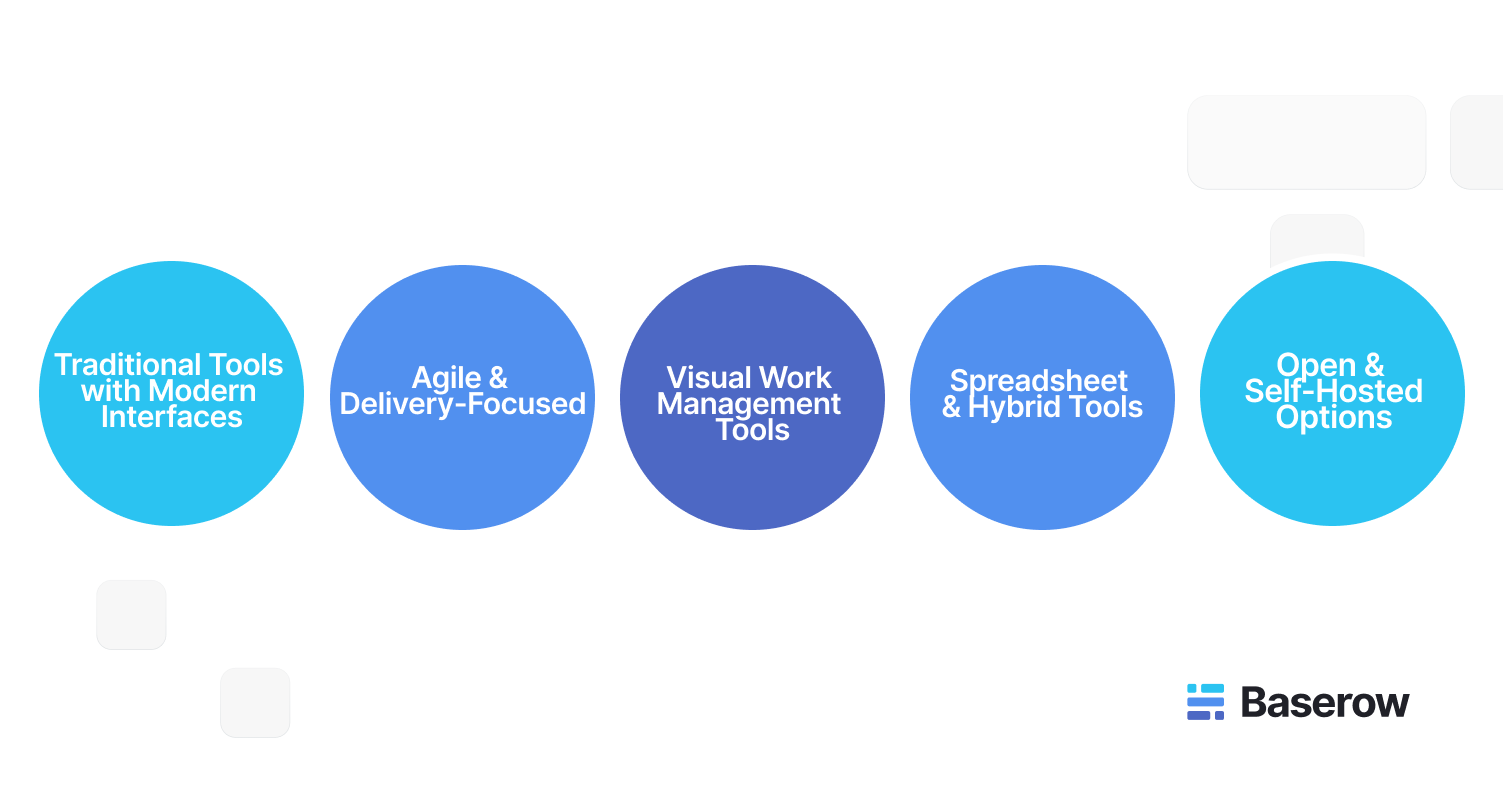
Traditional Planning Tools with Modern Interfaces
Some teams still require formal schedules, dependencies, and reporting, especially when working with external stakeholders or fixed delivery dates. For these use cases, tools such as Smartsheet and Wrike are often evaluated.
These platforms retain familiar planning concepts, including gantt charts, while improving accessibility through browser-based interfaces. They work well for organisations that need structured oversight but want easier collaboration than desktop software provides.
However, these tools can still feel heavy for teams that need frequent changes. Planning remains centralised, and updates often depend on experienced users. As a result, they are usually adopted where predictability matters more than flexibility.
Agile and Delivery-Focused Platforms
For software, product, and engineering teams, Agile-focused platforms such as Jira Software or Linear are common alternatives. These tools prioritise execution over forecasting and are designed to support iterative delivery.
They excel at breaking work into manageable units and tracking progress in real time. For teams that already follow Agile practices, these platforms provide strong alignment between planning and delivery.
That said, Agile tools are not always ideal for cross-functional work. Teams outside engineering may find them complex, which can limit adoption across the wider organisation.
Visual Work Management Tools
Visual tools such as Trello, Notion, and monday.com focus on clarity and ease of use. Work is organised around boards, lists, and status columns rather than detailed schedules.
A kanban board is central to this approach, making it easy to see progress, identify bottlenecks, and manage flow. This works well for teams handling continuous work, such as marketing campaigns or operational requests.
The limitation appears as scale increases. Without deeper structure, reporting across multiple projects or managing long-term dependencies becomes difficult. Teams often add additional tools to compensate, which can fragment information.
Spreadsheet-Based and Hybrid Tools
Airtable is frequently mentioned as an alternative to MS Project because it combines spreadsheets with database-style structure. Teams can build custom workflows, track progress, and create multiple views over the same data.
This approach suits teams that want flexibility and are comfortable designing their own systems. However, as workflows grow more complex, maintaining consistency can become challenging without clear governance.
Open and Self-Hosted Project Management Options
Some organisations prioritise control over their data and infrastructure. In these cases, open source platforms such as OpenProject are often evaluated.
These tools provide traditional planning features, including timelines and resource views, while allowing teams to host the system themselves. They are typically chosen by organisations with technical capacity and strict compliance requirements.
The trade-off is higher setup and maintenance effort compared to cloud services.
Baserow, on the other hand, is an open source platform, but it does not require teams to self-host unless they choose to. Organisations can use Baserow as a cloud-hosted service or deploy it on their own infrastructure when control is a priority.
Where Baserow Fits Among These Alternatives
Baserow occupies a different position compared to most Microsoft Project alternatives. Instead of enforcing a predefined planning model, it allows teams to build their own project management solution using structured data.
Projects, tasks, owners, timelines, and dependencies are stored as connected records. Teams can then create different views for different roles, such as execution-focused task lists, high-level planning views, or workload overviews for resource management.
Because everything is web based, contributors can update information directly, supporting real time collaboration across teams. This makes it easier for project managers to focus on coordination rather than manual updates.
Baserow’s approach is especially useful for organisations managing a project portfolio that spans multiple departments, each with its own way of working. Instead of forcing alignment through rigid templates, structure emerges from shared data.
For a broader comparison of modern tools and where flexible systems fit, this overview of project management tools provides additional context.
Choosing the Right Alternative Based on Team Needs
Selecting the right alternative to microsoft project depends less on feature lists and more on how teams collaborate day to day. Key questions to consider include:
- How often do plans change after work starts
- Who needs to update progress directly
- Whether resource allocation must be tracked across projects
- How much structure is required upfront
Teams that value predictability may prefer structured planners. Teams that prioritise adaptability often choose visual or data-driven platforms. In many cases, organisations move toward tools that combine execution tracking with broader management system capabilities.
This is why some teams adopt Baserow as their primary project management solution, while others use it alongside delivery-focused tools to connect project data with wider business context.
A Practical Use Case: Replacing Microsoft Project in a Growing Organisation
When organisations decide to replace Microsoft Project, the challenge is rarely about finding another scheduling tool. The real challenge is supporting execution across teams without recreating the same rigidity in a different interface.
Consider a mid-sized company managing product launches, customer implementations, and internal initiatives at the same time. Each stream involves different teams, timelines, and priorities. Using a single, file-based planning tool makes it difficult for contributors to keep information current without relying on a central coordinator.
This is where many teams begin combining or replacing traditional tools with more flexible platforms like Baserow.
From Centralised Planning to Shared Execution
In Microsoft Project, updates often flow through one project manager. This model works when plans are stable, but it becomes inefficient when work changes weekly.
Teams adopting modern alternatives shift toward shared execution models. Tools like Asana, ClickUp, or monday.com allow contributors to update task status directly, which improves visibility and reduces reporting overhead. These platforms function well as collaboration tools, especially for teams that value transparency over formal scheduling.
However, as the number of projects grows, teams often struggle to maintain consistency across tools. Data becomes fragmented, and reporting across initiatives requires manual effort.
How Baserow Supports Project and Resource Management Together
Baserow addresses this challenge by treating project data as a shared system rather than a set of isolated plans. Tasks, initiatives, owners, and timelines are stored as connected records. This structure allows teams to manage execution while keeping planning aligned.
For example, product teams can maintain detailed task lists, while leadership views progress across the entire project portfolio. Operations teams can focus on delivery status, while project managers track dependencies and risks without duplicating data.
Because updates happen in real time, information stays current without requiring formal reporting cycles. This approach supports both task execution and resource management without forcing teams into a single workflow.
Improving Resource Allocation Across Multiple Projects
One of the most common reasons teams leave Microsoft Project is difficulty managing workloads across parallel initiatives. Static plans often hide resource conflicts until delays occur.
With Baserow, teams can link people directly to tasks and projects. This makes resource allocation visible across the system rather than locked inside individual schedules. Views can be created to show who is overloaded, where capacity exists, and how priorities should shift.
This approach supports more practical decision-making than traditional forecasting models. Instead of planning based on assumptions, teams adjust workloads based on current data.
Supporting Different Planning Styles in One System
Modern organisations rarely use a single planning method. Some teams prefer visual boards, others need timelines, and leadership often wants high-level summaries.
Baserow supports this by allowing multiple views over the same data. A marketing team might use a kanban board for campaign execution, while a project manager tracks milestones through timeline views. Leadership can review progress without interfering in day-to-day work.
This flexibility is difficult to achieve with tools that enforce a single planning model. It is one reason teams managing diverse workstreams often move away from rigid software.
Insights from Teams That Have Replaced Microsoft Project
Patterns from discussions in the Baserow community reflect similar migration paths. Teams often describe starting with one alternative, then consolidating their tools once complexity increases.
Common themes include:
- Moving away from file-based planning
- Reducing reliance on specialised planners
- Connecting project data with operational data
These conversations highlight that replacing Microsoft Project is rarely about finding identical features. It is about building a system that supports how work evolves over time.
When Baserow Works Best as an Alternative
Baserow is particularly effective when organisations need a web based system that adapts as processes change. It suits teams that manage multiple projects, share ownership across roles, and require visibility beyond a single schedule.
It may not replace highly specialised planning tools in every scenario. However, it often becomes the central management system that connects execution, planning, and reporting across teams.
For organisations evaluating broader options, this comparison of task management tools explains why flexibility and participation are increasingly important selection criteria.
Preparing for Long-Term Scale
As organisations grow, project data increases in volume and importance. Tools that cannot scale without rework often lead to repeated migrations.
Baserow’s recent platform improvements have focused on performance, permissions, and collaboration, making it more suitable for larger datasets and teams. These changes support growth without requiring teams to redesign their systems from scratch.
This long-term perspective is a key reason some organisations choose flexible platforms early, even if their needs are relatively simple today.
- What Is Replacing Microsoft Project Today?
Microsoft Project is not being replaced by a single competing product. Instead, it is being replaced by a combination of modern tools that better reflect how teams plan and deliver work.
In practice, organisations move toward platforms that are cloud based, easier to adopt, and designed for shared execution. These tools focus less on maintaining a perfect schedule and more on keeping work visible and aligned as it progresses.
This shift explains why many teams no longer search for a one-to-one replacement. They look instead for a project management tool that supports change without constant rework.
- Is There a Google Equivalent to Microsoft Project?
There is no direct Google equivalent to Microsoft Project. Google Workspace tools such as Sheets and Docs support basic planning, but they do not offer built-in structures for managing complex projects, dependencies, or resource allocation at scale.
Because of this gap, many teams pair collaborative document tools with dedicated project management solutions. Database-driven platforms are often chosen because they combine structure with flexibility, rather than relying on static files.
- How Project Managers Work in Modern Teams?
The role of the project manager has also evolved. Instead of maintaining static schedules, project managers now focus on coordination, prioritisation, and decision-making.
Modern tools support this shift by:
- Allowing contributors to update work directly
- Providing real time visibility across projects
- Reducing manual reporting effort
In flexible systems, project managers spend less time maintaining tools and more time supporting teams. This change is a key driver behind the adoption of adaptable platforms.
Cloud-Based vs Desktop Project Management Tools
One of the most significant changes in recent years is the move from desktop software to web based platforms. Desktop tools often rely on files, local installations, and controlled access. This model limits collaboration and slows updates.
Cloud based tools allow teams to work from a shared source of truth. Updates are visible immediately, and contributors can participate without specialised software. This shift improves collaboration and reduces version conflicts.
Most modern alternatives to Microsoft Project are designed with this model in mind, which is why desktop-first tools are becoming less common in new deployments.
Final Thoughts: Choosing the Right Alternative
Choosing an alternative to MS Project is less about feature parity and more about alignment with modern work practices. Tools succeed when they support collaboration, visibility, and change without adding unnecessary complexity.
For organisations managing diverse projects across teams, flexible platforms often provide better long-term value than rigid planners. This is why many teams adopt adaptable systems early, even if their current needs seem simple.
If you are exploring a more flexible approach to project and resource management, you can explore Baserow at your own pace and see how it fits your workflows.


Baserow 2.4 adds Button fields, Graph elements, workflow automation, AI provider management, improved Group By views, and 30+ more updates.

Discover how Airtable and Baserow compare in features, flexibility, speed, and scalability. Compare pricing plans and hidden costs to make an informed decision!

Explore the best open-source software alternatives to proprietary products. Discover OSS tools, licenses, and use cases with our updated directory.