
A late delivery or broken instrument can disrupt a busy lab. Missing sample details can hold up work too. When updates sit in separate files and emails, staff spend time searching for answers.
Lab operations help teams keep daily work on track. They bring staff, supplies, equipment, and tasks into one clear process. Everyone can see what needs to happen, who owns the work, and what might cause delays.
This guide covers the main parts of lab operations and the role of lab managers. It also explains how connected tools can help teams reduce manual work and improve operational efficiency.
What are lab operations?
Lab operations are the tasks and processes that keep a laboratory running. They include ordering supplies, checking equipment, assigning work, tracking samples, and keeping records up to date.
The focus depends on the type of lab. Research teams may need to book shared instruments and track materials. Clinical labs may need to manage requests, sample transport, and updates from testing teams.
Across laboratory operations, managing these tasks well helps staff plan their work and respond to problems. A clear process gives each task an owner, a due date, and a next step.
What do lab operations managers do?
Lab managers oversee the people and resources needed for daily work. They plan staff schedules, review spending, order supplies, and arrange equipment service. They also help teams follow approved procedures.
A manager might start the day by checking urgent requests and staff cover. They may then review low stock, delayed samples, or an instrument awaiting repair.
Some employers use the title “Manager, Lab Operations” for this role. The scope can vary, so clear duties matter more than the title.
The goal is to give staff what they need to work well. This includes clear priorities, reliable tools, and a simple way to report problems.
Five essential areas of lab operations
1. Inventory management
Good inventory management helps labs keep enough stock without buying more than they need. Staff should be able to find an item, check its quantity, and see when it expires.
Useful stock records include:
- Item name and supplier
- Quantity and unit of measure
- Lot number and expiry date
- Storage location
- Reorder level and stock owner
Keep records current when items arrive, move, or get used. Even a well-designed tracker becomes less useful if staff skip updates.
A chemical inventory should also link to safety documents and record relevant hazard details. Staff can then find the information needed to follow the lab’s storage rules.
Baserow’s inventory management tutorial shows how to create stock tables and connect related records.
2. Equipment maintenance
An equipment record should answer three questions: Is the instrument ready to use? When was it last serviced? When is its next check due?
Assign an owner to each instrument. Keep service dates, fault reports, manuals, and repair details with its record. Staff can then check its status before booking work.
Plan equipment maintenance around the lab’s workload where possible. Early notice gives teams time to move tasks or arrange another instrument.
Keep maintenance and calibration records clear. A repair may fix a fault, you may need to do further checks before using the equipment.
Baserow’s Inspections & Compliance template offers a starting point for equipment records, service logs, and calibration dates.
3. Standard operating procedures
Standard operating procedures explain how staff should carry out routine tasks. Clear steps help people work in a consistent way and train new team members.
Each procedure should show its owner, version, approval status, and review date. Staff also need an easy way to find the current approved copy.
Use plain language and keep each step focused on one action. Where useful, include a short checklist or an image that explains the task.
A shared register can link to procedures and record staff training. Assign someone to review these links and documents. This helps prevent old instructions from staying in use after a process changes.
4. Sample tracking and work assignments
Sample tracking helps staff see where a sample is and what happens next. Work assignments show who owns each task and when it is due.
A sample record may include its ID, receipt time, storage location, status, and linked request. An assignment can connect that sample to a technician and an instrument.
When a sample arrives with missing details, create an issue and assign an owner. Record the follow-up and outcome in the same place.
This gives the next shift enough context to continue the work. Staff spend less time searching through messages or asking colleagues for updates.
5. Quality management
Quality management helps labs check their work, record problems, and improve processes. Useful records show what happened, identify the affected areas and who needs to work on them.
For each issue, capture its severity, owner, action, and outcome. Add evidence of the steps taken before closing it.
Review patterns as well as single events. Repeated sample rejections, for example, may point to unclear instructions or transport delays.
Use these findings to choose practical changes and check whether they help. Operational records should support the lab’s existing quality system and make follow-up easier for the team.
How to improve operational efficiency
Start with one problem that slows work down. This might be missing request details, poor shift handovers, or stock running out.
Map the process with the staff who use it. Ask where work starts, what details they need, and where delays tend to occur.
Then make a few focused changes:
- Use clear fields: Agree on sample IDs, status names, and required details.
- Assign owners: Give each task and issue a person responsible for follow-up.
- Connect records: Link samples to requests and tasks to equipment.
- Track useful measures: Review overdue work, downtime, stock shortages, and open issues.
Define each measure before using it. If you track turnaround time, agree on when the clock starts and stops.
Once the process is clear, automate routine steps. Baserow’s Automations can support alerts and record updates. Its Dashboards help managers review data and spot work that needs attention.
Manage lab operations with Baserow
Baserow helps teams organize records and build workflows without writing code. With its Database Builder, teams can create tables and link related data.
The Clinical Lab Operations & Sample Tracking template provides a clear structure. It covers requests and samples. It also covers tasks and instruments. It tracks issues, release checks, and shipments.
Staff can use views for overdue requests, open assignments, and maintenance due soon. These views help each team focus on its day-to-day work.
Labs can add inventory tables or a procedure register to suit their needs. Each addition should have clear fields, an owner, and rules for keeping records current.
For more ideas, read Baserow’s guide to lab data management software. Teams that need detailed access controls can explore role-based permissions, available on Advanced and Enterprise plans.
The lab template supports work around existing lab systems. It has no patient fields and is not a validated or certified system.
Frequently asked questions
- How do lab operations and lab management differ?
Lab operations cover the processes that keep daily work moving. Lab management also includes wider duties such as budgets, staffing, and planning. In smaller labs, one person may handle both.
- What affects a lab operations manager’s salary range?
The salary range varies by location, experience, sector, and lab size. Staff numbers, budget duties, and technical needs also affect pay. Compare roles with similar duties when reviewing salary figures.
- What should lab managers look for in software?
Start with the process that needs improvement. Look for clear task ownership, linked records, useful reports, and suitable access controls. Involve staff in the review so the tool fits how they work.
- How can labs improve shift handovers?
Use a shared record to list open tasks, sample issues, and equipment faults. Include the owner, current status, and next step for each item. Review urgent work before the next shift starts so staff know what needs attention.
- Which lab operations tasks can automation handle?
Labs can automate routine alerts for low stock, overdue tasks, and upcoming equipment maintenance. They can also send request updates and daily summaries. Start with a clear process, test each workflow, and assign someone to review failed runs.
Make daily lab work easier to manage
Strong lab operations depend on clear records and shared responsibility. When staff can find updates and see their next steps, they can plan work with fewer delays.
Explore Baserow’s clinical lab operations solution to create workflows that fit your team.

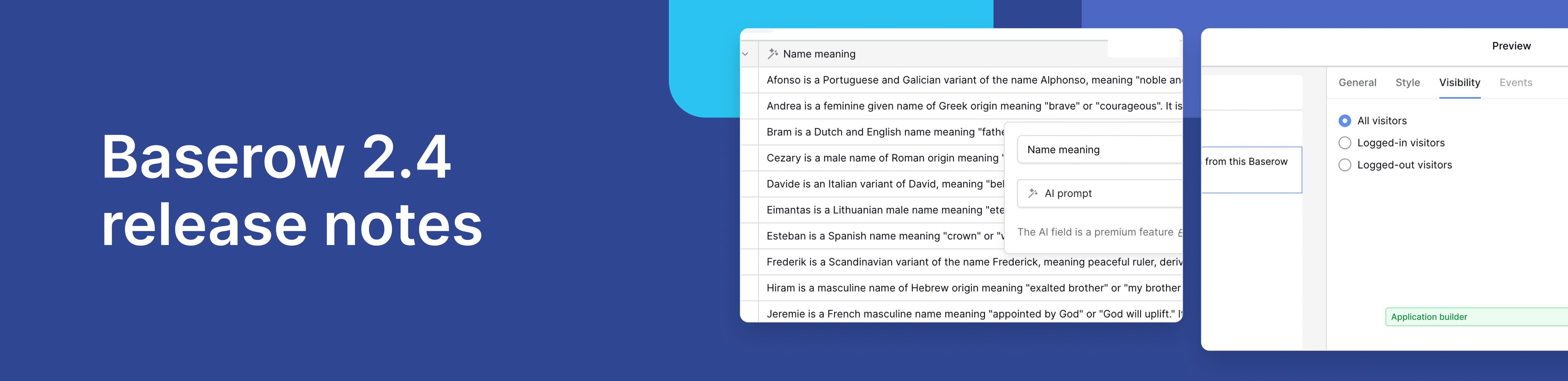
Baserow 2.4 adds Button fields, Graph elements, workflow automation, AI provider management, improved Group By views, and 30+ more updates.

Discover how Airtable and Baserow compare in features, flexibility, speed, and scalability. Compare pricing plans and hidden costs to make an informed decision!

Explore the best open-source software alternatives to proprietary products. Discover OSS tools, licenses, and use cases with our updated directory.