

How businesses store, manage, and access information shapes their daily work. From startups to global enterprises, choosing the right database supports reliable applications. Pairing it with data governance tools helps teams set clear rules for data quality, ownership, access, and use.
What Are Open Source Databases?
An open source database makes its source code available under open source licenses. These allow people to use, modify and distribute the software under stated terms. Compared with a closed source database, it offers greater transparency and control.
Open source database software is popular because it reduces licensing costs while offering reliable ways to store data, manage relationships, and support modern applications. Teams can customize the software to fit their needs instead of relying on vendor limitations.
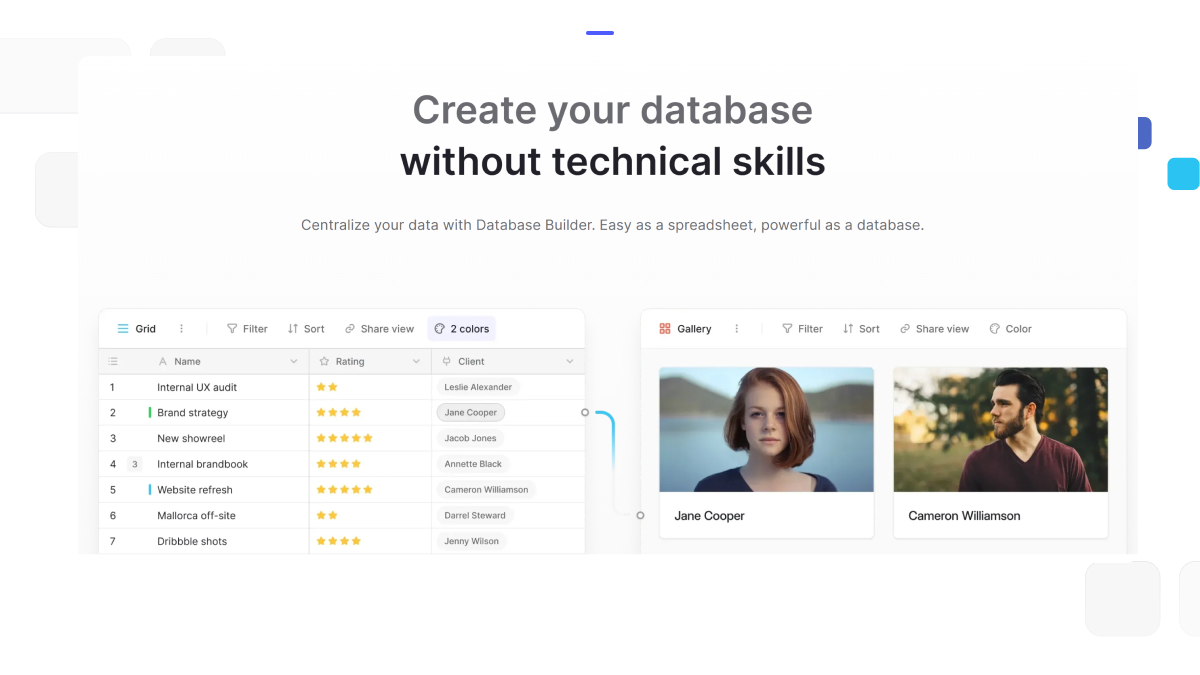
For businesses that want an easier way to work with open source databases, platforms like Baserow provide a visual, no-code experience that makes database management accessible to both technical and non-technical users.
Key Benefits of Open Source Database Management
Choosing an open source database management system goes beyond just saving on licensing. Here are the deeper advantages that are fueling their widespread adoption:
- Flexibility and Control Over Source Code
Developers can review the code and adapt a database to meet business needs. For example, a team might adjust indexing within the database engine to support a specific search workload. This can help with improving performance, though changes need careful testing and ongoing maintenance. Different open source databases offer support for structured records, documents, and other data types. Teams can choose a system that fits their applications, security needs, and available technical skills.
- Cost Efficiency Compared to Closed Source Databases
Open source software can reduce licensing costs compared with commercial databases, though hosting, support, and maintenance still require a budget. It can also reduce dependence on one vendor. This helps startups and teams running many small databases, such as those used across connected devices.
- Active Community and Continuous Improvement
Many popular open source databases have active communities. A large number of contributors can help review code, report bugs, and suggest changes. However, update schedules and support levels vary, so teams should check each project’s maintenance history.
If you’re new to databases, Baserow offers a visual interface for organizing records and working with your team. Choose cloud hosting or self-host on your own infrastructure. More broadly, a managed service can reduce routine database upkeep, while a fully managed option puts more operational work with the provider. Learn more here.
Most Popular Open Source Databases (With Use Cases)
Choosing the best open source database depends on your project’s specific needs. Let’s look at some of the top contenders across different data models and workloads.
For Non-Technical Users (Product Teams, Business Users, No-Code Creators)
Baserow
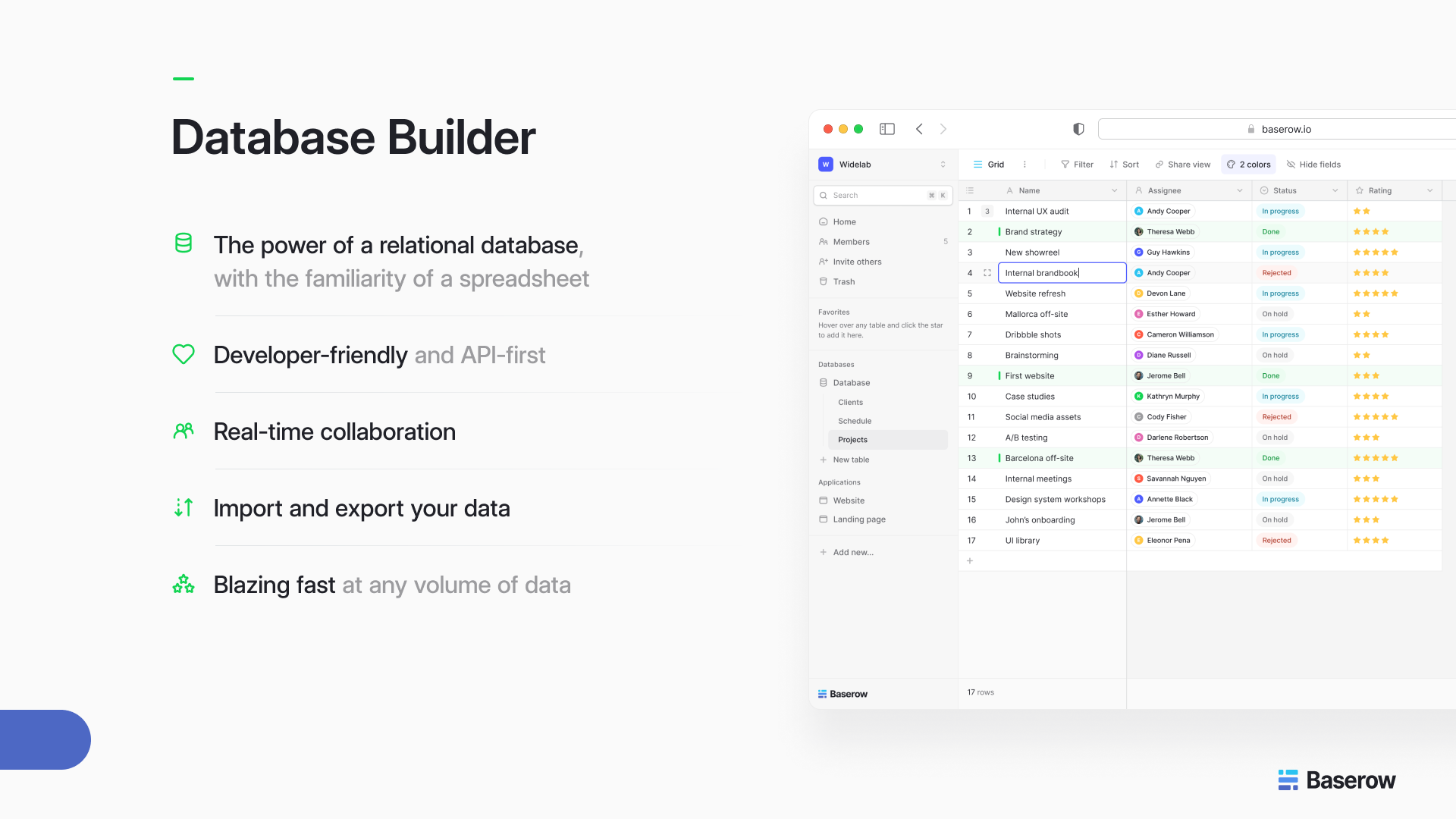
A no-code, open source database tool that lets anyone create and manage databases through a spreadsheet-like interface. Baserow is perfect for teams looking to organize workflows, collaborate in real time, and automate processes — without writing a single line of code.
- ✅ Drag-and-drop interface
- ✅ Real-time collaboration
- ✅ API integration and automation
- ✅ Self-hostable and fully open source
NocoDB
Turns any MySQL, PostgreSQL, or SQLite database into a smart spreadsheet interface. Great for visualizing and editing existing data tables through a no-code experience.
- Supports relational databases
- Collaborative workspace
- Built-in role-based permissions
Appsmith
Though more of a low-code tool, Appsmith allows non-technical users to connect to open source databases and build internal dashboards and tools through a visual builder.
- Connects to PostgreSQL, MySQL, MongoDB
- Visual widgets for app building
- Open source and self-hostable
Budibase
An open source low-code platform that integrates with databases and APIs to create internal tools. Suitable for non-technical users with a bit of learning curve.
- Form and table-based UI
- Connects to SQL and NoSQL sources
- Open source and extensible
Rowy
A Firebase-backed no-code database for creating spreadsheet-style apps. Best suited for teams already using Google Cloud tools.
- Spreadsheet interface for Firestore
- Great for managing structured data visually
- Developer-friendly yet usable by non-technical stakeholders
For Technical Users (Developers, Engineers, Architects)
PostgreSQL
PostgreSQL is an open source relational database known for its SQL support and flexibility. It suits complex queries and large applications.
Key features include:
- Advanced SQL queries
- User defined data types and functions
- Stored procedures for database operations
PostgreSQL is widely used in fintech, data analytics, and geospatial applications. It’s also frequently chosen when fault tolerant architectures are necessary to reduce the risk of a single point of failure.
MySQL
MySQL powers websites and business applications. Its free community edition suits many workloads, while paid enterprise editions add tools and support.
Features include:
- Table-based data storage
- ACID transactions with InnoDB
- Full text search capabilities
It’s particularly strong in eCommerce and CMS platforms. With widespread documentation and third-party integrations, it’s beginner-friendly and stable.
MongoDB
MongoDB stores JSON-like documents instead of rows and tables, supporting flexible data structures. Its Community Server uses the source-available SSPL license, which is not an OSI-approved open source license.
Strengths:
- Ideal for real time applications
- Great for hierarchical data like product catalogs or content platforms
- Scales horizontally with ease
MongoDB is frequently used in content management, chat apps, and IoT applications, where schemas may change often and speed is critical.
MariaDB
MariaDB began as a fork of MySQL and uses the GNU General Public License version 2. It shares many MySQL features, but compatibility varies between versions. Check your application before switching.
Notable features include:
- Enhanced security protocols
- More storage engines than MySQL
- Advanced clustering options and built in replication
It’s an excellent option for those looking for MySQL familiarity with modern improvements, often used in enterprise environments needing extra flexibility.
SQLite
Unlike server-based databases, SQLite is a database engine that integrates directly into applications. It’s extremely lightweight and doesn’t require a separate server process.
Use Cases:
- Mobile apps
- IoT sensors
- Embedded devices
While it lacks features like concurrency control for large-scale deployments, it’s unbeatable in simplicity and ease of use.
Advanced Features to Look for in Open Source Database Software
As you evaluate different open source databases, it’s essential to assess not just the fundamentals, but also the advanced features that determine long-term scalability, flexibility, and performance.
- Storage Engines & Data Types
- Query Language Support
- Real Time Capabilities
- Fault Tolerant and Scalable Infrastructure
Learn more about Baserow’s approach to database building here.
Choosing the Right Open Source Database for Your Use Case
Given the wide variety of options, selecting the right database often comes down to understanding your application’s specific needs.
Parameters to Consider
- Data Model: Are you working with relational, document, graph, or key-value data? Each has a database optimized for that model.
- Read/Write Ratio: Choose a system tuned to your workload type (read-heavy, write-heavy, or balanced).
- Data Volume: SQLite is great for small-scale apps; Cassandra or MongoDB are built for petabyte-scale.
- Skill Set: Does your team know SQL? Would a visual tool like Baserow simplify workflows?
- Security & Compliance: Does the system support encryption, role-based access, and audit logs?
Graph Database vs Relational Database
Understanding when to use a graph database over a relational one can unlock huge performance gains. For example:
- Use Neo4j when analyzing user networks, connections, or social networks recommendation scenarios using the Cypher query language.
- Use PostgreSQL for transactional systems like inventory management or HR systems.
Both database types are open source and extremely capable — but the difference in structure (multiple nodes and edges vs. rows and tables) dictates performance in real-world queries.
How Baserow Helps
If you’re building applications or internal tools and want the power of an open source database without the technical setup, Baserow offers a unique solution.
- Visual, no-code interface for managing databases
- Fully open source and self-hostable
- API and automation support for advanced use cases
- Collaboration features for teams and business users
Baserow bridges the gap between developers and non-developers, making open source database management more accessible than ever.
The Future of Open Source Databases
Open source databases are becoming the foundation of modern applications, powering everything from IoT and cloud services to low-code and no-code platforms.
Baserow makes this shift accessible with a visual, scalable platform that helps teams build and manage databases without unnecessary complexity. Learn more in our blog on Top 10 Databases for Businesses.
With Baserow, you can:
- Store data in customizable tables
- Automate workflows with APIs
- Collaborate in real time
- Build without the complexity of traditional database systems
Whether you’re a founder, analyst, or product manager, Baserow gives both technical and non-technical teams an easy way to build with open source databases.
Explore Baserow today and build faster with no code required.


Baserow 2.4 adds Button fields, Graph elements, workflow automation, AI provider management, improved Group By views, and 30+ more updates.

Discover how Airtable and Baserow compare in features, flexibility, speed, and scalability. Compare pricing plans and hidden costs to make an informed decision!

Explore the best open-source software alternatives to proprietary products. Discover OSS tools, licenses, and use cases with our updated directory.