
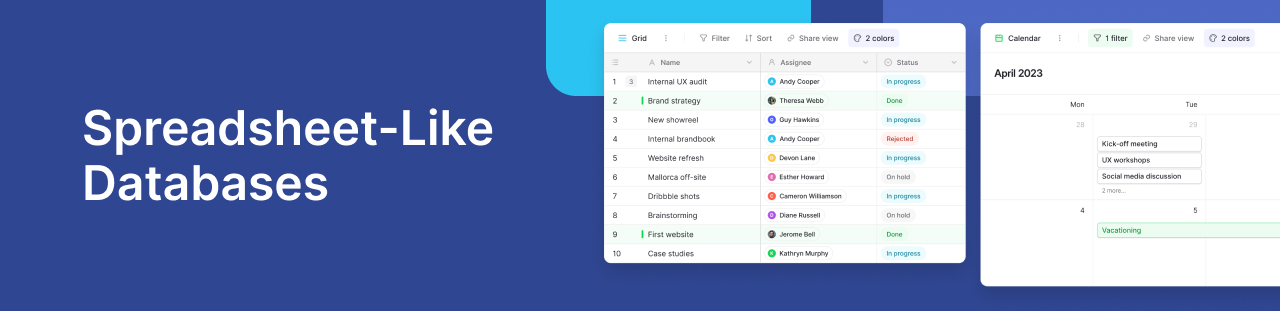
If your team still relies on spreadsheets for everything, you’re not alone. Tools like Excel and Google Sheets have been the default for years thanks to their simplicity, flexibility, and familiar row and column structure.
As data grows, spreadsheets become harder to manage. Formulas can break, data is often duplicated, collaboration is limited, and connecting related data is difficult.
That’s where spreadsheet-like databases come in.
In this guide, we’ll break down the basics of spreadsheet-like databases, explain how they work, and show why Baserow stands out as one of the best spreadsheet-like database solutions for teams looking to manage data in a smarter, more scalable way.
What is a spreadsheet-like database?
A spreadsheet-like database combines the ease of use of a spreadsheet with the power of a relational database.
At first glance, it looks familiar:
- Rows and columns
- Simple interface
- Editable cells
- Filtering and sorting
But underneath, it works differently.
Instead of just storing data in flat tables, it allows you to:
- Create relationships between tables
- Structure your data properly
- Avoid duplication
- Scale without breaking things
In short, it’s a better way to handle modern data without requiring deep technical knowledge.
Why traditional spreadsheets start to break down
Spreadsheets are great until they are not.
Here are some common issues teams face as they grow:
No real data relationships
Spreadsheets store data in isolated sheets. If you want to connect data like customers and orders, you rely on:
- VLOOKUPs
- Manual linking
- Complex formulas
These are fragile and hard to maintain.
Data duplication
Without structured data storage, teams often copy and paste data across sheets. This leads to:
- Inconsistencies
- Errors
- Time wasted fixing mistakes
Limited collaboration
While tools like Google Sheets offer real time collaboration, they still struggle with:
- Permissions
- Data integrity
- Concurrent editing at scale
Hard to scale
As your dataset grows:
- Performance drops
- Files become slow
- Logic becomes impossible to track
What makes spreadsheet databases different?
Spreadsheet-style databases solve these problems by combining usability with structure.
Here’s what sets them apart:
Relational data
Instead of forcing everything into one table, you can:
- Split data into multiple tables
- Link them together
- Maintain consistency automatically
For example:
- A customers table
- An orders table
- A relationship between them
No more fragile formulas, just clean connections.
Structured data storage
Each column has a defined type:
- Text
- Numbers
- Dates
- Links
- Attachments
This ensures your data is always consistent and easier to work with.
Real time collaboration
Modern tools provide:
- True real time collaboration
- Role based permissions
- Audit logs and version control
Your team can work together without stepping on each other’s toes.
No code simplicity
Unlike traditional databases, you don’t need SQL or advanced technical knowledge.
Everything is visual and intuitive.
Use cases when to switch to a spreadsheet database
If you’re wondering whether it’s time to upgrade, here are some common use cases:
Project management
- Track tasks, assign owners, and link projects across teams.
CRM
- Manage leads, contacts, and deals with connected data.
Content planning
- Organize blog posts, campaigns, and assets in one place.
Inventory management
- Track products, suppliers, and orders with proper relationships.
Internal tools
- Build custom workflows tailored to your business.
Spreadsheet vs database what’s the real difference?
The key difference is simple.
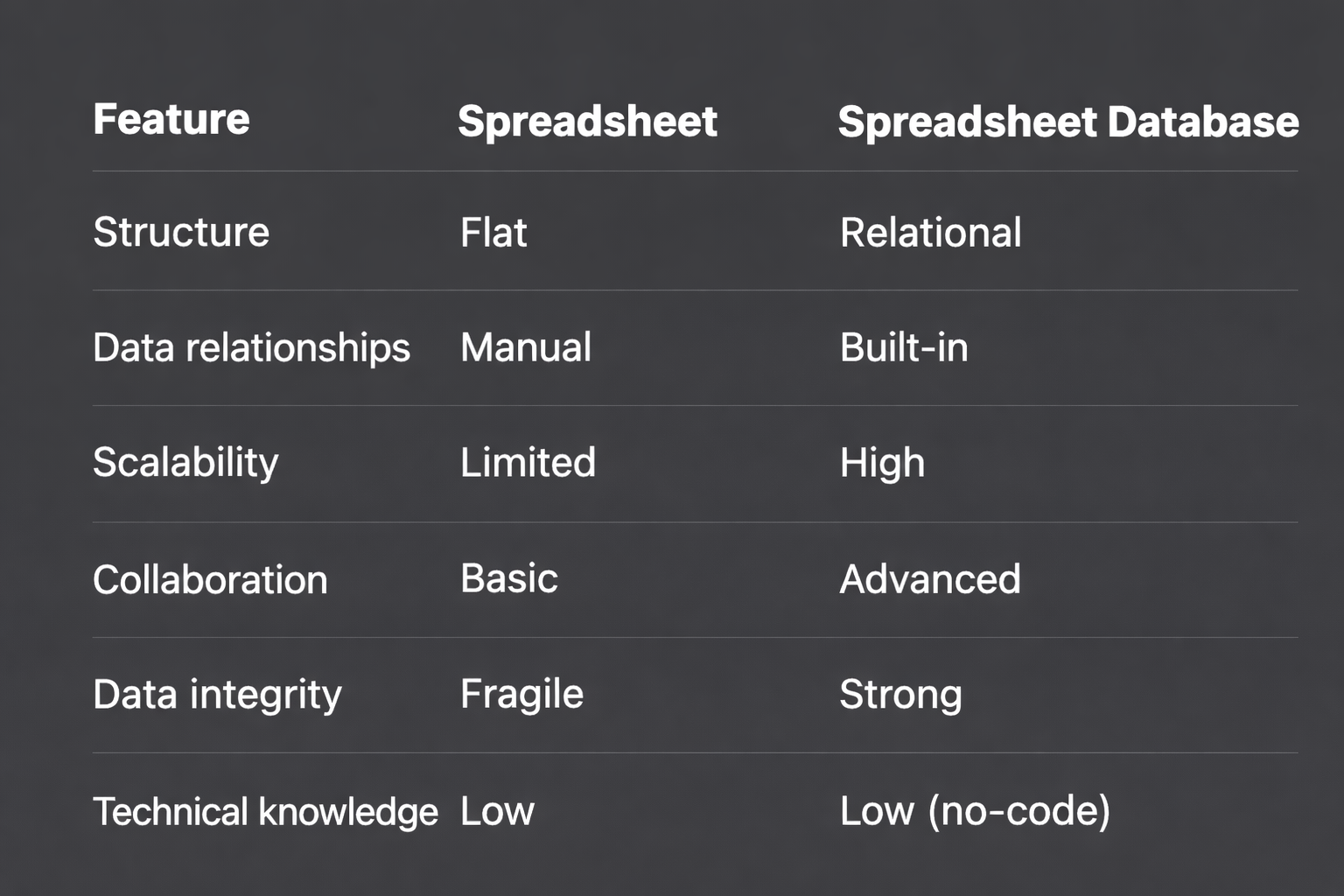
A spreadsheet database lets you store data properly and connect it meaningfully.
Why teams are moving beyond Google Sheets
Google Sheets is still great for quick tasks and lightweight workflows. But when your business depends on data, you need more than just flexibility.
You need:
- Reliable data storage
- Clean relationships between datasets
- Scalable systems
- Fewer errors
That’s why teams are searching for alternatives and discovering tools like Baserow.
Introducing Baserow a better spreadsheet database
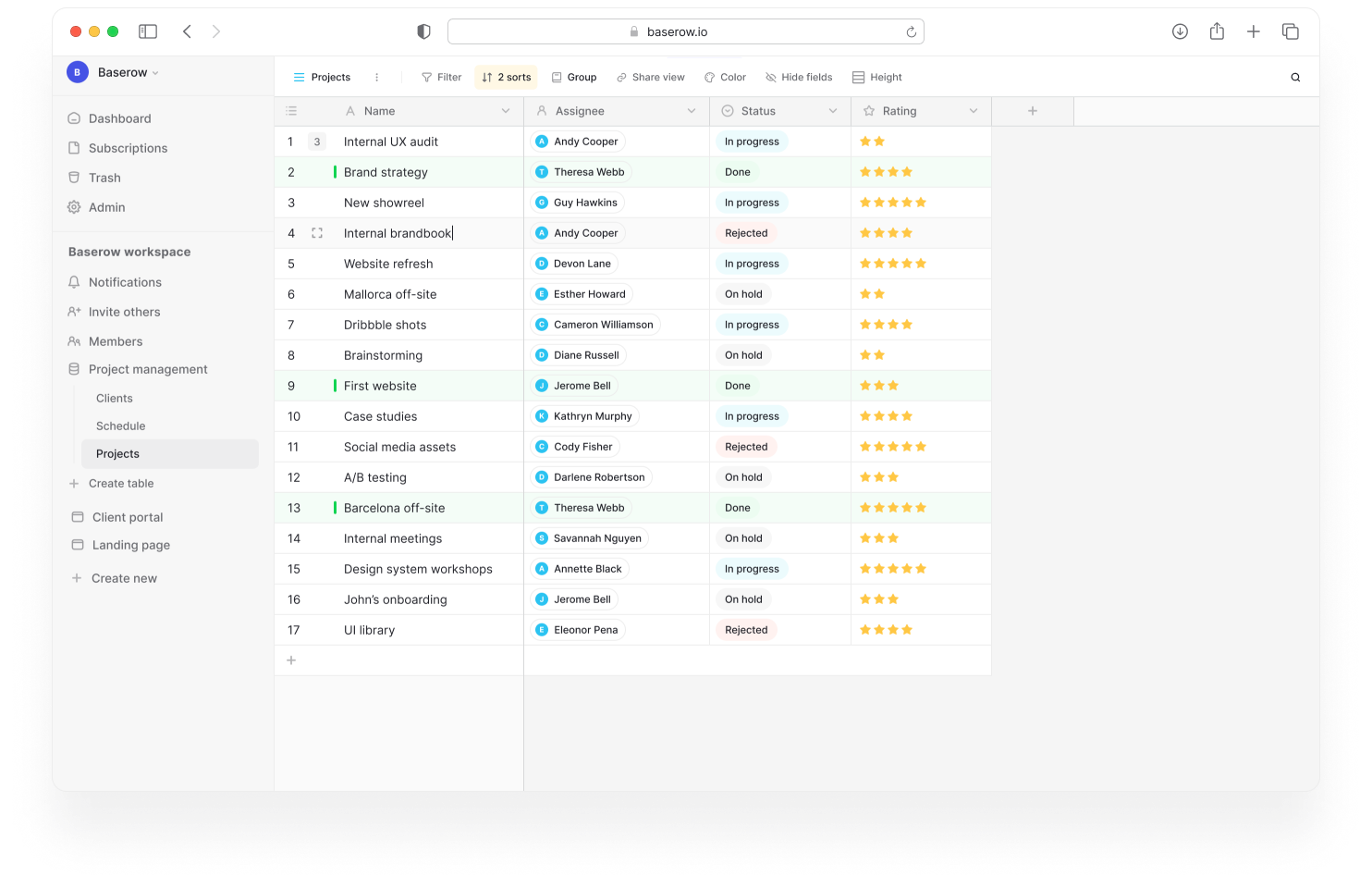
- The familiarity of a spreadsheet
- The power of a relational database
What makes Baserow stand out?
Familiar interface
You still work with rows and columns, so there’s no learning curve.
Powerful relationships
Easily create relationships between tables without formulas.
Flexible data types
Define exactly how your data is stored:
- Text, numbers, dates
- File uploads
- Links and references
Real time collaboration
Work together seamlessly with your team in real time.
No vendor lock in
Because it’s open source, you have full control over your data.
Scales with you
Whether you’re a startup or growing team, Baserow handles increasing complexity without breaking.
How Baserow solves spreadsheet pain points
Let’s connect the dots.
Problem messy data
Solution: structured tables and field types
Problem broken formulas
Solution: built in relationships instead of manual linking
Problem duplicate data
Solution: centralized, normalized data storage
Problem collaboration issues
Solution: true real time editing with permissions
When not to use a spreadsheet database
To be fair, this isn’t always the right solution.
Stick with a simple spreadsheet if:
- You’re working solo
- Your dataset is small
- You don’t need relationships
- It’s a temporary project
But if your data is growing or shared across a team, it’s time to upgrade.
What people are saying real discussions
There’s growing, vibrant discussion online about moving beyond spreadsheets.
For example, in communities like Reddit:
- A thread on “best Excel as a database alternative” highlights frustration with scaling spreadsheets and the need for better structured tools.
- Another discussion on “spreadsheet like database tools” shows users actively comparing options and looking for no code, flexible solutions.
Common themes across these conversations:
- Spreadsheets are familiar but limiting
- Users want relational capabilities without complexity
- Open source and self hosted tools are gaining traction
- Ease of use is just as important as power
This validates a clear trend. People are actively searching for something better than traditional spreadsheets and are ready to switch.
Frequently asked questions
What is a spreadsheet-like database?
A spreadsheet-like database is a tool that looks and feels like a spreadsheet but allows you to structure data, store data more reliably, and create relationships between tables like a traditional database.
How is it different from Excel or Google Sheets?
While Excel and Google Sheets store data in flat tables, a spreadsheet database lets you connect data across multiple tables, enforce structure, and scale without relying on fragile formulas.
Do I need technical knowledge to use one?
No. Most modern tools like Baserow are built for non technical users and require little to no technical knowledge.
When should I switch from a spreadsheet?
You should consider switching when:
- Your data is growing quickly
- You’re duplicating data across sheets
- You need relationships between datasets
- Collaboration is becoming messy
Are spreadsheet databases suitable for teams?
Yes. They’re designed for collaboration, offering real time editing, permissions, and better data integrity than traditional spreadsheets.
Can I still use rows and columns?
Absolutely. The interface remains familiar with rows and columns, you just get more power underneath.
Spreadsheets changed how we work with data, but they were not built for today’s complexity.
Spreadsheet-like databases bridge the gap:
- Familiar enough for anyone to use
- Powerful enough to scale with your needs
If you’ve ever struggled with messy sheets, broken formulas, or disconnected data, it’s worth exploring a better way.
Tools like Baserow give you the flexibility of a spreadsheet and the structure of a database without requiring advanced technical knowledge.
Ready to upgrade your workflow?
If you’re still managing complex workflows in spreadsheets, now is the perfect time to rethink your setup.
Start simple. Build better. And let your data actually work for you.


Baserow 2.4 adds Button fields, Graph elements, workflow automation, AI provider management, improved Group By views, and 30+ more updates.

Discover how Airtable and Baserow compare in features, flexibility, speed, and scalability. Compare pricing plans and hidden costs to make an informed decision!

Explore the best open-source software alternatives to proprietary products. Discover OSS tools, licenses, and use cases with our updated directory.