
TL;DR:
- Baserow: Best for teams that want to build a custom sales workflow with connected customer records, role-specific interfaces, and dashboards.
- Close: Best for small sales teams focused on calls and outbound follow-ups.
- Copper: Best for teams that work primarily in Google Workspace.
- Attio: Best for teams that need flexible relationship management.
- ClickUp: Best for coordinating sales tasks, approvals, and internal handoffs.
- Apollo: Best for teams focused on prospecting and outbound sales.
Choosing the right customer relationship management system means looking beyond the number of features a vendor offers. The best CRM tools should fit your sales process, help team members share customer information, and reduce repetitive data entry. When comparing CRM platforms and other software solutions, consider whether you need built-in sales features or a more flexible setup. For businesses that provide a custom service, the ability to connect sales records with project tasks, delivery details, and customer support can be just as important as managing the sales pipeline.
This guide takes a workflow-first approach to choosing sales software. Instead of comparing platforms only by their features, we’ll look at the problems remote teams need to solve, the types of tools that can help, and how to build a sales process that people will actually use.
What remote sales teams need from their software
Remote selling creates a specific challenge: team members need to work independently while sharing the same view of each customer and deal.
When a salesperson is unavailable, someone else should be able to understand the conversation history and take the next step. When a deal changes stage, the rest of the team should know what happens next. And when a manager asks about the pipeline, the answer shouldn’t require collecting updates from five different people.
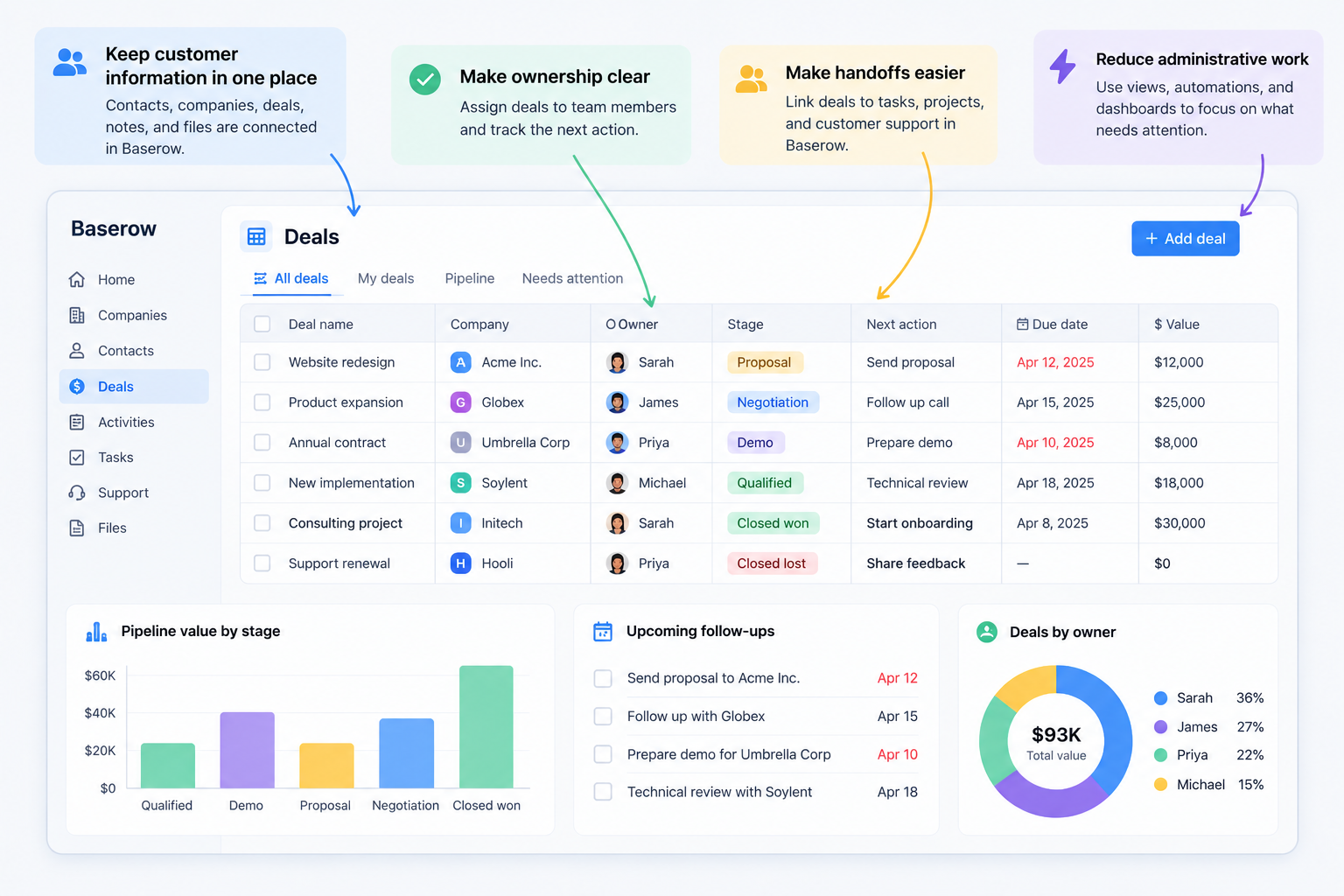
A practical system should help with four things.
1. Keep customer information in one place. Contact details, call notes, deal status, documents, and next steps should be easy to find. Reps shouldn’t have to search through email threads or personal notes to understand a customer’s history.
2. Make ownership clear. Every active opportunity needs someone responsible for it. Ideally, each record also has a next action and a due date, so the team can distinguish between a deal that is progressing and one that has stalled.
3. Make handoffs easier. Sales rarely works in isolation. A deal might need help from a product specialist, account manager, or customer service team. The relevant information should follow the customer rather than remain in a private conversation.
4. Reduce administrative work. Reps should spend more time talking to customers and less time updating records. If data entry takes too long, people may stop keeping the CRM current, making the information less useful over time.
These needs are especially important for a small sales team. With fewer people, there is less room to absorb missed follow-ups, unclear responsibilities, or duplicated work.
Four ways to organize remote sales work
Not every team needs the same type of software. Before comparing individual products, decide what kind of problem you’re trying to solve.
1. Use a traditional CRM for customer and deal tracking
A sales CRM is designed to organize leads, contacts, companies, deals, and sales activities. A good starting point is when your main challenge is keeping track of prospects and moving opportunities through a sales pipeline.
For example, a rep can open a company record, review previous interactions, check the deal stage, and schedule a follow-up. Other team members can access the same history instead of asking the rep to explain what happened.
Traditional CRM systems are particularly useful when your sales process follows repeatable stages and your team needs built-in sales activities, contact management, and forecasting.
However, a CRM may not cover every internal workflow. If deals regularly require input from several departments, you may need additional tools or integrations to coordinate the work.
2. Use sales engagement software for high-volume outreach
Some teams spend most of their time prospecting, sending emails, making calls, and following up with leads. For them, sales engagement software can be more important than advanced customer database customization.
These tools help organize outreach activities and make repeated follow-ups easier to manage. They can be useful for outbound teams with defined prospecting processes and high volumes of activity.
The trade-off is that outreach tools aren’t necessarily designed to manage every part of the customer relationship. You may still need a separate system for account history, deal delivery, or post-sale coordination.
3. Use work management software when sales involves many handoffs
A team that sells complex services may need to coordinate proposals, approvals, technical reviews, and onboarding alongside its pipeline.
Work management tools can help assign tasks, set deadlines, and show progress across people and projects. They are useful when the main problem is coordinating work rather than recording customer interactions.
However, a task board alone may not provide a complete customer record. If contacts, deals, and tasks are stored separately, the team can end up recreating the same information in several places.
4. Use a customizable database when your process doesn’t fit a standard CRM
Some small businesses have sales workflows that don’t match the structure of a ready-made CRM. They might sell custom services, manage multiple locations per customer, project management, track technical requirements, or coordinate sales with ongoing delivery.
A customizable database lets the team define its own records, relationships, fields, and views. Rather than forcing every process into a fixed structure, the team can build around how it already works.
This approach requires more initial configuration, but it can reduce the need to maintain disconnected spreadsheets and workarounds as the business grows.
Tools to consider for different remote sales workflows
The best choice depends on where work gets stuck. These tools represent different approaches rather than a single ranking of CRM features.
1️⃣ Baserow: Best for building a sales workflow around your business
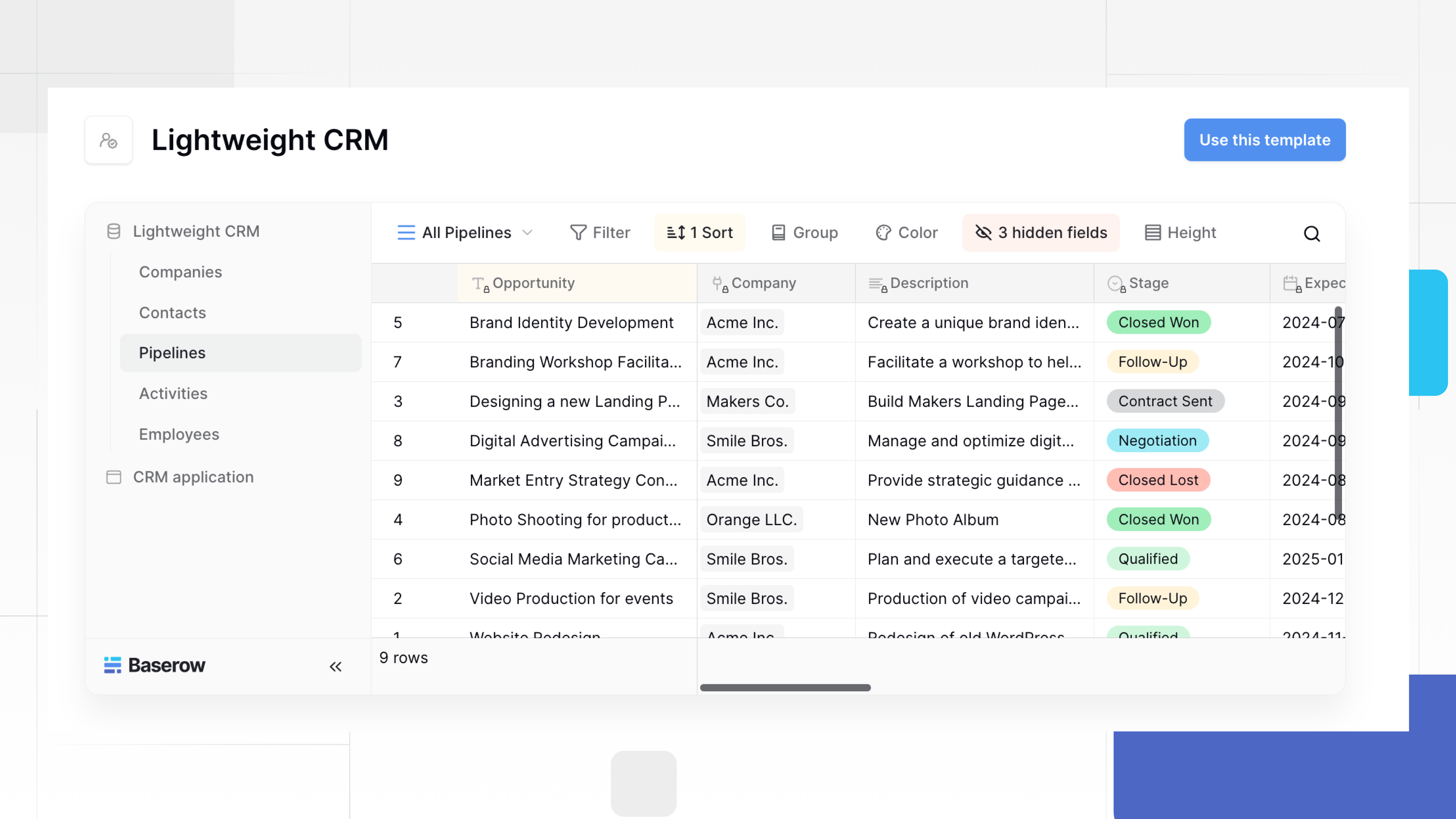
Baserow is an open-source database and application platform for teams that want control over how customer information and internal processes are organized.
Instead of starting with a fixed CRM structure, you can create linked tables for companies, contacts, deals, activities, and tasks. A contact can be connected to a company, a deal can be linked to the people involved, and an activity can record what happened and what needs to happen next.
Consider a remote team selling custom software services. A deal might require a discovery call, a technical review, a proposal, and approval from a delivery manager. In a rigid workflow, these steps may be tracked in different places. In Baserow, they can be organized around linked records so team members can see the context they need.
You can also create focused interfaces for different roles. Sales reps can work with their assigned leads and upcoming follow-ups, while managers can review the broader pipeline. With Baserow’s Application Builder, you can build an interface for the workflow without requiring every team member to work directly in the underlying database.
Dashboards are particularly useful for remote coordination. A manager could create a dashboard showing deals by stage, overdue follow-ups, opportunities without a next action, or proposals waiting for approval. The team can use these views to decide what needs attention rather than spending a meeting collecting status updates.
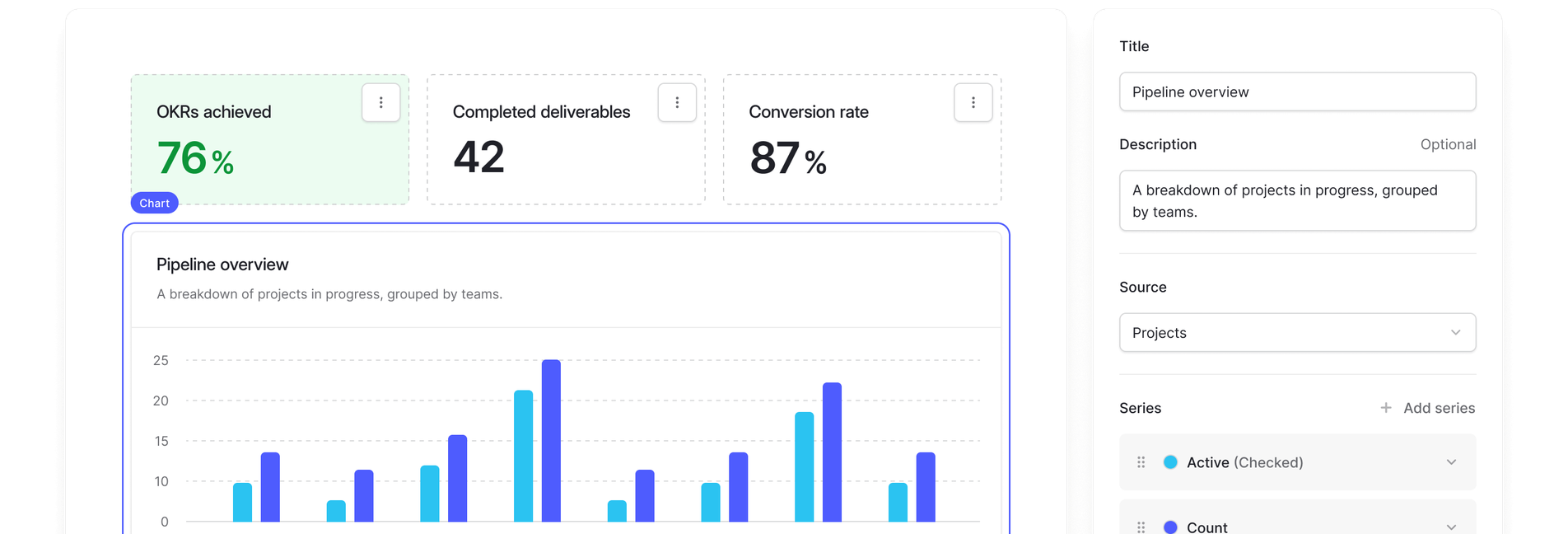
Explore Baserow’s dashboard documentation or start with the Lightweight CRM template.
Baserow is a good fit when the team needs adaptable data structures, connected workflows, and dashboards tailored to its process. It is not a ready-made CRM with every sales engagement feature included by default, so consider the setup required and whether you need dedicated calling or email sequencing tools.
2️⃣ Close: Best for teams centered on calls and outreach
Close is worth considering for small sales teams whose daily work revolves around contacting prospects and following up on conversations.
A sales-focused platform can be a better fit than a general database when reps need a streamlined environment for their outreach activities. Before choosing it, map your team’s calling, email, and follow-up requirements to the features available in the plan you’re considering.
3️⃣ Copper: Best for teams working heavily in Google Workspace
Copper is an option for businesses that want their CRM closely connected to a Google Workspace-based way of working.
This can suit teams that already manage much of their communication and collaboration through Google tools. The important question is whether the CRM can provide the shared customer history and sales visibility your team needs without adding unnecessary administration.
4️⃣ Attio: Best for teams that want flexible relationship management
Attio is worth evaluating if your team needs flexible ways to organize relationships and customer information.
It may suit businesses whose sales process depends on understanding connections among people, companies, and opportunities. When evaluating any flexible CRM, test how easily reps can capture interactions, find the right information, and maintain a consistent next-step process.
5️⃣ ClickUp: Best for sales processes with substantial internal coordination
ClickUp can be useful when sales work includes many internal tasks, approvals, and cross-functional handoffs.
For example, winning a deal may trigger proposal preparation, implementation planning, and onboarding tasks. A work management platform can help coordinate these activities, although you should check whether its customer and deal management capabilities are sufficient for your needs or whether a separate CRM is necessary.
6️⃣ Apollo: Best for prospecting-led sales teams
Apollo is worth considering when finding prospects and managing outbound sales activities are central to the team’s work.
Prospecting software can help teams organize outreach, but it should fit into a broader process for tracking qualified leads, managing opportunities, and preserving customer history. Check which features are included in the plan you choose and whether the team needs a separate system for its pipeline and post-sale work.
How to build a remote sales workflow that people will use
Choosing software is only one part of the problem. A system can have excellent features and still fail if updating it feels like a separate job.
Start with the smallest workflow that keeps deals moving.
Step 1: Decide what every active deal must contain
Avoid making every field mandatory. Begin with the information the team needs to take action:
- Company and primary contact
- Deal owner
- Current stage
- Last meaningful interaction
- Next action and due date
- Deal value, where relevant
- Important context or blockers
Additional fields should serve a clear purpose. If nobody uses a field to make a decision or complete work, consider removing it.
This is one of the simplest ways to reduce administrative work and improve CRM adoption.
Step 2: Make the next action more important than the stage
A deal marked “Negotiation” doesn’t tell the team whether anyone is doing anything about it.
Every active opportunity should have a clear next step, such as sending a proposal, arranging a technical call, or checking in with a decision-maker. Give that action an owner and a date.
In Baserow, you can store the next action and its due date alongside the deal or in a linked activities table. A dashboard can then highlight overdue follow-ups and deals with no planned action.
This gives remote managers a practical way to spot stalled work without asking every rep for a separate update.
Step 3: Create a reliable handoff between team members
When one person passes a deal to another, the receiving person should not have to reconstruct the conversation.
Define a simple handoff rule: the record must include the customer’s goal, the latest interaction, outstanding questions, and the next agreed action.
For example, when a salesperson needs help from a technical colleague, they can link a review task to the deal and assign an owner and due date. The task stays connected to the customer context instead of disappearing into a separate chat thread.
This is particularly useful for businesses where sales and delivery overlap, or where customer support becomes involved before a deal closes.
Step 4: Automate repetitive work selectively
Automation can reduce the effort required to maintain accurate records. Depending on the platform and setup, useful examples include notifying a rep about an overdue task, creating an onboarding task after a deal is won, or alerting a manager when a proposal is waiting for approval.
Start with one repetitive problem and measure whether the automation actually helps. Avoid automating an inconsistent process before the team agrees on how it should work.
Step 5: Establish a short weekly review
A remote sales team doesn’t need a long meeting to review every opportunity. Use a shared dashboard or pipeline view to focus on exceptions:
- Deals without a next action
- Overdue follow-ups
- Opportunities that have not progressed
- Proposals awaiting a response
- Handoffs blocked by another team
Ask what needs to happen next, who owns it, and when it should happen. This keeps the discussion focused on decisions rather than reporting.
How to choose the right system
Before committing to a platform, run a small test using real examples from your sales process.
Check whether a rep can add a lead quickly, record a conversation, schedule a follow-up, and hand a deal to another person without duplicating information. Then ask a manager to find stalled deals and understand why they are blocked.
Evaluate the system against these questions:
- Adoption: Can team members update records without excessive data entry?
- Visibility: Can everyone see the information they need in real time, where the platform supports it?
- Ownership: Is it obvious who is responsible for each lead, task, and next step?
- Flexibility: Can the workflow accommodate the way your business sells?
- Integration: Does it work with the email, calendar, and communication tools the team already uses?
- Cost: Does the total cost fit your budget as the team grows? A free CRM can be a sensible starting point, but check its limits before depending on it.
- Security: Can you control access to customer information and meet your organization’s requirements?
Also consider whether you need a dedicated CRM, broader management software, or a combination of tools. The best choice is not necessarily the platform with the longest feature list. It helps the team maintain reliable customer information and take the right action consistently.
If you are comparing CRM systems specifically for small businesses, our guide to the best CRM for small businesses covers the broader selection decision. If you are interested in building a CRM around your own process, read about the benefits of a custom-built CRM.
The best CRM for small businesses with remote sales teams is the one that makes customer information useful to the whole team, not just the person who entered it.
For teams with a conventional sales process, a dedicated CRM may provide the quickest route to better follow-ups and clearer customer histories. Teams focused on outbound prospecting may benefit more from sales engagement software, while those coordinating complex internal work may need stronger task management.
If your sales process involves custom fields, linked records, cross-functional handoffs, and role-specific dashboards, Baserow offers a flexible way to build a system around that work.
Start with one goal: make it easy for every team member to understand what happened with a customer, what needs to happen next, and who is responsible for making it happen.


Baserow 2.4 adds Button fields, Graph elements, workflow automation, AI provider management, improved Group By views, and 30+ more updates.

Discover how Airtable and Baserow compare in features, flexibility, speed, and scalability. Compare pricing plans and hidden costs to make an informed decision!

Explore the best open-source software alternatives to proprietary products. Discover OSS tools, licenses, and use cases with our updated directory.