
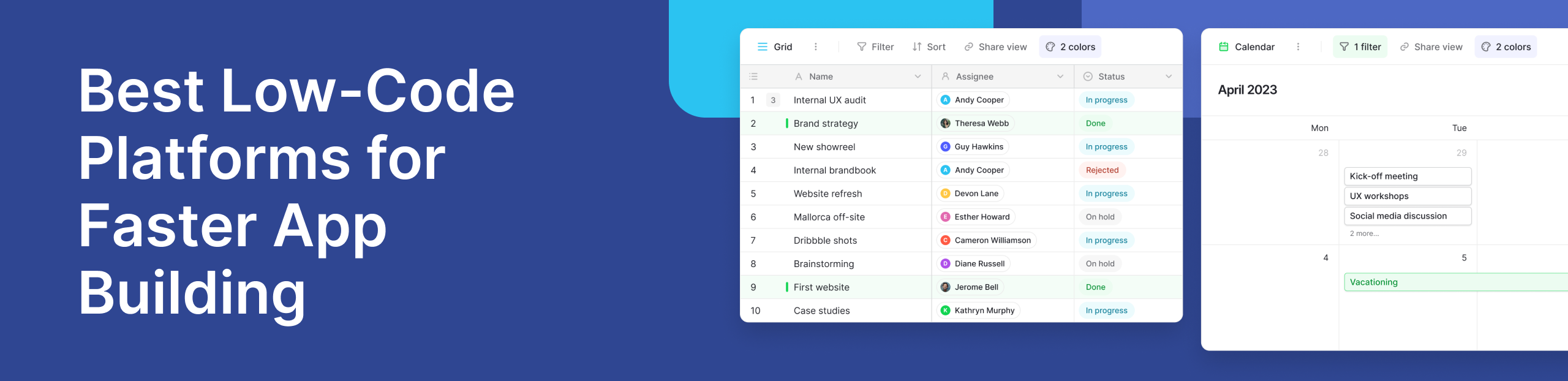
Software development is changing. In the past, building applications required deep coding knowledge, long timelines, and large teams. Today, businesses need faster and more flexible solutions. This is where low-code platforms are making a difference.
Low-code tools reduce the need for manual coding by using visual development features like drag-and-drop builders and pre-built components. This allows teams to create applications quickly while still keeping room for customization when needed.
Speed is a major reason behind this shift. Businesses want to launch faster, test ideas quickly, and adapt without delays. Traditional software development often slows this process down, while low-code platforms simplify how applications are built.
Accessibility is another key factor. Low-code platforms are designed not only for developers but also for product managers, analysts, and operations teams. With minimal coding, more people can build tools, manage workflows, and create user interfaces.
At the same time, these platforms still function as powerful developer tools. Developers can extend features, integrate APIs, and refine applications when needed. This balance between simplicity and control is what makes low-code platforms effective in modern development environments.
According to Gartner, adoption continues to grow as organizations look for faster ways to deliver applications. The focus is shifting from just building software to building it efficiently.
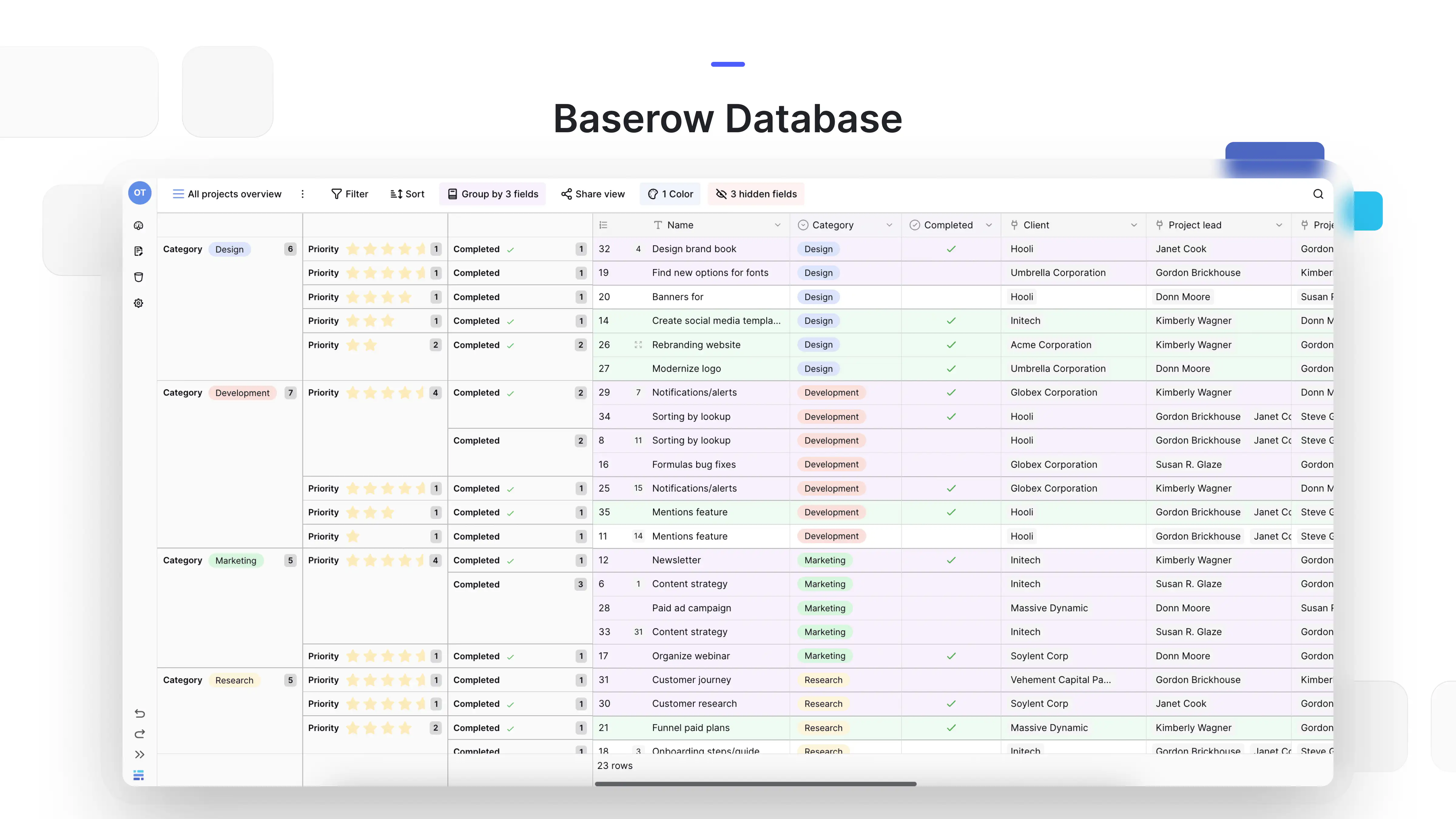
In real use cases, low-code platforms are often used for internal tools, workflow automation, and managing structured data. Platforms like Baserow help teams organize data and build lightweight applications around it, reducing reliance on traditional development cycles.
These platforms also improve collaboration. Teams can work together in shared development environments, where designers handle user interfaces and developers manage integrations. This speeds up the overall process.
Low-code platforms also support data-driven workflows. Applications built on them rely on structured data that can be updated in real time, helping teams track performance and improve outcomes.
Communities further strengthen their value. On the Baserow community page, users share how they build dashboards, manage contributors, and streamline operations using flexible data structures.
Low-code platforms are not replacing traditional development, but they offer a faster and more efficient approach for many use cases. In simple terms, they help bridge the gap between idea and execution, making them a key part of modern software development.
What Are Low-Code Platforms?
Low-code platforms are tools that help people build applications with very little manual coding. Instead of writing long lines of code, users can create apps using visual development features like drag-and-drop components, pre-built templates, and guided workflows.
At their core, these platforms simplify software development by turning complex coding tasks into visual steps. You can design layouts, define logic, and connect data without starting from scratch. This makes them useful for both beginners and experienced developers. Low-code development platforms also support web development, helping teams build forms, portals, and dashboards without writing every part by hand.
A simple way to understand low-code is to think of it as a middle ground. It sits between traditional development and no-code tools. While no-code platforms require zero coding, low-code platforms allow some level of customization through code when needed. This flexibility makes them suitable for a wider range of projects.
For example, a team might use a low-code platform to build an internal dashboard. They can create the interface visually, connect it to a database, and then add custom logic using code if required. This reduces development time while still allowing control over the final product.
Platforms like Baserow show how this approach works in practice. Teams can manage structured data, create workflows, and build simple applications around their data without relying fully on traditional coding. This is especially useful for projects that need flexibility but not full-scale engineering effort.
Low-Code vs No-Code: What’s the Difference?
Low-code and no-code platforms are often grouped together, but they serve slightly different purposes.
No-code tools are designed for users with no technical background. Everything is handled through visual interfaces, and there is no need to write code at all. These tools are ideal for simple applications and quick prototypes.
Low-code platforms, on the other hand, are built for both non-technical users and developers. They provide visual development features but also allow coding when needed. This makes them more powerful and flexible.
In real-world scenarios, this difference matters. A no-code tool might be enough for creating a simple form or landing page. But if you need integrations, custom workflows, or scalable systems, low-code platforms are usually the better choice.
Key Features of Low-Code Platforms
Most low-code platforms share a set of common features that make them effective for modern development.
- Visual interfaces: Users can design applications using drag-and-drop builders. This reduces the need to write code for layouts and user interfaces.
- Pre-built components: Instead of building everything from scratch, users can rely on ready-made modules such as forms, tables, and dashboards.
- Integration capabilities: Low-code platforms often connect easily with APIs, databases, and third-party tools. This allows applications to work within existing systems.
- Pre built connectors: Link apps to existing business tools without building each connection from scratch. Check which connectors are included in your plan.
- Automation and workflows: Users can define logic and automate tasks without complex coding. For example, triggering actions when data changes.
- Process automation: Route requests, send reminders, and move tasks through approval steps, reducing manual work across teams.
- Scalability options: Many platforms support growth, allowing applications to handle more users and data over time.
- Collaboration features: Teams can work together in shared development environments, making it easier to build and manage projects.
- Audit logs: Look for records of user actions so teams can review changes and investigate issues.
How Low-Code Fits Into Modern Development
Low-code platforms are becoming an important part of today’s development environments. They are not replacing traditional coding but complementing it.
Developers can use these platforms to speed up repetitive tasks, while non-developers can build simple tools on their own. This reduces the workload on engineering teams and allows faster delivery of applications.
In many organizations, low-code platforms are now part of a broader set of developer tools. They work alongside traditional frameworks, cloud services, and APIs to create a more flexible development process.
For example, a company might use low-code for internal tools and dashboards, while still relying on full-code solutions for customer-facing applications. This hybrid approach helps balance speed and complexity.
Why Low-Code Is More Than Just a Trend
Low-code platforms are not just a short-term trend. They are a response to real challenges in software development, such as long timelines, high costs, and limited resources.
By reducing the need for heavy coding, these platforms make it easier to build and maintain applications. They also allow teams to experiment more freely, which is important in fast-changing environments.
Communities around these tools also add to their value. On the Baserow community, users share how they build tools for managing data, tracking workflows, and supporting projects. These examples show how low-code platforms can solve everyday problems in practical ways.
Another advantage is how well low-code platforms support structured data. Many applications rely on organized data to function properly. Tools that combine data management with visual development make it easier to build reliable systems.
Best Low-Code Platforms to Consider
Choosing the right platform becomes easier when you see how different tools are used in real scenarios. Below are some of the most reliable low-code platforms, each suited for different needs.
1. Baserow
Baserow works best as a flexible foundation for building applications around structured data. Instead of focusing only on UI building, it helps teams organize, manage, and extend data into usable tools.
The best low code platforms for large enterprises should match their security needs, existing systems, and plans for growth.
Teams often use it for internal dashboards, workflow tracking, and lightweight applications. What makes it stand out is its balance between simplicity and control. You can start with minimal coding and still scale into more advanced use cases when needed.
Recent improvements in performance, permissions, and scalability make it more suitable for growing teams. In the community, users share how they manage contributors, track project data, and build custom workflows without relying heavily on engineering teams.
A common use case is project tracking. Teams create structured databases, connect them to workflows, and build simple interfaces to manage progress. This reduces tool fragmentation and keeps everything in one place.
2. OutSystems
OutSystems is an enterprise-focused platform designed for building complex applications. It supports advanced integrations and automation, making it suitable for large organizations.
3. Mendix
Mendix offers strong visual development capabilities with added AI-assisted features. It is widely used for enterprise applications that require scalability and collaboration.
4. Retool
Retool is popular among developers who want to build internal tools quickly. It connects easily with databases and APIs, making it a strong option for backend-focused workflows.
5. Appsmith
Appsmith is an open-source platform that focuses on dashboards and admin panels. It is a good choice for teams looking for flexibility and control.
6. Microsoft Power Apps
Microsoft Power Apps integrates deeply with the Microsoft ecosystem. It is widely used by businesses that already rely on Microsoft tools.
7. Zoho Creator
Zoho Creator is a simple and accessible platform for building applications with automation and clean user interfaces.
8. Betty Blocks
Betty Blocks focuses on citizen development. It allows non-technical users to build applications with minimal effort.
Real-World Use Cases of Low-Code Platforms
Low-code platforms are used across industries to solve everyday problems.
- Building internal tools for operations
- Automating workflows and approvals
- Managing CRM and structured data
- Creating dashboards and reporting systems
A practical example is managing project workflows. Teams can centralize project data, track progress, and automate updates without building full systems from scratch.
With tools like Baserow, this becomes simpler. You can create a structured database, connect it to workflows, and expose it through lightweight applications. This approach keeps development fast while maintaining flexibility.
Challenges and Limitations of Low-Code
Low-code platforms are useful, but they are not perfect.
Some tools limit customization, which can become a problem for complex applications. If you need web and mobile apps, check whether the platform supports browser access, native apps, or both. Others may create dependency on a specific vendor, making migration difficult.
Performance can also be a concern at scale, especially if the platform is not designed for large datasets or high traffic.
This is where flexibility matters. Platforms that allow more control, including open structures and extensibility, reduce these risks. This is one reason why tools like Baserow are often used as a data layer rather than a closed system.
Future of Low-Code Development
Low-code platforms are becoming a core part of modern software development.
They are evolving alongside artificial intelligence, automation, and cloud technologies. AI powered tools can suggest layouts or logic through AI assisted development, but teams still need to test the results.
This means faster development, smarter workflows, and more adaptive applications.
The role of developer tools is also changing. Instead of replacing developers, low-code platforms are helping them work more efficiently. Teams can focus on solving problems rather than writing repetitive code.
As businesses continue to demand speed and flexibility, low-code platforms will play an even bigger role in how applications are built.
Frequently Asked Questions
- What is the difference between low-code and traditional development?: Traditional development requires writing full code for applications, while low-code platforms use visual development and pre-built components to reduce effort and speed up delivery.
- Are low-code platforms suitable for enterprise applications?: Yes, many platforms like Baserow, OutSystems and Mendix are designed for enterprise use and support scalability, security, and integrations.
- Can developers use low-code platforms effectively?: Yes, developers use low-code tools to speed up repetitive tasks, build internal tools, and focus on more complex parts of applications.
- How secure are low-code platforms?: Most platforms offer security features like access control, encryption, and user roles. Some also allow self-hosting for greater control over data.
- What industries benefit most from low-code tools?: Industries like finance, healthcare, SaaS, and operations benefit from low-code platforms due to their need for fast and flexible development.
- Is low-code the future of software development?: Low-code is not replacing traditional development, but it is becoming a key part of it by improving speed, accessibility, and efficiency.
Conclusion
Low-code platforms make it easier to build applications quickly without losing flexibility. They reduce development time, improve collaboration, and allow teams to adapt faster.
The key is choosing a platform that matches your needs. For teams working with structured data and workflows, tools like Baserow provide a strong and flexible starting point.
If you want to build faster and keep control over your data, you can get started with Baserow and explore how it fits into your workflow.


Baserow 2.4 adds Button fields, Graph elements, workflow automation, AI provider management, improved Group By views, and 30+ more updates.

Discover how Airtable and Baserow compare in features, flexibility, speed, and scalability. Compare pricing plans and hidden costs to make an informed decision!

Explore the best open-source software alternatives to proprietary products. Discover OSS tools, licenses, and use cases with our updated directory.