
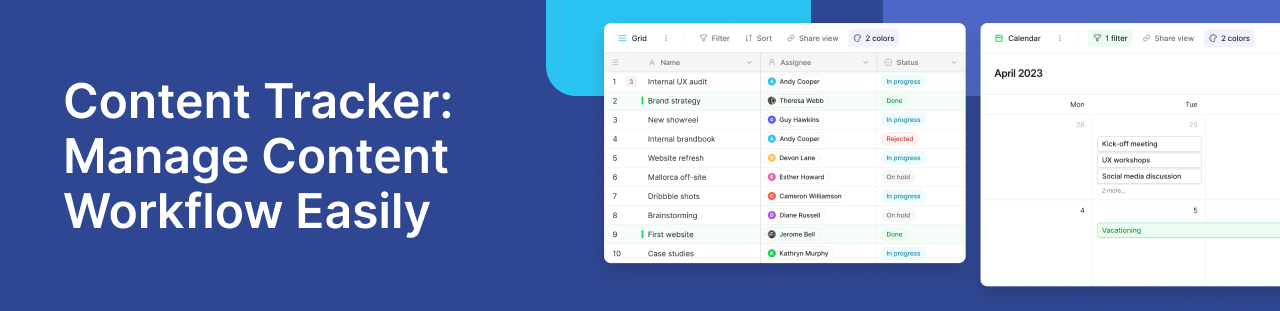
What Is a Content Tracker and Why It Matters
A content tracker is a simple system used to plan, organize, and monitor content from idea to publication. It helps teams keep track of tasks, deadlines, and progress in one place. Without a clear system, content often gets delayed, duplicated, or lost across tools.
Many teams still rely on scattered spreadsheets or emails. This creates confusion and slows down work. A structured approach brings clarity and saves time. According to the Content Marketing Institute, clear workflows are key to consistent content delivery.
Key Features Every Content Tracker Should Have
A good tracker does not need to be complex. It should include a few essential features:
- Status tracking such as draft, review, and published
- Assigned owners for each task
- Deadlines and timelines
- Central storage for files and links
- Simple filters to view progress
These features help teams understand what is happening at any stage. They also reduce back-and-forth communication.
How Teams Use Content Trackers in Real Workflows
Content trackers are used by marketing teams, writers, and product teams. For example, a marketing team may plan blog posts, social media campaigns, and newsletters in one shared system.
In discussions on the Baserow community, teams often share how they moved from messy spreadsheets to structured databases. One common pattern is tracking content ideas, assigning writers, and linking assets in a single workspace. This improves visibility and reduces missed deadlines.
Common Challenges Without a Content Tracker
Without a proper system, teams face several problems:
- Duplicate work due to poor visibility
- Missed deadlines and unclear priorities
- Lost files and outdated versions
- Limited collaboration across teams
These issues grow as content volume increases. A simple tracking system can prevent most of them.
How Baserow Helps Build a Flexible Content Tracker
Modern tools make it easier to build custom trackers without technical skills. For example, Baserow offers a flexible way to organize structured data. Teams can create their own workflows, define fields, and manage content in one place.
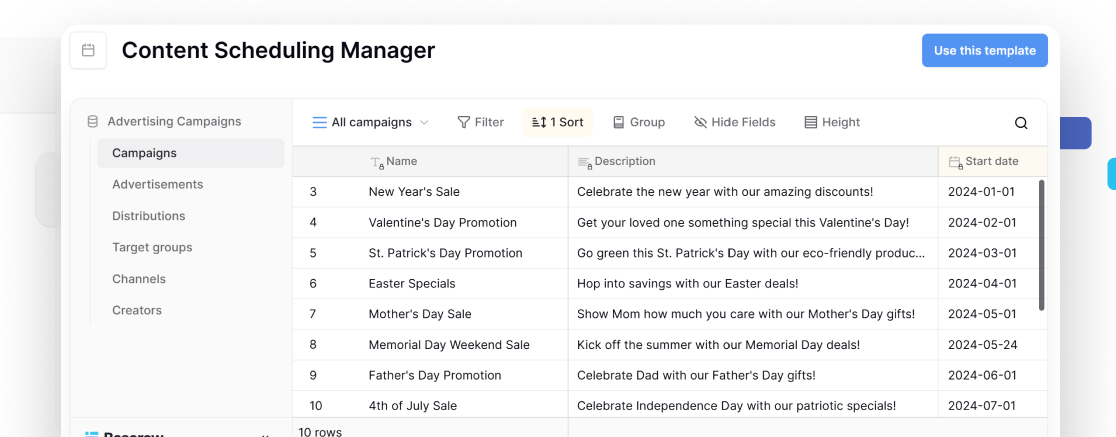
Templates like the content scheduling manager> show how to structure publishing workflows. Teams can adapt these ideas to fit their needs. Some also combine it with tools like the project tracker to align content with larger goals.
Because it is no-code, teams can update workflows quickly. This is useful when content strategies change or grow.
Best Practices for Using a Content Tracker
To get the most value, keep your system simple and consistent:
- Use clear stages for each content item
- Assign one owner per task
- Update progress regularly
- Store all assets in one place
- Review workflows often and improve them
A well-maintained system becomes a single source of truth. It helps teams stay aligned and work faster.
Conclusion
A content tracker is not just a tool. It is a way to bring structure to creative work. By organizing tasks, improving visibility, and simplifying collaboration, teams can produce better content with less effort.
If you want a flexible way to build your own system, you can explore Baserow and start managing your workflow more effectively.


Baserow 2.4 adds Button fields, Graph elements, workflow automation, AI provider management, improved Group By views, and 30+ more updates.

Discover how Airtable and Baserow compare in features, flexibility, speed, and scalability. Compare pricing plans and hidden costs to make an informed decision!

Explore the best open-source software alternatives to proprietary products. Discover OSS tools, licenses, and use cases with our updated directory.