
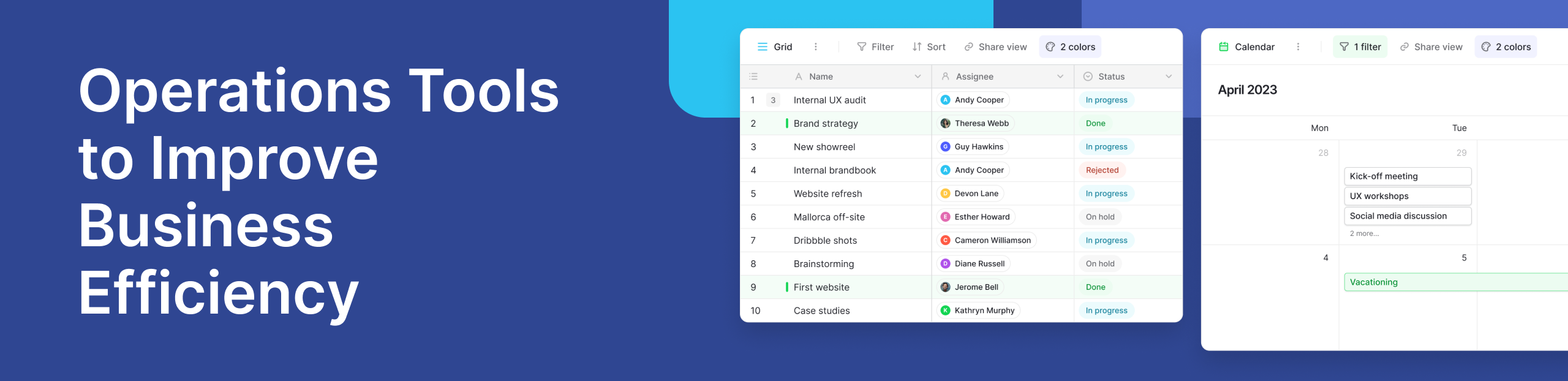
Every business today runs on processes. From handling customer requests to managing internal workflows, the way a business operates determines how fast it grows. This is where operations tools come in.
Operations tools are software solutions that help teams manage tasks, track progress, and improve how work gets done. Instead of relying on scattered spreadsheets or manual processes, businesses now use centralized platforms to bring everything together.
Modern companies are also shifting toward automation. They want to automate repetitive tasks, reduce manual work, and focus more on strategy. At the same time, leaders rely on data to make informed decisions. This is why operations tools are no longer optional—they are essential.
Platforms like Baserow are part of this shift. They allow teams to build flexible workflows without heavy technical knowledge, making operations simpler and more efficient.
What Are Operations Tools?
Operations tools are digital systems that help manage and improve daily business activities. These tools support everything from task tracking to resource allocation and reporting.
In simple terms, they help a business operate smoothly.
They are used to:
- Organize work
- Track progress in real time
- Manage teams and resources
- Store and analyze data
For example, a company may use operations tools to manage inventory, handle customer service tickets, or track project timelines.
It is important to understand that operations tools are not limited to one type of software. They can include management tools, dashboards, workflow systems, and databases. Together, they form a complete operations management setup.
Why Operations Tools Matter in Modern Businesses
Businesses today face increasing pressure to move faster while maintaining quality. Without the right tools, operations become slow and disconnected. Operations tools solve this problem by improving efficiency and creating structure.
- They Help Improve Efficiency: Manual processes take time and often lead to errors. By using software solutions, teams can reduce manual effort and complete tasks faster.
- They Enable Automation: One of the biggest advantages is the ability to automate repetitive tasks. For example, assigning tasks, updating statuses, or sending notifications can all be automated. This saves time and reduces human error.
- They Provide Real-Time Visibility: Operations tools give teams access to real time updates. Managers can track progress, identify bottlenecks, and act quickly.
- They Create a Single Source of Truth: Instead of scattered data across different systems, operations tools centralize information. This ensures everyone works with the same data.
- They Improve Customer Service: When workflows are organized, response times improve. Teams can track customer requests better and deliver faster solutions.
Key Features to Look for in Operations Management Software
Not all operations management software is the same. The best tools combine flexibility, automation, and data visibility.
- Automation Capabilities: Automation is a core feature. It helps teams automate repetitive tasks such as approvals, notifications, and updates. This reduces workload and improves consistency.
- Resource Allocation and Planning: Good operations tools help with resource allocation. Teams can assign tasks, manage workloads, and ensure resources are used efficiently. This leads to optimized resource usage and better planning.
- Data Visibility and Insights: Operations tools should provide valuable insights. Dashboards and reports help teams understand performance and make data driven decisions.
- Collaboration and Centralization: A strong management platform allows teams to collaborate easily. Everyone can access the same system, reducing confusion and miscommunication. This creates a single source of truth across the organization.
- AI-Powered Enhancements: Many modern tools now include AI powered features. These can suggest actions, predict trends, or automate workflows further. According to McKinsey & Company, companies that adopt automation and AI in operations often see significant improvements in productivity and efficiency.
Types of Operations Tools Businesses Use
There is no single tool that fits every business. Instead, companies use different types of operations tools depending on their needs.
- Project Management Tools: These tools help teams plan, track, and manage projects. They ensure deadlines are met and tasks are completed on time. You can explore examples in this project management tools guide to understand how they support operations.
- Workflow Automation Tools: These tools focus on automating processes. They help businesses reduce manual work and improve consistency.
- Customer Service Tools: Customer service tools manage support requests, track issues, and improve response times. They play a key role in maintaining customer satisfaction.
- Inventory and Resource Tracking Systems: These tools help businesses track resources, manage stock, and optimize resource allocation.
- Data Dashboards and Reporting Tools: Dashboards provide real time insights into business performance. They help teams monitor progress and make informed decisions quickly.
How Operations Tools Improve Efficiency
The real value of operations tools comes from how they transform daily work.
First, they reduce manual work. Tasks that once required hours can now be completed in minutes. This allows teams to focus on higher-value activities. Second, they improve coordination. Teams can collaborate better when all information is in one place.
Third, they support faster decision-making. With access to real time data, managers can act quickly and confidently. Finally, they enable long term growth. As businesses scale, operations become more complex. Operations tools help manage this complexity without losing control.
For example, many teams use flexible database platforms to manage workflows. Instead of rigid systems, they build custom solutions tailored to their needs. This is where tools like Baserow stand out, offering adaptable structures that grow with the business.
Real-World Use Case: Managing Operations with Baserow
Consider a small operations team managing multiple workflows—task tracking, vendor management, and internal requests. Without a proper system, information is scattered across emails and spreadsheets. This leads to delays and confusion.
By using templates from the Baserow community, the team can quickly set up structured workflows.
They can:
- Track tasks in one place
- Assign responsibilities clearly
- Monitor progress in real time
- Store all data in a centralized system
This creates a more organized and efficient process.
Unlike rigid tools, Baserow allows teams to customize workflows easily. This flexibility is important for operations teams that deal with changing requirements.
You can also explore how teams structure their workflows through discussions in the Baserow community, where real users share practical setups and ideas. See how operations workflows can be streamlined in practice:
Case Studies and Practical Examples
To understand the real impact of operations tools, it helps to look at how different businesses use them in practice.
Small Business: Streamlining Daily Work
A small e-commerce company struggled with managing orders, inventory, and customer queries. Their data was spread across spreadsheets and emails, which slowed everything down.
By switching to a centralized management platform, they created a single source of truth. Orders, stock levels, and customer requests were tracked in one place.
As a result:
- They reduced manual errors
- Improved customer service response times
- Gained valuable insights into sales trends
This helped the business operate more smoothly and scale faster.
Startup: Scaling Operations Efficiently
Startups often grow quickly, which makes operations complex. One startup used flexible software solutions to manage workflows across teams.
Instead of hiring more people to handle operations, they focused on automation.
They were able to:
- Automate repetitive tasks like task assignments and updates
- Improve efficiency across departments
- Make data driven decisions using dashboards
This allowed them to scale without losing control of processes.
Enterprise: Optimizing Resource Allocation
A larger organization faced challenges with resource allocation. Teams were overworked in some areas and underutilized in others.
Using advanced operations tools, they tracked workloads in real time and redistributed tasks effectively.
The outcome:
- Better optimized resource usage
- Improved productivity
- Stronger long term operational planning
Insights from firms like Gartner highlight how structured operations systems can significantly improve business outcomes when implemented correctly.
Common Challenges Without Operations Tools
Many businesses still rely on outdated systems. This creates several challenges.
- Lack of Visibility: Without proper tools, it is hard to track progress. Teams often do not know what is happening across projects.
- Poor Resource Allocation: When workloads are not tracked, resources are not used efficiently. This leads to delays and burnout.
- Data Silos: Information stored in different places creates confusion. Teams may work with outdated or incorrect data.
- Inefficient Processes: Manual workflows slow down operations. Repetitive work takes up valuable time.
- Delayed Decision-Making: Without real time data, leaders cannot make quick decisions. This affects overall performance. These challenges show why operations tools are essential for modern businesses.
How to Choose the Right Operations Tools
Choosing the right tool depends on your business needs. There is no one-size-fits-all solution, but a few factors can guide your decision.
- Understand Your Needs: Start by identifying your biggest challenges. Do you need better tracking, automation, or reporting?
- Evaluate Scalability: Choose tools that can grow with your business. This is important for long term success.
- Check Integration Capabilities: Your tool should work well with existing systems. This avoids disruptions.
- Prioritize Ease of Use: A user friendly platform ensures quick adoption across teams.
- Look for Flexible Software Solutions: Rigid systems can limit growth. Flexible platforms allow customization based on your workflow.
This is where tools like Baserow are useful. They offer a balance between structure and flexibility, allowing teams to build workflows that match their exact needs.
The Future of Operations Tools
Operations tools are evolving rapidly. Technology is changing how businesses manage workflows.
- AI Powered Automation: AI powered systems are becoming more common. They can predict trends, suggest actions, and automate complex workflows.
- Predictive Analytics: Businesses are moving from reactive to proactive operations. Predictive tools help anticipate problems before they occur.
- Real Time Collaboration: Teams are increasingly working remotely. Operations tools now focus on real time collaboration and updates.
- No-Code and Low-Code Platforms: Platforms like Baserow are leading the shift toward no-code tools. These allow users to create systems without technical expertise.
According to McKinsey & Company, companies that adopt digital operations tools see measurable improvements in efficiency and performance.
Frequently Asked Questions
- What are operation tools?
Operations tools are software solutions that help businesses manage daily activities, improve efficiency, and organize workflows.
- What are the tools of operations management?
These include project management tools, workflow automation systems, customer service platforms, inventory tracking tools, and reporting dashboards.
- What are the 7 quality tools of operations management?
The seven basic quality tools include:
- Cause-and-effect diagram
- Check sheet
- Control chart
- Histogram
- Pareto chart
- Scatter diagram
- Flowchart
These tools help analyze and improve processes.
- What are Six Sigma QC tools?
Six Sigma uses tools like DMAIC, control charts, and root cause analysis to improve quality and reduce defects in processes.
- What are the 5 management tools?
Common management tools include:
- SWOT analysis
- Balanced scorecard
- Process mapping
- Benchmarking
- Key performance indicators (KPIs)
- What are the 7 advanced QC tools?
These include:
- Affinity diagram
- Interrelationship diagram
- Tree diagram
- Matrix diagram
- Prioritization matrix
- Process decision program chart
- Activity network diagram
- What are 5 core quality tools?
Five commonly used tools are:
- Flowcharts
- Pareto charts
- Histograms
- Control charts
- Cause-and-effect diagrams
Conclusion
Operations tools are no longer just helpful—they are essential for any business that wants to grow and stay competitive.
They help businesses operate efficiently, reduce manual work, and make informed decisions. By centralizing data and automating workflows, they create a strong foundation for long term success.
As operations become more complex, the need for flexible and scalable tools increases. Businesses are moving toward platforms that combine ease of use with powerful capabilities.
Solutions like Baserow reflect this shift. They offer a way to manage operations without complexity, making it easier for teams to build systems that work for them.
Get Started
If you are looking to simplify your operations and improve efficiency, it may be time to explore a better approach.
👉Sign up for free with Baserow and start building your workflows today.


Baserow 2.4 adds Button fields, Graph elements, workflow automation, AI provider management, improved Group By views, and 30+ more updates.

Discover how Airtable and Baserow compare in features, flexibility, speed, and scalability. Compare pricing plans and hidden costs to make an informed decision!

Explore the best open-source software alternatives to proprietary products. Discover OSS tools, licenses, and use cases with our updated directory.