
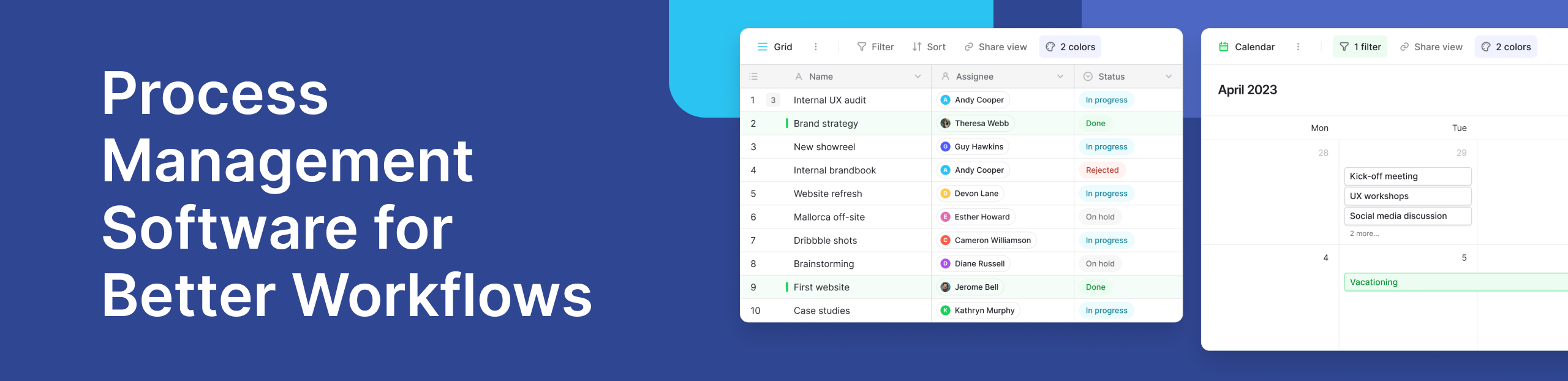
Modern businesses don’t struggle because of a lack of tools. They struggle because their work is scattered across too many systems. Teams switch between spreadsheets, emails, and disconnected apps, which slows down decisions and creates confusion.
This is where process management software becomes essential. It helps teams organize work, automate tasks, and create clear workflows that support real business goals. Instead of reacting to problems, teams can build systems that prevent them.
Platforms like Baserow are making this shift easier. Rather than forcing companies into rigid structures, they allow teams to design workflows that match how they already work. This flexibility is important because every organization has different needs, whether it is managing operations, improving customer service, or tracking internal processes.
When processes are clear and structured, teams can increase efficiency, improve customer satisfaction, and deliver better business outcomes. That is the real value of business process management software today.
How Baserow Simplifies Process Management
Many bpm systems are powerful but difficult to use. They often require technical expertise, long setup times, and complex configurations. This creates a gap between what businesses need and what they can actually implement.
Baserow takes a different approach.
It provides a user friendly environment where teams can build workflows without needing advanced technical skills. Instead of relying on developers, teams can create and adjust processes themselves. This makes it easier to respond to changing business needs in real time.
For example, an operations team can use project management templates to structure tasks, approvals, and timelines in one place. These templates can be customized to match specific workflows, whether it is handling requests, tracking deliverables, or managing internal processes.
This flexibility also supports automating processes. Teams can reduce repetitive work by setting up rules, triggers, and simple logic that guide how tasks move forward. Over time, this improves process flow and reduces errors.
Another advantage is visibility. With everything centralized, teams can monitor progress in real time. Managers can quickly identify bottlenecks, while team members always know what to do next. This improves both efficiency and collaboration.
%20(2)%20(1).jpg)
Insights from the Baserow community show how teams use the platform to manage workflows across different departments. From operations to customer support, businesses are building systems that adapt to their needs instead of forcing their work into fixed tools.
In practice, this means better coordination, faster decisions, and improved customer experiences.
What Is Process Management Software?
Process management software is a type of business process management software that helps organizations design, execute, and improve workflows.
It connects tasks, data, and people into a structured system. Instead of relying on manual coordination, teams can define how work should move from one step to another.
At its core, it focuses on three key elements:
- process design, where workflows are planned and structured
- process modelling, where workflows are visualized and refined
- execution, where tasks are completed and tracked
A bpm platform also uses business rules to guide decisions. These rules act like instructions that define what should happen under certain conditions. For example, a request might automatically move to a manager when it reaches a specific stage.
Some systems include a rule engine that applies these rules automatically. This reduces the need for manual intervention and ensures consistency across workflows.
Modern bpm software also provides real time insights. Teams can track progress, identify delays, and make adjustments quickly. This level of visibility is essential for improving performance and achieving better business outcomes.
To understand the broader concept, resources like IBM’s guide to business process management explain how structured workflows help organizations operate more efficiently.
Why Businesses Need Process Management Today
As organizations grow, their workflows become more complex. Without a clear system, tasks get delayed, communication breaks down, and important information is lost.
Process management software helps solve these problems by creating structure and consistency.
- Align Work with Business Goals
Every task should contribute to a larger objective. When workflows are clearly defined, teams can connect daily activities to measurable business goals. This alignment helps organizations focus on what matters most and achieve stronger business outcomes.
- Increase Efficiency Through Automation
Manual processes slow teams down. Repetitive tasks take time and often lead to errors. By automating processes, businesses can reduce workload and improve accuracy. Tasks move faster, and teams can focus on higher-value work.
- Improve Customer Satisfaction
Customers expect fast and reliable service. Delays or mistakes can lead to poor experiences. Structured workflows improve customer service by ensuring that tasks are handled consistently. This leads to better customer experiences and higher customer satisfaction.
- Manage Complexity with Business Rules
As workflows grow, they become harder to manage. Business rules help define how processes should work. With a rule engine, organizations can automate decisions and maintain consistency. This reduces confusion and makes processes easier to manage.
Key Features of Modern BPM Software
Not all tools are built the same. Some focus only on task tracking, while others provide full workflow control. The best systems combine simplicity with powerful features that help teams manage processes at scale.
- Process Modelling and Process Design
Before improving workflows, teams need to understand how work actually happens.
Process modelling helps visualize each step in a workflow. It shows how tasks move, where delays happen, and who is responsible. This is often done using a business process mapping tool, which makes workflows easier to understand.
Process design builds on this by creating better workflows. Teams can remove unnecessary steps, simplify approvals, and improve efficiency.
With flexible platforms like Baserow, teams can design workflows without rigid structures. This allows businesses to adapt processes as they grow.
- Workflow Automation and AI Capabilities
Automation is one of the most important features in modern systems.
Instead of manually moving tasks forward, teams can use a workflow automation platform to handle repetitive work. For example, when a task is completed, the next step can start automatically.
Many tools are now ai powered, which means they can suggest actions, analyze patterns, and improve workflows over time.
This is especially useful for:
- automated workflow tools that reduce manual effort
- automation workflow tools that handle approvals and notifications
- workflow automation apps that connect different systems
Automation not only saves time but also improves accuracy.
- Real-Time Monitoring and Insights
Without visibility, it is hard to improve anything.
Modern tools provide real time tracking, so teams can see what is happening at every stage of a workflow. Managers can quickly identify bottlenecks, delays, or issues.
This helps teams make faster decisions and improve performance.
Real-time insights also support better planning. Teams can adjust workflows based on actual data instead of assumptions.
- User-Friendly Systems
Even the most powerful tool will fail if people do not use it.
That is why user friendly design is critical. Teams should be able to create and manage workflows without technical knowledge.
Simple interfaces encourage adoption and make it easier to scale processes across the organization.
This is one area where newer tools stand out. Instead of complex setups, they focus on ease of use while still supporting advanced workflows.
Types of Workflow and BPM Tools
There are many types of tools available, and each serves a different purpose. Understanding these categories helps businesses choose the right solution.
A workflow management system focuses on organizing tasks and ensuring that work moves smoothly from one step to another.
Workflow platforms are broader systems that connect multiple processes and tools in one place. They often include automation and integration features.
Workflow programs are simpler tools used for specific tasks or small workflows. They are easy to set up but may lack advanced features.
Some tools are designed specifically for handling data workflows. These data workflow tools help teams manage how data moves between systems.
Others focus on process workflow tools, which are used to design and optimize workflows across departments.
You may also see variations like work flow management system or workflow management system. While the terminology changes, the goal is the same: to create structured, efficient workflows.
Workflow Automation Tools Comparison
Choosing the right tool can be challenging because there are many options available.
A workflow management software comparison helps businesses evaluate tools based on their needs. Some tools are designed for large enterprises, while others are better suited for smaller teams.
When comparing tools, consider:
- ease of use
- customization options
- automation capabilities
- integration with other systems
- scalability
There are also free workflow automation tools available. These are useful for small teams or for testing workflows before scaling.
However, as businesses grow, they often need more advanced features such as:
- a bpm software tool with strong automation
- a list bpm tools that support complex workflows
- workflow optimization software that improves efficiency over time
The best workflow automation tools balance flexibility with structure. They allow teams to adapt workflows without creating unnecessary complexity.
Real Use Case: Managing Operations with Baserow
To understand how these tools work in practice, consider a simple operations workflow.
An operations team often handles requests, approvals, and task tracking. Without a structured system, these processes become slow and difficult to manage.
Using a flexible platform like Baserow, the team can create a centralized workflow.
Requests are submitted in one place. Each request follows a defined process flow, moving through different stages such as review, approval, and completion.
With automating processes, notifications are triggered automatically when tasks move forward. This reduces delays and ensures that nothing is missed.
Teams can also track progress in real time. Managers can see which tasks are pending and identify bottlenecks quickly.
Insights from the Baserow community highlight how teams use similar setups to improve coordination and efficiency across departments.
For example, operations teams can streamline internal workflows using structured systems like those described on Baserow’s operations page. These setups help teams manage complex workflows without adding unnecessary complexity.
The result is a system that improves efficiency, supports better decision-making, and enhances customer experiences.
Process Management for Small Businesses
Small businesses often assume they do not need structured systems. In reality, they benefit the most from them. Without clear workflows, teams rely on memory, messages, and manual tracking. This leads to missed tasks and delays.
Using workflow software for small business helps create simple, repeatable processes. Even a basic workflow automation app can improve how tasks are handled and at the same time improve business processes.
For example, a small team can:
- track requests in one place
- automate approvals
- manage deadlines clearly
Many platforms also offer free workflow automation tools, which are useful for getting started. As the business grows, these workflows can be expanded without starting from scratch.
This makes modern tools a practical choice, not just an advanced solution.
Common Workflow Challenges (And How to Solve Them)
Even with the right tools, businesses face challenges when managing workflows.
One common issue is lack of visibility. Teams do not always know what is happening across processes. This can be solved with workflow optimization software that provides clear tracking and updates.
Another problem is inefficient process flow. When workflows are not structured, tasks get delayed. Using automation workflow tools helps ensure that tasks move forward without manual intervention.
Tool overload is also a major challenge. Many teams use too many disconnected systems. A centralized workflow management system solves this by bringing everything into one place.
Finally, resistance to change can slow adoption. This is why user friendly tools are important. When systems are easy to use, teams are more likely to adopt them.
How to Choose Right BPM Platform
Choosing the right tool depends on your business needs. Start by understanding your workflows. Identify what needs to be improved and where automation can help.
Then evaluate tools based on:
- ease of use
- flexibility and customization
- integration with existing systems
- scalability as the business grows
It is also helpful to consider different workflow automation companies and how they support long-term needs.
The best platform is not always the most complex one. It is the one that fits your processes and allows your team to work efficiently.
Is BPM Still Relevant Today?
A common question is whether BPM is still relevant or if it has been replaced by newer tools.
Some people ask if BPMN is outdated. While traditional methods may feel rigid, the concept of BPM is still highly relevant.
What has changed is how it is implemented.
Modern tools are more flexible, easier to use, and better integrated with other systems. They focus on adaptability rather than strict structures.
This makes BPM more practical for today’s fast-changing business environment.
CRM vs BPM: What’s the Difference?
Another common question is whether BPM is the same as CRM.
A CRM system focuses on managing customer relationships. It helps track interactions, sales, and customer data. BPM, on the other hand, focuses on workflows. It manages how tasks move across a business.
So, BPM is not a CRM. However, the two can work together.
For example, a CRM might track customer requests, while a BPM system ensures those requests are handled efficiently.
Understanding this difference helps businesses choose the right tools for their needs.
Frequently Asked Questions
- What is process management software?: It is a tool that helps businesses design, manage, and improve workflows. It connects tasks, data, and people into structured processes.
- Is BPMN outdated?: No, but it has evolved. Modern tools use simpler and more flexible approaches while still supporting structured workflows.
- Is BPM a CRM?: No. BPM manages workflows, while CRM manages customer relationships. They serve different purposes.
- What is the difference between CRM and BPM?: CRM focuses on customer data and interactions. BPM focuses on how work flows across an organization.
- Which BPM tool is the best?: The best tool depends on your needs. Look for flexibility, ease of use, and automation capabilities.
- What are the 3 types of software?: Common categories include system software, application software, and development software.
Conclusion
Workflows are the foundation of how businesses operate. When they are unclear, everything slows down. When they are structured, everything improves.
Process management software helps teams create clarity, reduce manual work, and improve efficiency. It connects tasks, people, and data into a system that supports real business goals.
Modern platforms are making this easier than ever. Instead of complex setups, businesses can now build workflows that match their needs and scale over time.
Tools like Baserow show how flexible systems can simplify process design, improve collaboration, and support better outcomes without adding complexity.
If you are looking to organize your workflows and improve how your team works, you can start here.


Baserow 2.4 adds Button fields, Graph elements, workflow automation, AI provider management, improved Group By views, and 30+ more updates.

Discover how Airtable and Baserow compare in features, flexibility, speed, and scalability. Compare pricing plans and hidden costs to make an informed decision!

Explore the best open-source software alternatives to proprietary products. Discover OSS tools, licenses, and use cases with our updated directory.