
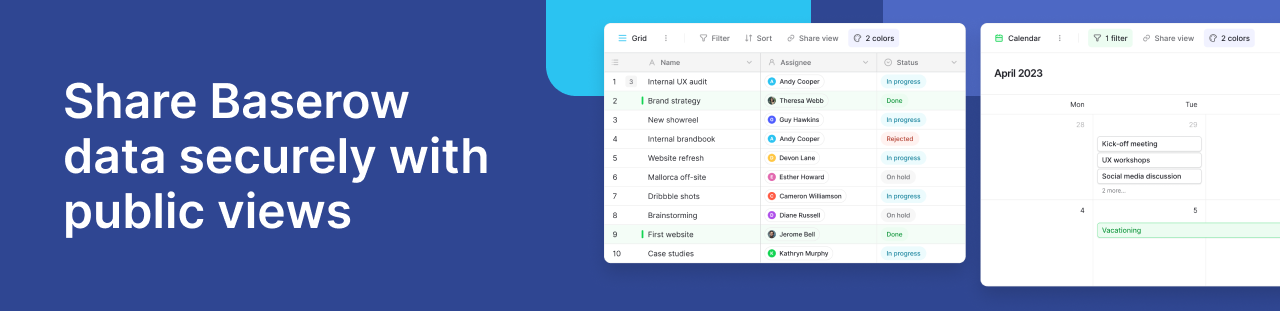
When collaborating with external stakeholders, whether they are clients, freelancers, or board members, you need a way to share project data efficiently. However, granting external users full access to your workspace can compromise your data governance and expose sensitive information.
If you are transitioning from tools like Airtable, Smartsheet, or Monday.com, you likely understand the importance of strict access controls. Baserow’s public view sharing solves this challenge by allowing you to share specific, real-time data sets with anyone, without requiring them to have a workspace account or login credentials.
Here is a high-level look at how you can use public views to enable secure external collaboration while maintaining complete control over your database.
What are Baserow public views?
Public sharing is the ideal solution when external collaborators require read-only access to specific information. Instead of exporting static spreadsheets that immediately become outdated, Baserow lets you generate a live, shareable link to a specific view.
Whether you are sharing a project status on a Kanban board, a portfolio in a Gallery view, or a timeline of deliverables, the shared view updates in real-time as your underlying database changes. The formatting and features of your original view are perfectly preserved for the viewer.
Controlling access and data governance
Effective data governance means sharing only what is strictly necessary. Baserow provides granular controls to ensure your public links remain secure and your sensitive data stays private.
Hide sensitive information
You don’t need to create entirely new tables just to hide a few columns from external partners. By utilizing field-level visibility controls, you can hide specific fields (like budgets, internal notes, or personal contact info) in your view configuration. These hidden fields remain completely invisible to the external viewer, even if they expand a row to see more details.
Password protection and link management
For an added layer of security, you can restrict access to your shared views using password protection. Only individuals with the encrypted, 8-character minimum password will be able to authenticate and view the data.
Additionally, if a project ends or an external contractor leaves, you can instantly revoke their access by generating a new URL or disabling the shared link entirely.
Pre-configured filters and sorting
You dictate exactly how the data is presented. Viewers will only see the data that meets the criteria of your pre-configured filters. While users can apply their own temporary filters to sort through the shared data, they cannot alter your original database view or access information outside of your set parameters.
Empowering external collaboration
Beyond simple viewing, public links can be configured to facilitate active workflows.
Exporting shared data
If you are sharing a Grid view with external partners who need to analyze the data on their own terms, you can enable an export function. This allows viewers to download the data directly from the public link. The export strictly respects your active filters and hidden fields, ensuring they only download the exact dataset you intended to share.
Streamlining data collection with forms
Forms operate slightly differently from other public views. By sharing a Form view, you can securely collect new data, survey responses, or project requests from the public. Anyone with the link can submit a form, but they cannot view or edit any existing records in your database, making it a highly secure data collection tool.
Seamless embedding
For a fully integrated experience, any publicly shared view, including forms, calendars, and galleries, can be embedded directly into your own website or internal wiki using a simple iframe, keeping your team and clients on your native platforms.
Frequently asked questions about secure data sharing
How do I share a read-only view of my database without giving users full workspace access?
Unlike many spreadsheet and database tools that require you to invite users as paid guests or workspace members, Baserow allows you to generate a secure, read-only public link. This lets you share specific project dashboards, galleries, or lists with external clients or freelancers without granting them access to your internal workspace or requiring them to create an account.
How can I hide specific columns or sensitive data from clients when sharing a database?
If you are used to creating entirely separate spreadsheets just to hide internal data, you can skip that step. In Baserow, you simply use field-level visibility controls to hide sensitive columns (like budgets or personal contact info) on your view. When you generate the public share link, those hidden fields remain completely invisible to the external viewer, even if they click to expand a row.
Can I password-protect a shared Airtable, Smartsheet, or Baserow dashboard?
While some platforms lock password protection behind Enterprise pricing tiers, Baserow allows you to easily restrict access to any shared view with a password. Simply toggle on password protection in the Share dialog and set an encrypted password (minimum 8 characters) to ensure only authorized external partners can view your data.
Do publicly shared spreadsheet links update in real-time when data changes?
Yes. Instead of emailing static Excel or CSV exports that instantly become outdated, public views in Baserow act as a live window into your database. Any changes you make to the underlying data, active filters, or sorting are reflected immediately on the shared link, ensuring your clients always see the most up-to-date information.
How do I stop someone from viewing a shared database link once a project ends?
If a contractor leaves or a project wraps up, you maintain total control over data governance. You can instantly revoke external access by either clicking “Disable shared link” to temporarily take it offline, or by generating a completely new URL. Generating a new URL immediately breaks the old link for all previous recipients.
Does sharing data with external clients count toward my monthly user or row limits?
No. Many project management tools charge you for extra “seats” when you want stakeholders to view your data. In Baserow, shared public views do not consume additional platform resources, require paid seats, or count against your workspace storage limits. Only the actual data stored in your underlying tables counts toward your plan limits.
Learn more about Baserow’s public view sharing.


Baserow 2.4 adds Button fields, Graph elements, workflow automation, AI provider management, improved Group By views, and 30+ more updates.

Discover how Airtable and Baserow compare in features, flexibility, speed, and scalability. Compare pricing plans and hidden costs to make an informed decision!

Explore the best open-source software alternatives to proprietary products. Discover OSS tools, licenses, and use cases with our updated directory.