
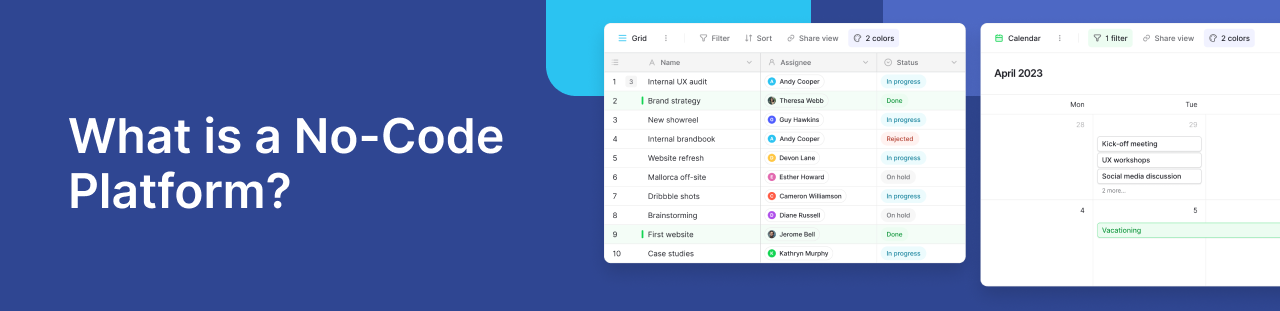
A no-code platform helps people build apps, databases, workflows, and internal tools without writing traditional code. Instead of working directly with programming languages, users build through visual interfaces, drag and drop tools, templates, automation rules, and pre built components.
The concept is simple: no-code makes software creation more accessible. Business teams, operations managers, founders, marketers, and product teams can create tools that support their work without sending every request to a software development team.
Developers still play an essential role. No-code simply shifts many everyday business applications away from custom development, so technical teams can focus on complex systems, integrations, infrastructure, and product work.
In this guide, we’ll explain what is a no code platform, how no-code platforms work, what teams can build with them, their main benefits and limitations, and how to choose the right platform. You can also check out why you need no-code platforms for more details.
What is a no-code platform?
A no-code platform is a software development environment that allows users to build applications, workflows, databases, websites, or user interfaces without manually writing code.
Instead of traditional coding, users configure how an application should work. They can create tables, forms, views, buttons, dashboards, workflows, permissions, and integrations through a visual interface.
No-code does not remove code from the equation. The platform still runs on code, but it hides the technical complexity behind a more accessible building layer. Users interact with settings, visual blocks, templates, and workflow rules rather than programming syntax.
For example, an operations team could build an approval workflow with a request form, a database for submissions, status fields, manager permissions, and automated notifications. A traditional development approach would often require developers, testing, hosting, and deployment. A no-code platform lets the same team create and adjust the workflow directly. Explore the no-code landscape and understand the no-code ecosystem is essential for choosing the right solution for your business processes and long-term growth.
This makes no-code valuable for companies that want to move faster, reduce manual work, and improve internal systems without building every tool from scratch.
How do no-code platforms work?
No-code platforms convert common development tasks into visual actions. Users select, configure, and connect components instead of writing custom code.
Most platforms rely on several core building blocks.
- Visual interfaces
Visual interfaces are the foundation of most no-code tools. Users create pages, forms, databases, dashboards, workflows, and user interfaces through menus, fields, layout options, and configuration panels.
Visual tools enable non-technical users to build apps without advanced coding knowledge. Users do not need to understand programming syntax. They need to understand the process, data, or experience they want to build.
- Drag and drop tools
Many no-code platforms include drag and drop tools for creating layouts, forms, portals, dashboards, or mobile apps. Users move elements into place, configure their behavior, and publish changes without writing front-end code.
These tools help teams build internal interfaces, approval pages, intake forms, project trackers, customer portals, and lightweight business applications with less technical support.
- Pre built components
No-code platforms offer pre built components such as forms, tables, buttons, calendars, templates, workflows, permissions, and notifications.
These components reduce the effort required to create a functional tool. Instead of starting from an empty workspace, users assemble existing blocks and adapt them to their business processes.
- Automation and business logic
No-code platforms often include automation features. These features allow users to define what should happen when a record, form, task, or workflow changes.
For example:
- A new form submission creates a record.
- A completed task notifies the manager.
- A new lead stage assigns the lead to sales.
- An approved request updates the status.
This allows teams to automate repetitive work and standardize processes without asking developers to hard-code every rule.
- Integration capabilities
No-code platforms become more useful when they connect with the rest of your software stack. Strong integration capabilities allow teams to connect no-code tools with CRMs, email platforms, spreadsheets, databases, APIs, webhooks, and automation platforms.
These connections prevent isolated systems and help data move more reliably between tools.
What can you build with a no-code platform?
No-code platforms support many types of projects. Some focus on websites, some on mobile apps, some on workflow automation, and others on databases or internal tools.
- Internal tools
Teams can build systems for project tracking, inventory management, task management, procurement, approvals, employee onboarding, content operations, asset management, and reporting.
These tools are often too specific for generic SaaS products, but not strategic enough to justify full custom software development. No-code addresses that middle ground.
- Databases and data management systems
Many teams start with spreadsheets because they are familiar and flexible. As data grows, spreadsheets become harder to control. Teams run into duplicate records, broken formulas, unclear ownership, limited permissions, and disconnected files.
No-code database platforms help teams organize information in a more structured way. Users can create tables, views, filters, forms, relationships, and permissions while keeping the experience accessible for non-technical teams.
Baserow is a strong example in this category. It gives teams a spreadsheet-like interface on top of a structured database, helping them replace messy spreadsheets with scalable, collaborative data systems.
- Workflow automation
No-code tools can automate repetitive tasks such as lead routing, approval requests, status updates, notifications, onboarding steps, and data syncing.
This helps teams reduce manual work and make business processes more reliable. Teams define rules once, and the platform handles the repeated steps.
- Customer-facing forms and portals
Some no-code platforms help teams build customer-facing tools such as intake forms, request portals, partner directories, application forms, lightweight dashboards, and client portals.
These tools support customer experiences that need to launch quickly or change often, without requiring developers for every update.
- Mobile apps and field tools
Some platforms specialize in mobile apps, while others support mobile-friendly interfaces. These tools help field teams collect information from phones or tablets.
Common examples include inspections, event check-ins, maintenance reporting, inventory updates, delivery tracking, and service requests. Explore 10 Reasons to Choose a No Code App Builder.
Who uses no-code platforms?
Business and technical teams both use no-code platforms.
Common users include operations teams, marketing teams, sales teams, HR teams, support teams, product managers, founders, agencies, IT teams, and citizen developers.
Business teams use no-code because they can build tools that match their daily work. They do not need to wait weeks for every small change or rely on spreadsheets that become harder to maintain over time.
Technical teams use no-code because it reduces repetitive development work. Developers no longer need to build every admin panel, form, database, or approval workflow from scratch. They can focus on core products, integrations, infrastructure, and complex engineering problems.
The best no-code strategy does not create a conflict between business and IT. Instead, business and IT work together. Business teams gain speed and flexibility, while technical teams provide governance, security, and integration standards.
Key features of no-code platforms
The right no-code platform depends on the use case, but strong platforms usually include several important features.
- Easy visual building
A good no-code platform should feel intuitive for the people who need to use it. Teams should be able to build forms, workflows, databases, or interfaces without heavy technical training.
User experience matters because adoption depends on whether teams can use the platform in their daily work.
- Database and data management features
For many business use cases, data is the foundation. Look for features such as tables, records, custom fields, filters, views, relationships, imports, permissions, and data export options.
These features matter when replacing spreadsheets or building internal systems that depend on accurate information.
- Workflow automation
Workflow automation helps teams connect steps in a process. A platform should allow users to create triggers, actions, notifications, and updates based on business rules.
This makes processes easier to manage and reduces repetitive manual tasks.
- Integration capabilities
No-code tools should connect with the tools your company already uses. APIs, webhooks, native integrations, and automation platforms help move data between systems.
Without integrations, a no-code platform can quickly become another disconnected workspace.
- Collaboration and permissions
As no-code tools become more central to business operations, permissions become essential. Teams need to control who can view, edit, comment, share, or manage data.
This matters for companies managing sensitive information or working across departments.
- Deployment and security options
Some teams prefer cloud tools. Others need more control over hosting, compliance, and infrastructure.
For organizations with stricter requirements, self-hosting can be important. It gives teams more control over data, security, and deployment.
Benefits of using a no-code platform
No-code platforms solve practical business problems. They help teams build faster, reduce development costs, and improve the systems that support daily work.
- Faster app development
No-code can shorten the time required to build internal tools, workflows, databases, and prototypes. Instead of waiting months for a development cycle, teams can often create working tools in days or weeks.
This speed helps companies respond faster when business needs change.
- Cost savings
No-code platforms can reduce software development costs by limiting the need for custom development on every internal request.
Developers still play a critical role, but no-code helps reserve engineering time for high-value technical work. For many teams, this creates a more cost effective way to build business applications.
- More control for business teams
Business teams often know how a process should work. No-code gives them the ability to build and adjust tools directly, rather than translating every change into a development request.
This reduces delays and improves the fit between the tool and the actual workflow.
- Better user experience
Generic software often forces teams to adapt their process to the tool. No-code platforms allow teams to design tools around their own workflows.
That can improve user experience, reduce workarounds, and create cleaner data.
- More scalable processes
Spreadsheets and manual workflows often break as teams grow. No-code platforms help companies create more structured systems with permissions, automations, integrations, and shared data.
This makes business processes easier to manage over time.
No-code vs low-code vs traditional coding
No-code, low-code, and traditional coding are different approaches to building software.
No-code platforms are designed for users with little or no coding knowledge. They rely on visual interfaces, drag and drop tools, templates, and configuration. No-code works well for internal tools, databases, workflows, forms, portals, prototypes, and business apps.
Low-code also uses visual building tools, but it gives developers more room to add custom code. Teams often choose low-code when they need speed plus deeper customization.
Traditional coding gives teams the most control. Developers write software manually using programming languages, frameworks, databases, and infrastructure. This approach works best for complex products, advanced systems, proprietary logic, or applications where software itself is the core business.
In practice, many companies use all three. No-code can support many business tools, low-code can support more advanced internal applications, and traditional coding can power core products and complex systems.
No-code platforms and code development platforms should not be treated as opposites. They often work together. No-code helps teams build faster where configuration is enough, while code development platforms support deeper customization, advanced engineering, and full product development.
Limitations of no-code platforms
No-code platforms are useful, but they do not fit every project.
Some platforms become restrictive as workflows become more complex. A tool that works well for a small team may not support advanced permissions, large datasets, or complex integrations later.
Vendor lock-in can also become a concern. Teams should understand how easily they can export data, connect with other tools, or move away from the platform.
Performance also deserves attention. Some no-code tools are built for simple apps, while others support larger business systems. Teams expecting growth should evaluate scale early.
Advanced customization may still require developers. Custom algorithms, deep backend logic, complex user interfaces, or highly optimized performance may require traditional coding or low-code.
The goal is not to replace all software development. The goal is to use no-code where it creates speed, cost savings, and flexibility without reducing control.
How to choose the right no-code platform
To choose the right no-code platform, start with the problem your team needs to solve.
A website project calls for a website builder. A mobile app project calls for a mobile app builder. A workflow automation project calls for an automation platform. A structured data project calls for a no-code database or internal tool platform.
Then evaluate the platform with a few practical questions:
- Can your team use it without heavy training?
- Does it support your business processes?
- Can it manage your data structure properly?
- Does it offer strong integration capabilities?
- Can you control permissions and access?
- Can the platform support more users, records, and workflows over time?
- Does it provide enough control over hosting and data ownership?
- Does the pricing remain cost effective as usage grows?
The best platform should solve your current use case while giving your team room to grow.
Is Baserow a no-code platform?
Yes. Baserow is a no-code platform for building databases, internal tools, workflows, and collaborative applications without traditional coding.
Baserow works especially well for teams that have outgrown spreadsheets and need a more structured way to manage business data.
It combines a familiar spreadsheet-like interface with database functionality, app-building capabilities, automations, permissions, and integration options through APIs, webhooks, Make, and n8n. It also offers cloud and self-hosted deployment, making it a strong option for teams that need more control over data and infrastructure.
For teams that want to replace spreadsheets, organize business processes, and build internal tools without starting from scratch, Baserow is a practical no-code platform to consider.
Final thoughts
No-code platforms help teams build useful software without relying on traditional coding for every project. They make app development more accessible, reduce manual work, lower costs, and help teams create tools that fit real business processes.
They do not replace developers in every situation. Complex products, advanced systems, and highly customized user interfaces may still require low-code or traditional software development.
But for many internal tools, databases, workflows, portals, mobile-friendly forms, and business apps, no-code platforms offer a faster and more cost effective path.
For teams looking for a flexible no-code database and internal tool platform, Baserow is a strong choice. It combines ease of use, structured data, collaboration, integrations, and deployment control in one platform.
Ready to explore the possibilities? Sign up for free and start building with Baserow today.


Baserow 2.4 adds Button fields, Graph elements, workflow automation, AI provider management, improved Group By views, and 30+ more updates.

Discover how Airtable and Baserow compare in features, flexibility, speed, and scalability. Compare pricing plans and hidden costs to make an informed decision!

Explore the best open-source software alternatives to proprietary products. Discover OSS tools, licenses, and use cases with our updated directory.