
Work today moves fast, but many teams still rely on slow, manual processes behind the scenes. Copying data between systems, updating records, routing requests, or checking statuses may seem small on their own. Over time, they drain focus and create friction across teams.
This is where AI automation tools have changed expectations. Instead of asking people to adapt to rigid systems, automation now adapts to how work actually happens. Modern platforms focus on reducing effort, not adding technical overhead, and they support workflows that evolve as teams grow.
The shift is not only about speed. It is about building systems that understand context, respond in real time, and reduce errors without locking teams into complex configurations. For many organizations, this marks a clear break from the limits of traditional automation.
What AI Automation Really Means Today
AI-based automation refers to systems that use machine intelligence to decide how tasks should run, not just when they should trigger. Instead of relying on fixed rules alone, these systems use ai models to interpret inputs, apply context, and choose actions dynamically.
A key driver behind this shift is the rise of large language models. These models allow automation to understand natural language instructions, classify information, and assist with decision-making. As a result, teams can describe what they want to happen rather than define every condition in advance.
An ai assistant inside a workflow often acts as a coordinator. It interprets requests, enriches data, and routes actions to the right place. This reduces the need for rigid logic trees and makes automation accessible beyond technical roles.
Platforms that combine structured data with AI capabilities, such as those described in the Baserow AI product overview are increasingly used as the foundation for this kind of automation, because AI still depends on reliable data to function well.
For broader context, IBM provides a clear overview of how AI-driven automation differs from earlier approaches.
From Traditional Automation to AI-Driven Workflows
Limits of Traditional Automation
Traditional automation works best when processes are predictable. Rules are defined upfront, paths are fixed, and exceptions must be handled manually. While this approach can automate repetitive tasks, it often struggles as workflows become more complex.
Common challenges include:
- High learning curve for setup and maintenance
- Fragile logic when conditions change
- Poor handling of edge cases
- Limited flexibility for non-technical users
These systems also tend to break silently. When inputs fall outside expected patterns, errors surface late or not at all, increasing operational risk.
How AI-Driven Automation Changes the Model
AI-driven systems approach automation differently. Instead of forcing all behavior into predefined rules, they allow automating tasks based on intent and context. An ai agent can interpret incoming information, choose actions, and adapt as patterns change.
This approach supports:
- Real time decisions based on live data
- Better error handling through contextual awareness
- Continuous learning as workflows evolve
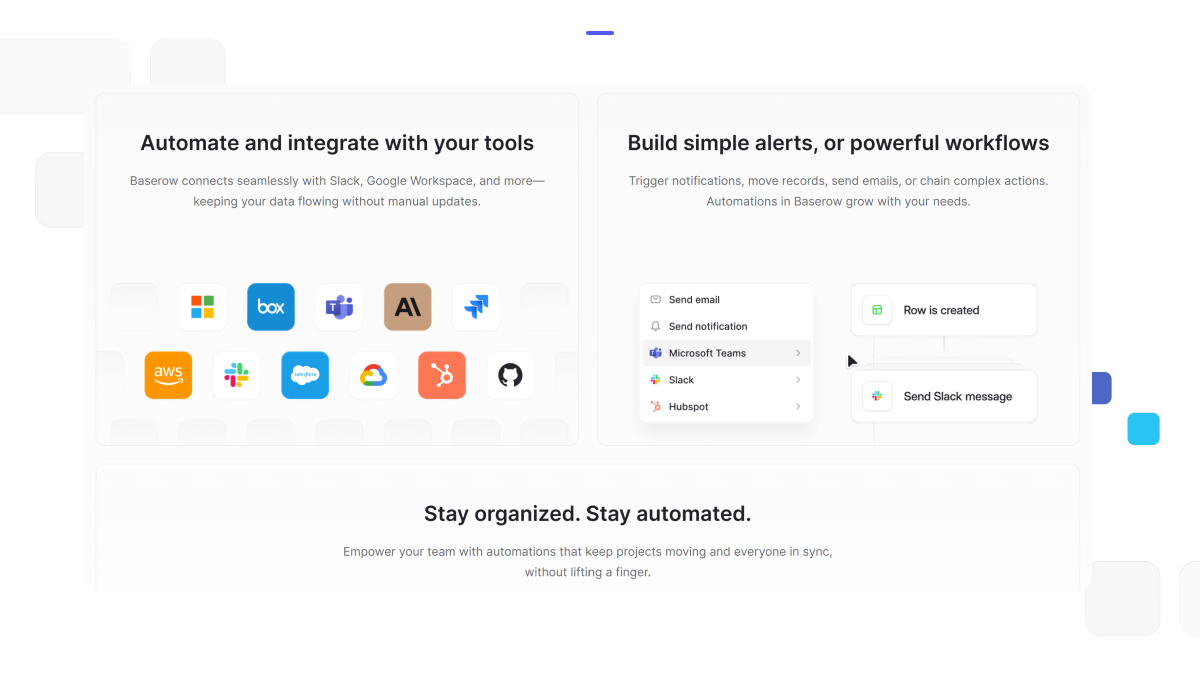
Tools like Baserow Automations illustrate this shift by combining structured workflows with AI logic, without requiring teams to manage complex scripts.
Core Capabilities of Modern AI Automation
- Automate Repetitive Tasks Without Heavy Setup
Modern automation platforms focus on reducing friction. Instead of writing long configurations, teams use pre built actions that connect systems and move data where it is needed. This is especially valuable when syncing tools such as google sheets or internal databases.
Because the logic is simpler, workflows are easier to maintain and adjust as processes change.
- AI Features That Go Beyond Rules
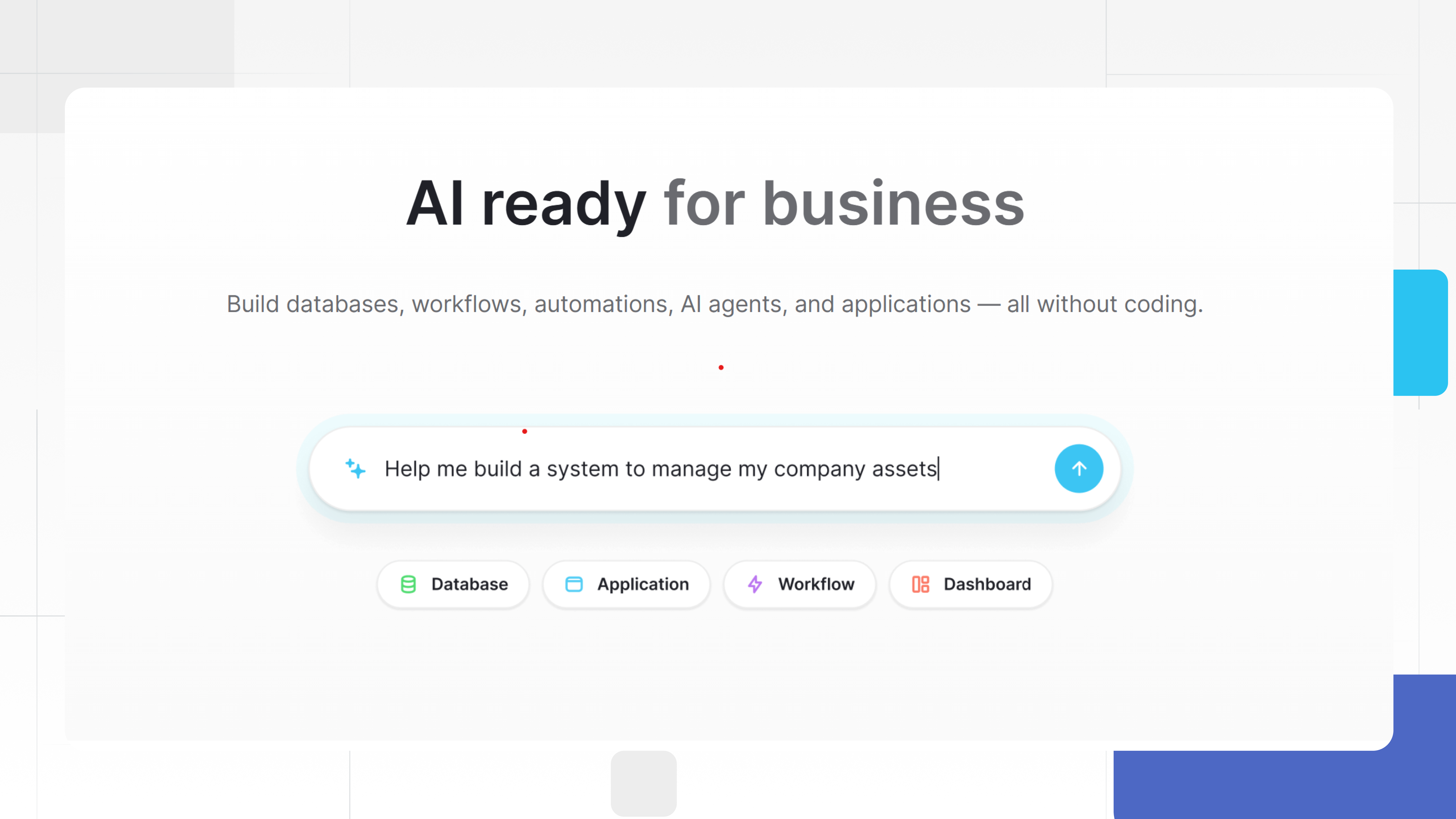
What sets newer platforms apart is how ai features enhance automation. Natural language inputs allow users to describe workflows in plain terms. AI driven decision-making helps systems classify, prioritize, and route information automatically.
An ai powered workflow can respond to requests as they arrive, adjust actions based on context, and surface insights immediately. This makes automation more responsive and far less brittle.
- Handling Errors and Edge Cases Gracefully
Every real workflow includes exceptions. Missing data, unexpected formats, or conflicting inputs can derail rigid systems. AI helps manage these edge cases by recognizing patterns and escalating only when human input is needed.
This reduces silent failures and improves trust in automated processes.
Who Benefits Most From AI Automation
- Technical Teams
For technical teams, AI automation reduces maintenance overhead. Instead of constantly updating scripts, they focus on improving systems and data models. Automation becomes easier to scale and debug, especially when workflows run in real time.
- Non-Technical Teams
Operations, marketing, and support teams benefit from a lower learning curve. They can set up workflows using natural language and simple logic, without relying on developers for every change.
- Enterprise Level Organizations
At the enterprise level, automation must support governance, visibility, and consistency. AI automation enables powerful automation while still maintaining control over data, permissions, and auditability. Platforms that combine flexible databases with automation, such as Baserow, are often chosen for this balance.
AI Automation in Practice: A Data-First Use Case
To understand how AI automation works in real environments, it helps to look at a practical workflow rather than abstract features.
Consider an operations team handling internal requests. These requests arrive in free-form text, often through forms or shared tools. In a traditional setup, someone reviews each entry, categorizes it, assigns ownership, and updates tracking systems manually. The work is repetitive, slow, and prone to errors.
With an AI-driven workflow built on structured data, the process changes. Incoming requests are stored in a central table. An ai agent reviews the text, extracts intent, and classifies the request automatically. Based on this classification, the workflow routes the task to the correct team and updates status fields in real time.
What makes this effective is not just the AI layer. It is the combination of automation and a flexible data model. Because the underlying structure is clear, the AI can act reliably without guessing where information belongs.
This approach is frequently discussed in the Baserow community, where teams share how they automate internal workflows without creating fragile systems.
The key takeaway is simple. AI works best when paired with structured, adaptable data rather than disconnected scripts.
AI Automation Tools vs AI Databases
A common source of confusion is the difference between tools that automate actions and systems that manage data. Both are important, but they solve different problems.
AI automation focuses on behavior. It decides what should happen next. AI databases focus on structure. They ensure information remains consistent, accessible, and trustworthy.
Without a strong data layer, automation becomes unreliable. Workflows break when schemas change, permissions are unclear, or relationships between records are not enforced. This is why many teams struggle when using automation tools that sit on top of loosely structured data. The distinction is explained in detail in this comparison here.
Platforms that combine automation with a flexible database reduce this tension. They allow workflows to evolve without forcing teams to rebuild logic each time requirements change.
What Makes a Scalable AI Automation Stack
- Data Comes First
Automation amplifies whatever data it touches. If the data model is inconsistent, automation spreads errors faster. Scalable systems start with clear tables, defined relationships, and controlled inputs.
This is why many teams design their data layer before automating anything. Once the structure is stable, automation becomes safer and easier to expand.
- Flexibility Over Hard Coding
Rigid systems struggle when workflows change. New fields, new teams, or new approval steps often require rebuilding logic from scratch.
Flexible platforms allow workflows to adapt without breaking existing processes. Automation rules reference data relationships rather than hard-coded assumptions, which keeps systems resilient as they grow.
- Real Time Visibility
Automation should never be a black box. Teams need to see what is happening as workflows run. Real time updates, clear status fields, and transparent execution logs build trust in automated systems.
This visibility also makes debugging simpler when something goes wrong.
Recent Advances That Improve Automation Outcomes
New platform capabilities have made AI automation more practical for everyday teams. Recent updates described in the Baserow 2.0 release notes highlight improvements in performance, collaboration, and extensibility.
These changes matter because automation is no longer limited to technical specialists. Faster interfaces, clearer permissions, and better integrations reduce friction across teams.
For users who want to see how automation fits into broader workflows, this video provides a helpful walkthrough:
How Teams Actually Use AI Automation at Scale
As organizations mature, automation shifts from convenience to necessity. What starts as a few automated steps quickly becomes a system that supports decision-making across teams. At this stage, the quality of automation matters more than the quantity.
One common mistake teams make is automating isolated tasks without considering how data flows between them. This creates fragmented systems where automation works locally but fails globally. AI automation performs best when workflows are connected through a shared data layer.
For example, when automating request handling, approvals, or reporting, teams benefit from having all records stored in a single, structured environment. This allows AI logic to reference past actions, detect patterns, and adapt behavior over time.
This is where platforms designed around structured databases gain an advantage. Instead of stitching together disconnected tools, teams build workflows where automation and data evolve together.
Why Data Structure Matters for AI Automation
AI models are powerful, but they do not fix poor data design. In fact, automation amplifies data problems. Inconsistent fields, duplicated records, or unclear ownership increase the likelihood of incorrect automation decisions.
Strong automation systems rely on:
- Clear schemas that define what data represents
- Relationships that reflect how work actually flows
- Permissions that control who can trigger actions
When these foundations are in place, AI can safely automate decisions such as routing tasks, prioritizing work, or enriching records with additional context.
This approach also improves reliability when handling edge cases. Instead of failing silently, workflows can detect missing or conflicting inputs and respond appropriately.
Reducing the Learning Curve Across Teams
One of the biggest barriers to automation adoption is complexity. Many tools promise powerful automation but require users to learn scripting languages or advanced configuration models. This slows adoption and centralizes control within technical teams.
Modern AI automation tools reduce this learning curve by allowing users to define workflows using natural language and guided interfaces. Instead of writing logic, users describe outcomes. The system interprets intent and builds the workflow behind the scenes.
This shift has two important effects:
- Non-technical teams gain autonomy
- Technical teams spend less time maintaining automation
As a result, automation becomes a shared capability rather than a specialized function.
Handling Errors, Exceptions, and Edge Cases
No real-world process is perfectly predictable. Inputs change, requirements evolve, and exceptions occur. Traditional automation struggles here because it expects conditions to match predefined rules.
AI-driven systems handle uncertainty more effectively. They analyze context, compare against historical data, and choose the most likely action. When confidence is low, they escalate rather than fail.
Effective error handling includes:
- Logging actions and decisions
- Flagging uncertain outcomes
- Allowing human intervention when needed
This balance between automation and oversight builds trust. Teams are more willing to rely on automation when they understand how it behaves under uncertainty.
Integrating AI Automation With Existing Tools
Automation rarely exists in isolation. Teams already use spreadsheets, databases, communication tools, and reporting systems. The goal of automation is to reduce friction between these tools, not replace them all at once.
AI automation platforms increasingly support integrations with common tools, including google sheets, messaging platforms, and internal systems. By synchronizing data in real time, workflows remain accurate and up to date.
However, integration alone is not enough. Without a central source of truth, data quickly becomes inconsistent. This is why many teams use a database-centric platform as the backbone of their automation stack.
Enterprise Considerations for AI Automation
At the enterprise level, automation must balance flexibility with control. Leaders need visibility into how workflows operate, while teams need freedom to adapt processes locally.
Key enterprise requirements include:
- Auditability of automated actions
- Role-based permissions
- Predictable performance at scale
AI automation platforms that support these needs without introducing excessive complexity are more likely to succeed long term.
This is also where open and extensible systems gain traction. Teams want the ability to customize workflows, integrate external services, and avoid vendor lock-in as requirements change.
Learning From Community-Driven Automation
One advantage of platforms with active communities is shared learning. Teams often face similar automation challenges, even across industries. Community discussions reveal patterns that documentation alone cannot capture.
In the Baserow community, users frequently share examples of automating onboarding, content workflows, internal approvals, and reporting pipelines. These conversations highlight a common theme: automation works best when built incrementally on clear data structures.
This peer-driven insight helps teams avoid common pitfalls and adopt proven patterns faster.
Preparing for the Future of Automation
AI automation continues to evolve. As models improve and interfaces become more intuitive, the distinction between “automation” and “workflow” will blur further. Systems will increasingly anticipate needs rather than react to triggers.
Teams that invest early in flexible data models and adaptable automation will be better positioned to take advantage of these advances. Those that rely on brittle scripts may find themselves rebuilding systems repeatedly.
The goal is not to chase new features, but to build workflows that remain stable as tools evolve.
Evaluating AI Automation Tools the Right Way
With so many platforms positioning themselves as automation-first, it can be difficult to separate surface-level features from long-term value. Many tools demonstrate impressive demos but struggle once workflows become more complex or data volumes increase.
A practical way to evaluate AI automation is to look at how a system behaves under change. Processes evolve, teams restructure, and inputs become less predictable. Automation that depends on rigid assumptions often requires constant rebuilding. More resilient systems are those designed to adapt.
Strong evaluation criteria include:
- How well automation handles incomplete or changing data
- Whether workflows can evolve without breaking existing logic
- How clearly actions and decisions can be audited
- How easy it is for different teams to participate
Tools that emphasize flexibility and data integrity tend to perform better over time than those focused only on speed of setup.
The Role of AI in Long-Term Workflow Design
AI is not a replacement for process thinking. Instead, it acts as an amplifier. When workflows are well designed, AI increases efficiency and accuracy. When they are poorly designed, AI simply accelerates confusion.
Successful teams use AI to support decision-making, not obscure it. They define clear ownership, maintain visibility into automated actions, and allow humans to intervene when necessary. This balance is especially important in workflows that affect customers, compliance, or financial outcomes.
Over time, AI automation becomes less about individual features and more about how well systems learn from past behavior. Feedback loops, contextual awareness, and gradual optimization matter more than one-off automation wins.
Choosing a Platform That Grows With You
Early-stage automation often focuses on eliminating obvious inefficiencies. At scale, priorities shift toward reliability, governance, and collaboration. Platforms that work well in small teams may struggle to support enterprise needs without significant workarounds.
Teams increasingly look for systems that combine:
- Structured databases
- Flexible automation logic
- AI-assisted decision-making
- Real time collaboration
This combination allows workflows to scale horizontally across teams without central bottlenecks. It also reduces the risk of building automation that only a few specialists understand.
Solutions like Baserow are often chosen in this context because they allow teams to start simple and add complexity gradually, rather than forcing rigid structures from the beginning.
Where AI Automation Is Headed Next
As AI models improve, automation will become more proactive. Systems will increasingly anticipate needs, suggest workflow improvements, and surface risks before they impact outcomes.
This evolution places even greater importance on data quality and transparency. Teams that invest in clear structures and adaptable workflows today will be better prepared to adopt future capabilities without disruption.
Automation will continue to move away from static logic toward systems that learn, adjust, and collaborate with humans in real time.
Frequently Asked Questions
- Which is the best tool for AI automation
The best option depends on how well a tool balances automation logic with structured data. Systems that support flexible schemas, real time updates, and AI-assisted decision-making tend to scale better than isolated automation layers.
- What is AI automation software
AI automation software combines workflow logic with machine intelligence. It interprets inputs, decides actions, and executes tasks with minimal manual intervention.
- What are some AI automation tools
Examples include platforms that integrate automation, databases, and AI features into a single environment. Tools that avoid rigid scripting and support natural language inputs are increasingly preferred.
- What are the 4 main types of AI
They are typically described as reactive machines, limited memory systems, theory of mind concepts, and self-aware AI. Most automation today relies on limited memory models trained on patterns and context.
- What is the difference between Baserow and Airtable
Both provide flexible data platforms, but Baserow emphasizes open-source architecture, extensibility, and deeper control over automation and AI integration, which appeals to teams building custom workflows.
Getting Started With Automation
Successful automation starts small. Teams identify one workflow that causes friction, model the data clearly, and automate only what is predictable. Over time, AI layers can expand coverage without increasing complexity.
If you want to explore how structured data and automation work together, the Baserow product overview provides a useful starting point.
You can also try building workflows directly by signing up here.
The goal is not to automate everything at once, but to create systems that grow with your work instead of slowing it down.


Baserow 2.4 adds Button fields, Graph elements, workflow automation, AI provider management, improved Group By views, and 30+ more updates.

Discover how Airtable and Baserow compare in features, flexibility, speed, and scalability. Compare pricing plans and hidden costs to make an informed decision!

Explore the best open-source software alternatives to proprietary products. Discover OSS tools, licenses, and use cases with our updated directory.