

Microsoft Excel has long been the gold standard in spreadsheet software, with more than 750 million users worldwide relying on it for data analysis, reporting, budgeting, and more. However, in recent years, many businesses have found themselves outgrowing Excel’s capabilities, turning instead to more modern, collaborative, and scalable spreadsheet tools.
Whether you’re a startup overwhelmed by Excel’s complexity, a growing team in need of more flexibility, or an enterprise requiring enhanced security and automation, there’s likely a better fit for your business needs. In this guide, we explore the top Excel alternatives on the market—solutions that combine powerful functionality with usability, collaboration tools, and advanced features.
Let’s dive into the best options available and why your business might want to look beyond Excel.
Why Businesses Are Moving Away from Excel
Despite being a trusted name for decades, Microsoft Office Excel is no longer the best fit for every business use case. As data needs evolve, many teams are shifting toward more modern spreadsheet applications that offer flexibility, automation, and better collaboration. Several factors are driving this shift:
- Lack of Scalability and Performance
Excel has a known row limit and tends to slow down when handling large datasets. This makes it less suitable for data-heavy workflows, where performance and scalability are critical for growing businesses.
- Limited Collaboration Capabilities
Modern teams rely on real time editing to work efficiently. While Excel has improved, it still struggles compared to cloud-first tools that allow multiple users to collaborate simultaneously without version conflicts or constant file sharing.
- Not Built for Cloud-First Workflows
Many newer tools offer seamless cloud storage, ensuring data is always backed up and accessible from anywhere. Excel, while integrated with Microsoft 365, still doesn’t provide the same fluid, cloud-native experience as newer platforms.
- Lack of AI-Powered Functionality
Today’s businesses increasingly rely on ai powered tools to automate data analysis, clean datasets, and generate insights. Excel has limited native capabilities in this area compared to modern alternatives that embed AI directly into workflows.
- Limited Cross-Platform Experience
Excel works across devices, but it doesn’t always provide a consistent or optimized experience—especially compared to tools designed specifically for mobile or apple devices, where usability and performance are more refined.
- Overwhelming User Interface
Despite its power, Excel’s interface can feel complex and outdated. Many users find it difficult to navigate, especially when compared to newer tools designed with a clean, user-friendly interface.
- Pricing and Licensing Complexity
Excel can be expensive, particularly for teams scaling across departments. Subscription costs under Microsoft 365 can quickly add up, pushing businesses to explore more cost-effective or free alternatives.
- Limited Extensibility
While Excel supports add-ons, it’s not built as an API-first platform. This limits customization and makes it harder to integrate with modern workflows compared to more flexible tools.
Best Excel Alternatives for Businesses
1. Baserow
Baserow is a powerful, open-source alternative to Excel that blends the simplicity of a spreadsheet with the structure of a database. It’s ideal for businesses that have outgrown traditional spreadsheets and need more control, automation, and scalability.
Unlike Excel, which operates as a closed-source program, Baserow is API-first and built to be extended. You can self-host it to comply with data governance requirements, enjoy real-time collaboration, and create custom views tailored to your workflows.
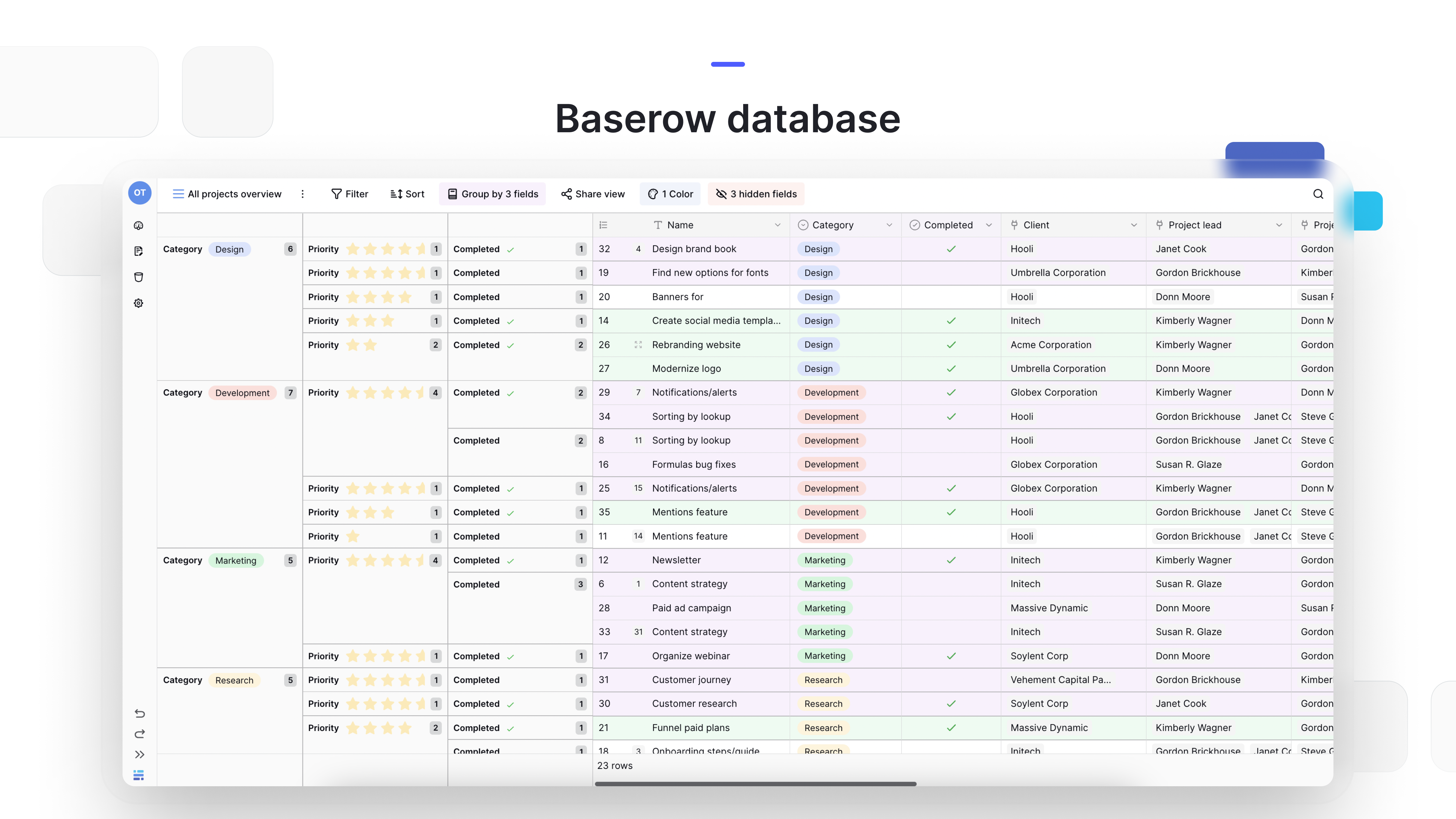
With spreadsheet-database hybrid functionality, Baserow allows teams to go beyond static cells and formulas. Users can manage projects, inventories, and even build internal applications—all without writing a single line of code. Thanks to role-based access control and audit trail features, it’s a great fit for teams operating in regulated industries such as finance, healthcare, and government.
Although currently browser-based without a dedicated mobile app, its intuitive interface, robust features, and generous free version make Baserow a top-tier contender among Excel alternatives.
2. Google Sheets
Google Sheets is a popular, cloud-based spreadsheet tool known for real-time collaboration. Teams can edit simultaneously, leave comments, and manage permissions easily. It’s a strong free Excel alternative, especially for smaller teams. However, it can slow down with large datasets and lacks some advanced formatting features.
3. Zoho Sheet
Zoho Sheet is a smart, cloud-based spreadsheet software with built-in AI for data analysis and automation. It supports real-time collaboration, in-sheet chat, and granular access control. With strong conditional formatting and Excel file compatibility, it’s a solid choice for teams needing a scalable and collaborative solution.
4. LibreOffice Calc
LibreOffice Calc is a well-known open-source spreadsheet tool offering many Excel-like features, including formulas and pivot tables. It’s completely free and works well offline, but lacks real-time collaboration and advanced charting capabilities.
5. Smartsheet
Smartsheet combines spreadsheets with project management features like Kanban boards and Gantt charts. It supports automation, integrations, and real-time collaboration. While powerful, it can feel complex and is more expensive than many alternatives.
6. Apple Numbers
Apple Numbers is a user-friendly spreadsheet tool designed for Apple users. It offers a clean interface and flexible layouts, making it great for visual data. However, it lacks advanced features and isn’t ideal for cross-platform teams.
7. WPS Office Spreadsheets
WPS Spreadsheets provides an Excel-like experience with strong compatibility for Excel files. It includes PDF tools and cross-platform support. The free version is feature-rich but includes ads, and the web version is bundled with the full office suite.
8. Apache OpenOffice Calc
OpenOffice Calc is a lightweight, open-source alternative suitable for offline use. It offers solid data analysis tools but lacks cloud-based collaboration and modern charting features.
9. Airtable
Airtable blends spreadsheets with database functionality, offering rich field types, automation, and integrations. It’s highly user-friendly but can become expensive and slower at scale. Tools like Baserow offer similar flexibility with more scalability.
📖 Explore: Free Alternatives to Airtable
10. Notion
Notion combines notes, databases, and project management in one workspace. It’s flexible and collaborative but less structured for complex data workflows. For more structured data management, Baserow is a stronger option.
Features to Look for in an Excel Alternative
Choosing the right Excel alternative depends on your business needs, but here are some key features to evaluate:
- Real-time collaboration
- Role-based access control and security
- Compatibility with Excel files (.xls, .xlsx)
- Cloud-based access and mobile support
- Conditional formatting and advanced formulas
- Integration with project management tools
- Scalable performance with large datasets
- Clean, intuitive user interface
- API and automation capabilities
- Affordable or free version options
How Baserow Stands Out Among Excel Alternatives
Among the many spreadsheet tools reviewed, Baserow consistently rises to the top for teams looking to combine structure, usability, and scalability. Here’s why it stands out
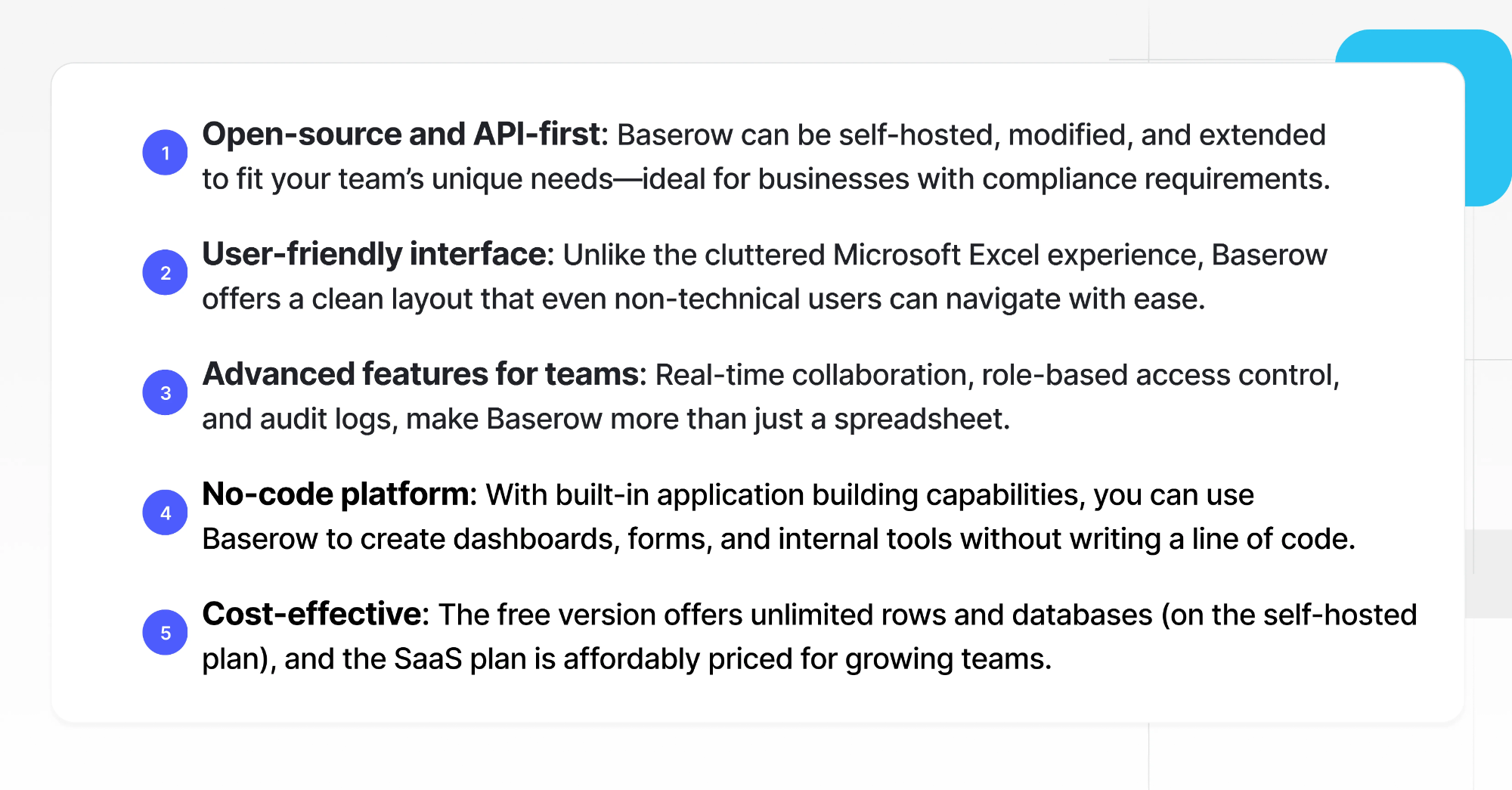
Learn more about how to sync Baserow database and Excel spreadsheet with Zapier.
Final Thoughts: What’s the Best Alternative to Microsoft Excel?
If you’re wondering what system is better than Excel or what is stronger than Excel, the answer depends on what you need from your spreadsheet solution.
- For collaboration and accessibility: Baserow or Google Sheets or Zoho Sheet
- For project management: Baserow or Smartsheet or SeaTable
- For open-source flexibility: Baserow or LibreOffice Calc
- For affordability: Apache OpenOffice, WPS Office, or Apple Numbers
- For scalability and database power: Baserow, Airtable, or Stackby
Ultimately, Baserow stands out as the best Excel alternative for businesses that need a scalable, customizable, and collaborative data platform. Its powerful features, flexible deployment options, and modern UI make it a compelling choice whether you’re managing projects, building a CRM, or handling complex datasets.
Start Building Smarter with Baserow
Whether you’re a small startup or a large enterprise, Baserow offers a flexible, open-source alternative to Excel that grows with your business. With no-code capabilities, real-time collaboration, and a secure, scalable backend, it’s the ideal platform for modern teams.
👉 Try Baserow for free today and see how it can transform the way you manage data.

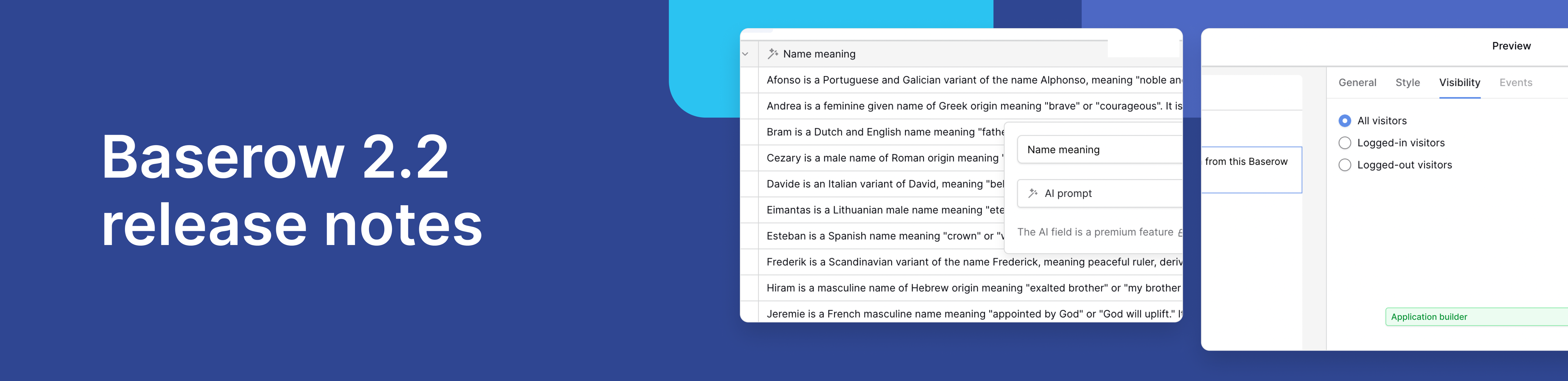
Baserow 2.2 introduces AI app building with Kuma, view-level permissions, edit rows via forms, and more. Explore all updates.

Discover how Airtable and Baserow compare in features, flexibility, speed, and scalability. Compare pricing plans and hidden costs to make an informed decision!

Explore the best open-source software alternatives to proprietary products. Discover OSS tools, licenses, and use cases with our updated directory.