
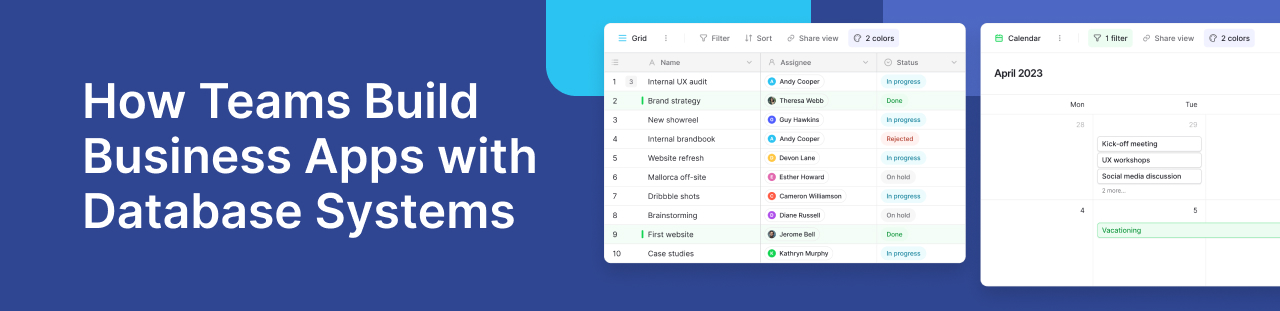
Many organizations rely on different software tools to manage projects, customers, approvals, and daily operations. While these tools solve individual problems, they often create new ones—data gets scattered, workflows become disconnected, and teams spend more time switching between apps than getting work done.
A better approach is to build custom applications on top of a database management system. Instead of adapting your processes to fit off-the-shelf software, you can create tools that match the way your team already works. Thanks to modern no-code platforms and AI-assisted development, this is no longer limited to developers.
Whether you’re managing projects, tracking customers, or organizing internal requests, a database can become the foundation for applications that are easier to maintain, scale, and collaborate on.
TL;DR
- Modern teams are replacing disconnected spreadsheets with database-powered applications that centralize information and improve collaboration.
- A database management system provides the foundation for tools such as project trackers, CRM systems, approval workflows, inventory management, and internal portals.
- Today’s no-code platforms make it possible for non-technical teams to build custom applications using visual, drag and drop interfaces instead of writing code.
- AI powered features are making app creation even faster by helping generate tables, workflows, and automations.
- Baserow combines a flexible database with an application builder, interfaces, automations, and seamless integrations, allowing teams to create personalized internal tools that grow with their business.
- Whether you’re a startup or an established company, building your own applications can improve efficiency, reduce software costs, and help teams make informed decisions using real time data.
Why Every Team Eventually Outgrows Spreadsheets
Many teams begin with spreadsheets because they are familiar, flexible, and easy to share. A marketing team tracks campaigns in one sheet, the sales team maintains customer information in another, and operations manages inventory somewhere else. At first, this works well enough.
As a company grows, however, those spreadsheets become harder to maintain. Information gets copied between files, people accidentally edit the wrong version, and important updates are missed. Team members spend more time searching for information than acting on it.
This is where a database management system becomes valuable. Instead of keeping data scattered across multiple spreadsheets, it helps teams store and manage information in one structured location. Everyone works from the same source of truth, making collaboration easier and reducing manual work.
For many organizations, the next step is not buying another expensive software subscription. Instead, they build applications that fit their own workflows on top of their database. This gives them tools designed around the way they already work rather than forcing them to adapt to generic software.
If you’re new to databases, Baserow’s guide on databases for non-technical users explains the fundamentals in simple language. You can also explore Baserow to see how a modern database platform helps teams organize information and transform it into powerful internal applications without writing code.
The Database Is No Longer Just for Developers
For years, databases were viewed as something only developers or database administrators could use. Building software often meant writing thousands of lines of code, managing servers, and maintaining complex infrastructure.
That has changed dramatically.
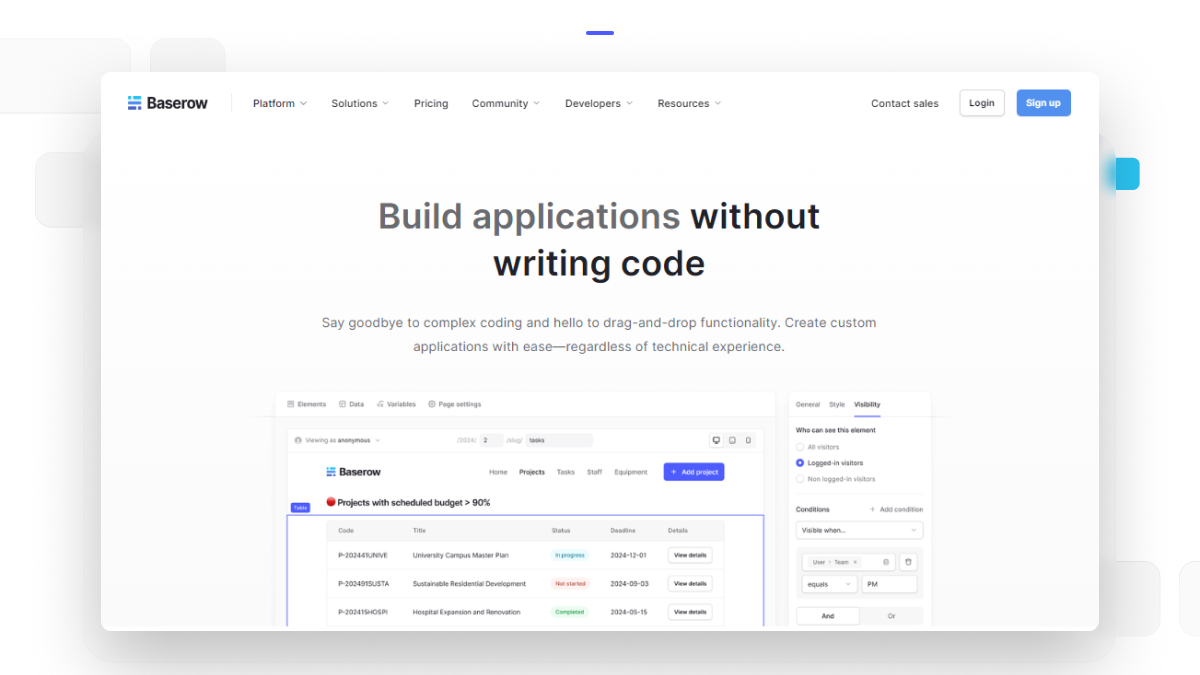
Today’s no-code and low-code platforms allow anyone to organize data visually and transform it into useful applications. Instead of programming every feature, users work with intuitive interfaces, visual relationships, and automation tools.
Modern platforms make it possible to:
- create personalized workflows
- organize information visually
- automate repetitive tasks
- collaborate across departments
- build dashboards for better visibility
Many platforms also include drag and drop builders that let users design interfaces without technical expertise. This means operations managers, HR teams, finance departments, and marketing teams can create tools that solve their own daily challenges.
Platforms like Baserow have made this even more accessible by combining databases, interfaces, automations, APIs, and collaboration tools within a single workspace. Teams can start by organizing structured data and gradually transform it into fully functional applications as their needs grow, eliminating the need to switch between multiple disconnected systems.
How a Database Becomes an Application
A common question people ask is:
“Can a database really become an application?”
The Database Is No Longer Just for Developers
The answer is yes.
Think of the database as the engine behind the application.
The database stores records, relationships, permissions, and workflows. The application provides a user friendly interface where people can interact with that information without ever seeing the underlying tables.
For example:
- A customer service representative sees support tickets.
- A project manager sees milestones.
- A salesperson sees customer records.
- A warehouse employee updates inventory.
Each person views only the information they need, while everyone works from the same centralized database.
Modern application builders add features such as:
- forms
- dashboards
- reports
- notifications
- automation
- permissions
- APIs
- search functionality
Together, these transform structured data into software that teams actually enjoy using. With platforms like Baserow’s Application Builder, users can build interfaces directly on top of their data, making it easier for different teams to work with the same information in ways that suit their roles.
Types of Applications Teams Build on Top of a Database
One of the biggest advantages of modern database platforms is flexibility. Instead of purchasing separate software for every department, organizations can build solutions that match their own processes. This reduces software sprawl while giving teams complete control over how information is collected, organized, and shared.
- Project Management Systems
Every organization manages projects.
Whether launching a product, running a marketing campaign, or tracking client work, teams need one place to organize tasks.
A custom project management application can include:
- project stages
- task owners
- due dates
- priorities
- progress tracking
- team workload
- approvals
Because all information lives in one database, managers can make informed decisions using live project data instead of manually collecting updates.
Real time dashboards also allow leadership to identify bottlenecks before deadlines are missed.
Unlike generic software, these systems evolve with the organization as new workflows emerge. Many teams in the Baserow Community share how they have built tailored project trackers that fit their unique processes instead of adapting to rigid project management tools.
- Customer Relationship Management
Sales teams often begin with spreadsheets for tracking prospects.
Eventually those files become difficult to manage.
Duplicate records appear.
Follow-ups are forgotten.
Customer history becomes scattered.
Building a customer relationship management solution on a database allows businesses to organize:
- leads
- companies
- contacts
- opportunities
- sales stages
- meeting notes
- follow-up reminders
Because every customer interaction is connected, sales representatives always have the latest information before speaking with a prospect.
This improves collaboration between marketing, sales, and customer success while reducing manual data entry.
- Communications Apps for Internal Teams
Not every internal tool needs to be customer facing.
Many companies build communications apps that help employees request approvals, submit ideas, manage onboarding, or share company resources.
Examples include:
- IT support requests
- vacation approvals
- equipment requests
- HR onboarding
- policy acknowledgements
- knowledge libraries
Instead of relying on long email threads, employees submit information through structured forms while managers review everything from a centralized dashboard.
These simple applications eliminate repetitive administrative work, improve transparency across departments, and provide a clear history of every request.
- Operations and Inventory Workflows
Operations teams often juggle information across multiple systems.
A database-powered application can combine:
- suppliers
- purchase orders
- inventory
- maintenance schedules
- deliveries
- approvals
- reporting
Rather than updating multiple spreadsheets throughout the day, employees update one record that automatically reflects across the entire workflow.
This reduces errors while helping managers respond more quickly to operational changes. As business processes evolve, the application can be expanded without rebuilding it from scratch.
- Managing Files Without Losing Context
Documents are just as important as structured data.
Contracts, invoices, design assets, and manuals all need to stay connected to the records they belong to.
Instead of uploading every document into the database itself, many organizations connect cloud storage services like Google Drive while using the database to organize metadata, permissions, and relationships.
For example:
- A customer record can link directly to signed contracts.
- A project can include design files.
- An employee profile can reference onboarding documents.
Combined with file sharing capabilities and strong search functionality, teams spend less time looking for information and more time completing work.
This approach keeps files organized without creating duplicate copies across different systems while ensuring every document stays connected to the work it supports.
Why More Teams Are Building Instead of Buying Software
For years, businesses solved every new challenge by purchasing another software subscription. One tool handled customer records, another managed projects, and yet another tracked approvals or inventory. While each application worked well on its own, the growing collection of software often created more complexity than value.
Employees had to switch between multiple platforms, copy information manually, and learn different interfaces. Data became fragmented, making it difficult for leaders to see the complete picture.
Today, many organizations are taking a different approach. Rather than relying solely on off-the-shelf software, they build applications that match their own workflows. This gives them greater flexibility while reducing the need to pay for multiple overlapping solutions.
This shift is especially valuable for small businesses and small business owners who need affordable tools that can adapt as the company grows. Instead of purchasing several niche products, they can build exactly what they need and expand their applications over time.
Some organizations even begin with free apps or the free version of a platform to validate their processes before investing in additional capabilities. This allows teams to experiment quickly while keeping costs under control.
The biggest advantage is personalization. Every business has unique approval flows, reporting requirements, and ways of organizing information. Building custom applications lets teams create personalized experiences that reflect how they actually work instead of forcing employees to adjust to generic software.
How AI Is Changing the Way Teams Build Applications
Artificial intelligence has significantly reduced the time it takes to build internal tools.
Previously, creating an application meant planning database tables, writing formulas, configuring workflows, and testing every relationship manually. While these tasks are still important, AI powered features can now handle much of the initial setup.
For example, AI can help teams:
- generate database structures from simple prompts
- suggest field types and relationships
- create formulas
- summarize records
- organize information automatically
- accelerate documentation
- reduce repetitive setup work
This allows teams to spend more time refining their processes rather than building everything from scratch.
Baserow has embraced this shift through its growing set of AI capabilities. As covered in its guide on AI database management systems, teams can use AI to speed up database creation while maintaining complete control over their data and workflows.
Rather than replacing human expertise, AI becomes an assistant that helps users build better applications faster.
Why Baserow Fits Modern Application Building
Choosing the right platform is just as important as choosing the right workflow.
A database should not only organize information—it should make that information easy to use across the business.
This is where Baserow stands out.
Instead of treating the database as a standalone product, Baserow combines multiple capabilities within one platform. Teams can organize structured data, create user-friendly interfaces, automate repetitive tasks, and build applications without writing code.
Some of the features that make it particularly suitable for internal application development include:
- A visual Application Builder for creating role-specific interfaces
- Flexible databases that adapt as workflows evolve
- Built-in forms for collecting information
- Automation to reduce repetitive work
- REST APIs for connecting external systems
- Webhooks for event-driven workflows
- Granular user permissions
- Real-time collaboration across teams
- AI-assisted database creation and content generation
- Open-source deployment for organizations that want complete control over their infrastructure
Because everything works from the same database, departments no longer need to maintain separate copies of the same information.
For example, a sales manager can update a customer record while finance reviews invoices, operations tracks deliveries, and leadership monitors dashboards—all from the same underlying data.
This creates a single source of truth without sacrificing flexibility.
Learning from the Baserow Community
One of Baserow’s strengths is its active community of builders. Within the Baserow Community, users regularly share creative ways they have turned databases into practical business applications.
Some popular examples include:
- Lightweight CRM systems: Small teams have built customer relationship management platforms tailored to their own sales processes instead of relying on feature-heavy enterprise software.
- Project tracking portals: Agencies and product teams have created dashboards that combine tasks, milestones, approvals, and reporting in one place.
- Inventory management: Operations teams use connected tables to monitor stock, suppliers, purchase orders, and deliveries without maintaining multiple spreadsheets.
- Approval workflows: HR and finance departments have built applications for leave requests, purchase approvals, expense tracking, and onboarding processes.
- Event management: Organizations manage registrations, schedules, speakers, volunteers, and attendee communications from one centralized database.
These community examples demonstrate an important idea: modern database platforms are no longer just repositories for information. They have become flexible foundations for solving everyday business challenges.
.png)
How to Choose the Right Platform for Building Internal Applications
Not every application platform offers the same level of flexibility.
Before selecting one, consider whether it can support your organization as requirements evolve.
Look for features such as:
- A simple, user friendly interface
- Visual drag and drop tools
- Strong search functionality
- Real time collaboration
- Role-based permissions
- Automation capabilities
- AI powered assistance
- Seamless integrations with existing software
- APIs for future expansion
- Reliable file sharing
- Support for platforms including Google Drive and other productivity tools
- Flexible deployment options, including open source where appropriate
The goal is not simply to build one application. It is to create a platform your organization can continue using as new processes emerge.
Choosing software that scales with your business reduces future migration costs and encourages teams to build solutions instead of constantly searching for replacements.
Frequently Asked Questions
- Can I build an internal application without coding?
Yes. Modern no-code platforms let users build internal applications using visual builders, forms, automations, and databases instead of programming languages. This allows operations, HR, marketing, and finance teams to create useful tools without relying entirely on developers.
- What is the easiest way to build an application from a database?
The easiest approach is to start with a structured database, define the information you want to manage, and then use an application builder to create forms, dashboards, and user interfaces on top of that data. This keeps your information organized while providing an intuitive experience for end users.
- Can small businesses replace spreadsheets with database applications?
Absolutely. Many small businesses begin by replacing their most complex spreadsheets with database-powered applications. This improves collaboration, reduces manual updates, and creates a reliable source of information that can grow as the business expands.
- How does AI help build internal applications?
AI can generate database structures, recommend fields, create formulas, summarize information, and speed up workflow creation. Instead of starting with a blank page, teams can quickly build a working foundation and customize it to their needs.
- What should I look for in an application builder?
Look for a platform that offers visual design tools, automation, permissions, APIs, collaboration features, search capabilities, and seamless integrations. The best solutions also support future growth so your applications can evolve alongside your business.
- Why use a database instead of separate software tools?
A database provides one centralized source of truth where different teams work with the same information. Rather than maintaining disconnected applications and duplicate records, organizations can build multiple workflows on a shared foundation, improving efficiency, accuracy, and collaboration.
Conclusion
The way organizations build software has changed dramatically.
Instead of purchasing dozens of disconnected applications, teams are increasingly creating tools that match their own workflows. Modern databases have evolved into powerful platforms that support project management, customer relationship management, communications apps, inventory tracking, approval workflows, and many other operational processes.
With AI accelerating development and no-code tools removing technical barriers, building custom internal applications has become practical for organizations of every size.
Platforms like Baserow make this transition even easier by combining a flexible database, interfaces, automations, APIs, and an application builder in one collaborative workspace. Whether you’re replacing spreadsheets or building entirely new workflows, the platform grows alongside your business without requiring extensive development resources.
If you’re ready to turn your data into applications your team will actually enjoy using, you can get started with Baserow for free and begin building your first custom solution in minutes.


Baserow 2.4 adds Button fields, Graph elements, workflow automation, AI provider management, improved Group By views, and 30+ more updates.

Discover how Airtable and Baserow compare in features, flexibility, speed, and scalability. Compare pricing plans and hidden costs to make an informed decision!

Explore the best open-source software alternatives to proprietary products. Discover OSS tools, licenses, and use cases with our updated directory.