
Claude can help you analyze information, organize projects, and manage everyday tasks. By connecting Claude to Baserow, you can work with your database directly through natural language instead of manually searching for records or making API calls.
Baserow is now available in the Claude directory, making it easier to connect your database without manually configuring an MCP server.
How to connect Baserow to Claude
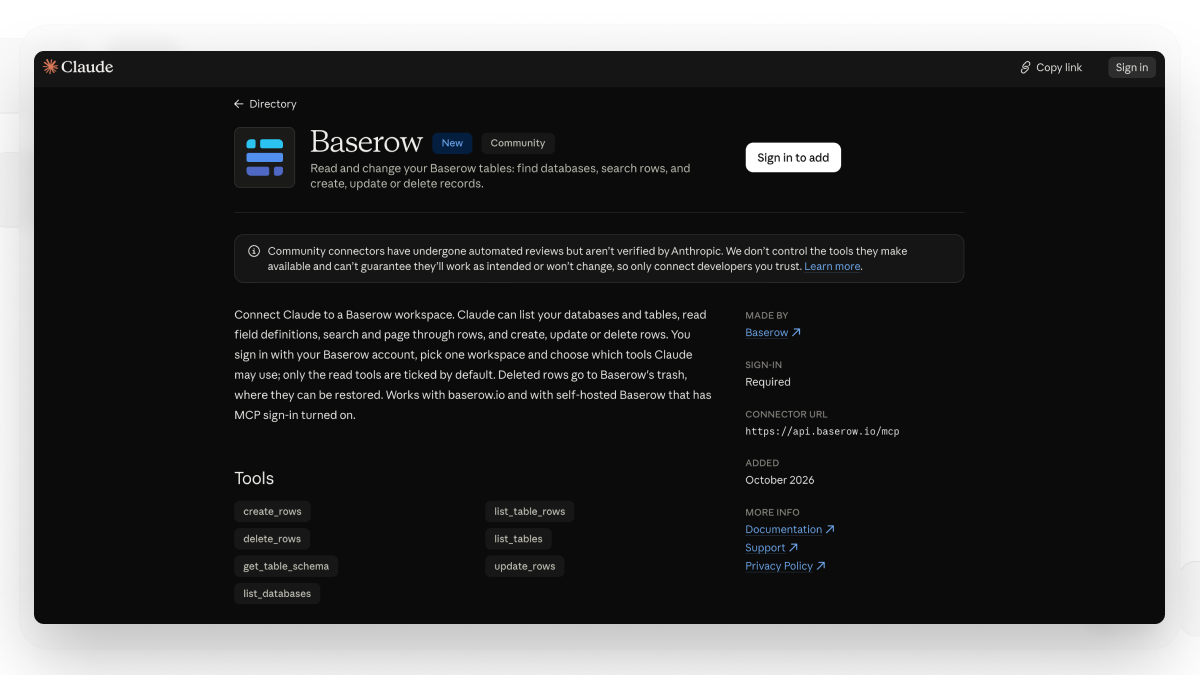
Getting started takes just a few steps:
- Open the Baserow listing in the Claude directory.
- Follow the connection instructions and authorize access to your Baserow workspace.
- Start a conversation and ask the assistant to work with your database.
Once connected, you can list databases and tables, retrieve records, and create, update, or delete rows using the available MCP tools.
Previously, connecting Claude through MCP required additional configuration, particularly in Claude Desktop. The directory listing provides a simpler way to discover and connect Baserow using the Model Context Protocol (MCP).
👉 For technical details, see our Baserow MCP server documentation.
4 practical Claude use cases for your Baserow database
These Claude use cases show how you can work with structured data through natural-language requests.
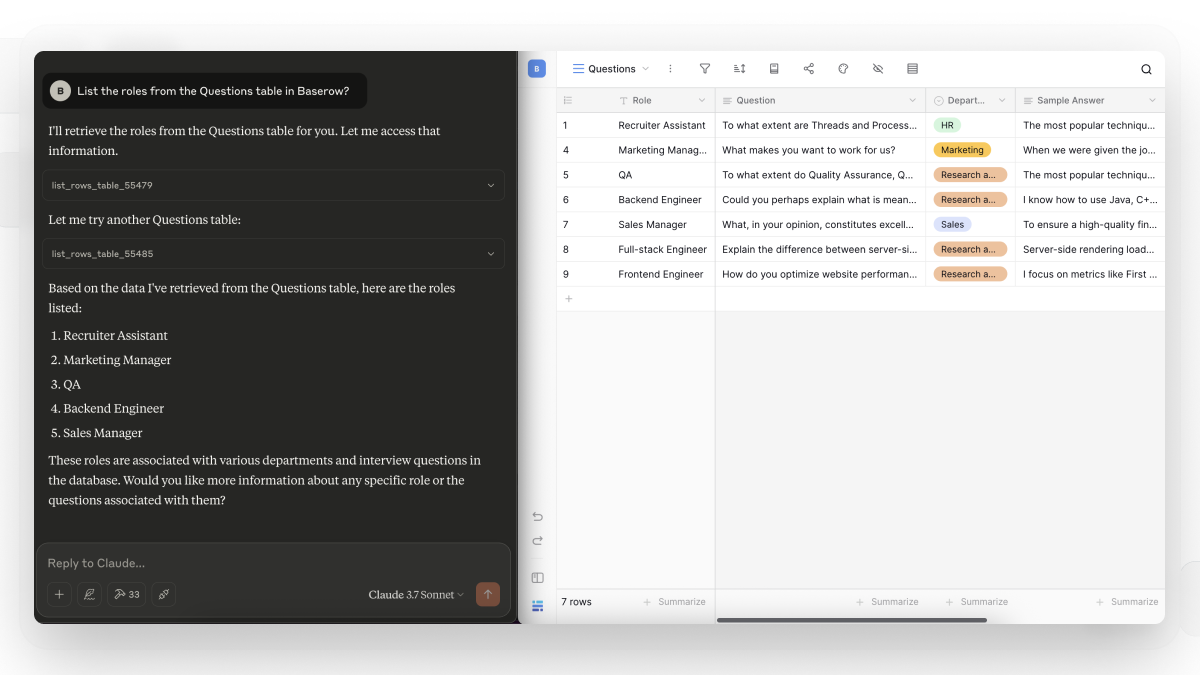
1. Turn project briefs into task trackers
Starting a project often involves extracting tasks, deadlines, and dependencies from lengthy documents. Ask the assistant to identify key action items and organize them in your existing Baserow project tracker.
This turns an unstructured brief into records your team can assign, update, and track.
2. Prepare project status reports
Instead of manually reviewing several tables before a meeting, request a summary of project progress based on your existing records. The assistant can highlight overdue tasks, upcoming deadlines, and outstanding work in a concise report.
Your team can spend less time compiling updates and more time deciding what to do next.
3. Organize and review customer research
Customer interviews, survey responses, and feedback records often contain insights that are difficult to spot individually. Ask the assistant to group responses into recurring themes, identify common requests, and summarize findings while referencing the original records.
This gives product teams a clearer overview of customer needs without losing the context behind individual responses.
4. Keep your content calendar organized
Use your Baserow content calendar to review upcoming publications, identify gaps, and summarize planned content by topic or channel.
You can also request new records for content ideas, using your existing fields for titles, formats, owners, and publication dates.
Looking for ready-to-use prompts? Check out our guide to 6 Claude Prompt Ideas for Working with Baserow Data to explore more ways to query data, create records, and streamline your workflows.
Frequently asked questions
What is the difference between MCP and an MCP server?
The Model Context Protocol is a standard that allows AI applications to connect to external tools and data. An MCP server makes specific operations available to the assistant.
What can I do with Baserow connected to an AI assistant?
You can retrieve information from your databases, create and update records, and delete rows using natural language. Available actions depend on the tools and permissions enabled for the connection.
Do I need to write code to connect Baserow?
No. The directory integration simplifies the setup process, so you don’t need to manually edit configuration files to establish the connection.
Is my Baserow data secure when using the integration?
Access depends on the connection’s authorization and permissions. Only connect accounts and workspaces you intend to make available, and review the relevant access and data-handling policies before using sensitive information.
Get more from your Baserow data
Whether you’re exploring claude mcp for the first time or looking for practical claud use cases, connecting an AI assistant to a structured database helps you turn questions into practical work. Instead of keeping every answer in a chat, you can create and maintain records in Baserow as part of your workflow.
👉 For setup instructions, read our guide to connecting Baserow through MCP.
Connect Baserow through the Claude directory and start exploring your data.


Baserow 2.4 adds Button fields, Graph elements, workflow automation, AI provider management, improved Group By views, and 30+ more updates.

Discover how Airtable and Baserow compare in features, flexibility, speed, and scalability. Compare pricing plans and hidden costs to make an informed decision!

Explore the best open-source software alternatives to proprietary products. Discover OSS tools, licenses, and use cases with our updated directory.