
TL;DR
Management in a software project is the process of planning, organizing, executing, and monitoring software development work so teams can deliver working software within an agreed scope, timeline, and budget. It includes project management, task management, resource planning, risk management, progress tracking, team coordination, and continuous improvement.
Effective software project management helps team members understand what needs to happen, who owns each task, what is blocked, and what needs to happen next. It also helps keep a project on track when requirements or priorities change.
Tools such as Baserow, Jira, Linear, and ClickUp support this process in different ways. Baserow is particularly useful when teams need customizable project management combined with structured data, custom workflows, and the option to self-host an open-source platform.
What Is Management in a Software Project?
Management in software project work covers the complete process of moving a software project from an initial idea to a working release.
Software project management involves planning organizing, assigning work, managing resources, tracking progress, identifying project risks, and coordinating development through delivery. Good project management ensures that people, requirements, resources, and timelines remain aligned throughout the development process.
The goal isn’t simply to make sure developers complete their tasks. Effective management ensures that the complex project as a whole moves toward its intended outcome while staying within the agreed scope, schedule, and budget.
This is particularly important when building software involves multiple teams, changing requirements, technical dependencies, or distributed team members.
A project management platform can support this process by giving teams a central place to organize tasks, projects, people, and progress. If you want a broader explanation of how these platforms work, see our guide to what project management software is.
How Software Project Management Works
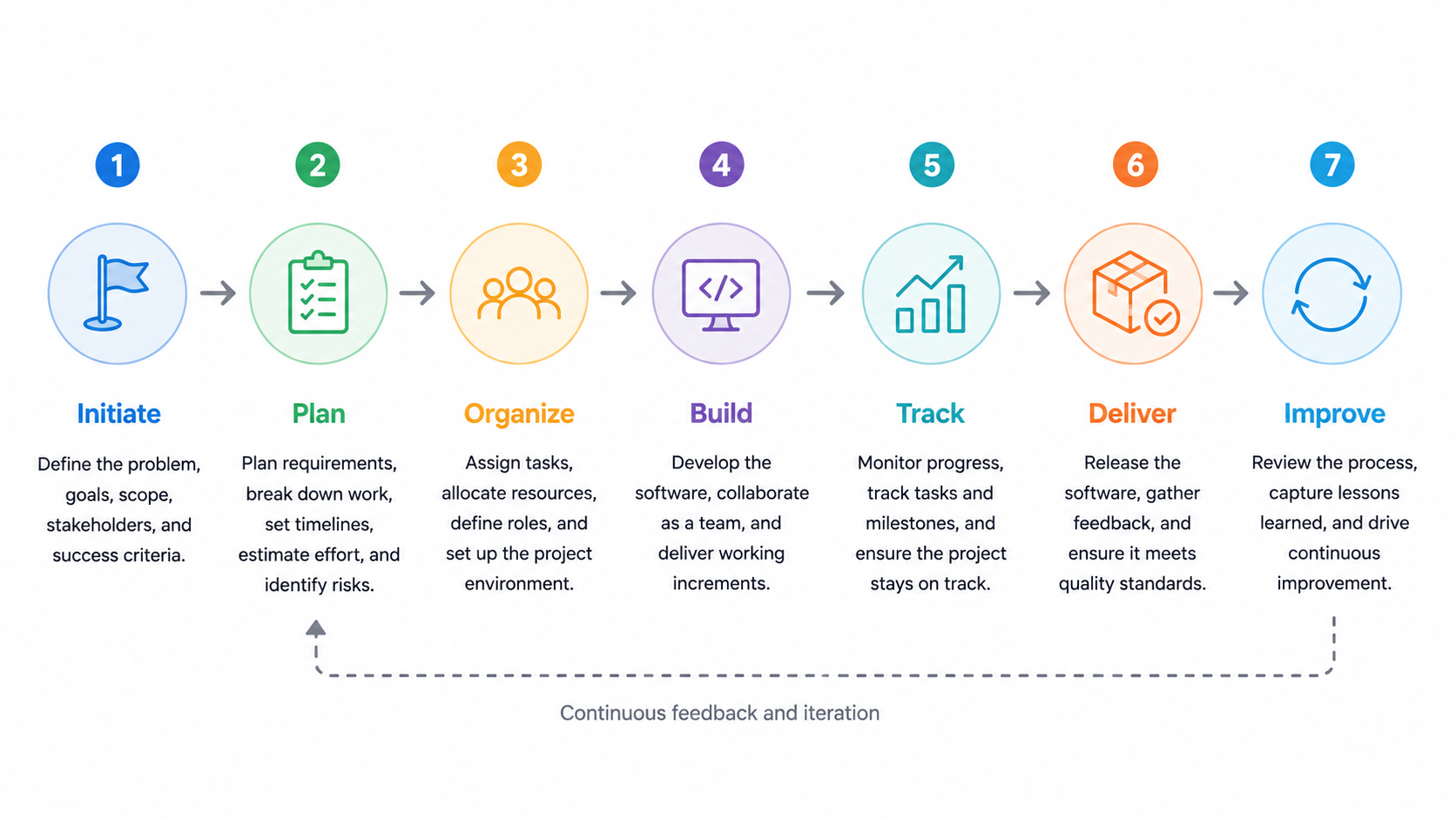
A practical software project management process can be broken into seven stages:
Initiate → Plan → Organize → Build → Track → Deliver → Improve
The stages may overlap, especially when teams use Agile and Scrum, but the basic principles remain similar.
1. Initiate the Project
Every project starts by defining what needs to be built and why.
During the project initiate stage, teams establish goals, scope, requirements, stakeholders, and expected outcomes. They can also identify initial project risks and constraints before development begins.
A clear project definition helps prevent scope from expanding without a corresponding change in resources, timelines, or priorities.
2. Plan and Organize the Work
Once the scope is clear, teams turn the project into manageable pieces of work.
This can include:
- Creating a development backlog
- Breaking features into tasks
- Assigning team members
- Setting milestones and deadlines
- Planning resources
- Identifying dependencies
- Choosing a development methodology
Good planning helps determine how much work a team can realistically complete and what resources are required. For larger projects, resource planning can also help managers understand workload and availability across projects.
For Agile teams, planning happens continuously through sprint planning rather than being completed only once at the beginning of a project.
3. Manage Software Development Work
During development, project management becomes an ongoing coordination process.
Teams need to manage features, bugs, technical tasks, dependencies, releases, and changing priorities. A project management platform gives teams a shared place to organize this work and make ownership visible.
This is where structured data can become particularly useful. Instead of treating every task as an isolated item, teams can connect tasks to projects, features, sprints, releases, requirements, and team members.
The result is a clearer picture of how individual tasks contribute to broader software development projects.
4. Track Progress and Keep Projects on Track
Tracking progress is one of the central responsibilities of software project management.
Teams need to know:
- Which tasks are complete
- What is currently being worked on
- What is blocked
- Whether milestones are on schedule
- How much work remains
- Where resources are being used
- Whether priorities need to change
Project managers may also use team velocity to understand how much work a development team can typically complete during a sprint. Velocity can help with planning, although it should be treated as a planning indicator rather than a measure of individual productivity.
The purpose of progress tracking is simple: identify problems early and keep the project on track without creating unnecessary administrative work.
5. Manage Project Risks
Software projects rarely follow the original plan perfectly. Requirements change, technical problems appear, dependencies move, and available resources can change.
Risk management means identifying these problems early and deciding how the team will respond.
Common project risks include:
- Unclear requirements
- Technical complexity
- Scope changes
- External dependencies
- Resource constraints
- Delayed tasks
- Security or compliance requirements
- Unexpected development work
A risk register can be managed alongside tasks and milestones so risks remain visible rather than becoming separate documents that are quickly forgotten.
Good risk management gives teams more time to respond before a problem affects delivery, budget, or quality.
6. Use Agile and Scrum Where Appropriate
Many software development projects use Agile practices to manage changing requirements and deliver working software incrementally.
Scrum, for example, organizes development around sprints, sprint planning, reviews, and retrospectives. Teams use regular feedback to evaluate progress and adjust upcoming work.
The exact methodology matters less than having a process that helps teams prioritize work, communicate changes, and support continuous improvement.
For distributed teams, this also supports asynchronous collaboration because project status, priorities, and decisions can remain visible between meetings.
How Baserow Supports Software Project Management
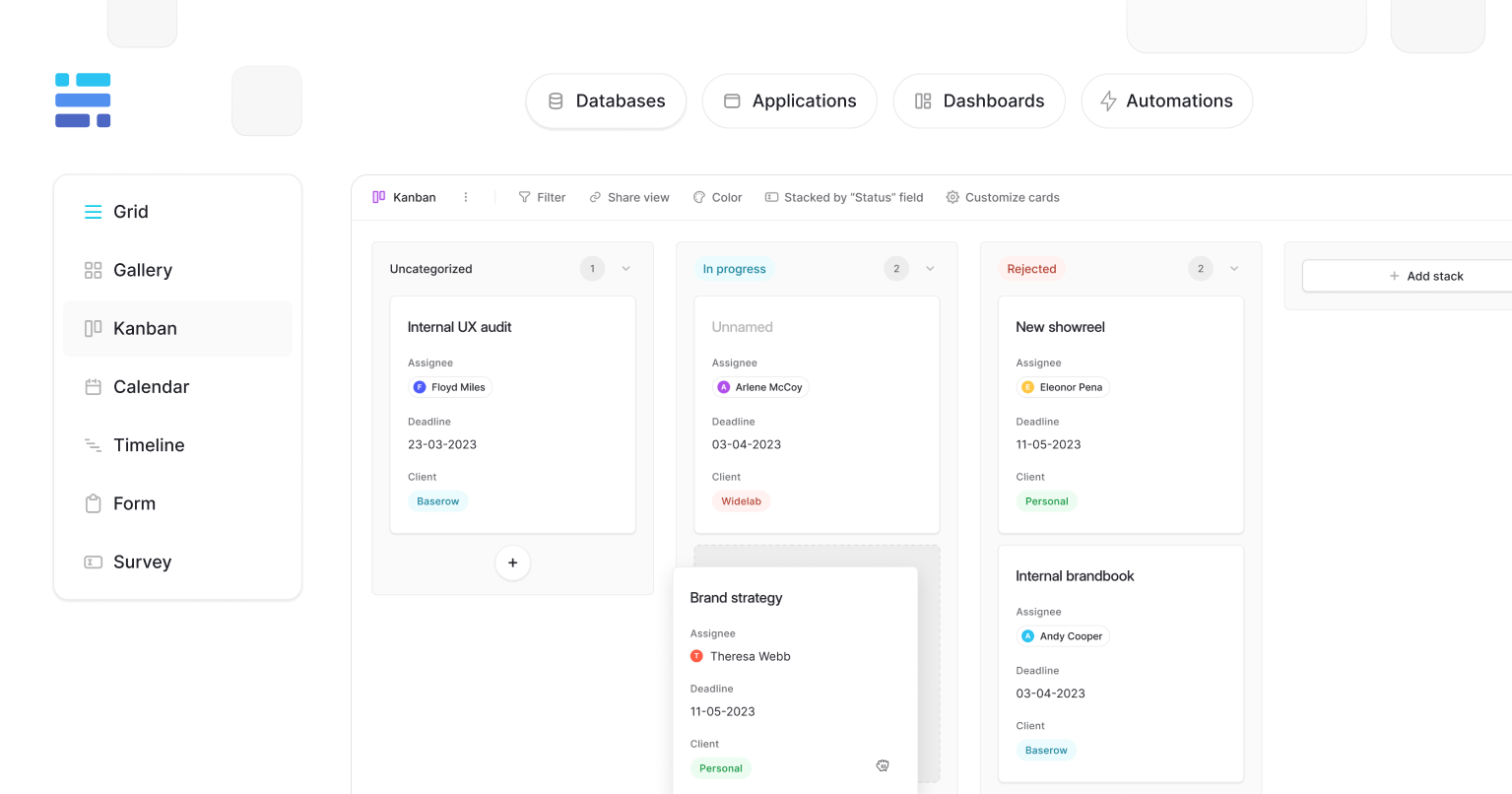
Baserow takes a different approach from traditional issue trackers by combining project management with a flexible database.
Teams can structure their workspace around projects, features, bugs, tasks, sprints, milestones, releases, and team members, while connecting that information to product requirements, documentation, customers, or other operational data.
Its database model supports custom fields, relationships, multiple views, Kanban boards, timelines, dashboards, interfaces, and automations. This allows teams to create custom workflows around their own development process instead of adapting every process to a fixed project structure.
For example, an engineering organization can connect a feature to its development tasks, sprint, responsible team member, release, and related documentation. A manager can then use a different view to monitor progress while developers work from a task-focused board.
Baserow is also available as open-source project management software that can be self-hosted. This gives organizations greater control over their infrastructure and data while allowing them to customize how their project management system is deployed and used.
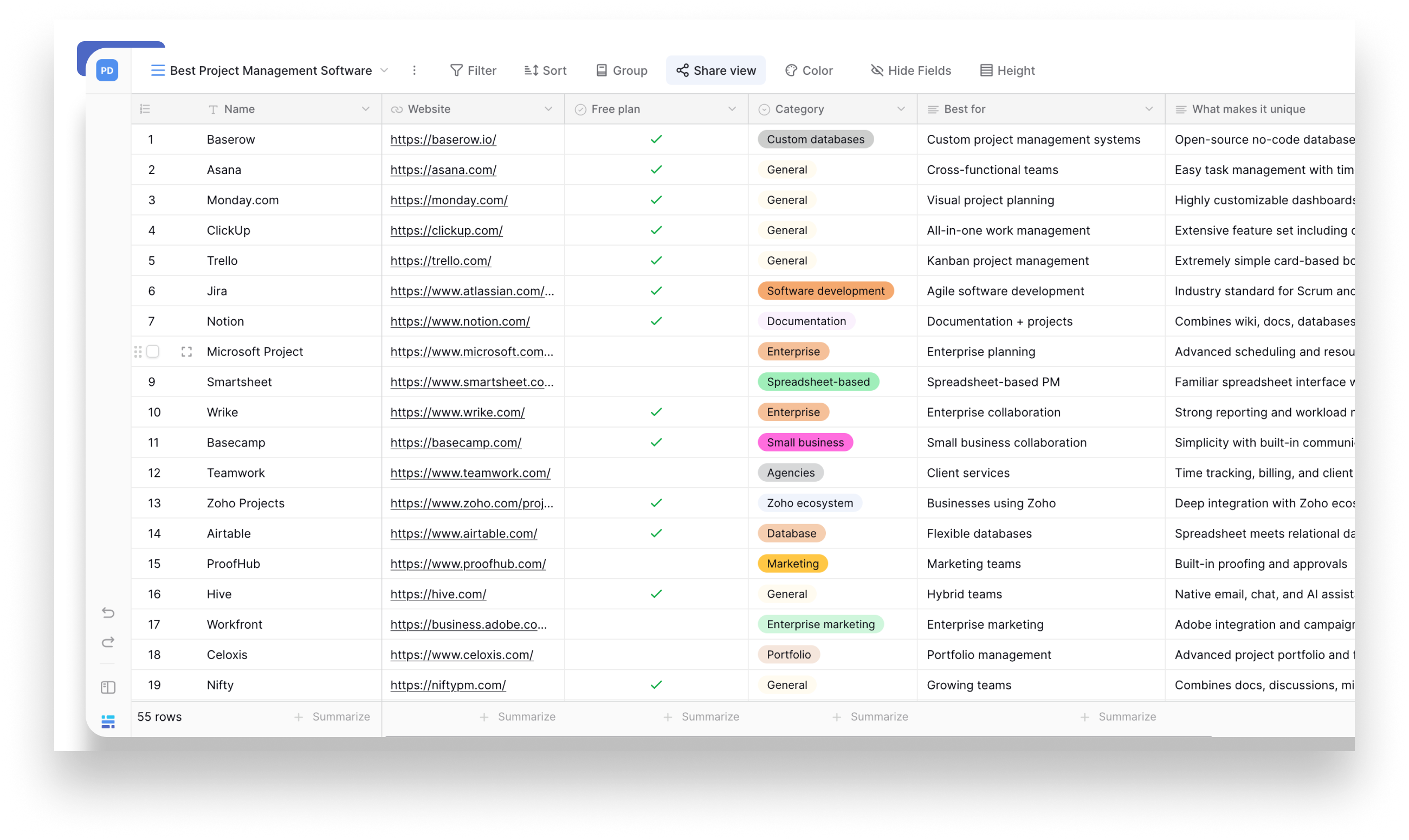
Teams can start with a ready-made project management template and adapt the database, fields, views, and workflows to their development process.
Best for: engineering and software teams that need customizable project management, structured project data, custom workflows, task tracking, sprint planning, resource planning, and the option to self-host an open-source platform.
Software Project Management Best Practices
Effective management does not require a complicated process. A few consistent practices can help keep teams aligned around priorities and make day-to-day work easier.
- Keep project scope clear. Make requirements and priorities visible so teams know what they are responsible for delivering.
- Break complex work into smaller tasks. Smaller units make progress easier to track and problems easier to identify.
- Make ownership explicit. Every important task should have a clear team member or team responsible for it.
- Track progress continuously. Use status updates, milestones, and project views to identify blockers early.
- Manage risks proactively. Record project risks and review them regularly instead of waiting for them to become problems.
- Keep projects within budget and schedule. Good management balances scope, resources, time and within budget constraints.
- Create regular feedback loops. Reviews and retrospectives help teams identify what is working and support continuous improvement.
- Keep information accessible. Remote teams should be able to find project information without depending on meetings or individual team members.
The right project management platform should support these practices without creating unnecessary administrative work.
Choosing Tools for Software Project Management
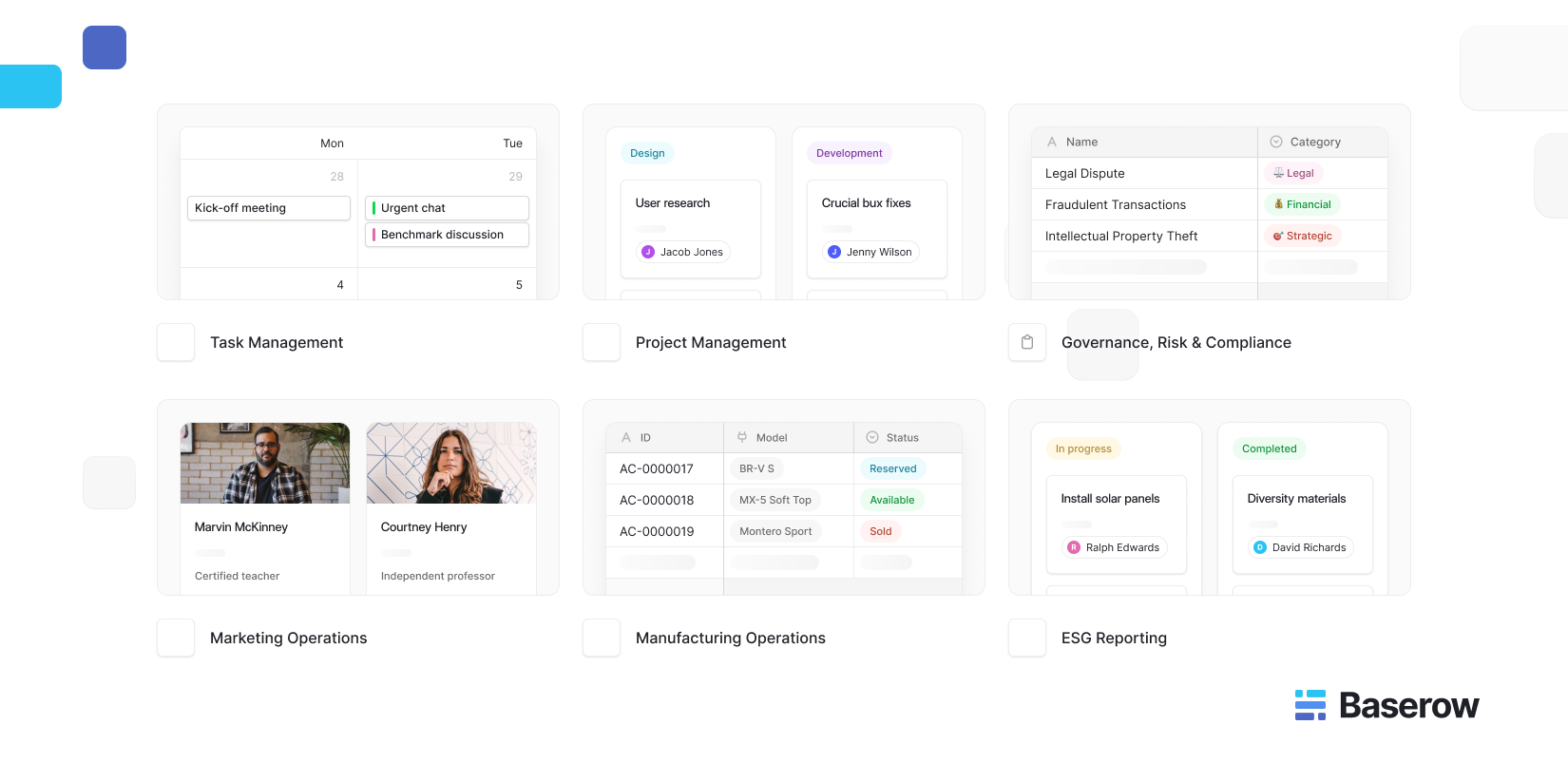
Different teams need different levels of structure. Jira and Linear are designed heavily around software development workflows, while broader platforms such as ClickUp and Asana support a wider range of project management use cases.
Baserow is a strong option when a team needs project management alongside flexible, structured data and customizable workflows.
If you want to compare a wider range of options, our guide to 55 of the best project management software tools compares platforms across different team types and use cases.
You can also explore our project management software directory to discover project management platforms and compare different approaches.
Frequently Asked Questions
What is management in a software project?
Management in a software project is the process of planning, organizing, executing, and monitoring software development work. It includes requirements, task management, resources, risks, timelines, progress tracking, and delivery.
What does software project management involve?
Software project management involves planning organizing, assigning work, managing resources, tracking progress, managing project risks, coordinating team members, and ensuring that software projects are delivered according to their requirements.
Why is risk management important in software projects?
Risk management helps teams identify technical, resource, scope, and dependency problems before they significantly affect a project. Early identification gives teams more time to mitigate or respond to risks.
How do Agile teams manage software projects?
Agile teams typically divide development into smaller iterations such as sprints. They use sprint planning, task tracking, reviews, and regular feedback to adapt plans and support continuous improvement.
Which tools are used for software project management?
Common tools include Jira, Linear, ClickUp, and other project management platforms. Baserow is an option for teams that want flexible project management built around structured data, custom workflows, and self-hosting.
Is Baserow good for software project management?
Baserow can be a strong option for software teams that need more flexibility than a predefined project tracker provides. Its database structure, custom fields, multiple views, automations, interfaces, and self-hosting options allow organizations to build project workflows around their own processes.
If you want a more flexible way to organize software development work, try Baserow. You can build a project management workflow around your team’s processes, with customizable fields, views, task tracking, and connected project data.


Baserow 2.4 adds Button fields, Graph elements, workflow automation, AI provider management, improved Group By views, and 30+ more updates.

Discover how Airtable and Baserow compare in features, flexibility, speed, and scalability. Compare pricing plans and hidden costs to make an informed decision!

Explore the best open-source software alternatives to proprietary products. Discover OSS tools, licenses, and use cases with our updated directory.