
Useful open source website management tools include Baserow for content and workflow coordination, Coolify for deployment, Nginx Proxy Manager for routing and SSL certificates, Uptime Kuma for monitoring, and restic for backups. Each handles a different part of keeping websites available, organised, and ready for changes.
The right combination depends on your website and team. A personal blog needs fewer processes than an agency publishing content across several client sites.
Which tools belong in your website management toolkit?
Choose tools by the problems they solve. Consider deployment, content approval, secure connections, service health, and recovery before adding more software.
Baserow: coordinate content and website changes
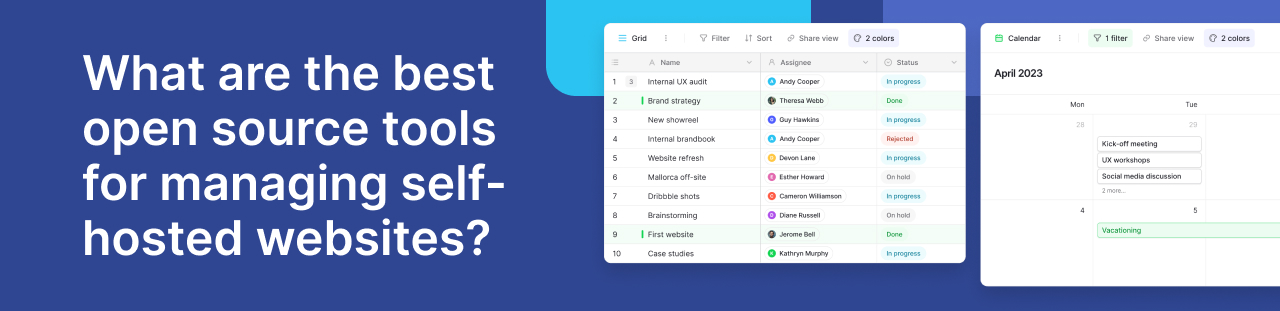
Baserow provides a shared database for managing page content, review decisions, and publishing tasks. Teams can define fields for page URLs, draft copy, approval status, and planned release dates.
This helps when editors and developers need the same information. A reviewer can update a decision without searching other documents. Developers can access structured records through the API. Baserow can also support a custom content backend when connected to a website frontend.
%20(2).jpg)
Coolify: deploy websites and applications
Coolify helps deploy applications and websites on infrastructure you control. It suits teams seeking a central interface for deployment rather than repeating manual server commands.
Pair deployment records with a shared release process so colleagues know what is ready to publish.
Nginx Proxy Manager: manage routing and certificates
Nginx Proxy Manager provides a web interface for directing requests to services and managing SSL certificates. It is useful when several websites or applications share infrastructure.
Use it where your hosting setup needs a separate proxy; avoid duplicating routing already managed elsewhere.
restic: protect recoverable copies
restic creates encrypted backups and supports several storage destinations. It helps protect website files and properly prepared database backups.
Plan how to restore a complete website, including uploaded files and configuration. A successful backup job alone does not prove that recovery will work.
How can Baserow improve website publishing?
Website work often slows down between drafting and deployment. Copy may be approved in a message while the developer receives an older version.
Baserow can give each proposed change a clear record. Include the affected page, requested edit, reviewer, approval decision, and release reference. Filter records to show changes awaiting review or ready for development.
For structured publishing, Baserow’s custom CMS guide explains how database content can connect to a separate frontend. Its example uses Webflow; the broader approach involves connecting content to a presentation layer through APIs.
Baserow webhooks can notify another system when records change. A developer can configure the receiving integration to validate approved content and start a publishing process. This requires setup and testing.
Use case: coordinating a client website launch
Consider an agency preparing a new services section for a client’s self-hosted website. This illustrative workflow uses Baserow to coordinate the work:
- Create a page record containing the draft, target URL, and reviewer.
- Record requested changes and the client’s approval.
- Connect the approved page to a release checklist.
- Deploy through a third party tool after development and testing.
- Check availability and confirm that the published page matches the approved version.
Baserow is particularly useful here because the process needs custom fields, shared decisions, and connections between content and release tasks. It gives non-technical colleagues a practical way to contribute.
Keep acceptance checks specific: confirm the page title, test the contact form, inspect mobile layouts, and check important links. Store the result alongside the release record.
The benefit is a clearer handover. Everyone can see which version was approved and whether the release passed its checks.
What does the Baserow community highlight?
A community discussion about using Baserow as a CMS raises an important integration issue: publishing new records is only part of synchronisation. Updates and deletions also need attention.
Treat this older discussion as a planning lesson, rather than a statement of current limitations. Define what should happen when an approved page changes, is withdrawn, or fails to publish. Then test those cases before connecting your live website.
Frequently asked questions
- Is open source website management free?
Software may be free, but servers, storage, support, and maintenance take resources. Some projects also charge for additional features, so check each tool’s licensing.
- Can Baserow replace a hosting control panel?
Baserow coordinates structured information and workflows. Use deployment or server administration software to manage the infrastructure that runs your website.
- Can Baserow work with an existing CMS?
Yes, where suitable APIs or integrations are available. Define which system controls each field to prevent conflicting updates between Baserow and your CMS.
- Should every content edit trigger deployment?
No. Use approval checks before publishing. Draft changes, incomplete records, and internal comments should not automatically reach the live website.
- What should happen when publishing fails?
Keep the previous working version available where possible. Record the failure, assign someone to investigate, and verify the result before retrying.
- How can non-technical colleagues participate?
Give reviewers a clear process for checking copy and recording decisions. Keep deployment credentials and server administration with the people responsible for those systems.
Build a clearer website workflow
Start with one publishing process and expand when it works well. Choose a routine website update, such as refreshing a service page, and define the stages from first draft to final release. Agree on who reviews the content, who approves it, and who checks the published result.
Baserow can bring these decisions into a shared workspace. Record the proposed change, approval status, reviewer feedback, and planned release date. This gives editors and developers a clear reference when work moves between them. It reduces doubt about which version is ready.
Before publishing, confirm that the content is approved and that essential checks are complete. After release, test important links, forms, and page layouts. Record any issues alongside the original request so your team can follow the work through to completion.
Review your process after a few updates. Remove unnecessary steps and clarify responsibilities where delays occur. A useful workflow should make collaboration easier while giving everyone enough context to act.
Try Baserow to bring content reviews, approval decisions, and release checks into a shared workspace.


Baserow 2.4 adds Button fields, Graph elements, workflow automation, AI provider management, improved Group By views, and 30+ more updates.

Discover how Airtable and Baserow compare in features, flexibility, speed, and scalability. Compare pricing plans and hidden costs to make an informed decision!

Explore the best open-source software alternatives to proprietary products. Discover OSS tools, licenses, and use cases with our updated directory.