
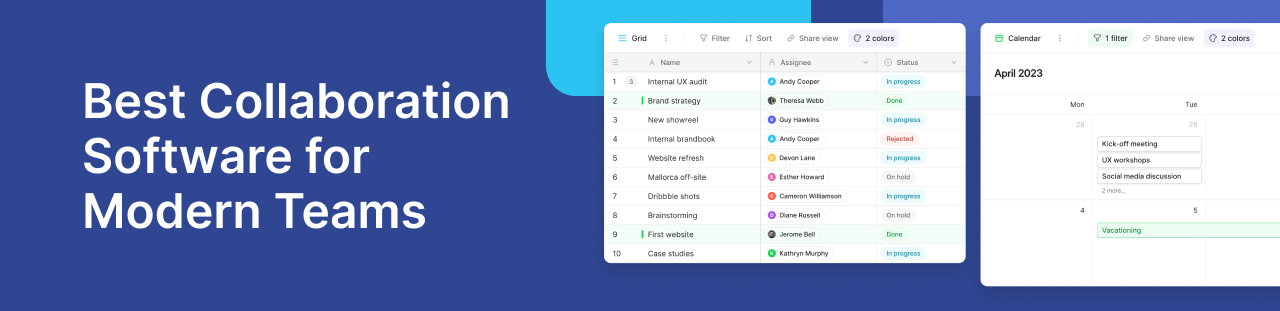
Collaboration software helps teams communicate, manage tasks, share information, and complete projects together. Whether employees work in one office or across different locations, the right platform keeps everyone informed and organised.
Modern teams often use several tools to manage their work. One app handles messages, another stores documents, and a third tracks deadlines. This can make it difficult to find updates or understand who is responsible for each task.
Team collaboration software brings these activities into a more connected workflow. It helps project managers assign responsibilities, monitor progress, and keep work moving without constant meetings.
However, not every platform serves the same purpose. Some focus on communication, while others support document collaboration, project management, or shared business data.
For teams that need flexible workflows, Baserow offers an open-source, no-code platform for managing structured information and building custom applications. Teams can collaborate on shared databases, track projects, and organise processes without relying on developers.
What is collaboration software?
Collaboration software is a digital tool that helps people work together toward shared goals. It provides a common space where team members can exchange information, coordinate activities, and monitor progress.
For example, a marketing team planning a product launch might use collaboration software to assign content tasks, track campaign deadlines, and review approvals. Everyone can see the latest project information without searching through emails.
Most platforms support one or more of these activities:
- Task management: Assign work, set deadlines, and monitor progress.
- Team communication: Exchange messages, feedback, and important updates.
- File sharing: Store or link documents so colleagues can access the information they need.
- Project tracking: Monitor milestones, responsibilities, and deliverables.
- Real-time collaboration: Allow several people to work with shared information.
Unlike individual productivity apps, collaboration platforms help teams coordinate work across departments and locations. They are especially useful for remote teams that need clear responsibilities and reliable access to project information.
Key Features to Look For in a Collaboration Software
The best collaboration software depends on how your team works. Some organisations need better communication, while others need flexible project management tools or stronger control over business data.
Before choosing a platform, consider these essential collaboration features.
- Task management and organising workflows
Effective task management helps teams understand what needs to happen, who owns each task, and when work is due.
Look for tools that let users assign responsibilities, set priorities, and update task statuses. Visual options, such as kanban boards, make it easier to see work moving through different stages.
For example, a content team could organise tasks into Planning, Writing, Review, and Published columns. Each team member can quickly identify their next action.
Task tracking also supports project planning by helping managers spot delays and balance workloads. For complex projects, linked tasks and clear milestones can provide greater visibility.
- Team communication and file sharing
Clear communication is essential for collaborative work. Teams need simple ways to discuss tasks, exchange feedback, and share files without losing important information.
Many platforms offer messaging, group discussions, and file attachments. Dedicated communication tools may also provide video calls, screen sharing, and video conferencing.
These options serve different purposes. A quick message can resolve a simple question, while a video meeting may work better for detailed discussions.
Teams should also consider how communication connects to their project records. Keeping decisions and updates close to the relevant work helps reduce confusion.
- Real-time collaboration and project timelines
Real-time collaboration allows team members to view or update shared information as work progresses. This reduces the need to maintain separate copies of project records.
For example, when a project manager updates a task deadline, other team members can see the change in the shared workspace.
Project timelines add another layer of visibility. They help teams understand upcoming milestones, identify scheduling conflicts, and prepare for important deadlines.
Together, these capabilities make it easier to coordinate work, especially when employees operate across different locations or time zones.
- Customisation and user interface
Every team has different ways of working. A marketing department may organise tasks by campaign, while an operations team may track requests, approvals, and deadlines.
Good collaboration software should allow teams to adjust their workflows without making everyday tasks difficult.
Look for a clear interface, custom fields, flexible views, and simple ways to update information. Drag-and-drop features can also make it easier to organise tasks and manage priorities.
Customisation becomes more important as teams grow. A small business may start with a basic task list but later need connected project records, approval stages, and reporting.
The goal is to choose software that supports your existing processes while giving you room to improve them.
- Integrations and management features
Most businesses already use several digital tools. Collaboration software should work with these systems rather than create more disconnected information.
Third-party integrations can help teams connect communication, scheduling, file storage, and project management software.
For example, Microsoft Teams supports workplace communication and meetings, while Google Calendar helps employees manage schedules. Teams may want to connect these services with their project workflows through supported integrations or automation tools.
Before choosing a platform, check whether it provides:
- APIs and integrations: Connect existing business applications and exchange information.
- Workflow automation: Reduce repetitive updates and manual data entry.
- Reporting options: Monitor project progress and identify delays.
- Access management: Control who can view or change important information.
- Flexible data views: Display the same information in ways that suit different teams.
These capabilities help organisations manage work across multiple systems without losing visibility.
- Security, access controls, and deployment flexibility
Collaboration often involves sensitive information, including customer records, internal plans, and financial details.
Teams should understand how a platform protects this information before adopting it.
Useful security measures include user permissions, authentication controls, and options for managing access to shared resources. Administrators should be able to limit access based on each person’s responsibilities.
Deployment is another consideration. Cloud-based platforms reduce the need to maintain infrastructure. Self-hosted options let organisations control where they store their data.
The right choice depends on your security requirements, technical resources, and internal policies.
Why Baserow Is Built for Data-Driven Team Collaboration
Many collaboration platforms focus on conversations, meetings, or document sharing. However, businesses also need ways to manage the structured information behind their daily work.
Project records, customer details, task assignments, approval requests, and inventory updates often sit across different spreadsheets or applications. This makes it harder for employees to find accurate information.
Baserow provides a shared workspace where teams can organise this information using custom databases and connected workflows.
Its no-code approach allows users to create tables, manage relationships between records, and build applications without traditional programming.
Baserow is particularly useful when teams need more flexibility than a standard task list but do not want to develop a custom system from scratch.
- Collaborate on structured and relational data
One of Baserow’s main strengths is its ability to organise related business information.
Instead of keeping project details in separate spreadsheets, teams can create shared databases that connect important records.
For example, a project management database might include four linked tables:
- Projects: Store project names, deadlines, budgets, and current status.
- Tasks: Record assignments, priorities, due dates, and progress.
- Team members: Maintain information about project owners and responsibilities.
- Clients: Connect customer details to relevant projects and deliverables.
Using linked records, teams can establish relationships between these tables.
A project manager could open a project record and identify its related tasks, responsible employees, and client information.
When someone updates a shared record, other collaborators can work with the latest information without manually combining separate files.
This approach also supports teams managing several projects at once. Instead of duplicating information, they can organise connected records within a common database.
Baserow’s Database Builder provides the tools to create these structures and adapt them as business needs change.
- Build Custom Project Trackers Around Your Team
Standard project management tools often come with predefined structures. Baserow lets teams build a project tracker around the way they already work.
A team can create fields for owners, priorities, due dates, dependencies, status, budgets, or other project details. Different views can then show the same information in ways that suit each person.
This makes task management and assigning tasks easier while giving teams more control over their workflow.
Marketing teams could track campaigns and content. Product teams could manage feature requests and releases. Operations teams could track requests, assets, incidents, and approvals.
The structure changes with the process rather than forcing the process to fit the tool.
- Build custom project trackers around your team
Traditional project management tools often provide predefined workflows. These can work well for standard processes but may feel restrictive when teams have specific requirements.
Baserow allows users to design project trackers around their own tasks, responsibilities, and reporting needs.
Teams can add fields for project owners, deadlines, priorities, status updates, budgets, and other relevant details. They can also create different views of the same underlying data.
For example, a marketing manager might want to review campaigns by launch date, while a content writer may prefer to see only assigned tasks.
Both can work with the same project records without maintaining separate trackers.
This flexibility helps teams keep their project information consistent while organising it around different responsibilities.
- Manage large amounts of operational data together
As businesses grow, the amount of information they manage also increases. Teams may need to track thousands of customer records, service requests, project updates, or inventory items.
Managing this information across separate spreadsheets can lead to duplicate records, outdated details, and unnecessary manual work.
Baserow helps teams organise large amounts of structured data in shared databases. Employees can access relevant records, update information, and use different views to focus on their responsibilities.
For example, an operations team could maintain a database containing equipment, maintenance schedules, assigned employees, and service history.
Rather than searching through multiple files, team members can find related information in one workspace.
Baserow also supports workspace collaboration and access management. Organisations can manage workspace collaborators, while more advanced permission options depend on the selected plan.
This makes it easier to coordinate work across departments while maintaining clear responsibilities.
- Turn structured data into custom applications
Sometimes employees need a simple interface rather than direct access to database tables.
For example, a support team might need a form for submitting internal requests, while managers need a separate interface to review them.
Baserow’s Application Builder lets teams create custom applications using their existing database records.
These applications can provide tailored interfaces for different tasks without requiring employees to navigate the full database.
Consider an internal equipment request process:
- An employee submits a request through an application.
- The request is stored in a Baserow database.
- A manager reviews the details and updates its status.
- The employee can check progress through an appropriate interface.
The same underlying records can support different views and processes.
This approach helps teams create shared business applications while keeping information organised in one place.
- Automate data-driven workflows
Many business processes involve repetitive steps. Employees may need to update task statuses, record approvals, or move information between systems.
Completing these actions manually takes time and increases the chance of errors.
Baserow’s workflow automation capabilities help teams connect steps and reduce repetitive work.
For example, an operations team could build a workflow that processes new requests and updates relevant records based on defined conditions.
Automation can also support processes involving connected applications, depending on the available integrations and configuration.
Baserow includes Kuma, its AI assistant, which helps users work with database structures through natural language.
Users can ask Kuma for help creating tables, adding fields, building formulas, and organising views. This can make database setup more accessible to employees without technical experience.
Together, automation and AI assistance can help teams spend less time maintaining systems and more time completing their work.
- Keep control over collaborative business data
When several departments work with shared information, organisations need to consider where their data is stored and who can access it.
Baserow offers both cloud-based and self-hosted deployment options.
Baserow Cloud provides a managed environment, allowing teams to start using the platform without maintaining their own servers.
With self-hosted Baserow, organisations can deploy the software on infrastructure they control.
This can be useful for businesses with specific hosting policies, internal IT requirements, or data management preferences.
Baserow is also open source, giving organisations visibility into its software and greater flexibility in how they deploy it.
However, self-hosting comes with additional responsibilities. Teams must plan for server maintenance, updates, backups, and infrastructure security.
The best deployment option depends on the organisation’s resources and operational needs.
Use Baserow alongside communication and file-sharing tools
Baserow does not need to replace every application your team already uses.
Dedicated communication platforms can continue to support messaging, meetings, and discussions. Document platforms can handle collaborative editing, while file storage services manage shared assets.
Baserow can serve as the structured data and workflow layer connecting these activities.
For example, a marketing team might discuss campaign ideas in a communication platform, prepare content in a document editor, and manage deadlines and approvals in Baserow.
This arrangement gives each tool a clear purpose.
It also helps teams maintain a reliable record of project decisions, responsibilities, and progress.
Practical Baserow collaboration use cases
Different departments can use Baserow to organise work around their specific needs.
Marketing teams
Marketing teams can manage campaign calendars, content production, approval stages, and publishing deadlines. Linked records can connect campaigns with individual deliverables, helping everyone understand how their work contributes to a launch.
Operations teams
Operations departments can track service requests, equipment records, inventory, and recurring processes. Shared databases help employees find current information and coordinate updates across locations.
Project teams
Project managers can organise tasks, owners, milestones, and deliverables in custom databases. Different views allow team members to focus on assigned work while managers monitor overall progress.
These examples show how Baserow supports collaboration beyond meetings and messages. By bringing related information into shared workflows, teams can work with greater clarity and consistency.
Choosing the Right Collaboration Software for Your Team
Choosing collaboration software starts with understanding how your team works. A small business may need simple task lists, while a larger company may need custom workflows, access controls, and detailed project records.
The best choice depends on your goals, budget, and daily tasks. Consider these factors before making a decision:
- Team size and structure: Larger teams may need stronger permissions, shared workspaces, and clear task ownership.
- Industry needs: Marketing teams may focus on content approvals, while operations teams need structured records and process tracking.
- Ease of use: Choose software that employees can learn without extensive training.
- Scalability: Look for tools that can support more users, records, and workflows as your business grows.
- Budget: Compare subscription costs, feature limits, and the resources needed to maintain the platform.
A tool that works well for one department may not suit another. Testing your main workflows before committing can help you make a better choice.
Match the software to your primary collaboration needs
Different collaboration tools solve different problems. Some focus on communication, while others help teams manage projects or business information.
| Your team’s main need | Suitable software category |
|---|---|
| Messaging and online meetings | Communication platforms |
| Editing documents together | Document collaboration tools |
| Managing tasks and deadlines | Project management software |
| Tracking connected business records | No-code database platforms |
| Linking tasks, data, and processes | Custom workflow platforms |
For example, a team that holds frequent online meetings may benefit most from a communication platform. A team managing customer requests and approval records may need a flexible database instead.
Some businesses use several tools together. This can work well when each platform has a clear purpose and information moves between systems reliably.
Compare free plans, paid features, and long-term costs
Many collaboration platforms offer a free plan that helps small teams get started. However, free versions may limit storage, users, automation, or advanced features.
Before upgrading, check which features your team uses most often.
Consider the cost of training, maintaining integrations, and managing the software. A low monthly price may not offer good value if employees spend hours moving information between systems.
Baserow provides free and paid options, along with self-hosting choices. Teams should review the available plans to understand which features meet their needs.
When Is Baserow the Right Collaboration Software?
Baserow is a good option for teams that need to organise shared business data and build workflows around it.
Unlike tools focused mainly on messages or meetings, Baserow helps employees manage connected records, project information, and daily processes.
Its flexible database structure makes it useful for teams whose requirements change over time.
Teams that benefit most from Baserow
Baserow is particularly useful in three areas.
Structured data collaboration
Teams can manage customer records, project details, inventory, and other information in shared databases. Linked tables help employees understand how different records relate to one another.
Custom workflow and project management
Teams can build trackers for tasks, requests, approvals, and deadlines. They can adjust fields and views as their processes change, without rebuilding the entire system.
Control over business information
Organisations can choose between cloud hosting and self-hosting. Access management features also help teams control how employees work with shared information, subject to plan limits.
Baserow can support growing teams that need more than a basic task list but want to avoid developing complex software from scratch.
When should you choose a dedicated collaboration tool instead?
Baserow is not designed to replace every type of collaboration platform.
If your team mainly needs instant messaging, online meetings, or live document editing, a dedicated communication or productivity tool may be more suitable.
For example, a team that spends most of its day discussing ideas may need a strong messaging platform. A team managing detailed project records may benefit more from Baserow.
You can also use both types of software together. Communication tools support discussions, while Baserow keeps tasks, records, and workflows organised.
The Baserow Community offers a place to explore product discussions, ask questions, and learn from other users.
The right approach is to choose tools based on the work your team needs to complete, rather than the number of features available.
How Collaboration Software Boosts Team Productivity
Good collaboration software helps teams work together with less confusion. It brings tasks, updates, and shared information into a clear workflow.
When employees know what to do and where to find information, they can spend more time completing their work.


Baserow 2.4 adds Button fields, Graph elements, workflow automation, AI provider management, improved Group By views, and 30+ more updates.

Discover how Airtable and Baserow compare in features, flexibility, speed, and scalability. Compare pricing plans and hidden costs to make an informed decision!

Explore the best open-source software alternatives to proprietary products. Discover OSS tools, licenses, and use cases with our updated directory.