
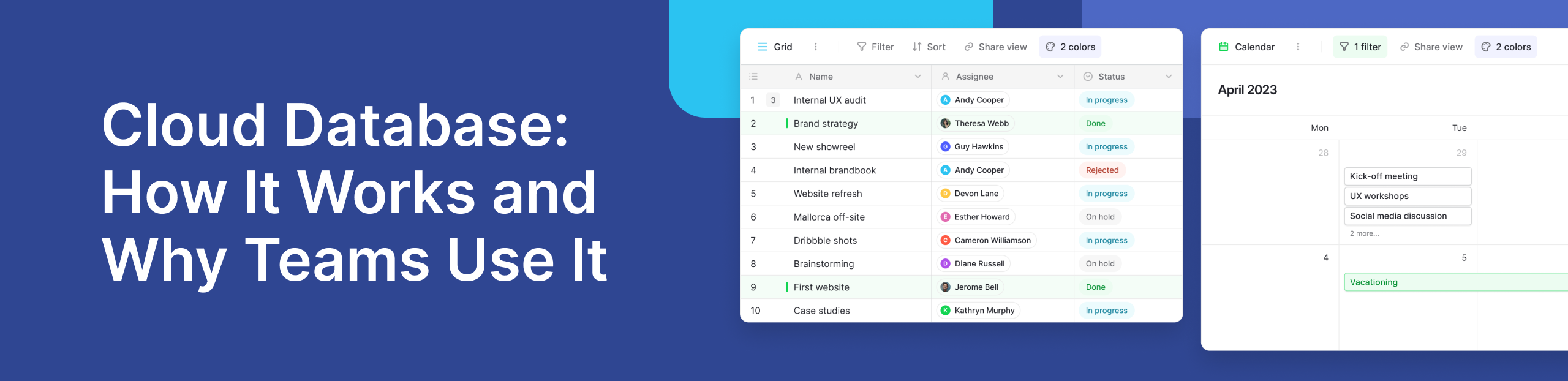
Businesses create more data every day. Customer details, project updates, inventory records, and financial information all need a safe place to live. Teams also need to find and update this information without waiting for someone in IT to manage every request.
A cloud database helps solve this problem by storing and managing information on infrastructure that users can access over a network. Instead of buying and maintaining physical servers, businesses can use computing resources provided through the cloud.
This approach can make it easier to start small, support remote teams, and adapt as data needs change. Platforms such as Baserow also make structured data easier for non-technical teams to work with through a visual interface.
What Is a Cloud Database?
A cloud database is a database that runs on cloud infrastructure rather than only on servers located inside an organization. Users and applications can connect to it over a network to store, update, search, and organize data.
The idea comes from the wider model of cloud computing. The National Institute of Standards and Technology (NIST) defines cloud computing around on-demand access to a shared pool of computing resources. These resources can be provided and released quickly as needs change.
A cloud based database applies this model to data storage and database management. Depending on the service, the provider may manage much of the infrastructure, while the customer controls the data, users, permissions, and applications.
Databases are designed for different jobs. A small team may need a simple system for customer records. A global application may need high performance infrastructure that can process requests at large scale.
This is why there is no single database model that works best for every business.
How Does a Cloud Database Work?
The basic process is simple. Data is stored on infrastructure provided through a cloud computing platform. Approved users, websites, internal tools, and applications connect to that data through an interface, API, or database connection.
In a managed setup, the provider may take care of tasks such as server maintenance, software updates, backups, and infrastructure availability. This can reduce the amount of technical work required from an internal team.
Some services go further and provide a fully managed experience. These management services handle much of the infrastructure behind the database, although customers still need to manage areas such as data access, account security, and application design.
Imagine an operations team tracking suppliers, purchase orders, delivery dates, and stock issues. Instead of keeping separate spreadsheets, the team can store this information in connected tables. When someone updates an order, other approved team members can see the latest information in real time.
This shared approach makes data management easier because teams are working from the same source rather than passing files back and forth.
Main Types of Cloud Databases
Not all databases store information in the same way. The right model depends on the structure of the data, how people need to query it, and how an application is expected to grow.
SQL databases
SQL databases organize information into structured tables with rows and columns. Relationships can connect records across different tables.
For example, a business may have one table for customers and another for orders. Each order can be linked to the customer who placed it. This structure is useful when data has clear relationships and consistency matters.
Amazon RDS is one example of a managed relational cloud service. It supports databases including PostgreSQL, MySQL, MariaDB, Oracle Database, Microsoft SQL Server, and Amazon Aurora.
Baserow also uses PostgreSQL as its underlying database technology while providing a visual layer that makes relational data easier for business users to manage.
NoSQL databases
A NoSQL database uses models that do not depend only on traditional relational tables. Depending on the system, information may be stored as documents, key-value pairs, graphs, or other structures.
These models can work well for applications that handle large volumes of flexible or fast-changing data.
Amazon DynamoDB is a well-known example. AWS describes it as a serverless, fully managed NoSQL service designed to provide consistent performance at scale.
The choice between SQL and NoSQL should therefore start with the workload. Teams should consider how their information is structured, what relationships they need, and how applications will access that information.
What Is Database as a Service (DBaaS)?
Database as a service (DBaaS) is a model where a provider operates much of the database infrastructure for the customer. Instead of installing and maintaining database servers yourself, you use a managed cloud service.
The exact level of support varies between providers. A service may handle infrastructure provisioning, updates, backups, monitoring, and some scaling tasks. The customer still remains responsible for areas such as user access, data quality, and how the database is used.
This model can be useful for teams that want database capabilities without managing every part of the underlying infrastructure.
Why Do Businesses Use Cloud Databases?
One of the main benefits is faster setup. A business can often start without buying servers or preparing its own data center. This can reduce the infrastructure work required before a project begins.
Cloud database services can also support changing workloads. Depending on the provider and architecture, teams may be able to increase computing or storage resources as their needs grow.
Other common benefits include:
- Simpler maintenance: The provider can manage many infrastructure tasks, such as updates and backups.
- Better collaboration: Approved users can work with shared information from different locations.
- Flexible resources: Computing and storage can often be adjusted as demand changes.
- Less server management: Internal teams can spend more time working with data and applications.
- Improved availability options: Many providers offer tools for backups, recovery, and resilient infrastructure.
However, moving a database to the cloud does not remove every technical concern. Security, permissions, costs, performance, and data location still need careful planning.
For many businesses, the goal is not simply to move data online. It is to make information easier to manage without losing control over how it is stored and used.
Cloud Database Security and Data Control
Moving business data to a hosted service can reduce infrastructure work, but security still needs careful planning. It should be a top priority when choosing any database platform.
Start with access controls. Each person should only have access to the information needed for their role. Strong authentication and clear permissions can reduce the risk of sensitive data being viewed or changed by the wrong people.
Encryption, backups, audit tools, and recovery options are also important. Teams should know where their information is stored and who manages the infrastructure. This becomes especially important for organizations that have strict compliance or data residency requirements.
Security is also a shared responsibility. A provider may secure its infrastructure, but customers still need to manage users, permissions, integrations, and the information stored in the system.
For teams building business workflows, Baserow provides role-based access control and data permissions to help manage who can access and change information. Organizations can also review Baserow’s guidance on data residency when deciding where business data should be stored.
Managed Cloud vs Self-Hosted Databases
A key decision is whether someone else should manage the infrastructure or your organization should control it directly.
A managed service is often a good fit when speed and simplicity matter. The provider takes care of much of the underlying infrastructure, so teams can focus on their data and workflows.
Self-hosting gives an organization more control over where the system runs and how the infrastructure is configured. However, that control comes with more responsibility. The organization needs the skills and resources to maintain its environment.
Teams do not always have to make a permanent choice. Open-source platforms can provide more deployment flexibility.
For example, organizations can use Baserow Cloud as a managed option or run Baserow on infrastructure they control. If you want to explore the differences in more detail, the guides to self-hosted and cloud databases and Baserow Cloud vs self-hosted deployment explain the trade-offs.
.png)
Where Baserow Fits Into Modern Data Management
Many business teams need structured data but do not want to work directly with SQL or depend on developers for every small change.
Baserow adds a visual, no-code interface on top of a relational data model. Users can create tables, link records, filter information, build views, and work together without needing to write database queries for everyday tasks.
This makes it useful for work that has moved beyond a basic spreadsheet but does not require employees to become database administrators.
Baserow also combines its database with tools for building applications and automating workflows. Kuma, its AI assistant, can help users create and edit tables, fields, relationships, formulas, and views. The Automations Builder can connect data changes with actions and conditions, while the Application Builder can turn structured information into internal business applications.
Its open-source model also gives organizations another option if their requirements change. A team can start with a managed environment and later consider self-hosting rather than rebuilding its workflows on a completely different platform.
Practical Use Case: Managing Operations Data
Consider a growing company that manages suppliers, purchase orders, products, deliveries, and operational issues.
If each department keeps its own spreadsheet, information can quickly become fragmented. A supplier name may be entered differently in several files. Delivery dates may be outdated, and managers may have trouble seeing which orders need attention.
With Baserow, the company can create separate but connected tables for suppliers, products, purchase orders, and deliveries. A supplier record can link to its orders, while each order can connect to the products it contains.
Teams can then create different views of the same underlying information. Procurement can focus on open orders, while managers can view delayed deliveries or high-priority issues. Automations can also reduce repetitive updates.
Similar workflows are discussed across the Baserow Community, where users share questions, integrations, database structures, and ways they have adapted Baserow to specific business processes.
This is an important difference between storing information and making it useful. A database provides structure, but teams also need a practical way to access and work with that structure.
For more examples, Baserow’s guide to business database use cases covers ways structured databases can support areas such as customer management, inventory, projects, and operations.
How to Choose the Right Database for Your Business
Start with the problem you need to solve rather than choosing a platform because it is popular.
First, look at your data. If your records have clear relationships and need consistent structure, a relational system may be suitable. More flexible data models may make sense for workloads that do not fit neatly into tables.
Next, consider scale and performance. A small internal database has very different needs from an application processing millions of requests. High performance requirements should therefore be evaluated against the expected workload rather than treated as a feature every business needs.
Security and control matter too. Review authentication, permissions, backups, data residency, compliance needs, and recovery options before moving important information.
Finally, think about who will use the system. Developers may be comfortable working directly with a database, while business teams may need a simpler interface. A platform that combines structured storage with accessible tools can help both groups work with the same data.
The right choice should support what your team needs today while leaving enough flexibility for future growth.
Frequently Asked Questions
- What is a cloud-hosted database in simple terms?
It is a database that runs on remote computing infrastructure rather than only on servers inside a company’s office or data center. Users and applications connect through a network to store, find, update, and manage information. The provider may also handle tasks such as infrastructure maintenance and backups.
- What are some examples of cloud databases?
Popular examples include Amazon RDS for relational workloads and Amazon DynamoDB for NoSQL workloads. Other platforms focus on making databases easier for business teams to use. For example, Baserow combines relational data with a visual no-code interface.
- What is the difference between a cloud-hosted and traditional database?
The main difference is where the database runs and who manages its infrastructure. A traditional database may run on servers managed directly by an organization. A hosted database runs on remote infrastructure, where a provider can manage some or most of the technical environment.
- Are databases hosted in the cloud secure?
They can be secure when the platform and organization use the right safeguards. Teams should review encryption, authentication, backups, access permissions, data residency, and recovery processes. Security also depends on how users and applications are configured, so moving data to a hosted environment does not remove the customer’s responsibilities.
- Can hosted databases use SQL and NoSQL?
Yes. Hosting and data models are separate choices. SQL systems use structured relational tables, while NoSQL systems can use models such as documents and key-value records. The right option depends on the structure of your information, expected workload, relationships, and how applications need to access data.
Build a Database That Can Adapt With Your Team
The right database should do more than store information. It should help people find reliable data, control access, connect related records, and adapt as business needs change.
Managed services can reduce infrastructure work, while self-hosting can provide greater control. SQL and NoSQL models also solve different problems. Before choosing a system, consider your data structure, users, security requirements, scale, and long-term deployment needs.
For teams that want structured relational data without making everyday users work directly with database code, Baserow offers an accessible no-code approach with managed and self-hosted options.
Try Baserow to create your database and start building workflows around your data.


Baserow 2.4 adds Button fields, Graph elements, workflow automation, AI provider management, improved Group By views, and 30+ more updates.

Discover how Airtable and Baserow compare in features, flexibility, speed, and scalability. Compare pricing plans and hidden costs to make an informed decision!

Explore the best open-source software alternatives to proprietary products. Discover OSS tools, licenses, and use cases with our updated directory.