
Choosing where your business stores and manages information affects how people work each day. A tool may look impressive in a demo yet struggle with your records, access rules, or busiest hours.
Start by defining your needs, then test each option against the same tasks. Review structure, accuracy, speed, security, integrations, usability, and total cost. Use the results to compare tools fairly before making a commitment.
The goal is simple: find a system that supports your work today and can handle the changes you expect.
Define what your team needs first
List who will use the system, what they need to do, and which problems you want to solve. Record your expected data volume, budget, hosting needs, and essential connections. Separate requirements you cannot compromise on from features that would simply be helpful.
Next, identify the workload. Operational databases support daily tasks, such as updating orders. A broader data platform may bring together storage, processing, and analyze across several systems.
For large reporting workloads, data warehouses hold structured information prepared for analysis. A data lake stores information in many formats.
A data lakehouse combines lake storage with tools to manage tables and run analysis.
Choose the category that matches your needs before comparing individual products.
Seven checks before you choose
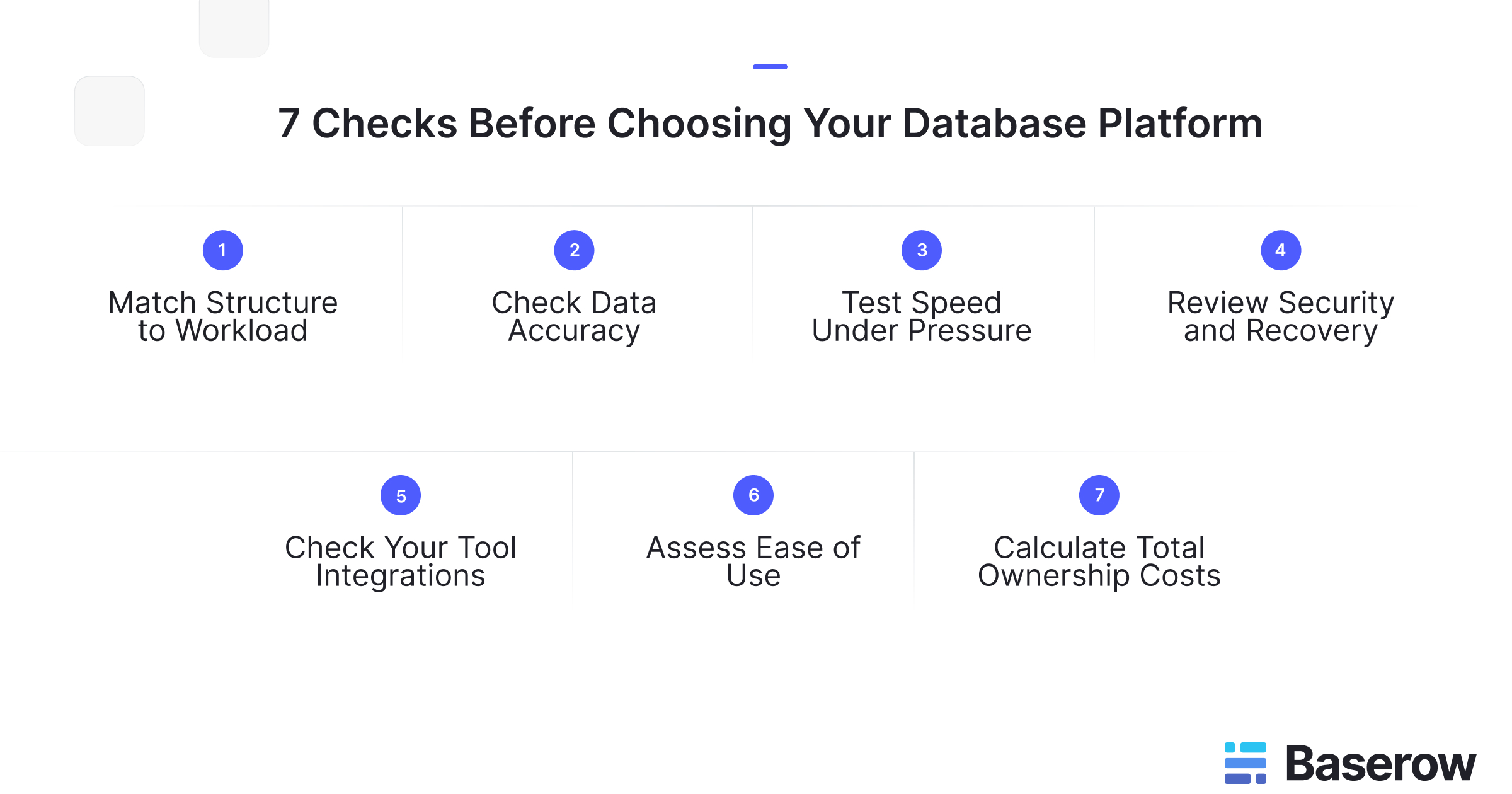
1. Match the structure to your workload
Build a small model using familiar records, such as customers, orders, and products. Check whether the relationships reflect how your business works.
Can one customer have several orders? What happens when someone deletes a linked record? Can you change fields without breaking reports?
When comparing database management systems, test these rules directly. Similar-looking tables can behave differently when people add, change, or remove information.
2. Check how well it protects accurate records
Good data quality depends on clear rules and consistent entry. Test missing values, duplicate customer details, incorrect dates, and broken links between records.
Check which errors the system prevents, which it flags, and which require manual review. Do not assume that selecting a field type will enforce every business rule.
Baserow’s Database Builder supports typed fields and linked tables. These provide a useful starting point, but your pilot should confirm how the setup handles your specific requirements.
3. Test speed under realistic demand
Use a safe test environment with a realistic mix of records and tasks. Include searches, filtered views, imports, and several people making changes together.
Measure response times and failed requests as demand grows. If staff need updates in real time, check how quickly changes reach another user’s screen.
For PostgreSQL evaluations, the official benchmarking guidance explains how to measure transaction performance. Treat database benchmarks and complete application tests as separate evidence: both answer useful questions.
4. Review access and recovery controls
Create test accounts for an administrator, a team member, and an outside collaborator. Confirm what each person can view, edit, export, or delete. Test restrictions directly rather than relying on hidden buttons.
Review activity records and decide who will manage backups. Set limits for acceptable downtime and lost changes, then attempt a restoration.
Baserow’s database security guide provides further checks for permissions and protection. Verify which controls are included in your chosen plan and deployment.
5. Connect it to your existing tools
Test one complete journey, such as moving an order from a form into your records and sending an update elsewhere.
Inspect API documentation, authentication, request limits, and error messages. Check what happens when a connection fails or the same request arrives twice. Repeated transfers should not quietly create duplicate records.
Baserow’s API approach is relevant here: include both its visual interface and programmatic connections in your evaluation, using the integrations your team actually needs.
6. Let everyday users complete real tasks
Ask future users to add a record, find an overdue task, correct a mistake, and create a useful view. Give them limited guidance and note where they struggle.
Measure completion time, errors, and the help they need. Also check whether team owners can make routine changes themselves.
Baserow’s product overview shows its visual approach to database design and shared work. Test that approach with your users before deciding how much training it could save.
7. Calculate the full cost of ownership
Compare costs using the same assumptions for users, storage, integrations, and support. Include migration, training, maintenance, and staff time alongside subscription fees.
For self-hosting, account for infrastructure, updates, monitoring, and recovery work. For managed services, review usage limits and possible charges as demand grows.
Finally, test your exit route. Export sample records and inspect relationships and attachments. A low starting price means less if moving your information later requires substantial rebuilding.
Turn your findings into a clear decision
Score each shortlisted tool from one to five against the same requirements. Agree on weights before testing, so a polished demo does not outweigh an essential business need.
The following weights are an example. Adjust them to match your risks and priorities.
- Structure and accuracy | 25%
- Security and recovery | 25%
- Performance | 20%
- Usability and integrations | 20%
- Total cost and exit options | 10%
Multiply each score by its weight and add the results. For example, a security score of four contributes one point to the overall score out of five.
Keep mandatory requirements separate. A tool that fails an essential access rule should not pass because it performs well elsewhere.
Record evidence beside each rating: a completed task, a measured response time, or a successful restoration. PostgreSQL’s backup and restore documentation is a useful technical reference when that engine forms part of your setup.
Put Baserow to the test with an inventory workflow
Consider a small distributor that tracks products, suppliers, and stock movements across separate spreadsheets. An illustrative Baserow pilot could connect these records and give purchasing staff a filtered view of items needing attention.
The key test is whether incoming updates change the correct records without creating duplicates.
In a Baserow community discussion about updating inventory quantities, a user asked how repeated CSV imports would affect existing stock figures. Contributors warned that creating fresh tables would introduce redundancy and suggested automation to update the existing inventory table.
That conversation provides a useful test scenario, rather than proof of a finished solution.
Baserow 2.4 adds row buttons that can start workflows and more specific field-edit permissions. A team could test a button that requests a stock review while restricting who can change approved values. Check automation credit costs and plan availability during the pilot.
Frequently asked questions
- How long should a database evaluation pilot last?
Set the duration around a complete work cycle. A simple workflow may need only a short trial, while monthly reporting requires longer observation. End the pilot when you have tested normal work, busy periods, errors, recovery, and exports against agreed acceptance criteria.
- Who should take part in the selection process?
Include an everyday user, a workflow owner, and someone responsible for technical support. Add security and purchasing teams where needed. Give each person specific tasks to assess, so the final decision reflects practical needs rather than one department’s preferences.
- Should you use live records or sample data during testing?
Start with realistic sample records or masked copies that preserve important formats and relationships. Include unusual cases, missing values, and larger files. Use sensitive production information only within an approved environment, with appropriate access controls and a clear reason for including it.
- How can you compare cloud hosting with self-hosting?
Compare who handles updates, backups, monitoring, and incident response. Cloud hosting can reduce infrastructure work, while self-hosting offers more control over deployment. Assess both against your staff capacity, hosting requirements, recovery needs, and full operating costs before choosing.
- What should you check before migrating linked records?
Map source fields to destination fields and preserve stable identifiers for matching records. Test dates, attachments, relationships, and calculated values. Reconcile record counts and sample totals after import, then confirm you can reverse the migration if important checks fail.
- Which warning signs should rule out a shortlisted tool?
Treat failed mandatory requirements as reasons to stop. Examples include access controls that expose restricted records, exports that omit essential information, or recovery that exceeds your downtime limit. Unclear ownership of maintenance and unresolved integration failures also deserve attention before commitment.
Start with one workflow
A useful evaluation ends with evidence your team can explain. Choose one important process, agree on success measures, and test it with realistic records. To explore a visual approach to shared business information, sign up for Baserow and compare the results against your checklist.


Baserow 2.4 adds Button fields, Graph elements, workflow automation, AI provider management, improved Group By views, and 30+ more updates.

Discover how Airtable and Baserow compare in features, flexibility, speed, and scalability. Compare pricing plans and hidden costs to make an informed decision!

Explore the best open-source software alternatives to proprietary products. Discover OSS tools, licenses, and use cases with our updated directory.