
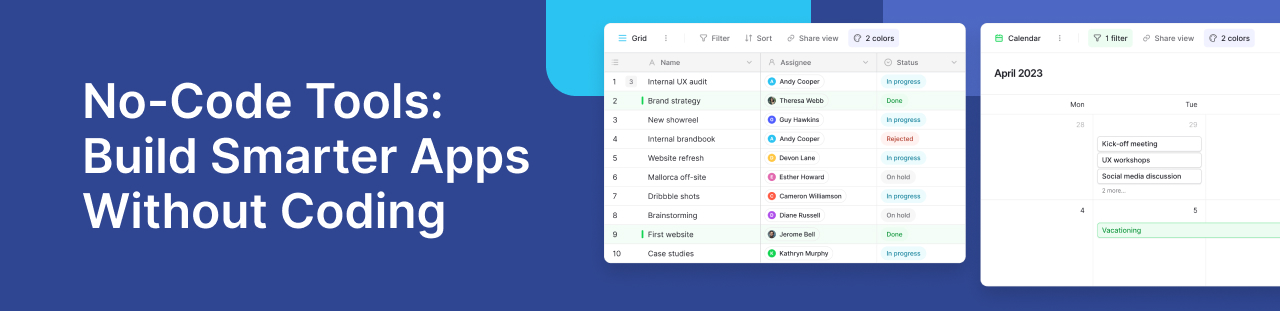
No-Code Tools: Build Smarter Apps Without Coding
Businesses today need to move fast. Teams often need new applications, better ways to organize data, and faster workflows. Waiting months for a traditional software project is not always practical. While custom software is still the best choice for some complex systems, it usually takes more time, money, and technical skills.
That is why more businesses are choosing no-code platforms. Instead of spending weeks writing code, teams can build applications with visual tools, automate routine tasks, and organize business data more easily. Whether you are managing customer records, tracking projects, or creating internal business systems, no-code platforms help more people build useful solutions while developers focus on more complex work.
Platforms like Baserow show how far no-code has come. They do not replace developers. Instead, they give business teams and developers a shared platform where they can work together using structured databases, automation, APIs, and AI-powered features.
In this guide, you’ll learn what no-code platforms are, how they work, the features to look for, and how businesses use them to solve everyday challenges.
What Are No-Code Tools?
No-code tools are software platforms that help people create applications without traditional programming. Instead of writing code, users work with visual interfaces to build forms, tables, workflows, and dashboards.
These platforms use visual programming to make development much easier. Users connect data, arrange features, and create workflows using simple building blocks. This means they can create useful applications without learning complex coding languages.
Because of this, more people can take part in software development. Operations teams, HR managers, marketers, finance teams, and project managers can all build solutions for their daily work. They no longer need to wait for every small request to reach the IT team.
This does not mean developers are no longer needed. Developers still build complex integrations, improve security, and handle advanced features. No-code simply helps business teams solve everyday problems on their own, while developers focus on larger projects.
Many businesses start with spreadsheets because they are easy to use. Over time, however, spreadsheets become harder to manage. As data grows, it becomes difficult to keep information accurate, connect related records, and work together efficiently.
Platforms like Baserow solve these problems by combining the simplicity of a spreadsheet with the power of a database. Teams can link related data, manage permissions, automate routine work, and connect with other business tools, all from one platform.
If you’re exploring this space, our guides on the no-code landscape and API-first no-code platforms explain how these platforms support modern software development and help businesses build better applications.
Why Businesses Are Adopting No-Code Faster Than Ever
Organizations across every industry face the same challenge: demand for new software continues to grow faster than development teams can deliver it.
Business users often need simple applications for tracking inventory, managing customer requests, organizing projects, approving expenses, or collecting operational data. Waiting several months for every internal application is no longer practical.
No-code platforms help solve this challenge by allowing teams to build solutions independently while maintaining oversight from IT departments.
Several factors are driving this shift.
- Faster delivery
Instead of starting every application from scratch, users assemble existing components using intuitive interfaces. This dramatically reduces development time while maintaining flexibility for future improvements.
- Better collaboration
Business teams understand their own processes better than anyone else. Visual builders allow them to participate directly in creating applications instead of relying entirely on lengthy specification documents.
Developers remain essential by reviewing architecture, managing integrations, ensuring security, and supporting advanced requirements. The result is a more collaborative development process instead of a handoff between departments.
- Improved workflow automation
Many everyday tasks involve repetitive manual work, such as updating records, sending notifications, assigning approvals, or synchronizing information across systems.
Modern no-code platforms include built-in workflow automation capabilities that reduce manual effort while improving consistency. Recent updates, including Baserow’s Automations Builder, allow organizations to create more sophisticated business processes using conditional logic, multiple triggers, and AI-assisted actions without increasing technical complexity.
- Better user experience
Employees are far more likely to adopt software that matches their existing workflows. Modern no-code platforms provide extensive customization options, allowing teams to build applications that reflect how they already work instead of forcing them to adapt to rigid software.
For example, an operations team managing equipment inspections might begin with spreadsheets shared across departments. As the business grows, tracking maintenance schedules, inspection history, approvals, and recurring issues becomes increasingly difficult.
By moving to a structured platform like Baserow, the same team can organize related records, automate notifications, assign responsibilities, and collaborate in real time while maintaining a familiar interface. This reduces manual work and improves visibility without requiring a lengthy development project.
The growing adoption of no-code isn’t simply about building software faster. It’s about enabling more people to solve business problems while giving developers the freedom to focus on the technical challenges that create the greatest value.
Key Features Every Modern No-Code Platform Should Include
Not all no-code platforms offer the same value. Some focus on simple forms, while others help businesses build complete applications that can grow over time. Choosing the right platform means looking beyond basic features. You need a solution that is easy to use today and flexible enough for tomorrow.
Here are the features that matter most:
- Visual Builders That Make Development Easy
The biggest advantage of modern platforms is their visual interface. Instead of writing long scripts, users work with drag and drop components to design forms, tables, dashboards, and workflows.
This type of visual programming removes many of the barriers that once limited application development to developers. Business teams can create solutions on their own, while developers can focus on more advanced work.
A good platform should also support both beginners and technical users. New users should be able to create an app quickly, while experienced teams should have the flexibility to build more advanced business solutions.
For example, an HR team can create an employee onboarding system, while an operations team can build an equipment tracking application using the same platform.
- AI Is Becoming an Essential Part of No-Code Development
Artificial intelligence is changing how people build applications. Instead of creating everything manually, many modern platforms now offer AI powered features that speed up everyday work.
Baserow’s AI assistant, Kuma, is a good example. Rather than acting as a simple chatbot, Kuma helps users build and improve databases using natural language.
With Kuma, users can:
- Create tables from a simple description.
- Generate fields automatically.
- Suggest formulas for calculations.
- Improve existing database structures.
- Answer questions about stored data.
- Help create automations faster.
These capabilities reduce repetitive work while making development easier for both beginners and experienced users.
AI is also becoming more useful after an application is built. Teams can use it to organize information, classify records, summarize content, and improve productivity without leaving the platform.
- Flexible Databases Create Better Business Applications
Every successful application depends on well-organized data. While many businesses begin with spreadsheets, they often discover limitations as their information grows.
For example, teams frequently start with Google Sheets and Airtable to manage projects or customer information. As more people begin using the same data, maintaining accuracy becomes harder. Relationships between records become difficult to manage, and permissions can become complicated.
A structured database solves these challenges by connecting related information while keeping everything organized.
Baserow uses PostgreSQL as its database engine. This gives businesses the reliability of an enterprise database while providing an interface that feels familiar to spreadsheet users.
Another important feature is real time collaboration. Multiple users can work on the same database without worrying about version conflicts. Everyone sees updates immediately, making teamwork much smoother.
- Workflow Automation Saves Time Every Day
Many business tasks follow the same steps every day. A customer submits a request. A manager reviews it. The right employee receives a notification. The record is updated. A confirmation email is sent.
Without automation, employees repeat these tasks manually. Modern no-code platforms include built-in workflow automation that handles repetitive work automatically.
Baserow’s Automations Builder allows teams to create workflows using triggers, conditions, and actions. For example, a workflow can start when a new record is created, when a deadline arrives, or when a specific field changes.
Teams can then:
- Send notifications automatically.
- Update records.
- Assign work to colleagues.
- Trigger external applications through APIs.
- Review automation history before publishing changes.
This helps reduce manual work while improving consistency across the business.
- APIs and Integrations Extend Your Applications
No business application works in isolation. Most companies use several platforms every day, including email services, accounting software, CRM systems, and communication tools. A strong code platform should make these systems work together.
Baserow follows an API-first approach. Every table can be accessed through REST APIs, making it easier to connect with other business software and automate data exchange. This flexibility allows organizations to extend applications instead of replacing existing systems.
If you’d like to learn more, our guide on API-first no-code platforms explains why APIs have become an important part of modern application development.
- Enterprise-Grade Security Supports Business Growth
Security becomes more important as applications handle larger amounts of business data. A reliable platform should include enterprise grade security features that protect information without making everyday work more difficult.
Look for features such as:
- Role-based permissions
- Field-level access controls
- Audit logs
- Secure authentication
- Flexible deployment options
Baserow offers both cloud and self-hosted deployments. This gives organizations greater control over their data while supporting different security and compliance requirements.
Security should also support growth. As more employees begin using applications, administrators should be able to manage permissions, review activity, and protect sensitive information from a single place.
Modern no-code platforms are no longer simple app builders. They combine visual development, AI, automation, structured databases, APIs, and strong security into a single platform. Together, these capabilities help businesses deliver applications faster while keeping systems reliable, scalable, and easy to manage.
Real Business Examples of No-Code in Action
The best way to understand the value of no-code is to see how businesses use it every day. These platforms are no longer limited to simple forms or personal projects. Companies now use them to improve operations, reduce manual work, and respond faster to changing business needs.
Here are a few examples:
- HR Teams Build Better Employee Workflows
Human resources teams manage many repeatable processes. These include hiring, onboarding, training, leave requests, and performance reviews.
Without the right system, this work often depends on emails and spreadsheets. Information becomes difficult to track, and important tasks can be missed.
A no-code platform allows HR teams to build apps that keep all employee information in one place. Managers can approve requests, track progress, and receive automatic reminders.
Instead of asking IT to create a custom system, HR teams can build and improve their own solutions as business needs change.
- Marketing Teams Organize Campaigns More Easily
Marketing teams often manage several campaigns at the same time. Each campaign has deadlines, budgets, content, and performance reports.
Using separate documents makes it difficult to see the full picture.
A centralized application gives everyone access to the same information. Team members can update campaign status, assign work, and monitor results from one location.
Good customization options allow each team to organize dashboards and reports in a way that matches its own workflow instead of following a fixed template.
- Sales Teams Create Flexible CRM Systems
Every sales team works differently. Some focus on long sales cycles, while others manage hundreds of smaller opportunities every month.
Instead of purchasing a large CRM platform with features they may never use, many businesses build their own customer management system.
With a flexible database, sales teams can track leads, meetings, proposals, and customer history. They can also automate follow-up reminders and generate reports without depending on developers.
As the business grows, the application grows with it.
- Operations Teams Replace Manual Tracking
Operations teams often manage equipment, maintenance schedules, inventory, inspections, and service requests.
Many businesses begin with spreadsheets because they are easy to use. Over time, however, these files become difficult to maintain.
One Baserow Community member shared how their team replaced several disconnected spreadsheets with a single database for equipment tracking. The new system improved visibility, reduced duplicate work, and made reporting much faster.
You can explore more practical examples in the Baserow Community, where users regularly share how they solve real business problems.
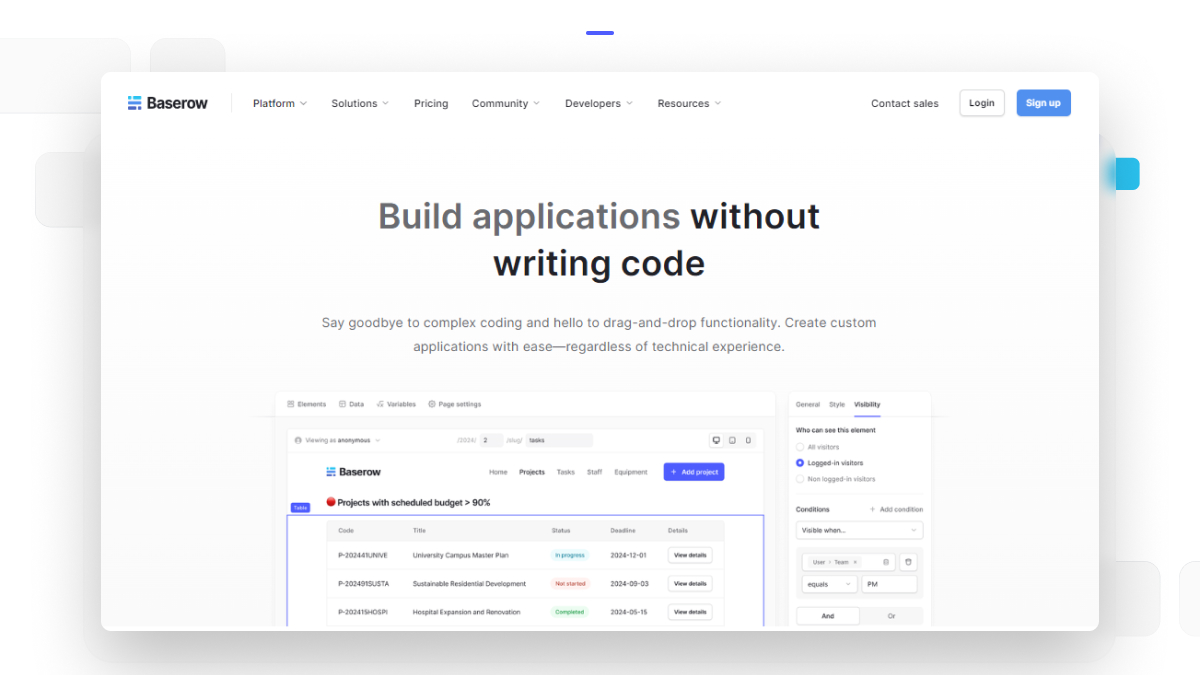
How to Choose the Right No-Code Platform
With so many code app builders available today, choosing the right platform can feel overwhelming. Looking beyond marketing claims will help you make a better decision.
Start by asking a few simple questions.
- Can the platform grow with your business?
Many small projects become business-critical over time. Choose a platform that supports larger databases, more users, and advanced permissions as your needs grow.
- Does it support collaboration?
Your application should help teams work together instead of creating isolated data. Look for shared workspaces, comments, permissions, and collaborative editing.
- Can it connect with other software?
Most businesses already use accounting software, communication platforms, and cloud storage services. Strong API support makes it easier to connect existing systems instead of replacing them.
- Does it offer AI and automation?
AI can help users organize information, create formulas, and simplify routine work. Automation reduces repetitive tasks and improves consistency across teams.
- Who controls your data?
Businesses should understand where their information is stored and how it is protected.
Baserow gives organizations the flexibility to choose between cloud hosting and self-hosting. Because it is open source and built on PostgreSQL, businesses have more control over their data while avoiding unnecessary vendor lock-in.
Building for Long-Term Success
No-code platforms have changed the way organizations approach software development. They help business teams solve problems faster while allowing developers to focus on complex projects that require deeper technical expertise.
The most successful companies do not use no-code to replace developers. Instead, they use it to encourage better collaboration between business users and engineering teams.
Baserow is a good example of this balanced approach. Teams can begin with a simple database, add automation as processes mature, and later expand with APIs, AI, and advanced permissions without rebuilding everything from the beginning.
Whether you are creating an internal approval system, managing projects, organizing customer information, or improving daily operations, a modern no-code platform can help you deliver solutions more quickly while keeping your business ready for future growth.
Common Mistakes to Avoid When Using No-Code Platforms
No-code platforms are simple to use, but a little planning can make a big difference. Avoiding a few common mistakes will help you build applications that are easier to manage and improve over time.
- Building Without a Clear Goal
Many teams start building immediately without defining the problem they want to solve. This often leads to applications with unnecessary fields and confusing workflows. Start with one business process. Test it with users, gather feedback, and improve it step by step.
- Treating Your Database Like a Spreadsheet
Spreadsheets are useful for simple tasks, but business applications need structured data. Create relationships between tables, use clear field names, and avoid storing the same information in multiple places. This approach keeps your data accurate and makes reporting much easier.
- Ignoring Permissions
Not every employee needs access to every piece of information. A good platform should let administrators control who can view, edit, or manage data. As your business grows, proper permissions become just as important as the application itself.
- Creating Too Many Automations
Automation saves time, but too many rules can become difficult to manage. Review workflows regularly and remove automations that are no longer needed. Simple workflows are often easier to maintain than complex ones.
- Choosing a Platform That Cannot Scale
Many businesses begin with a small project. Over time, that project becomes critical to daily operations. Before choosing a platform, think about your future needs. Look for solutions that support larger databases, integrations, AI capabilities, and growing teams without requiring you to rebuild your application later.
Frequently Asked Questions
1. What is the difference between no-code and low-code platforms?
No-code platforms let users create applications without programming, while low-code platforms combine visual development with some custom coding. No-code works well for business users, whereas low-code is often better for teams that need advanced customization or complex integrations.
2. Can businesses build enterprise applications with no-code software?
Yes. Many modern no-code platforms support enterprise workloads through scalable databases, automation, APIs, permissions, and security controls. The right platform can support everything from project tracking to compliance management and customer operations.
3. Are no-code applications secure enough for business use?
They can be, provided the platform offers role-based permissions, audit logs, secure authentication, and reliable hosting options. Businesses should also follow security best practices and review workflows regularly. Resources from the OWASP Foundation provide useful guidance for secure application development.
4. Can I create applications for mobile devices without coding?
Yes. Some platforms allow you to publish applications to app stores, while others create responsive web applications that work well on phones, tablets, and desktops. The best option depends on whether your users need public mobile apps or internal business applications.
5. Do no-code platforms support APIs and third-party integrations?
Most leading platforms provide REST APIs and integration options. These connections allow businesses to exchange information with CRM systems, cloud storage, communication platforms, and many other business applications without rebuilding existing processes.
6. How is AI improving no-code development?
AI helps users create databases, suggest formulas, generate workflows, organize information, and automate repetitive tasks. Instead of replacing people, AI speeds up development and allows teams to build better applications with less manual effort.
Final Thoughts
No-code has become much more than a faster way to create applications. It has changed how businesses solve problems, improve collaboration, and deliver new ideas.
Modern platforms help teams move beyond spreadsheets and manual processes. They bring together structured databases, automation, AI, and integrations in one place. This allows business users and developers to work together instead of waiting on separate development cycles.
The best platforms also grow with your organization. They support small internal projects today while providing the flexibility to manage larger business processes tomorrow.
Baserow reflects this approach by combining an easy-to-use interface with powerful database capabilities, workflow automation, open APIs, and AI features such as Kuma. Whether you are managing projects, customer data, operations, or internal requests, you can start small and expand as your needs evolve.
If you’re looking for a flexible platform that helps teams build better business applications without unnecessary complexity, explore Baserow to see how it fits your workflow.
Ready to Build Smarter Business Applications?
Create your free Baserow workspace and discover how an open, AI-powered platform can help your team organize data, automate work, and build applications faster.


Baserow 2.4 adds Button fields, Graph elements, workflow automation, AI provider management, improved Group By views, and 30+ more updates.

Discover how Airtable and Baserow compare in features, flexibility, speed, and scalability. Compare pricing plans and hidden costs to make an informed decision!

Explore the best open-source software alternatives to proprietary products. Discover OSS tools, licenses, and use cases with our updated directory.