
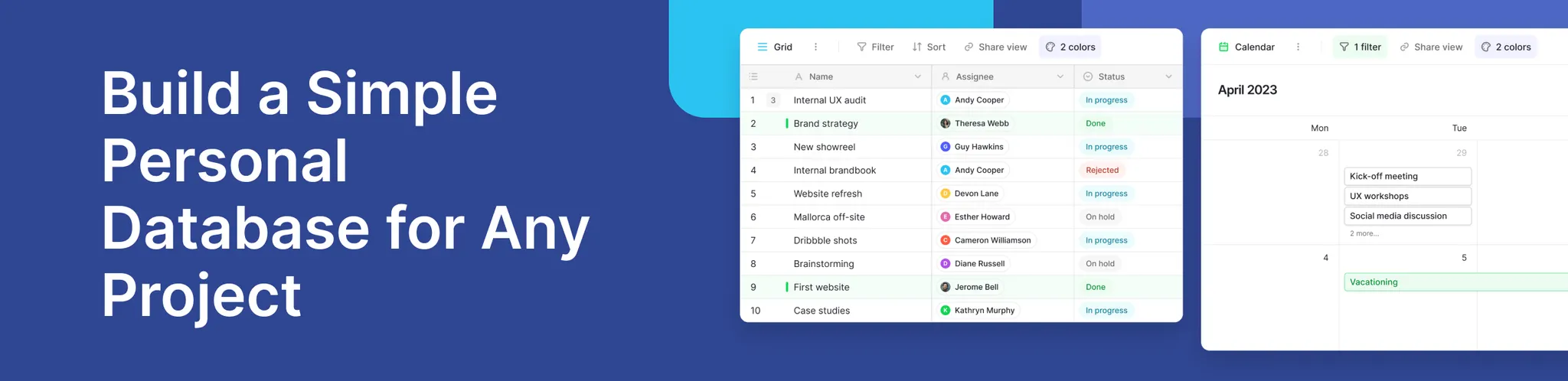
Managing personal information has become more important than ever. Whether you’re tracking hobbies, planning home projects, organizing finances, or simply keeping your digital life in order, having one place to store, categorize, and search through your information can be transformative.
This is where a simple personal database becomes incredibly useful. Unlike spreadsheets or scattered notes, a structured database makes data management easier, cleaner, and far more efficient. And with modern web based tools, building such a system no longer requires technical knowledge or software installs.
Platforms like Baserow offer an intuitive, flexible way to build your own personal database while giving you complete control over your data. You can start quickly, expand as your needs grow, and even automate elements of your data collection process. For anyone looking for a customizable approach to managing personal information—without learning how to code—this guide will walk you through exactly what you need to know.
Many users in the Baserow Community share examples of how they use personal databases in their daily lives—from maintaining a wine collection catalog, to keeping track of workouts, to documenting a home inventory for insurance purposes. These conversations help new users understand how simple yet powerful a personal database can be.
Why a Simple Personal Database Matters for Modern Users
- Centralizing Information Without Complexity: A personal database brings all your information into one place, eliminating scattered notes, spreadsheets, and files so you can find everything quickly.
- Faster Data Collection and Better Insights: Structured data makes it easier to filter, analyze, and spot patterns, helping you understand your information more effectively than unorganized lists.
- Accessible Anywhere With a Web Based Platform: With a web based tool, you can access, update, and sync your database across devices without installs, while keeping your data secure and backed up.
Tools like Baserow offer all of this while keeping the interface approachable. Its product overview page explains how users can start simple and evolve their projects over time.
How to Create Your First Simple Personal Database
Getting started is easier than most beginners expect. You don’t need technical skills; you just need clarity on what you want to track. Below is a step-by-step approach inspired by the official Baserow documentation.
1. Define Your Purpose: Start by identifying what you want to track—such as finances, inventory, recipes, or contacts—since a clear goal makes structuring your database much easier.
2. Create a New Database: With a web based tool like Baserow, you can create a database in a few clicks by setting up a workspace, choosing a layout, and naming your project.
3. Add Your First Table: Create a table to store your data and add relevant fields like names, dates, or categories using suitable field types.
4. Add Your Data: Begin entering information gradually, focusing on consistency so your database stays clean and easy to manage.
5. Use Views to Organize Better: Use views to filter, group, or visualize your data, making it easier to find and understand key information.
6. Keep Improving Your Structure: As your needs grow, refine your setup with additional fields, linked tables, or simple automations to keep your database useful over time.
Getting started is easier than most beginners expect. You don’t need technical skills; you just need clarity on what you want to track. Below is a step-by-step approach inspired by the official Baserow documentation.
Why Baserow Is Ideal for Simple Personal Databases
Choosing the right platform is essential when you want a personal database that grows with you. Baserow offers a flexible structure without forcing you into rigid templates, which is why many individuals and hobbyists rely on it for personal data management. Because it is web based, it works across all devices, making it easy to update your information anytime.
- Flexible, No-Lock-In Structure
Many users in the Baserow Community share how they started with a very small personal project—such as a reading tracker or household inventory—and gradually expanded it into something more advanced. Unlike platforms that limit customization, Baserow lets you change field types, create multiple tables, and even link them without complicated setup.
- Scalable as Your Data Grows
A personal database often starts with a single table, but over time, you may want connected information—such as linking expenses to categories, or recipes to ingredients. Because Baserow scales naturally, it can handle larger data sets, formulas, and even API integrations when you decide to extend your project further. This makes it a future-proof choice both for beginners and advanced users.
- Free to Start and Beginner-Friendly
Many people ask: Can I create my own database for free?
With Baserow, you can. The free plan includes everything you need to build a fully functional personal database. As your needs grow, you can explore more advanced features—but you don’t need to upgrade to build something powerful.
For a better understanding of how Baserow works, its product overview and documentation library provide helpful guidance.
Real Use Case: Personal Knowledge Organizer
A popular example in the Baserow community is using the platform to build a personal knowledge organizer. Imagine storing all your learning notes, articles, links, book summaries, and research insights in one place. Each entry can include tags, categories, source URLs, notes, and priority levels.
With filters, you can instantly see:
- All items tagged “Work”
- Articles you’ve marked “To Read”
- Summaries related to a specific topic
Unlike a notes app—which becomes cluttered with time—a personal database keeps your information structured and always searchable.
Frequently Asked Questions
- What is the simplest database for beginners?
A simple, table-based tool like Baserow is ideal for beginners because it requires no coding, installs, or technical setup. You can build useful structures in minutes.
- What is the best database for personal projects?
The best option combines flexibility, simplicity, and scalability. Baserow fits these needs well by allowing you to evolve your project from a single table to a multi-table system without complexity.
- Can I create my own database for free?
Yes. With platforms like Baserow, you can start for free and build a fully functional personal database without upgrading.
- What is a personal database?
A personal database is a structured system for storing information that’s important to you—such as tasks, finances, notes, contacts, habits, or collections.
- How does SQL querying relate to a simple personal database?
SQL querying is used to filter and analyze data in databases, but beginners don’t need it to get started. Tools like Baserow offer visual ways to manage data without writing queries.
Conclusion
Building a simple personal database helps you stay organized, track important information, and bring structure to your daily life. Thanks to intuitive tools like Baserow, anyone can design a custom system without coding or technical expertise. If you want to create your own tailored workspace for data collection and organization, you can get started quickly.
👉 Start building your personal database today with Baserow.


Baserow 2.4 adds Button fields, Graph elements, workflow automation, AI provider management, improved Group By views, and 30+ more updates.

Discover how Airtable and Baserow compare in features, flexibility, speed, and scalability. Compare pricing plans and hidden costs to make an informed decision!

Explore the best open-source software alternatives to proprietary products. Discover OSS tools, licenses, and use cases with our updated directory.