
Businesses create data every day. Customer details, product lists, orders, employee records, and project updates are just a few examples. When this information grows, storing it across separate files and spreadsheets can make it harder to manage.
So, what is database system? In simple terms, a database system combines organized data with software that helps people and applications store, find, update, and protect that data. It provides a structured way to keep information useful as the amount of data grows.
Database systems support many everyday services. Online stores use them to track products and orders. Banks use them to manage transactions. Businesses rely on them for customers, projects, inventory, and other records.
If you are new to the topic, this introduction to databases explains the basic ideas. You can also explore how a database and database system work before looking at more advanced concepts.
What Is a Database System and How Does It Work?
A database system is the complete setup used to store and work with organized information. It usually includes the database itself, database software, users, applications, and the rules that control how information is handled.
At the center of this setup is often a database management system (DBMS). A DBMS is software that allows users and applications to create, read, update, and delete information. It also helps organizations handle data in a consistent way.
For example, imagine an online store with thousands of products. When a customer searches for a product, the application sends a request to the database. The system finds matching records and sends the results back. Similar actions happen when the store updates stock levels or records a new order.
This process is known as querying data. Instead of searching through thousands of records by hand, users or applications can ask the system for specific information.
Database administrators may also manage database performance, security, backups, and permissions. Access controls help determine who can view or change certain information. This is important when a database contains business-critical or sensitive data.
According to IBM’s overview of databases, database management systems provide an interface through which users and applications can interact with stored information.
Database vs DBMS: What Is the Difference?
The terms database and DBMS are related, but they do not mean exactly the same thing.
- Database: The organized collection of stored information.
- DBMS: The software used to create, access, update, and manage that information.
- Database system: The wider environment that brings together the database, DBMS, users, applications, and supporting infrastructure.
Think of a database as a digital filing cabinet. The DBMS provides the tools for finding, adding, changing, and protecting what is inside. The database system includes the cabinet, tools, rules, and people using them.
For a more beginner-friendly look at these concepts, see Baserow’s guide to databases for non-technical users.
What Are the Main Parts of a Database System?
Database systems can vary greatly, but most contain a few basic parts.
Data
Data is the information stored inside the database. It might include customer names, order numbers, product prices, project dates, or thousands of other details.
In a relational database, information is commonly arranged in tables with rows and columns. A row represents one record, while a column represents a type of information.
For example, a customer table might contain columns for a customer’s name, email address, company, and account status. Each customer would have a separate row.
Database Management Software
The software provides the tools needed for data management. It helps users store records, search them, make changes, control permissions, and maintain relationships between different sets of information.
Some systems require users to work with database languages such as SQL. Others provide visual interfaces that make data access easier for people without database expertise.
Platforms such as Baserow take this visual approach. Teams can create relational databases through a familiar interface while still connecting related information and building workflows around their data.
Queries
A query is a request for information from a database. It can be simple, such as finding every open order, or more detailed, such as finding orders from a certain customer within a given date range.
Good querying makes large datasets more useful because people do not need to review every record to find the information they need.
Users, Applications and Permissions
People are not the only ones that interact with databases. Websites, mobile applications, internal tools, and automated workflows can also read or update database records.
Permissions define what each person or application is allowed to do. A sales employee, for example, may be able to update customer records but not change financial information.
Together, these parts turn stored data into a working system that supports daily business processes.
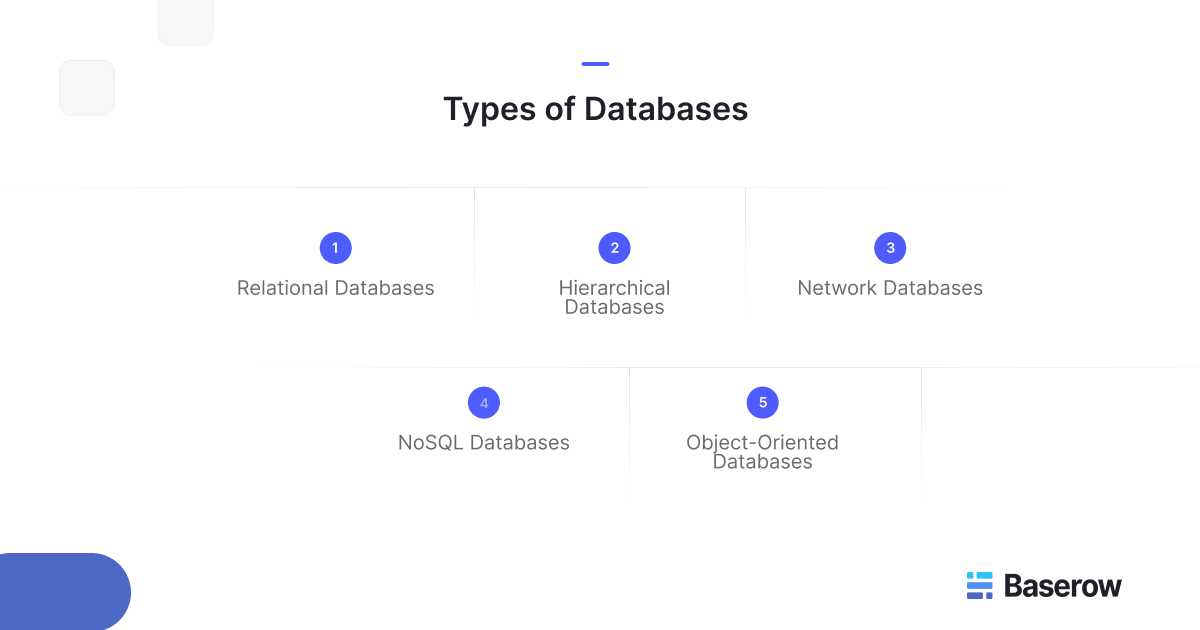
Common Types of Database Systems
There are several common types of databases, and each organizes information differently. The right choice depends on the structure of the data, the relationships between records, and how the information will be used.
Relational Databases
A relational database stores information in tables. Relationships connect records across those tables, helping teams avoid repeating the same information in several places.
A database management system (RDBMS) is designed to manage this relational model. Common examples include PostgreSQL, MySQL, Microsoft SQL Server, and Oracle Database.
For example, an online shop might have one table for customers and another for orders. Instead of copying all customer details into every order, the two tables can be connected through an identifier.
MySQL is an open source relational database system, with its Community Edition available under the GPL. The official MySQL documentation provides more detail about how the system stores, manages, and retrieves information.
Relational databases are widely used when data has a clear structure and relationships matter. You can explore these ideas further in Baserow’s guide to relational databases.
Hierarchical Databases
A hierarchical database organizes data in a tree like structure. Each child record usually belongs to one parent record.
A company structure is an easy example. A company may contain departments, each department may contain teams, and each team may contain employees.
This model works well when information follows a clear hierarchy. However, it becomes less flexible when records need several different relationships.
Network Databases
A network database is more flexible about relationships. A record can connect to several other records instead of following one strict parent-child path.
For example, one employee could work on several projects, while each project could include many employees. The network model can represent these connections directly.
IBM’s overview of database management systems provides additional background on database models and how database software manages stored information.
NoSQL Databases
NoSQL databases offer a different way to store information. Instead of relying only on fixed tables, they may use documents, key-value pairs, graphs, or other models.
They are often useful for large amounts of unstructured or semi structured data. For example, an application may need to store user activity, product catalogs, messages, or content where each record does not have exactly the same fields.
NoSQL databases can offer flexibility and scale, but they are not automatically better than relational systems. The right model depends on the data and how it needs to be used.
Object-Oriented Databases
Object oriented databases store information as objects, similar to the way objects are used in programming. An object can contain both data and information about its behavior.
This approach can be useful for complex applications where developers want the database structure to closely match the objects used in their software.
These models show why choosing a database starts with understanding your data. Relational, hierarchical, network, NoSQL, and object-oriented systems solve different problems.
How Are Database Systems Used in the Real World?
Database systems work behind many tools people use every day. An online shop may connect customers, products, payments, and orders. A hospital may need organized records for patients and appointments. A manufacturer may track suppliers, materials, equipment, and stock.
Businesses also use databases for everyday team processes:
- Sales: Leads, accounts, customers, and deals
- Operations: Suppliers, inventory, orders, and equipment
- Product: Features, feedback, bugs, and releases
- HR: Candidates, employees, and onboarding
- Marketing: Campaigns, content, assets, and results
The main benefit is not simply storing more information. A well-designed system creates connections between data and gives teams a reliable place to work from.
For practical examples, see how teams use a database for business.
What Makes a Good Modern Database System?
The best system depends on the problem being solved. However, several qualities are useful across most organizations.
A good system should make information easy to find while protecting it from the wrong users. It should support clear relationships between records, reliable search and filtering, and suitable access controls.
Scalability also matters. A system that works for a few hundred records may struggle when a company needs to manage millions. Teams should consider expected data volume, number of users, integrations, performance, and infrastructure before choosing a platform.
Modern systems increasingly offer APIs, automation, real time collaboration, forms, and visual interfaces. These features can make structured data useful beyond technical teams.
Data ownership is another consideration. Some organizations prefer systems they can host within infrastructure they control, especially when security, compliance, or data location requirements are important.
Where Does Baserow Fit Into Modern Database Systems?
Baserow is an open-source, no-code platform built around relational data. It gives users a spreadsheet-like interface while allowing related tables to form a structured database.
This approach can help when business users need to work with structured information but do not want to write SQL for routine tasks. Teams can link records, create different views, collect information through forms, set permissions, connect through APIs, and build applications on top of their data.
Baserow also brings databases closer to wider business workflows. Its Application Builder can turn stored information into internal tools, while Automations can connect actions and data changes. AI-assisted features can help users create and work with database structures without replacing the underlying data model.
Example: Building an Operations Database
Consider a company managing suppliers, products, purchase orders, and inventory.
Keeping everything in one spreadsheet can lead to repeated supplier details, inconsistent product names, and complex formulas. Instead, the company could create separate tables for suppliers, products, purchase orders, and stock.
These tables can then be linked.
A product record can connect to its supplier. A purchase order can reference products instead of copying their information. An inventory table can track available quantities.
The same data can support different workflows. Procurement staff might see open purchase orders, while warehouse teams focus on inventory. Managers could view higher-level information without changing the underlying records.
This is where a visual relational platform can be useful. Teams get the structure of a database while keeping everyday work accessible to people who are not database administrators.
What Can We Learn From Real Database Projects?
Database design often becomes more important as a project grows.
One discussion in the Baserow Community about structuring large relational databases describes an internal tool with around 10–12 related tables. Its data covered areas such as clients, projects, team members, tasks, documents, and timelines.
The discussion raises practical questions about relationships, linked fields, performance, and keeping a growing system easy to maintain. These are common challenges when a basic database develops into an important business tool.
More examples and discussions are available through the wider Baserow Community.
How Are Database Systems Changing?
Databases are becoming easier for more people to use. Traditional database tools remain important, but visual interfaces, automation, APIs, and AI are changing how teams interact with structured information.
For example, AI can help users create tables, work with fields, or understand existing structures. Automation can respond when data changes, while application builders can turn the same database into a tool for a specific team.
Real time collaboration also means several users can work with shared data without passing files back and forth.
These developments do not remove the need for good database design. They make its benefits available to more people. The guide on how AI is changing database management systems explores this shift in more detail.
Frequently Asked Questions
- What is a database system in simple words?
A database system is a way to store, organize, find, update, and protect information. It normally combines a database with software that manages the data. People and applications can then use the information without searching through separate files manually.
- What are the main types of database systems?
Common types include relational, hierarchical, network, NoSQL, and object-oriented databases. Each organizes information differently. Relational databases use connected tables, while other models may use trees, networks, documents, graphs, or objects.
- What is the difference between a database and a DBMS?
A database is the organized information itself. A database management system DBMS is the software used to work with that information. It can help users create records, retrieve data, update information, manage permissions, and control how the database operates.
- Is SQL a database system?
No. SQL, or Structured Query Language, is a language used to communicate with many relational database systems. It can be used to create, retrieve, update, and delete information. Systems such as PostgreSQL, MySQL, and Microsoft SQL Server support SQL.
- What are some examples of database systems?
PostgreSQL, MySQL, Oracle Database, and Microsoft SQL Server are well-known relational examples. Other database technologies use NoSQL, document, graph, or object models. Visual platforms can also provide database functionality through interfaces designed for less technical users.
- Why do businesses use database systems?
Businesses use databases to keep information structured and easier to manage. They can reduce duplicate data, connect related records, improve data access, control permissions, and make information available to applications and workflows.
- Can you create a database system without coding?
Yes. No-code database platforms provide visual tools for creating tables, relationships, views, forms, and workflows. They can be useful when business teams need structured data without writing code for every change or relying on developers for routine database work.
- How do you choose the right database system?
Start with your data and how people need to use it. Consider relationships, data volume, security, integrations, expected growth, technical skills, hosting needs, and cost. The right system should remain manageable as both your data and workflows become more complex.
Build a Database Around the Way Your Team Works
Database systems can range from traditional relational software to modern visual platforms. What matters most is whether the system keeps information structured, secure, connected, and useful.
For teams that want relational database capabilities without requiring every user to work directly with SQL, Baserow offers an open-source approach with visual database, application, and workflow tools.
Explore Baserow to learn how it works, or sign up for Baserow to start building a database around your own workflow.


Baserow 2.4 adds Button fields, Graph elements, workflow automation, AI provider management, improved Group By views, and 30+ more updates.

Discover how Airtable and Baserow compare in features, flexibility, speed, and scalability. Compare pricing plans and hidden costs to make an informed decision!

Explore the best open-source software alternatives to proprietary products. Discover OSS tools, licenses, and use cases with our updated directory.