
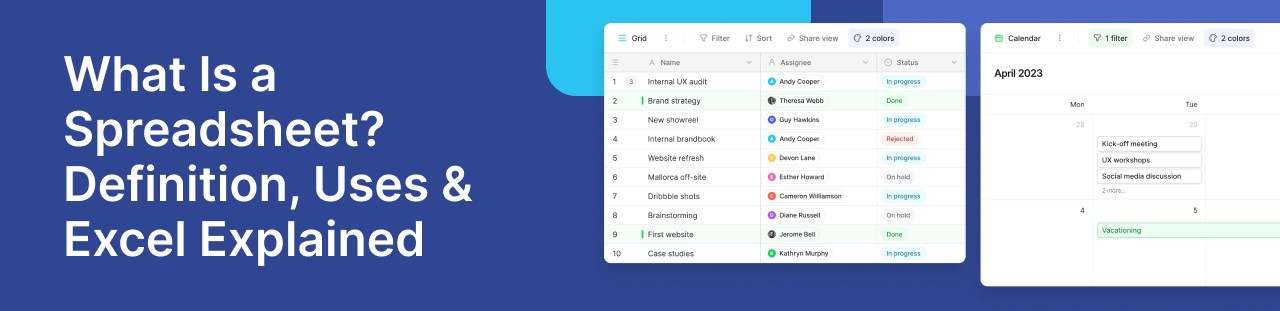
Spreadsheets have been helping people organize information for decades. Whether you’re tracking expenses, managing inventory, planning projects, or analyzing sales data, chances are you’ve used one before.
But what exactly is a spreadsheet, and why do millions of people still rely on these tools every day?
In this guide, you’ll learn how spreadsheets work, where Microsoft Excel fits in, common business use cases, and why many organizations are moving to database-powered platforms like Baserow.
TL;DR
- A spreadsheet is a digital tool that organizes information in rows and columns.
- Microsoft Excel is the world’s most popular spreadsheet program and is included with Microsoft 365.
- Businesses use these tools for budgeting, project management, reporting, inventory tracking, and data analysis.
- Features such as formulas, Pivot Tables, and charts help users analyze data and perform calculations quickly.
- Modern platforms like Baserow combine familiar tables with automation, real-time collaboration, and relational databases.
What Is a Spreadsheet?
A spreadsheet is a digital worksheet used to store, organize, and analyze information.
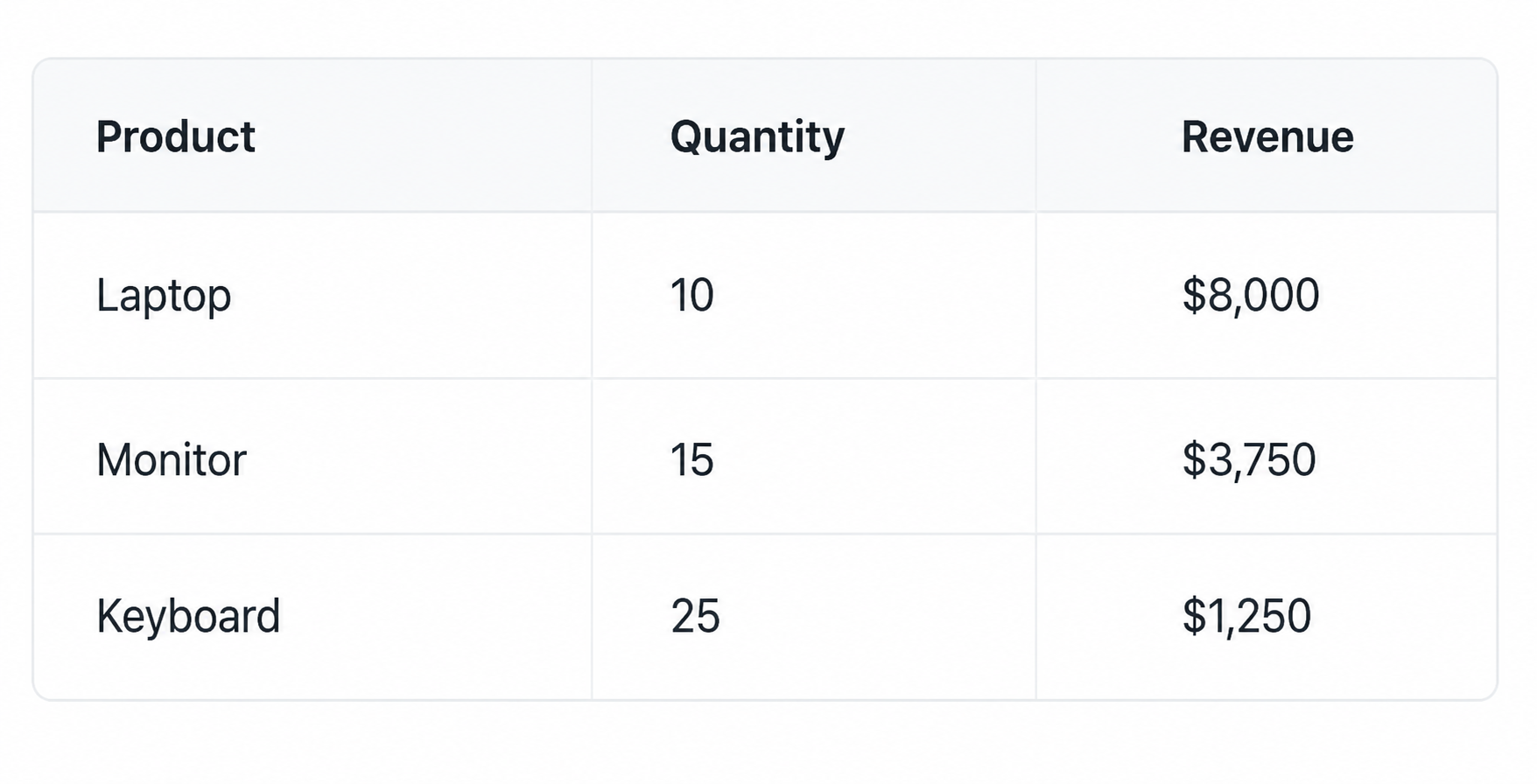
Data is arranged using rows and columns, with each intersection forming a cell. An electronic spreadsheet can contain text, numbers, dates, files, formulas, and calculated values.
Rows are identified using row numbers, while columns are typically labeled with letters. Users enter input data into cells and use formulas to perform calculations automatically.
💡 If you’re ready to build your own worksheet, check out our guide on how to create a spreadsheet. It covers everything from setting up rows and columns to organizing and analyzing information.
This structure makes it easy to sort information, create reports, and maintain organized data.
Most modern spreadsheet software supports:
- Data entry
- Reporting
- Filtering and sorting
- Formulas and functions
- Charts and dashboards
- Data analysis
How These Tools Work
Information is stored inside cells, which can contain raw values, formulas, or references to other cells.
Users can:
- Calculate totals automatically
- Filter records
- Sort information
- Create charts
- Generate reports
- Analyze data
💡 Many of these tasks rely on formulas and functions. If you’re new to them, our guide to spreadsheet formulas explains the most common functions and how to use them effectively.
Popular Spreadsheet Software
There are many spreadsheet applications available today.
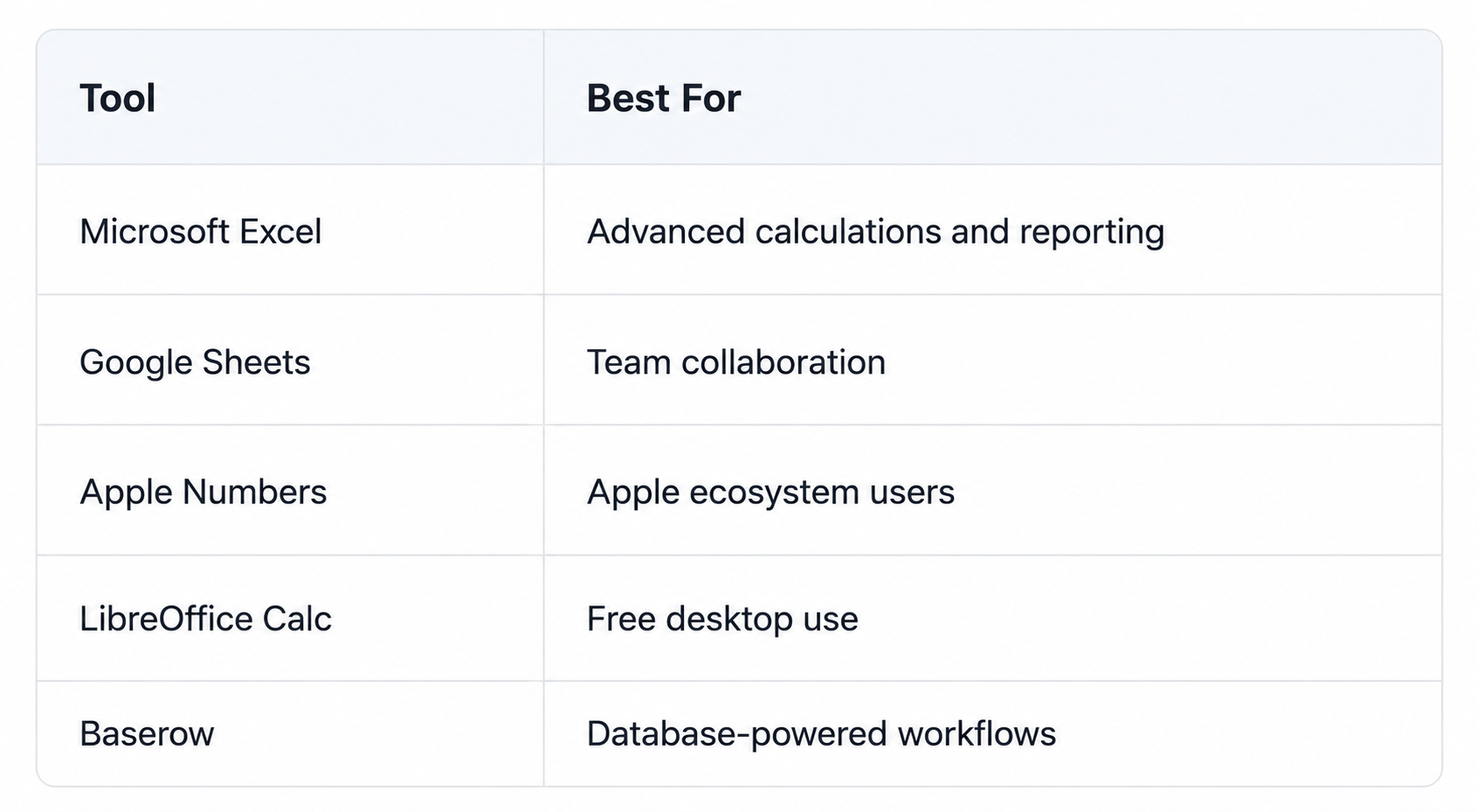
Simply put, Excel is a spreadsheet application developed by Microsoft and included with Microsoft 365.
Before Excel became the industry standard, many organizations relied on Lotus 1-2-3, one of the earliest spreadsheet applications for personal computers.
Today, Microsoft Excel remains a popular choice because of its extensive library of Excel functions, reporting capabilities, and support for Pivot Tables.
Common Uses
Organizations use these tools for a wide range of activities.
Finance and Budgeting
Track expenses, forecast revenue, and build financial models.
Project Management
Plan timelines, assign tasks, and monitor progress.
Inventory Tracking
Manage products, suppliers, and stock levels.
Customer Records
Maintain customer information and sales pipelines.
Reporting and Analytics
Create dashboards and conduct data analysis to support business decisions.
Why Teams Need More Than Traditional Worksheets
Traditional files work well for personal projects and small teams. However, as organizations grow, information often becomes more connected and more difficult to manage.
A company may need to track customers, orders, projects, inventory, and suppliers at the same time. Managing all of this information inside separate files can create duplication and increase maintenance effort.
A more data based approach helps connect related information, making it easier to manage complex processes and larger datasets.
Many teams are now looking for solutions that combine familiar tables with automation, collaboration, and database capabilities.
A Modern Alternative: Baserow
Baserow combines the simplicity of a spreadsheet with the power of a relational database.
Teams can connect records across multiple tables, automate repetitive processes, and collaborate in real time without sacrificing ease of use.
With Baserow, users can:
- Build databases without coding
- Create forms and workflows
- Connect related records
- Manage complex data
- Automate repetitive tasks
- Self-host for full control
This makes Baserow a practical solution for project management, CRM systems, inventory management, content planning, and many other business workflows.
Conclusion
A spreadsheet is a digital tool used to organize information, perform calculations, and analyze results using rows and columns.
Microsoft Excel remains the most widely used spreadsheet program, but organizations increasingly need capabilities that go beyond traditional files. Real-time collaboration, automation, and connected data structures have become essential for many teams.
Modern platforms like Baserow provide these capabilities while maintaining the familiar experience that users already know.
FAQ
What is Excel?
Microsoft Excel is a spreadsheet application developed by Microsoft. It allows users to organize information, create reports, perform calculations, and analyze data.
Is Excel the same as a spreadsheet?
No. Excel is one example of a spreadsheet program. Other options include Google Sheets, Apple Numbers, LibreOffice Calc, and Baserow.
What are spreadsheets used for?
Common use cases include budgeting, project management, inventory tracking, reporting, forecasting, and data analysis.
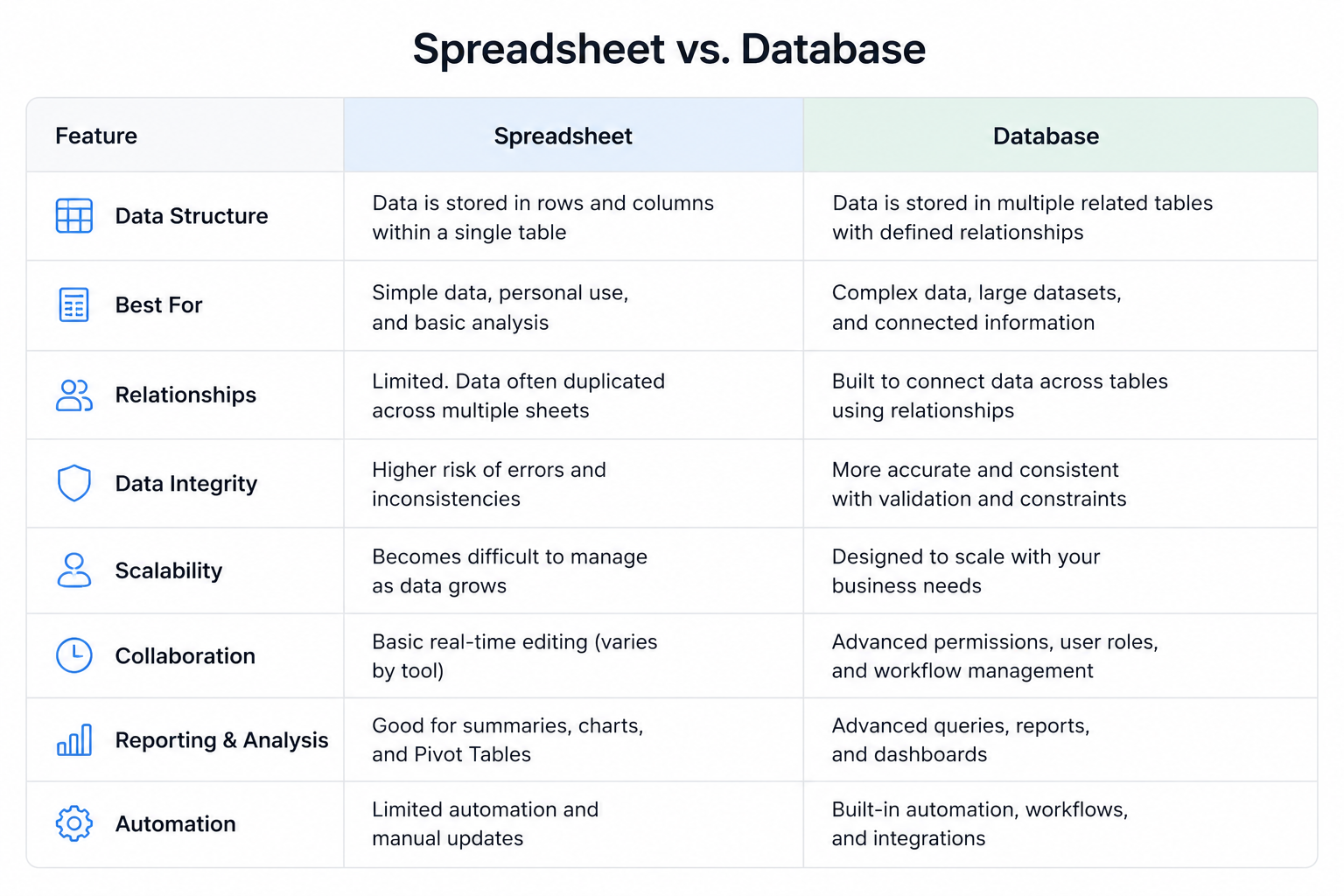
What is the difference between a spreadsheet and a database?
A spreadsheet organizes information in rows and columns, while a database connects information across multiple tables. Databases are generally better for managing large amounts of related information.
Is Excel still relevant today?
Yes. Excel remains one of the most popular business tools in the world, although many organizations now combine it with modern database-powered platforms for more advanced workflows.


Baserow 2.4 adds Button fields, Graph elements, workflow automation, AI provider management, improved Group By views, and 30+ more updates.

Discover how Airtable and Baserow compare in features, flexibility, speed, and scalability. Compare pricing plans and hidden costs to make an informed decision!

Explore the best open-source software alternatives to proprietary products. Discover OSS tools, licenses, and use cases with our updated directory.