
Choosing a data analysis tool starts with a question: what does your team need to understand? You might want to find slow-moving stock, compare sales regions or see why projects miss deadlines. The right features help you move from scattered records to answers you can check and act on.
Start by looking at how you collect, organise and explore information. A chart is only useful when the records behind it are reliable. This guide explains which capabilities matter and how Baserow can support everyday analysis, from structured tables to shared dashboards.
What is a data analysis tool?
A data analysis tool is software that helps you examine information to answer questions, identify patterns and support decisions. Depending on its purpose, it may help you prepare records, calculate results, explore relationships or present findings through reports.
For example, a sales manager might compare completed deals across regions. That task needs consistent dates, clear sales stages and reliable amounts. More advanced work, such as predicting future demand, may require statistical methods and specialist software.
An analytics tool should therefore match the question, the available information and the skills of the people using it. A team reviewing weekly performance has different needs from researchers building predictive models.
Baserow provides a shared workspace for organising related business records and building applications. Its tables and reporting features can support practical analysis while keeping the underlying information accessible to the team.
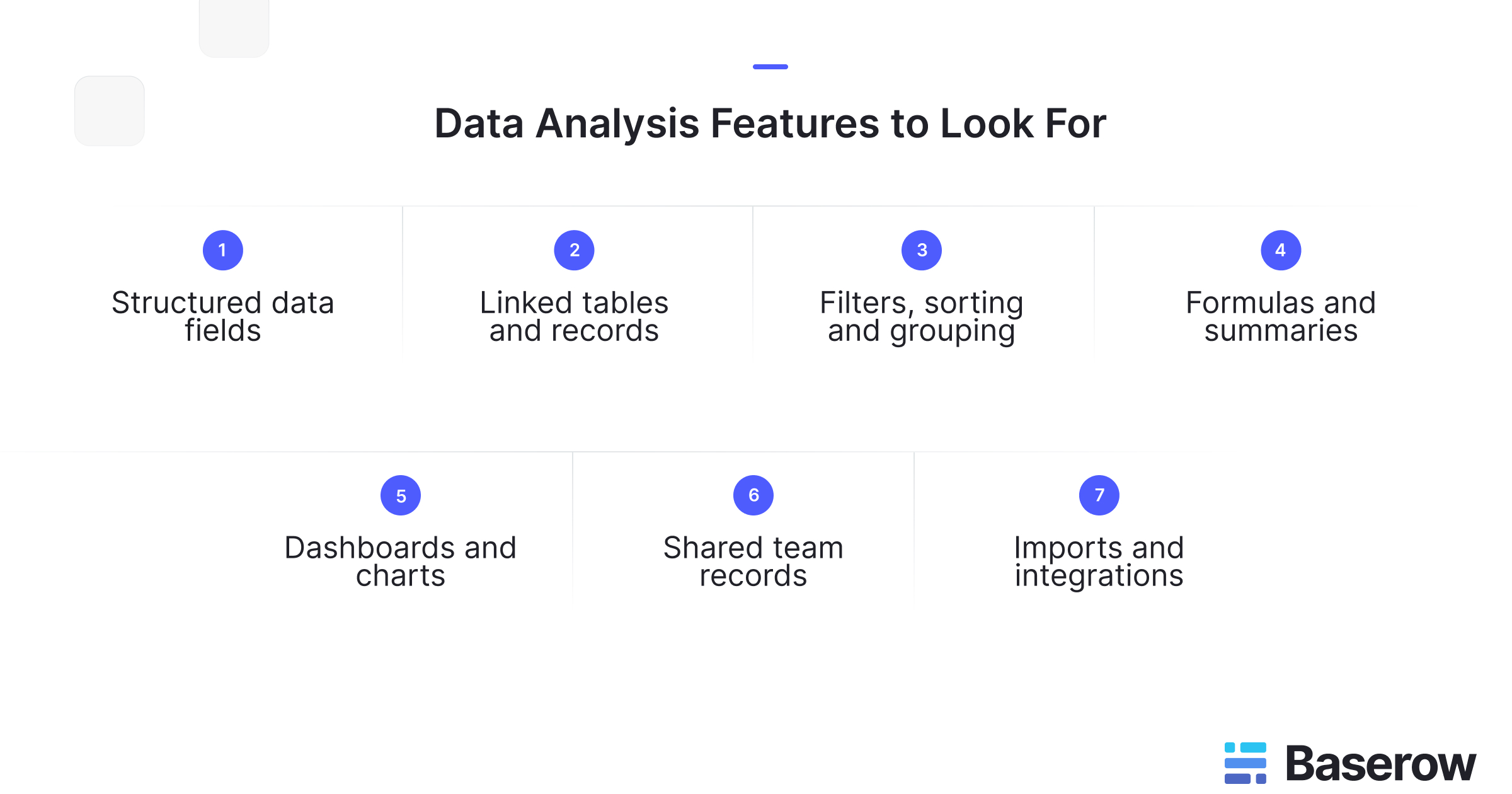
Data analysis features to look for in Baserow
The most useful features address a specific part of your workflow. Before comparing key features, write down one question your team needs to answer, who maintains the records and how often the answer must change.
Then assess whether the following capabilities make that work easier to manage and repeat.
Structured fields for consistent data
Consistent inputs make comparisons easier. If one person enters a deal value as a number, and another adds it in a notes field, a reliable total is harder. Similar problems arise when teams use different spellings for the same sales stage.
Baserow offers field types for information such as text, numbers, dates and select options. These let you give each column a clear purpose and choose a suitable format for its values.
For a sales table, you could use:
- A number field for the deal amount.
- A date field for the expected closing date.
- A single select field for the sales stage.
- A text field for notes that need further context.
This structure supports data analysis and data preparation by making values easier to review. It does not guarantee accuracy: a valid number can still be the wrong amount. Agree on definitions, check missing entries and assign responsibility for keeping records current.
Linked tables for connected information
Business questions often depend on information stored in several places. A customer table may hold account details, while an orders table contains purchase amounts. Repeating the customer’s details in every order creates more copies to maintain.
Baserow’s Link-to-table fields connect related records across tables. Lookup fields can then display information from those linked records.
For example, an operations team could connect each order to a customer. The customer’s region could display next to the order. This gives the team useful context. It also avoids entering the region separately for each purchase.
This is a practical form of data modeling: deciding which records belong together and how they relate. Start with clear relationships and a defined purpose for each table. Before combining totals, also check what each row represents. Mixing order totals with individual order lines can lead to counting the same sale more than once.
Filters, sorting and grouped views
Exploratory data analysis often begins with simple questions. Which orders are overdue? Which deals have the highest value? Are unfinished tasks concentrated in one department?
Baserow supports filters that show records matching chosen conditions, sorting that changes their order, and grouping that organises rows by field values. Views let teams examine the same underlying records in different ways.
A sales manager could filter for this quarter’s open opportunities, group them by region and sort them by deal amount. That creates a focused view for deciding where to investigate next.
Filtering hides records from the view rather than deleting them. Before drawing a conclusion, check the active conditions and date range. A regional comparison can be misleading if one view includes completed deals while another includes only open opportunities.
Formulas and summaries for useful calculations
A useful analysis tool should help you calculate results consistently as records change. For example, an order table might need a total for each line based on quantity and unit price.
Baserow’s formula fields calculate values from other fields. They support mathematical operations, text functions, date calculations and conditional logic. You define the formula for the field, so the same rule applies across its rows.
Calculations can also draw on related records. A Rollup field applies an operation, such as a sum or average, to values from linked rows. A customer record could therefore show the total amount across its linked orders.
Choose calculations that answer a clear question. Total order value, average purchase amount and order count each tell a different story. Check the result against a small sample before relying on it, especially when handling refunds, missing values or different currencies.
Dashboards for metrics and trends
Dashboards bring selected results together so people can review performance without examining every row. Baserow’s Dashboard Builder supports summary widgets alongside bar, line, pie and doughnut charts. You can arrange widgets using drag and drop and resize them to suit the information shown.
Match the display to the question. A summary widget can show total sales, a bar chart can compare regions, and a line chart can show changes over time. Clear titles should explain the measure and period.
Baserow dashboards update in real time as their underlying table data changes. However, this does not mean information from every external system arrives instantly. If an upstream source updates daily, the dashboard still depends on that schedule.
Keep each dashboard focused on decisions its readers can make. A sales review might need regional totals and monthly trends; adding unrelated metrics makes that review harder.
Shared records for collaborative analysis
Reports often become difficult to trust when teams maintain separate copies of the same records. One person corrects an amount, while someone else continues using an older export.
Baserow lets people work together in shared workspaces. Its collaboration features include comments and mentions, which help teams discuss questions beside the relevant record. For example, a manager could ask a colleague to check an unusual order amount before including it in a report.
Access controls also matter. Decide who should maintain source records, review calculations and view results. Baserow provides permission controls, although granular role-based options depend on the plan. Check those requirements before choosing a deployment.
A shared workspace can help business and technical users investigate the same information. Clear ownership remains essential: collaboration works best when everyone knows who resolves errors and approves changes.
Imports and integrations for connected workflows
Information rarely begins in one place. Your data sources might include spreadsheets, business applications and external databases. Check how records will enter your workspace and how updates will be maintained.
Baserow supports creating tables through file imports, including CSV and Excel. After importing, review field types, dates and identifiers before building calculations. A successful upload does not prove that every value has the intended meaning.
For broader reporting, Baserow documents a connection to Microsoft Power BI through its API and Power BI’s Web connector. This requires configuration, including authentication, transforming returned data and handling pagination for large datasets. Reports using this approach require manual or configured scheduled refreshes.
Baserow’s open source model also provides deployment flexibility. Evaluate hosting, maintenance and integration effort alongside the features your team needs.
Put these features to work: a sales analysis example
Consider a hypothetical sales team asking: “Which region needs attention this month?”
First, create separate tables for customers and opportunities. Link each opportunity to its customer, then use a lookup to display the customer’s region. Give every opportunity an amount, stage, owner and expected closing date. Use a separate actual closing date for completed sales.
Next, define what the team wants to measure. Open pipeline value and completed sales answer different questions. Agree which stages belong in each measure and whether amounts include tax.
Create a filtered view of open opportunities expected to close this month. Group those records by region and sort by amount. Review blank dates and unusual values before presenting the results.
Then build dashboard widgets for the agreed measures. Use a bar chart to compare regions and a summary widget to highlight the overall total. Check that each widget uses the intended filters.
If one region looks weak, inspect its records. The cause could be fewer opportunities, delayed deals or missing updates. Being data driven means checking those explanations before deciding what to change.
Before rolling this out, ask a colleague to repeat the review using the same records. Can they explain the totals and reach the same conclusion? If not, clarify the field names, calculation rules or chart labels.
Also check the workflow after changing a source record. Update an opportunity amount, move its closing date and change its stage. Confirm that the affected views and dashboard measures behave as expected. This small pilot tests whether the setup supports the decisions you actually make.
Finally, record who owns each measure and when the team reviews it. A clear definition and review routine help keep reporting useful as the business changes.
When do you need specialist analysis capabilities?
Baserow can support structured records, calculations and operational reporting. Some questions require a different level of analysis.
Predicting customer churn, testing statistical hypotheses or training machine learning models calls for suitable methods, validation and expertise. These are data science tasks; a dashboard alone does not provide those capabilities. Python libraries or specialist platforms may complement your Baserow workflow.
For large scale data projects, assess processing requirements separately from record storage. Complex data transformations, heavy joins and streaming workloads may call for dedicated infrastructure. Apache Spark, for example, provides an engine for large-scale data processing.
Big data is not simply a synonym for a busy business table. Test representative volumes, refresh times and concurrent use before choosing an approach. The right setup may combine Baserow for shared operational records with another system for demanding computation.
Frequently asked questions
- Do you need coding skills to analyse data in Baserow?
You can organise records, configure views and build dashboards through the interface. Formulas require learning their syntax, while custom API connections can require technical support. Match the task to the skills available in your team.
- Can you move existing spreadsheets into Baserow?
Yes. Start by importing a representative file, checking field types and confirming that totals match the original. Review duplicate records and decide how future updates will arrive before migrating the full workflow.
- How should you prepare records before building a dashboard?
Define what each row represents, standardise categories and check dates, amounts and missing values. Document important measures so readers understand what each chart includes. Assign someone to resolve errors in the source records.
- Will every connected report update automatically?
No. Baserow dashboards respond to changes in their underlying tables, but external integrations have their own update behaviour. The documented Power BI API workflow needs refresh configuration. Check the complete path from source system to report.
- How can you control access to analysis data?
Review workspace membership and the permissions available on your plan. Give people the access their work requires. Hiding a column or filtering a view should not be treated as a substitute for permission controls.
- Can Baserow work alongside specialist analysis software?
Yes. File exports and API connections provide ways to use Baserow records elsewhere. Check authentication, field mapping, pagination and refresh needs before relying on an integration for recurring reporting.
Turn organised data into clearer decisions
Start with one business question and a small set of reliable records. Try Baserow to connect your information, explore useful views and build dashboards that help your team decide what to do next.


Baserow 2.4 adds Button fields, Graph elements, workflow automation, AI provider management, improved Group By views, and 30+ more updates.

Discover how Airtable and Baserow compare in features, flexibility, speed, and scalability. Compare pricing plans and hidden costs to make an informed decision!

Explore the best open-source software alternatives to proprietary products. Discover OSS tools, licenses, and use cases with our updated directory.