
TL;DR:
- CRM systems are best for managing leads, customers, and sales pipelines.
- Project management tools help teams plan work, assign tasks, and track progress.
- Inventory management systems keep products, suppliers, and stock levels organized.
- HR portals centralize employee records, onboarding, and internal requests.
- Admin panels and dashboards give teams secure access to business data and real-time insights.
- A data collaboration platform like Baserow makes it easy to build CRM systems, HR portals, dashboards, and other internal tools on top of one shared database.
Every growing business reaches a point where spreadsheets, emails, and disconnected apps are no longer enough. As operations become more complex, teams need internal tools to manage data, automate workflows, and keep everyone aligned.
In this guide, you’ll discover the 12 most common internal tools, what they’re used for, who uses them, and whether it makes more sense to buy an existing solution or build your own.
What Are Internal Tools?
Internal tools are software applications built specifically for employees rather than customers. They help teams manage business processes, organize company data, automate workflows, and improve collaboration across departments.
Unlike customer-facing software, internal tools support the day-to-day operations of a business. They’re commonly used by sales, operations, HR, finance, IT, customer support, marketing, and leadership teams.
Some organizations use dedicated software for each process, while others build custom internal tools tailored to their unique workflows. The goal is always the same: make work more efficient by giving employees the right tools to do their jobs.
💡If you’re new to the concept, read our guide What Is an Internal Tool? to learn more about how internal tools work, their benefits, and how to build one.
At a glance: The most common internal tools
The table below summarizes the most common types of internal tools, what they’re used for, and when businesses typically build them.
| Internal tool | Best for | Build with Baserow? | Why |
|---|---|---|---|
| CRM | Managing customers and sales | ✅ | Customize pipelines, contacts, and workflows |
| Project Management | Planning projects and tasks | ✅ | Flexible views, automations, and collaboration |
| Inventory Management | Tracking stock and suppliers | ✅ | Connect products, warehouses, and orders |
| HR Portal | Employee records and onboarding | ✅ | Secure internal apps with permissions |
| Company Intranet | Sharing internal information | ✅ | Build employee portals and knowledge hubs |
| Dashboards | Reporting and KPIs | ✅ | Visualize business data in real time |
| Knowledge Base | Internal documentation | ✅ | Centralize SOPs, policies, and training |
| ERP | Connecting business operations | ✅ | Combine finance, inventory, procurement, and more |
| Asset Management | Tracking company assets | ✅ | Manage equipment, licenses, and maintenance |
| Approval Workflow | Automating approvals | ✅ | Route requests with automations |
| Support Portal | Managing support requests | ✅ | Track tickets and internal communication |
| Admin Panel | Managing business data | ✅ | Build secure applications with role-based access |
12 Essential Internal Tools Every Modern Business Should Use
1. CRM System
A Customer Relationship Management (CRM) system helps businesses manage leads, customers, sales opportunities, and ongoing relationships from a single place. Instead of relying on spreadsheets or scattered notes, sales teams can track every interaction, monitor deals, and collaborate more effectively.
CRM systems are among the most widely used internal tools because they centralize customer information and provide complete visibility into the sales pipeline.
Who uses it?
- Sales teams
- Customer Success
- Marketing
- Business Development
Key features
- Contact management
- Sales pipelines
- Activity tracking
- Customer history
- Reporting dashboards
Baserow offers a ready-to-use CRM Template that you can customize to match your sales process. Unlike traditional CRM software, you can add custom fields, automate workflows, create dashboards, and build an application tailored to your business.
2. Project Management Tool
Project management tools help teams organize work, assign tasks, track deadlines, and collaborate on projects. Whether you’re managing software development, marketing campaigns, or client work, these internal tools provide visibility into project progress and help teams stay aligned.
Many businesses replace disconnected spreadsheets and task lists with centralized project management systems that include automations, reporting, and real-time collaboration.
Who uses it?
- Product teams
- Marketing
- Operations
- Agencies
- Engineering
Key features
- Task management
- Kanban boards
- Timeline views
- Team collaboration
- Project dashboards
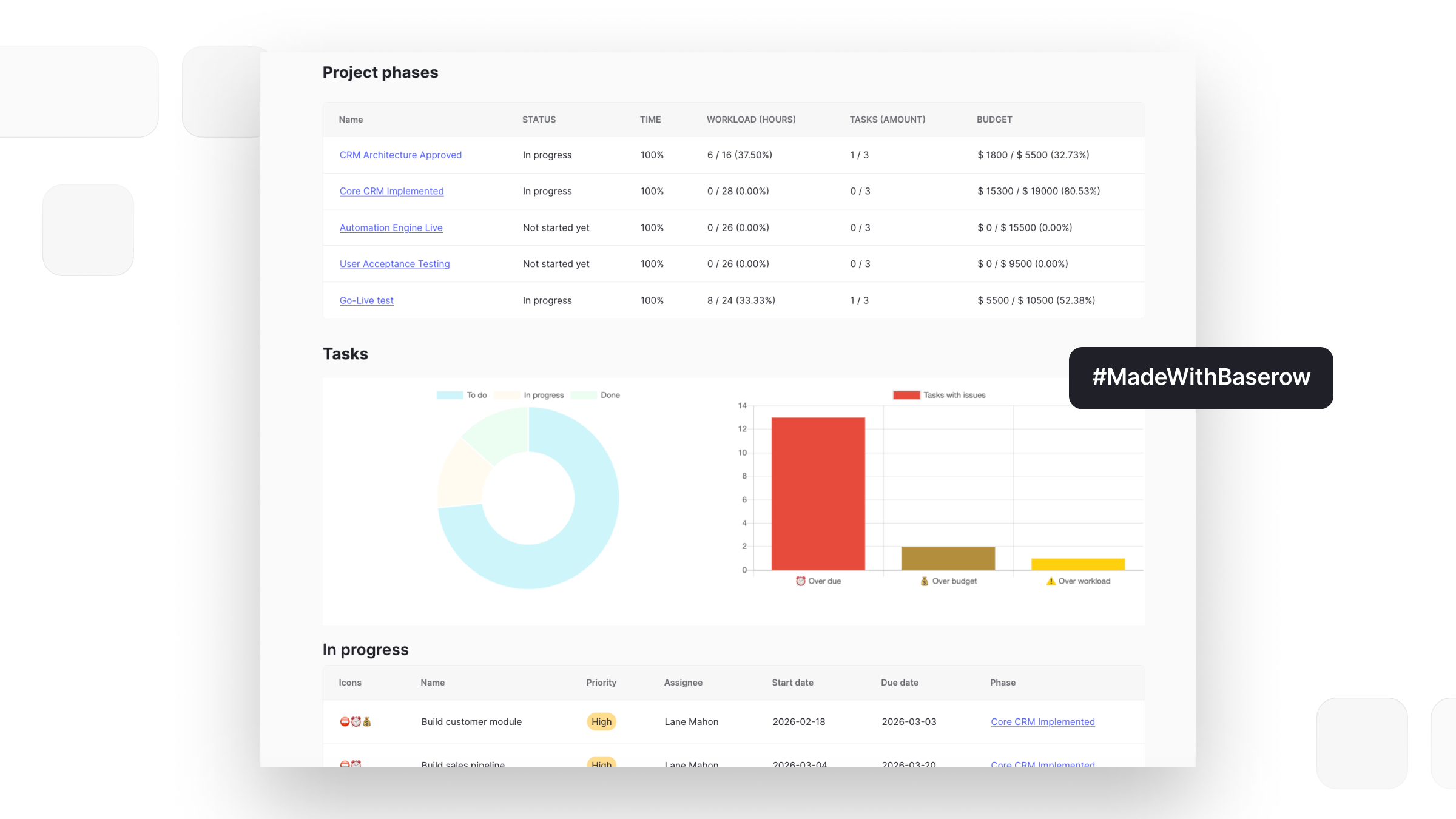
Start with the Project Management Template, then customize workflows, add automations, and build an application that fits your team’s process.
3. Inventory Management System
Inventory management systems help businesses monitor products, stock levels, suppliers, warehouses, and purchase orders. They reduce manual tracking and make it easier to maintain accurate inventory across multiple locations.
Instead of updating spreadsheets every day, teams can automate inventory updates and gain real-time visibility into stock availability.
Who uses it?
- Operations
- Logistics
- Manufacturing
- Retail
- Procurement
Key features
- Product catalog
- Stock tracking
- Supplier management
- Purchase orders
- Low-stock alerts
With the Inventory Management Template, businesses can create a custom inventory system that matches their own operations while integrating with existing workflows.
4. HR Portal
HR portals centralize employee information and simplify human resource processes. Instead of managing onboarding documents, leave requests, and employee records across multiple systems, HR teams can manage everything from a single application.
Modern HR portals improve the employee experience while reducing administrative work.
Who uses it?
- Human Resources
- Managers
- Employees
Key features
- Employee records
- Leave management
- Onboarding
- Performance reviews
- Internal documents
The HR Portal Template provides a starting point that you can customize for your company’s hiring process, employee records, and internal workflows.
5. Company Intranet
A company intranet serves as the central hub for internal communication and company resources. Employees can access announcements, policies, documentation, forms, directories, and shared knowledge from one secure location.
Unlike public websites, intranets are designed exclusively for internal users and often include permissions to ensure employees only see the information relevant to their role.
Who uses it?
- Entire organization
- HR
- Operations
- Leadership
Key features
- Internal announcements
- Company documentation
- Employee directory
- Shared resources
- Permission-based access
Using Application Builder, organizations can create custom intranets that combine structured databases with user-friendly interfaces, forms, and role-based access.
6. Dashboards & Reporting
Dashboards help businesses transform raw data into actionable insights. By bringing together information from different departments, they provide leadership teams with a real-time overview of company performance.
Instead of manually preparing reports every week, businesses can create live dashboards that update automatically.
Who uses it?
- Executives
- Finance
- Sales
- Operations
- Marketing
Key features
- KPI tracking
- Charts and visualizations
- Custom reports
- Real-time metrics
- Team dashboards
Baserow’s Dashboards make it easy to visualize data from your databases and monitor business performance without exporting information to external BI tools.
7. Knowledge Management System
Knowledge management systems help businesses organize internal documentation, processes, training materials, and company policies. Instead of searching through emails, shared drives, or chat messages, employees can quickly find the information they need in one centralized location.
A well-structured knowledge base improves onboarding, reduces repetitive questions, and ensures important information isn’t lost when employees leave the company.
Who uses it?
- HR
- Customer Support
- IT
- Operations
- Entire organization
Key features
- Internal documentation
- Standard operating procedures (SOPs)
- Training materials
- Search functionality
- Permission-based access
With Baserow, you can create an internal knowledge base where employees can browse documentation, search for information, and access resources based on their role.
8. ERP System
Enterprise Resource Planning (ERP) systems connect multiple business processes into one platform. Instead of using separate applications for finance, procurement, inventory, and operations, an ERP provides a centralized system where departments can work with the same data.
While traditional ERP software can be expensive and difficult to customize, many organizations now build lightweight ERP solutions that focus only on the processes they actually need.
Who uses it?
- Finance
- Operations
- Procurement
- Manufacturing
- Leadership
Key features
- Financial management
- Procurement
- Inventory
- Supplier management
- Reporting dashboards
Baserow allows businesses to build custom ERP solutions by connecting related databases, creating applications for different teams, and automating workflows — all without starting from scratch.
9. Asset Management System
Asset management systems help organizations track physical and digital assets throughout their lifecycle. Whether it’s laptops, office equipment, software licenses, or vehicles, these internal tools provide visibility into ownership, maintenance, and availability.
Having a centralized asset register reduces manual tracking and helps businesses plan replacements, schedule maintenance, and improve compliance.
Who uses it?
- IT
- Operations
- Facilities
- Finance
Key features
- Asset inventory
- Ownership tracking
- Maintenance schedules
- Software licenses
- Audit history
Create a custom asset management system that matches your company’s processes, with linked databases, forms for reporting issues, and dashboards for monitoring asset usage.
10. Approval Workflow
Approval workflows automate routine business processes such as expense approvals, purchase requests, vacation requests, and contract reviews.
Instead of relying on long email chains or manual follow-ups, approval workflows route requests to the right people automatically, improving transparency and reducing delays.
Who uses it?
- Finance
- HR
- Operations
- Procurement
Key features
- Multi-step approvals
- Status tracking
- Notifications
- Audit logs
- Role-based permissions
Using Automations and Forms, you can create approval workflows that automatically notify reviewers, update records, and track every approval step.
11. Customer Support Portal
Customer support teams rely on internal tools to organize tickets, assign work, track service requests, and collaborate on customer issues.
A centralized support portal improves response times and gives managers visibility into team performance and recurring problems.
Who uses it?
- Customer Support
- Success Teams
- Technical Support
Key features
- Ticket management
- Status tracking
- Priority levels
- Internal notes
- Performance dashboards
Build a custom support portal that matches your team’s workflow, integrates with your existing tools, and provides real-time reporting for managers.
12. Admin Panel
Admin panels are one of the most common types of internal tools. They provide employees with a secure interface for managing business data without giving direct access to the underlying database.
Businesses use admin panels to manage customers, products, orders, inventory, employees, and many other business processes.
Unlike customer-facing applications, admin panels prioritize efficiency, permissions, and data management over visual design.
Who uses it?
- Operations
- Customer Support
- Finance
- Administrators
Key features
- Data management
- Role-based access control
- Audit logs
- Search and filtering
- Custom dashboards
Baserow makes it easy to build custom admin panels connected directly to your database. Add permissions, forms, automations, and dashboards to create an interface tailored to your team’s workflow.
Build vs. Buy: Should You Build Your Own Internal Tools?
One of the biggest decisions businesses face is whether to purchase existing software or build custom internal tools tailored to their workflows.
The right choice depends on your business processes, budget, and long-term goals.
Buy an existing solution if:
- Your workflow follows industry standards.
- You need a solution quickly.
- Your requirements are unlikely to change.
- A dedicated product already meets most of your needs.
Examples include accounting software, payroll platforms, or customer support tools that already offer the functionality your business requires.
Build a custom internal tool if:
- Your team relies on multiple spreadsheets.
- Existing software forces you to change your workflow.
- You need to connect several systems together.
- Your business processes are unique.
- You want complete control over your data and user permissions.
Many businesses discover that no-code platforms provide the best of both worlds—they offer the flexibility of custom software without the cost and complexity of traditional development.
💡If you’re evaluating different platforms, check out our guide to the Best Internal Tool Builders to compare the most popular solutions.
Which internal tool should you build first?
If you’re unsure where to start, focus on the process that’s costing your team the most time.
| If your biggest challenge is… | Start with… |
|---|---|
| Losing track of customers | CRM |
| Too many spreadsheets | Database or admin panel |
| Missed deadlines | Project management |
| Employee onboarding | HR portal |
| Inventory errors | Inventory management |
| Manual approvals | Approval workflow |
| Poor visibility into KPIs | Dashboard |
What to Look for in Internal Tools
Not all internal tools are created equal. Whether you’re buying software or building your own, choosing the right platform can have a significant impact on your team’s productivity.
Here are the features that matter most.
Flexibility
Every business works differently. The best internal tools allow you to customize databases, workflows, and interfaces instead of forcing you into predefined processes.
Role-Based Access Control
Employees should only have access to the information relevant to their role. Granular permissions improve security while making collaboration easier across departments.
Automation
Modern internal tools should automate repetitive work such as approvals, notifications, reminders, and data updates. This reduces manual work and minimizes human error.
Integrations
Your internal tools should connect with the rest of your technology stack, including email, Slack, APIs, databases, and third-party applications.
Dashboards & Reporting
Real-time dashboards help teams monitor KPIs, identify bottlenecks, and make data-driven decisions without manually creating reports.
Scalability
The right platform should grow with your business. As your team expands, your internal tools should support more users, larger datasets, and increasingly complex workflows without requiring a complete rebuild.
Build Internal Tools Faster with Baserow
Most internal tools rely on the same business data. Your CRM, inventory management system, HR portal, dashboards, and approval workflows all need access to the same customers, employees, products, or projects.
That’s why many businesses choose a data collaboration platform like Baserow. Instead of managing separate tools with duplicated data, Baserow lets you organize everything in one place and build different applications on top of the same database.
A single database can power multiple internal tools, such as:
- CRM
- Customer support portal
- Executive dashboards
- Approval workflows
- Internal operations apps
As your data changes, every connected application stays up to date automatically. This reduces manual work, improves collaboration, and gives every team access to the same information.
Whether you’re replacing spreadsheets or building new workflows, starting with a shared data foundation makes it easier to create internal tools that scale with your business.
Frequently Asked Questions
What are internal tools?
Internal tools are software applications used by employees to manage business processes, data, and workflows. Common examples include CRM systems, HR portals, inventory management systems, and admin panels.
What are the most common types of internal tools?
The most common types of internal tools include CRM tools, project management software, inventory management systems, HR portals, ERP systems, admin panels, dashboards, and knowledge management systems.
What is an internal tool builder?
An internal tool builder is a platform that helps businesses create custom internal tools without developing every feature from scratch. Many modern builders combine databases, application interfaces, automations, and integrations.
Can I build internal tools without coding?
Yes. Modern no-code platforms allow businesses to build custom tools using visual builders, databases, automations, and reusable components instead of traditional software development.
Should I build or buy internal tools?
The build vs. buy decision depends on your requirements. Buying is often best for standard processes, while building custom internal tools offers greater flexibility for unique workflows.
What features should internal tools include?
Most internal tools include role-based access control, admin panels or admin dashboards, audit logs, automations, integrations, and real-time collaboration to help teams manage business processes efficiently.
Can Baserow be used to build internal tools?
Yes. Baserow can be used to build many types of internal tools, including CRM systems, project management tools, inventory management systems, HR portals, admin panels, dashboards, and approval workflows.
Why choose Baserow for internal tools?
Baserow combines a relational database, Application Builder, automations, and collaboration features in a single platform. Because every application is built on the same underlying data, teams can create connected internal tools without duplicating information across multiple systems.
Internal tools help businesses replace manual work with connected, scalable business processes. Thanks to modern code platforms, internal tool development is no longer limited to developers — teams can build custom applications using visual drag and drop tools that adapt as their business grows.
If you’re looking to build internal tools around a single source of truth, Baserow combines your data, applications, and automations in one platform, making it easy to create connected software that scales with your business.
Ready to get started?


Baserow 2.4 adds Button fields, Graph elements, workflow automation, AI provider management, improved Group By views, and 30+ more updates.

Discover how Airtable and Baserow compare in features, flexibility, speed, and scalability. Compare pricing plans and hidden costs to make an informed decision!

Explore the best open-source software alternatives to proprietary products. Discover OSS tools, licenses, and use cases with our updated directory.