
A project timeline template gives teams a clear way to plan tasks, track progress, and deliver work on time. Instead of managing dates and dependencies in scattered documents, a timeline creates a single view of how a project moves from start to finish. For teams handling multiple initiatives, timelines turn planning into a repeatable and reliable process.
What Is a Project Timeline Template?
A project timeline template is a structured layout that provides a visual representation of tasks, milestones, and deadlines across a defined period. It helps teams see how work unfolds and how individual activities connect.
Unlike a one-off schedule, a template can be reused across projects, making project management more consistent and predictable.
Many teams start with project management timeline templates instead of building everything from scratch. A simple timeline can work for smaller initiatives, while complex projects may require linked tasks, multiple views, and more detailed scheduling.
Use Baserow’s Project Management template as your starting point
Baserow’s Project Management template gives your timeline a practical foundation by connecting four tables: Projects, Tasks, Clients, and Team. This structure keeps the schedule connected to the people responsible for delivery and the clients behind each project.
The Tasks table includes a start date, estimated workload in days, status, and assignee. A formula calculates each task’s deadline from its start date and workload. At project level, rollup fields show the earliest task start and latest task deadline, helping you understand the overall delivery window.
The template also includes a completion ratio based on finished tasks. This gives project managers a progress measure alongside the schedule, making it easier to compare how much work is complete with how much time remains. You can use this structure to build a project timeline template that reflects your team’s actual work.
Why Project Timelines Matter for Project Planning
A strong project plan outlines goals, resources, and responsibilities, while a timeline turns that plan into action. It helps project managers identify task deadlines, allocate resources, and understand how schedule changes could affect delivery.
Without clear project timelines, teams often struggle with missed deadlines and unclear priorities. This is why many organisations move away from static documents and toward structured planning tools that combine clarity with flexibility. Guidance from sources like Atlassian and the Project Management Institute consistently highlights timelines as a core planning practice.
Key Elements of an Effective Project Timeline
An effective timeline is simple but complete. It should give team members enough information to understand the work, important dates, and task dependencies. Four elements make up a reliable structure:
- Tasks and milestones that define what needs to be done
- Timeframes that show start and end dates
- Dependencies that explain task order
- Ownership to clarify responsibility
Together, these elements support the main stages of creating a project. Projects often move through initiation, planning, design, execution, monitoring, adjustment, and closure. Important project milestones and gantt chart can mark progress between these stages, in real time.
Common Types of Timeline Templates Teams Use
- Simple Task-Based Timelines
These timelines list tasks in order and work well for small or short projects. They are easy to maintain and provide basic visibility.
- Weekly and 4-Week Project Timelines
A 4 week project timeline breaks work into short planning cycles. This approach is common in agile teams and operational projects where priorities shift often. Weekly views make it easier to adjust workloads while keeping delivery goals realistic.
- Timeline Views for Ongoing Projects
For long-running work, visual timeline views are more effective than static lists. Platforms like Baserow support timeline views that update automatically as tasks change, helping teams keep plans current without manual rework.
How to Write a Timeline for a Project
Writing a timeline starts with clarity. First, define the project scope and list all required tasks. Next, estimate durations and identify dependencies. Assign ownership, then map tasks across a realistic timeframe.
The final step is review. Timelines should evolve as work progresses. Teams that treat timelines as living documents, rather than fixed schedules, are better equipped to manage change and avoid delays.
Turn your Baserow task list into a visual timeline
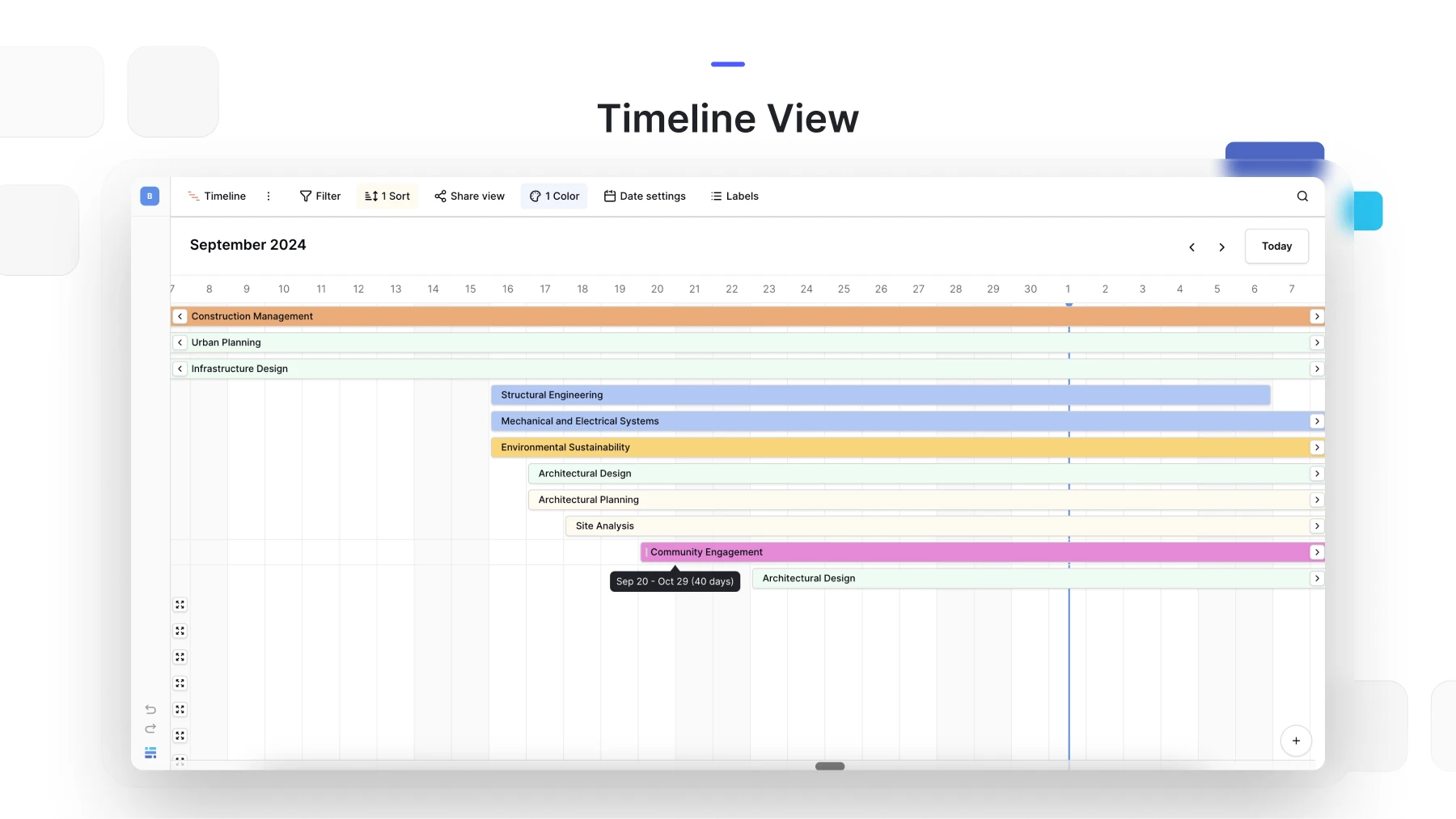
Once you have added the template to your workspace and entered your tasks, create a Timeline view from the Tasks table’s view dropdown. Select the fields that represent each task’s start and end dates. Baserow can use a formula to calculate end dates from a start date and duration, matching the template’s scheduling approach.
Tasks appear as horizontal bars, making their duration and overlap visible. Adjust the zoom to review a detailed weekly schedule or a broader project window. Add useful labels, such as task owner and status, so the schedule gives team members enough context to act.
Filter the view to focus on one project or assignee when reviewing priorities. Timeline view requires a paid Baserow plan, so factor this into your setup. Before reviewing the schedule, check that every task has both dates populated so work is represented correctly.
Using Timeline Templates to Track Progress
Planning is only half the value. Timeline templates also support tracking. By updating task status and dates, teams can quickly see what is on track and what needs attention.
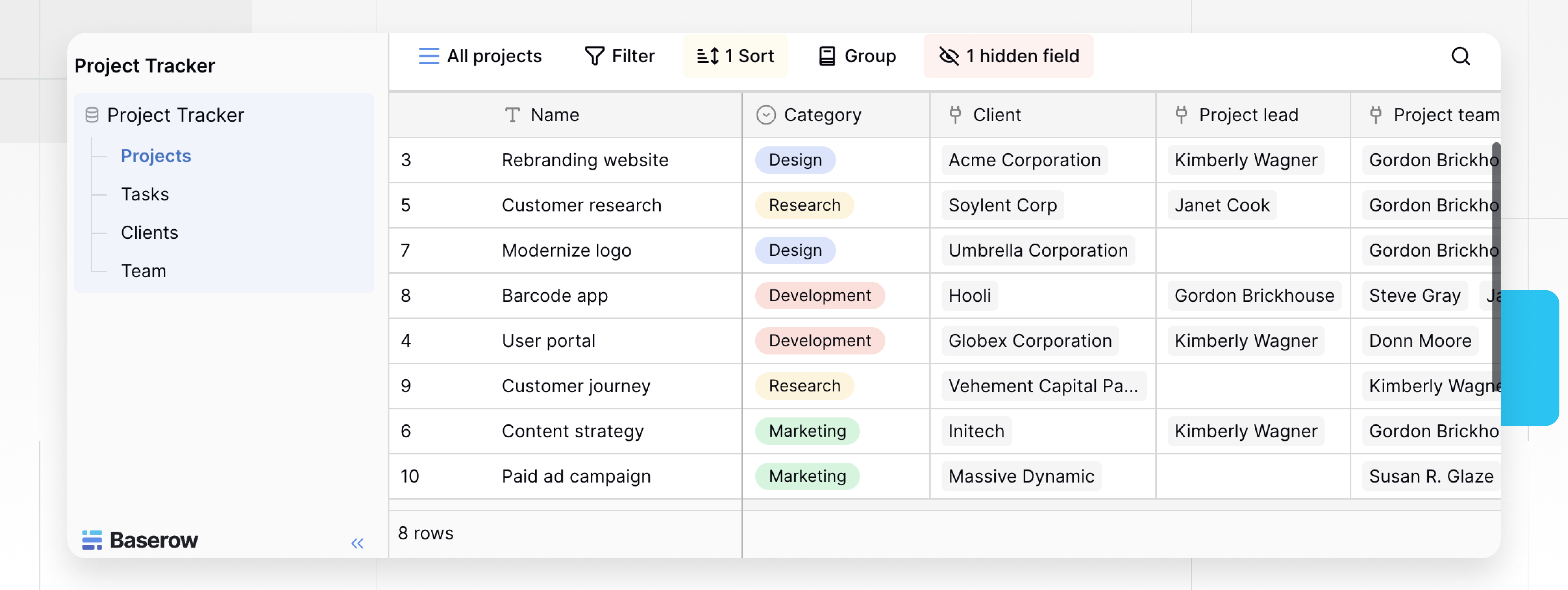
Many teams pair timelines with tracking layouts like Baserow’s project tracker templates, allowing progress updates to flow directly into planning views. This reduces manual reporting and keeps everyone aligned.
Real-World Use Case: Managing Projects with Baserow
Teams in the Baserow community often share how they adapt timeline templates for different workflows, from product launches to internal operations. Instead of rigid tools, they use flexible databases that adjust as projects grow.
With recent platform improvements introduced in Baserow 2.0, teams benefit from faster performance, improved views, and smoother collaboration. These updates make it easier to manage timelines at scale while keeping data structured and accessible.
Example: plan a four-week launch in Baserow
Imagine a marketing team preparing a product launch. In Baserow, they could create one project and add tasks for research in week one, content production in week two, reviews in week three, and launch activities in week four. Each task would have an assignee, a start date, and an estimated workload.
The team could then use different views of the same Tasks table for different conversations. A Grid view would support detailed updates, a Kanban view could organise tasks by status, and the Timeline view would show how the launch schedule fits together. Updates to the underlying records carry across these views.
If content approval takes longer than expected, the project manager can review the affected dates and agree a revised schedule with the team. This makes the template useful during delivery, with the same task records supporting planning, progress reviews, and everyday coordination.
Frequently Asked Questions
- What is a project timeline template?
A project timeline template is a reusable framework that maps tasks, milestones, and deadlines across a set time period. It shows how work progresses and how activities relate to one another. Teams use it to plan projects faster and maintain consistency across similar initiatives.
- How to write a timeline for a project?
Start by listing all project tasks and key milestones. Estimate how long each task will take and identify dependencies between them. Assign owners and place tasks on a timeline that reflects realistic start and end dates.
- What is a 4 week project timeline?
A 4 week project timeline divides work into weekly segments over a one-month period. It helps teams focus on short-term goals while keeping overall delivery on track. This format is useful for agile projects or fast-moving operational work.
- Which four items make up a project timeline?
A project timeline includes tasks, timeframes, dependencies, and ownership. Tasks define the work, timeframes show when it happens, dependencies explain order, and ownership ensures accountability. Together, these elements create clarity and structure.
- What are the 7 stages of a project?
The seven stages are initiation, planning, design, execution, monitoring, adjustment, and closure. Each stage supports the next, from defining goals to delivering outcomes. A clear timeline helps teams manage progress across all stages.
- How do I create a project timeline using Baserow’s template?
Start with Baserow’s Project Management template, then add your projects, tasks, and team members. Enter each task’s start date and estimated workload to calculate its deadline. Create a Timeline view in the Tasks table and select the start and end date fields to display your schedule visually.
- Can I customise a Baserow project timeline for different teams?
Yes. You can customise the timeline’s labels, colours, and filters to highlight the information each team needs. For example, filter tasks by assignee for individual workload reviews or by project for delivery meetings. Multiple views can use the same task records, keeping updates connected across the team’s planning workflows. Learn more in Baserow’s Timeline view guide.
- What is the difference between Baserow’s Timeline and Kanban views?
Timeline view shows when tasks happen, how long they last, and where schedules overlap. Kanban view organises tasks into columns, such as “Not started,” “In progress,” and “Completed.” Using both views of the same table helps teams review scheduling and progress without maintaining separate task lists.
Start Building Better Project Timelines
A project timeline template helps teams move from intention to execution with clarity. Whether you are managing simple tasks or complex workflows, structured timelines improve focus and delivery. If you want a flexible way to build and adapt timelines, you can explore Baserow and create your own templates by signing up at here.

Baserow 2.4 adds Button fields, Graph elements, workflow automation, AI provider management, improved Group By views, and 30+ more updates.

Discover how Airtable and Baserow compare in features, flexibility, speed, and scalability. Compare pricing plans and hidden costs to make an informed decision!

Explore the best open-source software alternatives to proprietary products. Discover OSS tools, licenses, and use cases with our updated directory.