
TL;DR
- Database software helps you store, organize, search, and manage data in one place.
- Common types include relational, NoSQL, distributed, cloud-based, and no-code database software.
- Businesses use database software to manage customers, track inventory, organize projects, and automate workflows.
- The right database software depends on your needs, technical skills, data structure, and budget.
- Baserow is an open-source, no-code database platform that lets you build databases visually, connect related records, and automate workflows without writing code.
Database software helps people and businesses store, organize, search, update, and manage information in one place. It makes it easier to work with growing amounts of data, keep information consistent, and give the right people access to what they need. Depending on the software, users can also connect related data, automate tasks, build reports, and create applications around their information.
Database software ranges from technical tools that require SQL and programming skills to visual, no-code platforms that let anyone build a database using a familiar interface.
In this guide, you’ll learn what database software is, how it works, the main types available, and how businesses use it. We’ll also look at the features to consider when choosing a tool and how to get started with a database of your own.
What is database software?
Database software is a program or platform that lets users create, manage, and interact with databases. It provides the tools needed to organize information, retrieve specific records, update data, and control how information is stored and accessed.
For example, a business might use database software to maintain customer records, track inventory, manage projects, or organize marketing campaigns. Instead of keeping information scattered across multiple spreadsheets and documents, a team can store related data in a structured system and keep it up to date.
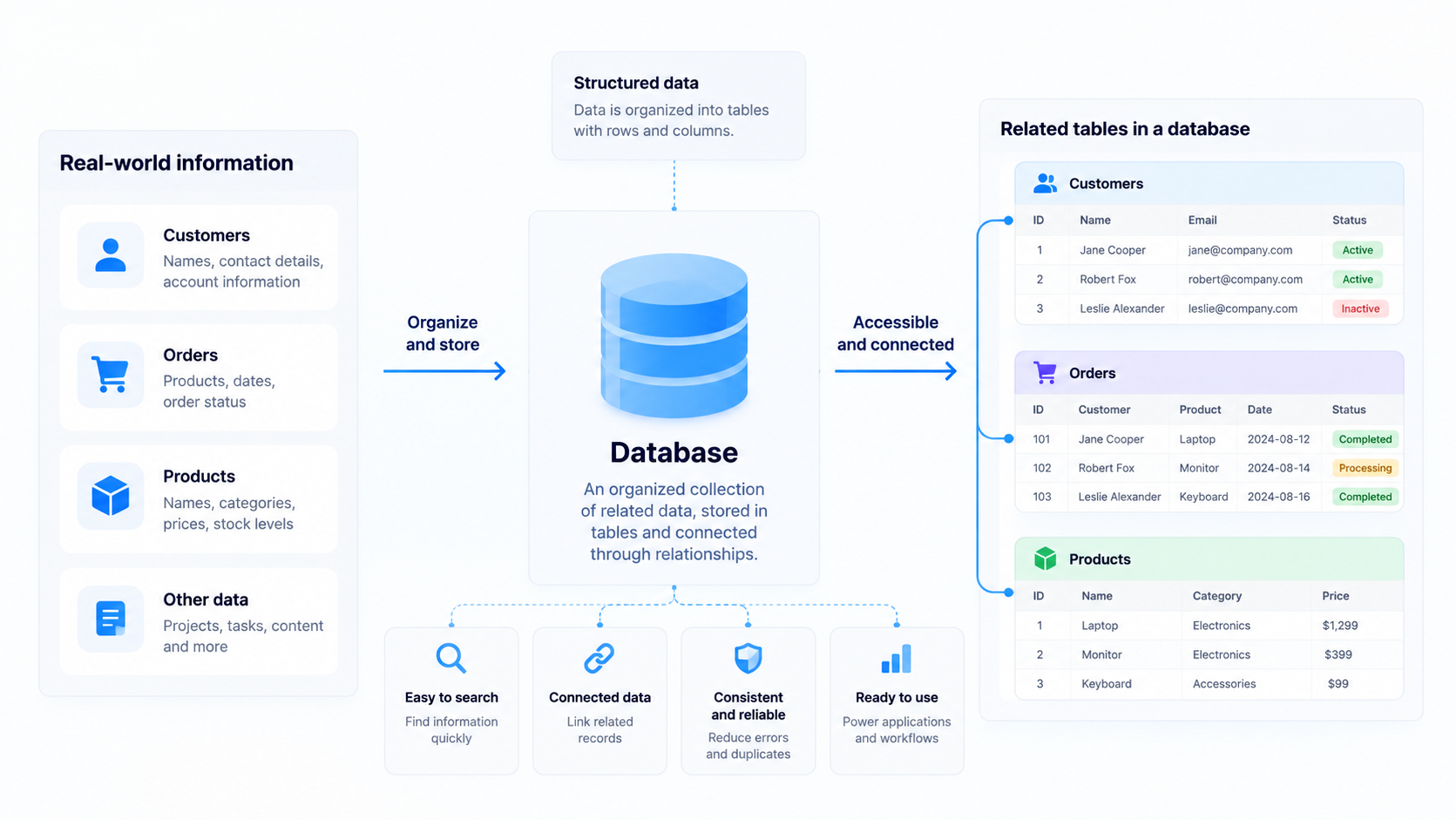
Database software can also help teams connect different sets of information. A customer record, for instance, can be linked to that customer’s orders, support requests, and account details. This makes it easier to understand relationships between records without entering the same information repeatedly.
Some database software is designed primarily for developers and database administrators, while other tools focus on making data management accessible to non-technical users.
It’s useful to distinguish between a database and database software. A database is an organized collection of data. Database software is the tool used to create, manage, and work with that data. A database management system (DBMS) is a type of software that handles these operations, including storing, retrieving, and updating information.
If you want to explore the underlying concept in more detail, read our guide to what a database is.
What does database software do?
Database software helps organizations control who can access data and what they can do with it. User permissions, authentication, backups, and other security features help protect information and ensure that people can view or modify records only when authorized.
Store and organize data
Database software lets users store data in a structured format, such as tables, records, and fields. A customer database, for example, might contain a table for customers, another for orders, and fields for names, contact details, order dates, and payment status.
Organizing data this way makes information easier to maintain as a business grows. Users can also connect related records instead of duplicating the same information across multiple tables.
👉 Learn more about how databases organize data.
Find and update information
Users can search, filter, sort, and retrieve specific information without manually reviewing every record. Database software also lets authorized users update existing records, add new entries, and remove outdated information.
For technical users, these operations can involve Structured Query Language (SQL), a programming language used to interact with relational databases.
Control access and protect information
Database software can provide user permissions, authentication, backups, and other security features. These controls help organizations decide who can view, edit, or manage particular data.
Connect data and automate work
Many tools let users connect related records, integrate external services, and automate repetitive tasks. For example, a team could automatically assign a new support request or notify a colleague when a project deadline changes.
These capabilities help teams spend less time maintaining records and more time using information to make decisions.
Types of database software
There are several common types of database software, and the best option depends on the kind of data you work with, how you plan to use it, and your technical requirements.
It’s important to distinguish database types from deployment methods and user interfaces. For example, a relational database describes how data is organized, while cloud-based database software describes how the software is hosted and accessed.
1. Relational database software
Relational database software organizes data into tables containing rows and columns. Relationships connect records across tables, allowing users to work with related information without storing everything in one place.
For example, a sales database might contain separate tables for customers, products, and orders. Each order can reference a customer and the products they purchased.
Popular relational database management systems include PostgreSQL, MySQL, and Microsoft SQL Server. They are widely used for business applications, financial systems, websites, and other applications that rely on structured data.
👉 Read our guide to understanding relational databases for a closer look at how they work.
2. NoSQL database software
A NoSQL database is designed for data models that don’t rely exclusively on traditional relational tables. Depending on the system, information can be stored as documents, key-value pairs, graphs, or wide-column records.
Document databases, for example, can store semi-structured data in flexible formats such as JSON. This can be useful when records have different attributes or when an application needs to handle changing data structures.
NoSQL systems are often used for applications involving large datasets, distributed systems, real-time services, and rapidly changing information.
3. Distributed database software
A distributed database stores or manages data across multiple servers or locations while allowing applications to work with it as a coordinated system.
This approach can support availability, scalability, and performance when applications need to serve users across different regions or handle substantial workloads.
Distributed databases are particularly relevant for organizations with demanding infrastructure requirements. However, they may introduce additional complexity in areas such as replication, consistency, and database administration.
4. Object-oriented database software
Object-oriented databases store information as objects, using concepts associated with object-oriented programming. Objects can contain data and relationships that correspond to how information is represented within an application.
Object oriented databases can be useful for specialized applications that work with complex objects, such as engineering systems, simulations, and multimedia applications.
An object-oriented database is different from a relational database, although some database systems support object-oriented features alongside relational functionality.
5. Cloud-based database software
Cloud-based database software runs on cloud infrastructure and can be accessed over a network. Depending on the service, the provider may manage infrastructure, backups, maintenance, and scaling.
Cloud databases can simplify deployment and make it easier for distributed teams and applications to access shared information. However, organizations should consider pricing, data residency, access controls, and their dependence on a particular provider.
Some platforms also support self-hosting, giving organizations more control over where their data and software run.
6. No-code database software
No-code database software allows users to build and manage databases through a visual interface rather than writing code for every operation.
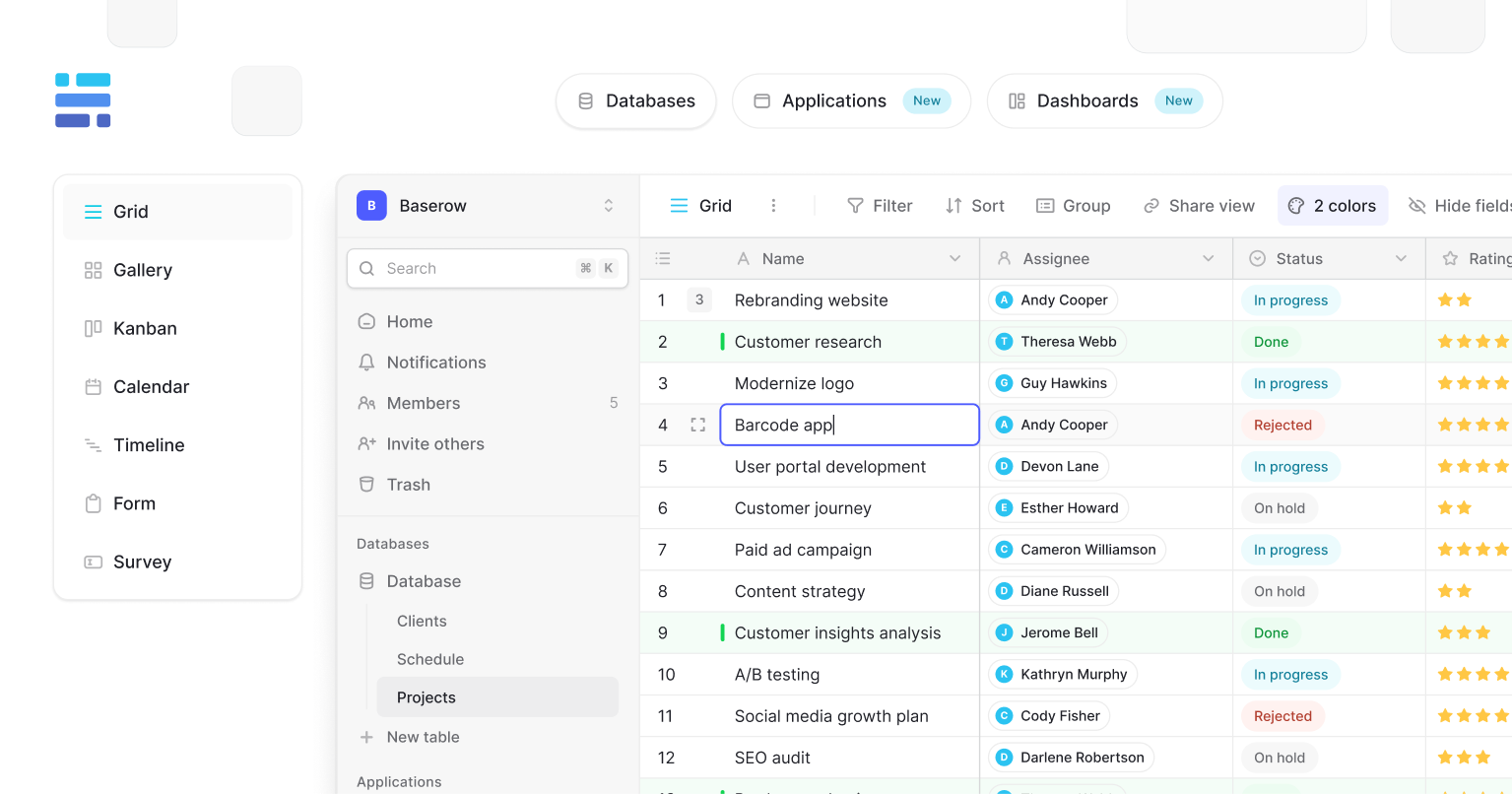
Users can create tables, define fields, connect records, filter data, and build different views. Some platforms also provide forms, automations, APIs, and application-building features.
This approach makes database tools more accessible to people who need structured data but don’t have extensive technical experience.
For example, Baserow combines a spreadsheet-like interface with relational database capabilities, allowing teams to create databases for projects, customers, inventory, and other business processes.
👉 For more guidance, see our article on the best database for non-technical users.
👉 For a broader comparison, explore our guide to the four main types of databases.
Common uses of database software
Database software is useful whenever people need to keep information organized, connected, and accessible. Here are some common business applications.
Customer relationship management
A customer database helps sales and marketing teams maintain contact details, track interactions, record deal progress, and manage follow-ups.
Instead of searching through separate spreadsheets and email threads, a team can access a shared record of each customer and their history.
Project and task management
Teams can use database software to track projects, tasks, owners, priorities, deadlines, and progress. Linking tasks to projects or team members makes it easier to see how individual activities fit into a larger plan.
Different views can help people work with the same data in different ways. For example, a project manager might use a timeline while team members prefer a Kanban board.
Inventory and order management
Businesses can store product information, monitor stock levels, track suppliers, and manage orders in a structured database.
Automations can notify a team when stock falls below a threshold or when an order needs attention. This helps reduce manual checks and keeps operational information up to date.
Marketing and content management
Marketing teams can use databases to organize campaigns, manage content calendars, track leads, and monitor publishing schedules.
A shared database can connect campaigns with their assets, channels, owners, and results, giving the team a clearer overview of its work.
Customer data management
Organizations that collect customer information from multiple sources can use databases to organize records and support reporting, segmentation, and analysis.
A dedicated customer data platform may provide more specialized capabilities for collecting and unifying customer information. Read our customer data platform best practices guide to learn more.
Key features to look for in database software
When comparing database software programs, consider how well they support your current workflow and whether they can accommodate your needs as they change.
- Flexible data organization: Look for support for different field types, linked records, and structured tables.
- Search and filtering: You should be able to find specific information without manually reviewing every entry.
- Multiple views: Grid, Kanban, calendar, and other views can help different people work with the same data.
- Access permissions: Choose software that lets you control who can view or modify information.
- Automation and integrations: Connections to other tools and automated workflows can reduce repetitive work.
- Scalability: Consider how the software handles growing datasets, more users, and increasingly complex workflows.
- Reporting and analysis: Useful reporting features help teams identify patterns and make decisions based on their data.
- Deployment options: Depending on your requirements, you may need a cloud service, a self-hosted solution, or both options.
- Ease of use: A visual interface can make database management accessible to people who don’t have SQL or programming experience.
The right feature set depends on your use case. A developer building a high-volume application may prioritize query performance and infrastructure controls, while an operations team may care more about collaboration, permissions, and automation.
Database software vs. spreadsheets
Spreadsheets and databases both help people organize information, but they serve different needs.
Spreadsheets are useful for calculations, one-off analyses, small lists, and flexible data entry. They are familiar and easy to start using without much setup.
Database software becomes more useful when information is interconnected, multiple people need to work with it, or the workflow requires consistent structure and access controls.
The distinction isn’t absolute. Some modern tools combine spreadsheet-style interfaces with database capabilities, allowing users to organize data visually while maintaining relationships between records.
For a closer look at individual spreadsheet components, see rows vs. columns: key differences explained.
Examples of database software
Different database tools solve different problems. Here are a few examples that illustrate the range of options available.
- PostgreSQL: An open-source relational database management system used for applications that require structured data, complex queries, and advanced database features.
- MySQL: A relational database management system widely used for websites and applications.
- Microsoft SQL Server: A relational database management system commonly used in enterprise applications and Microsoft-oriented environments.
- MongoDB: A document-oriented NoSQL database designed to work with flexible document structures.
- Baserow: An open-source, no-code database platform that helps teams create and manage structured data through a visual interface, with features such as linked records, multiple views, and automation.
These tools aren’t interchangeable in every situation. Traditional database engines are often the right choice when developers need detailed control over queries, infrastructure, and application architecture. Visual database platforms can be a better fit when teams want to build practical data management workflows without developing a custom interface from scratch.
If you’re comparing tools based on price and accessibility, explore our guide to the best free database software tools in 2026.
How to choose the right database software
Choosing the right database starts with understanding what you need it to do.
First, identify the information you want to manage and how different records relate to one another. A simple contact list has different requirements from a system that connects customers, orders, products, and support requests.
Next, consider who will use the database. Developers may prefer tools that offer SQL, APIs, and detailed technical controls. Business teams may benefit more from a visual interface that lets them create and manage a database independently.
Also evaluate security, access permissions, integrations, expected data volumes, hosting options, and ongoing costs. If you expect your needs to change, choose a tool that can accommodate new fields, relationships, users, and workflows without requiring a complete rebuild.
Finally, test the software with a realistic example. Create a small database, import some sample records, and try the features you’ll use regularly.
The right solution should offer flexibility without making everyday tasks unnecessarily complicated. For teams that want to start visually and expand their workflows over time, a no-code platform can be a practical starting point.
Create your own database with Baserow
You don’t need to build a database application from scratch to start working with structured data.
Baserow lets you create a database through a visual, spreadsheet-like interface. You can define custom fields, connect related records, create different views, and collaborate with your team in one place.
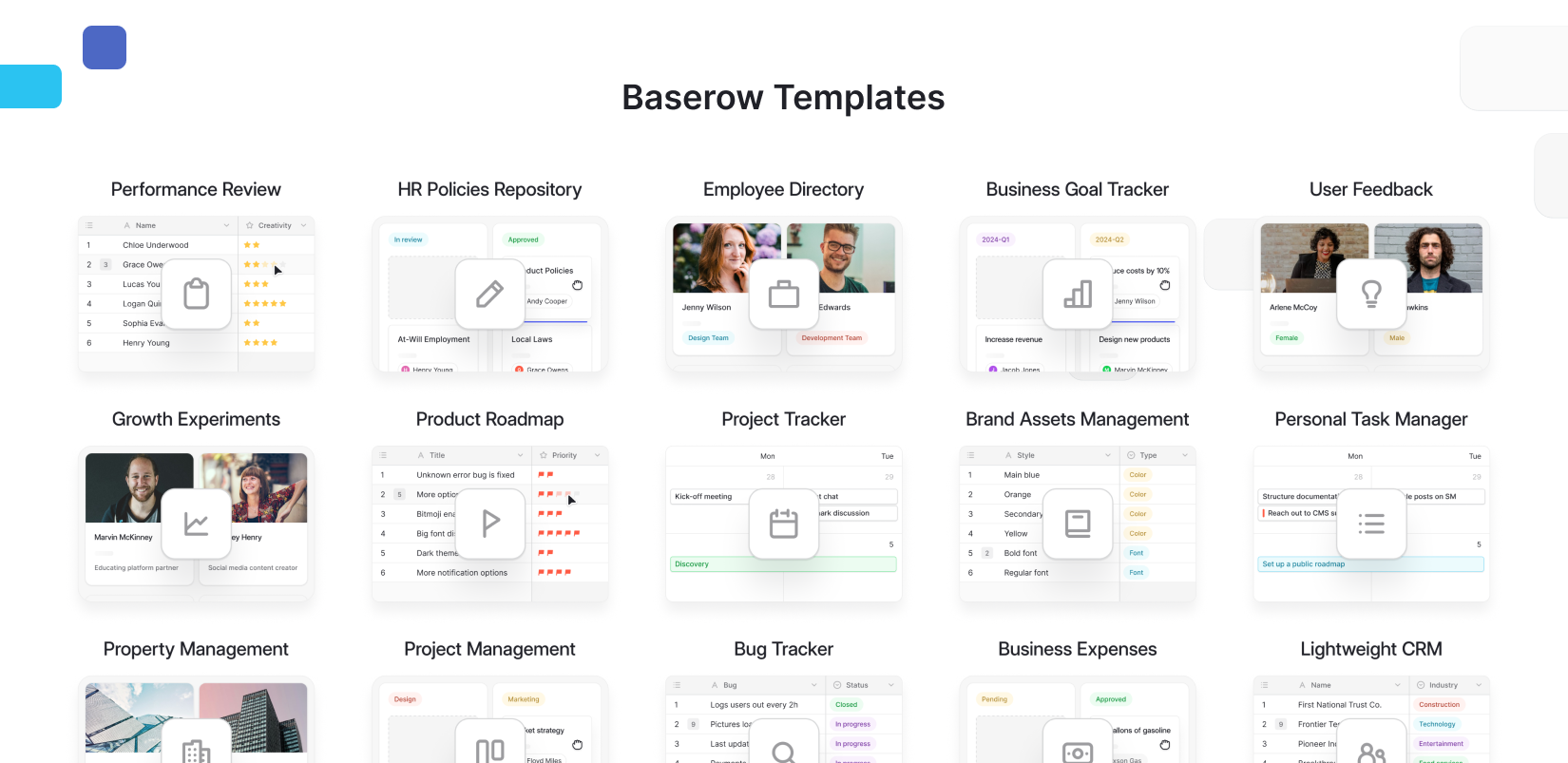
For example, you could build a project tracker that connects tasks to projects and team members, or create an inventory database that tracks products, suppliers, and stock levels. As your workflow grows, you can use automations and integrations to reduce manual work.
Frequently asked questions
What is database software used for?
Database software is used to store, organize, retrieve, update, and manage information. Common applications include customer management, inventory tracking, project management, reporting, and business operations.
What is a database management system (DBMS)?
A database management system is software that allows users and applications to create, access, update, and manage databases. The term database management system DBMS refers to the same concept, with DBMS being the standard abbreviation.
Is SQL required to use database software?
No. Some database systems rely on SQL for querying and managing data, while no-code platforms let users perform many operations through a visual interface. The right option depends on your technical skills and requirements.
What is the difference between database software and a database?
A database is an organized collection of information. Database software provides the tools to create, access, organize, and manage that information.
Is free database software enough for a business?
Free database software can be sufficient for many business use cases. Before choosing a tool, check its user limits, available features, automation allowances, hosting options, and support requirements to make sure it fits your needs.
Baserow is open source, supports self-hosting, and provides an API for connecting your data with other applications. This gives teams a way to start with a simple database and expand their setup as their needs evolve.
Ready to put your data to work? Start building your database with Baserow.

Baserow 2.4 adds Button fields, Graph elements, workflow automation, AI provider management, improved Group By views, and 30+ more updates.

Discover how Airtable and Baserow compare in features, flexibility, speed, and scalability. Compare pricing plans and hidden costs to make an informed decision!

Explore the best open-source software alternatives to proprietary products. Discover OSS tools, licenses, and use cases with our updated directory.