
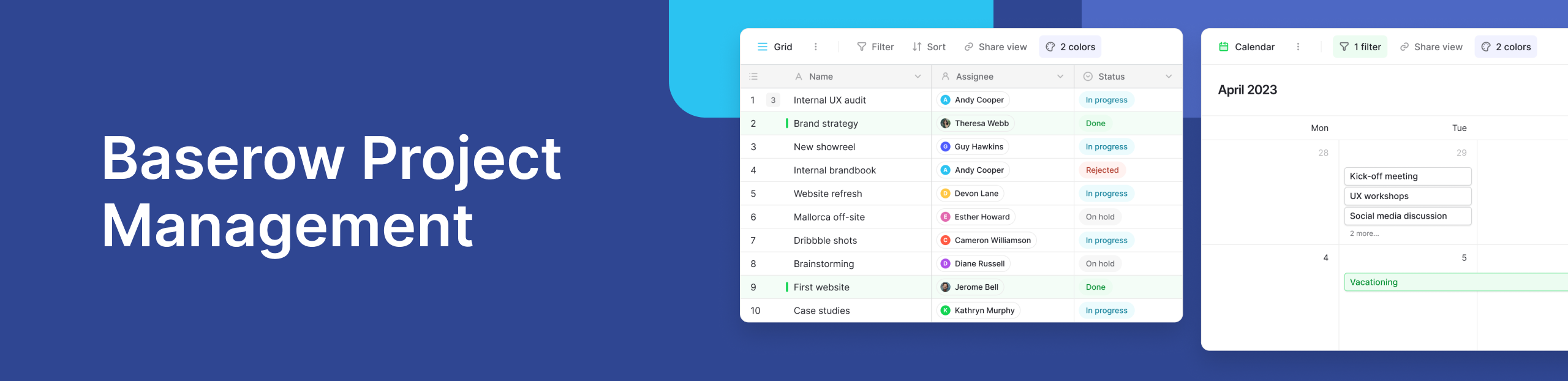
TL;DR
Baserow project management is a data-first approach to managing projects. Instead of starting with a predefined project structure, teams can use their existing data to build a customized project management system.
Baserow combines a flexible database with project management features such as task management, task tracking, project tracking, Kanban boards, timelines, calendars, automations, and relational data.
This makes Baserow useful for software development, marketing, operations, construction, remote teams, and organizations managing multiple projects. Start with a Baserow project management template or build a project management system around your existing data.
For a broader introduction, see our guide to what project management software is.
What Is Baserow Project Management?
.png)
Baserow project management is a way to turn structured data into a flexible project management system.
Instead of adapting your workflow to a fixed project structure, you can build a project management system around how your team actually works.
Rather than treating project management as a separate layer on top of your data, Baserow lets you build your project workflows directly around the information your team already manages.
For example, an organization might already have data about:
- Projects
- Customers
- Team members
- Products
- Tasks
- Deliverables
- Resources
- Deadlines
With Baserow, this data can become the foundation of a project management system. You can connect related records, add project-specific fields, and create views that help different teams manage the work.
This data-first approach means your project management system can grow alongside your organization instead of requiring you to move information into a separate rigid structure.
If you’re new to Baserow, read What Is Baserow? for an overview of the platform.
Why Use Baserow for Project Management?
Most project management tools are designed around managing tasks and projects. Baserow starts with a more flexible concept: structured data.
You can use that data to create the project management workflows your team needs.
Baserow can support:
- Task management and task tracking
- Project planning and project tracking
- Team member assignments
- Due dates and priorities
- Milestones and dependencies
- Kanban boards
- Calendar and timeline views
- Multiple projects and workstreams
- Custom project data
- Workflow automation
The result is a project management system that can be customized to your processes rather than forcing your processes into a predefined model.
This is particularly useful for teams that manage projects alongside operational data, customer information, product data, or other business processes.
Build a Project Management System Around Your Data
The main advantage of Baserow project management is that you can build on data you already have.
Imagine a company already tracking customers, products, and team members in Baserow. Instead of creating a completely separate project management database, the team can connect projects and tasks to those existing records.
A project could be connected to a customer. Tasks could be connected to a project and assigned to team members. Deliverables could be connected to both projects and products.
This creates relationships between the data and the work.
For example:
Customer → Project → Tasks → Team members
Or:
Product → Roadmap → Projects → Tasks
This relational structure provides context that a standalone task list cannot.
It also means you can create different project management systems for different teams while keeping relevant business data connected.
Baserow Project Management Key Features
Task management and tracking
Create tasks, assign team members, set a due date, add priorities, and track progress from a centralized workspace.
Baserow can help teams organize work, track progress, and keep projects moving on time and within budget.
Kanban boards
Use Kanban boards to visualize tasks as they move through stages such as To Do, In Progress, Review, and Done.
Kanban boards make it easy for teams to see current workloads and identify blocked or unfinished work.
Timeline and calendar views
Use timeline views to plan schedules, milestones, and dependencies.
Calendar views provide a deadline-focused view of project data, making it easier to see upcoming work and completed projects.
Customizable project management
Every team has different requirements.
A software development team might organize projects, releases, and development tasks. A marketing team might connect campaigns, content, channels, and tasks.
Baserow lets teams create the fields, relationships, views, and workflows that match those requirements.
Automation
Once your project data is structured, you can automate repetitive actions.
For example, changes to a task or project can trigger follow-up actions, notifications, or other workflow steps.
This connects project management with broader operational workflows instead of keeping it isolated from the rest of your processes.
What Can You Manage With Baserow?
Baserow can be used for many types of project management.
Software development
Development teams can organize projects, releases, milestones, tasks, and other development data. See Management in Software Project: A Practical Guide.
Remote engineering
Remote teams can centralize project information, tasks, responsibilities, and deadlines in one workspace. See our guide to project management for remote engineering teams.
Construction
Construction teams can organize projects, tasks, schedules, contractors, and related project data. Learn more in Best Project Management Software for Construction.
Agile projects
Baserow can support Agile workflows through customizable task structures, Kanban boards, and project tracking. See Top Agile Project Management Tools.
Multiple projects
Teams can manage multiple projects while keeping their projects, tasks, people, and other business data connected in one system.
How to Get Started With Baserow Project Management
.png)
You don’t need to build everything from scratch.
Start with a Baserow Project Management template and customize it around your team’s existing data and workflow. You can also use the Project Tracker template for a simpler starting point.
From there, add the fields, relationships, views, and automations you need.
You can also watch how to use Baserow for project management to see how a project management workflow works in practice.
Baserow vs. Traditional Project Management Tools
Traditional project management software often starts with projects, tasks, and predefined workflows.
Baserow starts with data.
That difference gives teams more flexibility. You can take existing business data and build project management workflows around it instead of maintaining a separate system that duplicates information.
You can still use familiar project management features such as task tracking, Kanban boards, timelines, calendars, and automation, while maintaining the flexibility of a relational database.
Baserow is also an option for teams looking for open source project management software, giving organizations greater control over their data, workflows, and infrastructure.
If you’re comparing different platforms, see Best Project Management Software: 55 Tools Compared.
Frequently Asked Questions
Is Baserow a project management tool?
Yes. Baserow can be used as project management software for planning, task management, project tracking, collaboration, and workflow automation.
Is Baserow good for project management?
Yes. Baserow is especially useful for teams that need customizable project management built around structured data and existing workflows.
What makes Baserow different from other project management tools?
Baserow takes a data-first approach. Teams can build project management workflows around existing data instead of working within a fixed project structure.
Can Baserow manage multiple projects?
Yes. You can manage multiple projects and connect their tasks, team members, milestones, and other project data in one workspace.
Does Baserow support Kanban boards?
Yes. Baserow supports Kanban views for visualizing and managing project workflows.
Does Baserow have project management templates?
Yes. Baserow provides project management templates and a project tracker template.
Can Baserow be used for software development?
Yes. Development teams can use Baserow to organize software projects, tasks, releases, milestones, and related data.
Project management doesn’t have to mean creating another isolated tool for your team.
With Baserow, your existing data can become the foundation for a customized project management system. Connect projects to customers, products, team members, tasks, and operational processes, then create the views and workflows your team needs.
Explore Baserow’s project management software or start with a project management template.


Baserow 2.4 adds Button fields, Graph elements, workflow automation, AI provider management, improved Group By views, and 30+ more updates.

Discover how Airtable and Baserow compare in features, flexibility, speed, and scalability. Compare pricing plans and hidden costs to make an informed decision!

Explore the best open-source software alternatives to proprietary products. Discover OSS tools, licenses, and use cases with our updated directory.