 Docs
DocsUnderstanding Baserow automation credits
Automation credits measure how much automation usage your workspace consumes in Baserow Cloud.
Each time an automation runs, every completed action consumes 1 automation credit.
Actions include steps such as creating or updating rows, sending emails, making HTTP requests, running AI models, or executing code. Triggers, Router node, and Iterator node are free and don’t consume automation credits.
Your total monthly usage depends on how many actions your automations execute and how often they run. For example, a workflow triggered every time a row is updated or running on a frequent schedule will consume automation credits each time it runs.
Automation credits are only available in Baserow Cloud. Self-hosted workspaces have unlimited automation usage.
How automation credits are calculated
Each completed automation step consumes one credit.
For example:
| Automation | Runs | Credits used |
|---|---|---|
| 1 step | 1 | 1 |
| 3 steps | 1 | 3 |
| 3 steps | 100 | 300 |
This means that larger workflows consume more credits than shorter ones, and frequently triggered automations consume more credits than those that run occasionally.
Simple workflow
- Trigger: Row is updated
- Action: Create a row
Every time this workflow runs, it uses 1 automation credit.
Multi-step workflow
- Trigger: Specific field values are updated
- Action: Update a row
- Action: Send an email
- Action: Send a Slack message
- Action: AI prompt
Every time this workflow runs, it uses 4 automation credits.
If this workflow runs 100 times during the month, it uses 400 automation credits.
Workflow with an Iterator
- Trigger: Rows are created
- Action: List rows (returns 100 rows)
- Iterator
- Action: Update a row
The Iterator itself doesn’t consume automation credits. However, the Update a row action is executed once for every row processed.
If the iterator processes 100 rows, the workflow uses:
- List rows = 1 automation credit
- Update a row × 100 = 100 automation credits
Total: 101 automation credits.
Note: Iterator and Router nodes don’t consume automation credits. Only the actions in the route that is executed count toward your usage.
Scheduled workflow
- Trigger: Periodic (runs every 15 minutes)
- Action: List rows
- Action: Send an email
Every time this workflow runs, it uses 2 automation credits.
Running every 15 minutes means the workflow executes about 2,880 times per month, consuming approximately 5,760 automation credits.
Monthly automation credit limits
Each workspace receives a monthly automation credit allowance based on its subscription. Automation credits are shared across all users in the workspace.
| Plan | Monthly automation credits |
|---|---|
| Free | 2,000 credits |
| Premium | 100,000 credits |
| Advanced | 500,000 credits |
| Enterprise | 2,000,000 credits |
The allowance resets automatically at the beginning of each billing month.
How to check your automation credit usage
You can check your current automation credit usage from the workspace home page.
Hover over the Usage indicator to see:
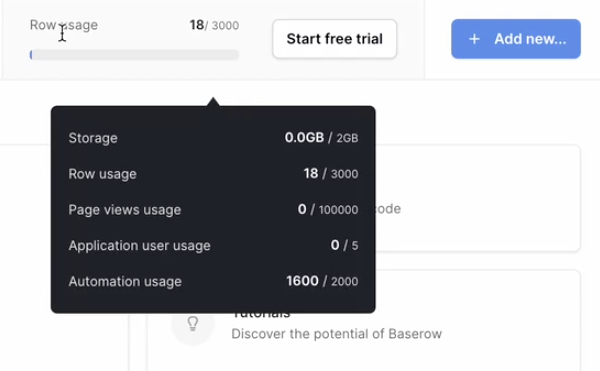
- the number of automation credits used this month
- your monthly allowance
For example:
1,600 / 2,000 automation credits used (80%)
This helps you monitor automation usage throughout the month.
What happens when you reach your limit?
Baserow automatically lets you know when your workspace is approaching its monthly allowance.
At 80%
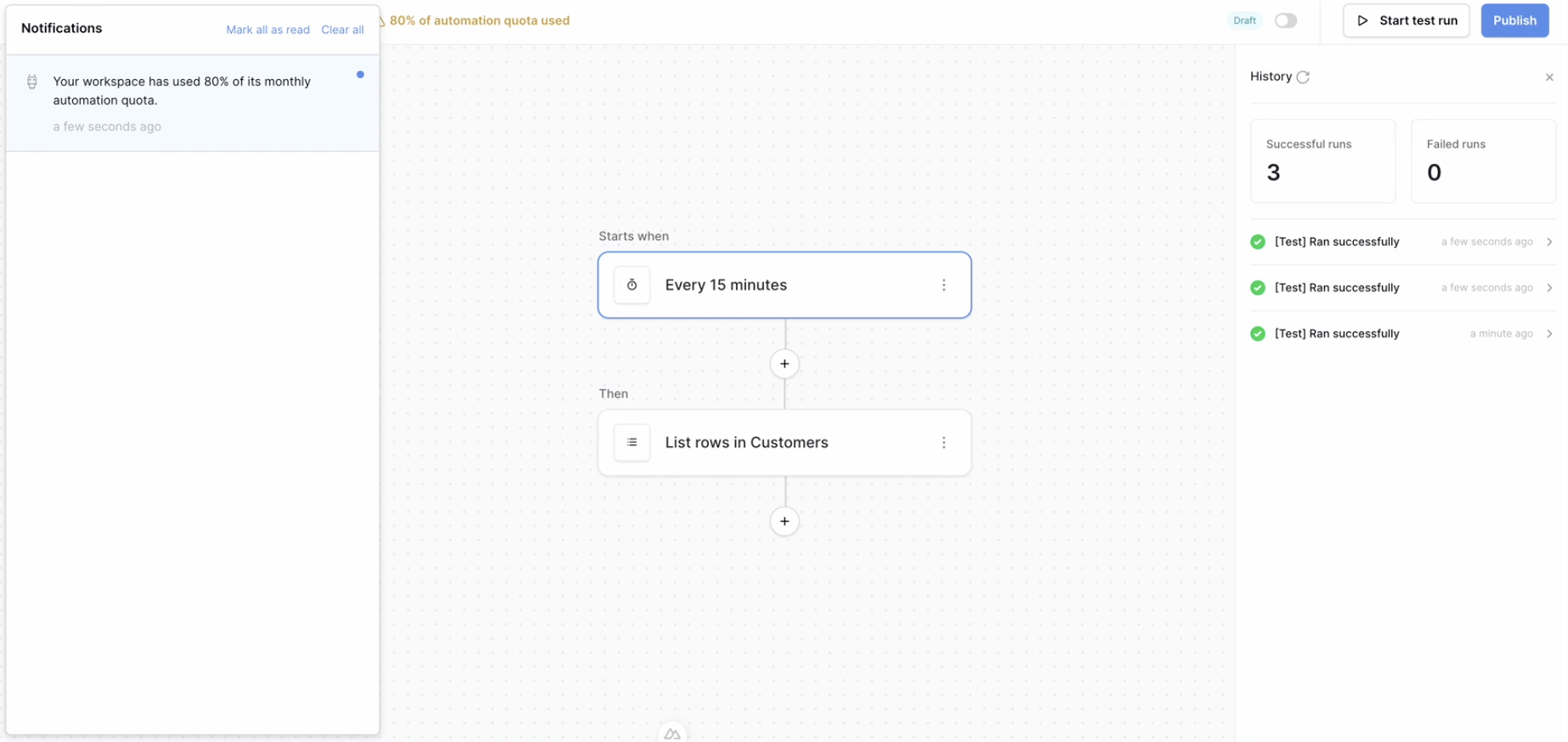
When your workspace reaches 80% of its monthly automation credits:
- an in-app notification is displayed
- a banner appears in the workspace reminding you that you’re approaching your monthly limit
This gives you time to upgrade your plan or purchase additional automation credits before reaching the limit.
At 100%
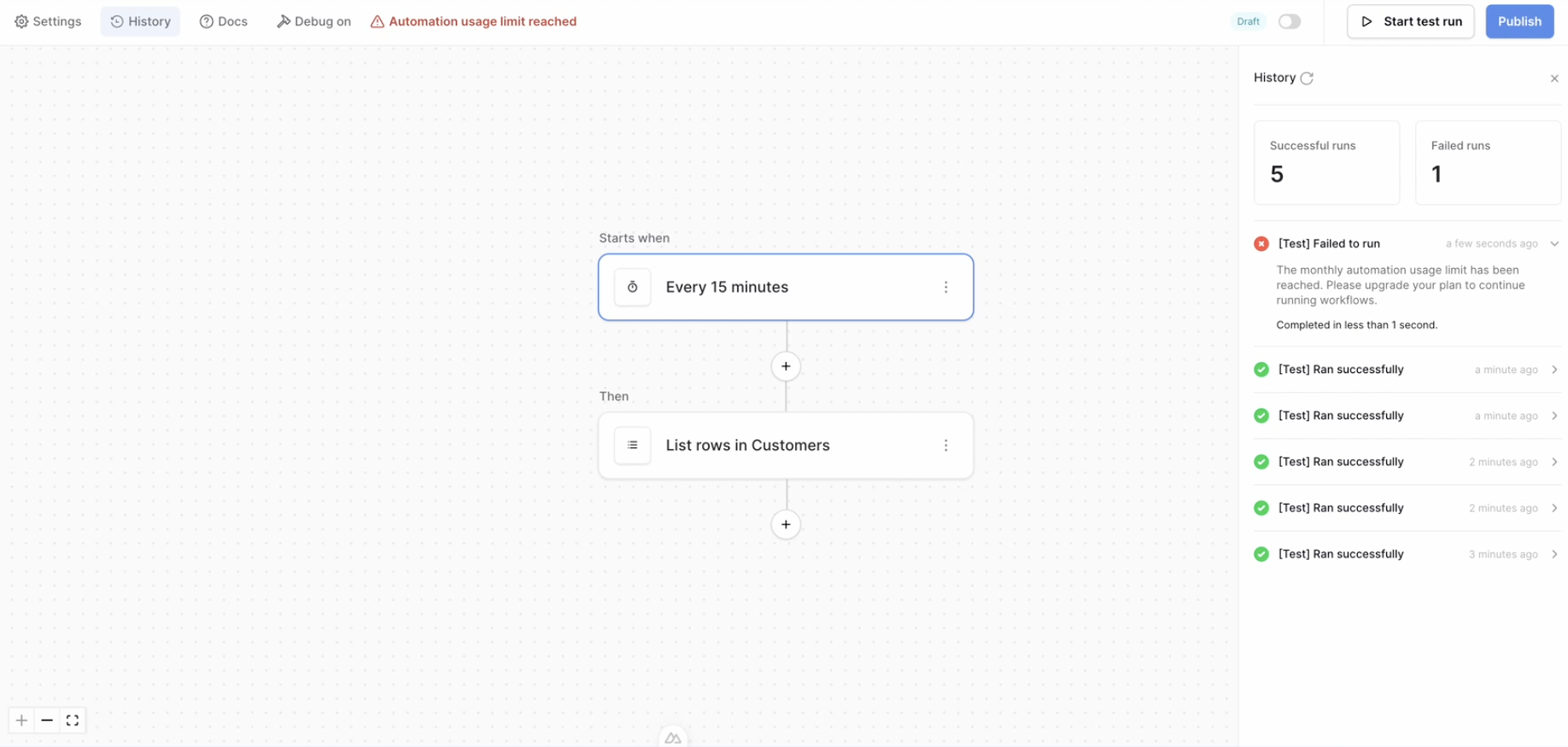
Once your workspace uses all available automation credits:
- automation workflows stop running
- manual test runs are also blocked
- you’ll receive another notification explaining that you’ve reached your monthly limit
Your workflows will resume once your monthly allowance resets or additional automation credits become available.
Frequently asked questions
Do automation credits apply to self-hosted workspaces?
No. Automation credits are only counted in Baserow Cloud. Self-hosted workspaces continue to have unlimited automation usage.
When do automation credits reset?
Your automation credits reset automatically on the 1st day of every calendar month.
Do all workflows use the same number of credits?
The number of automation credits used depends on:
- how many actions your automation executes, and
- how often the automation runs.
What happens if I try to run an automation after reaching my limit?
The automation won’t run. This applies to both published automations and manual test runs until additional credits become available or your monthly allowance resets.
How are automation credits allocated?
Automation credits are allocated per workspace, not per user. Each workspace receives a monthly automation credit allowance based on its plan, and everyone in that workspace shares the same pool of credits.