 Docs
DocsBuilding Applications with Kuma AI
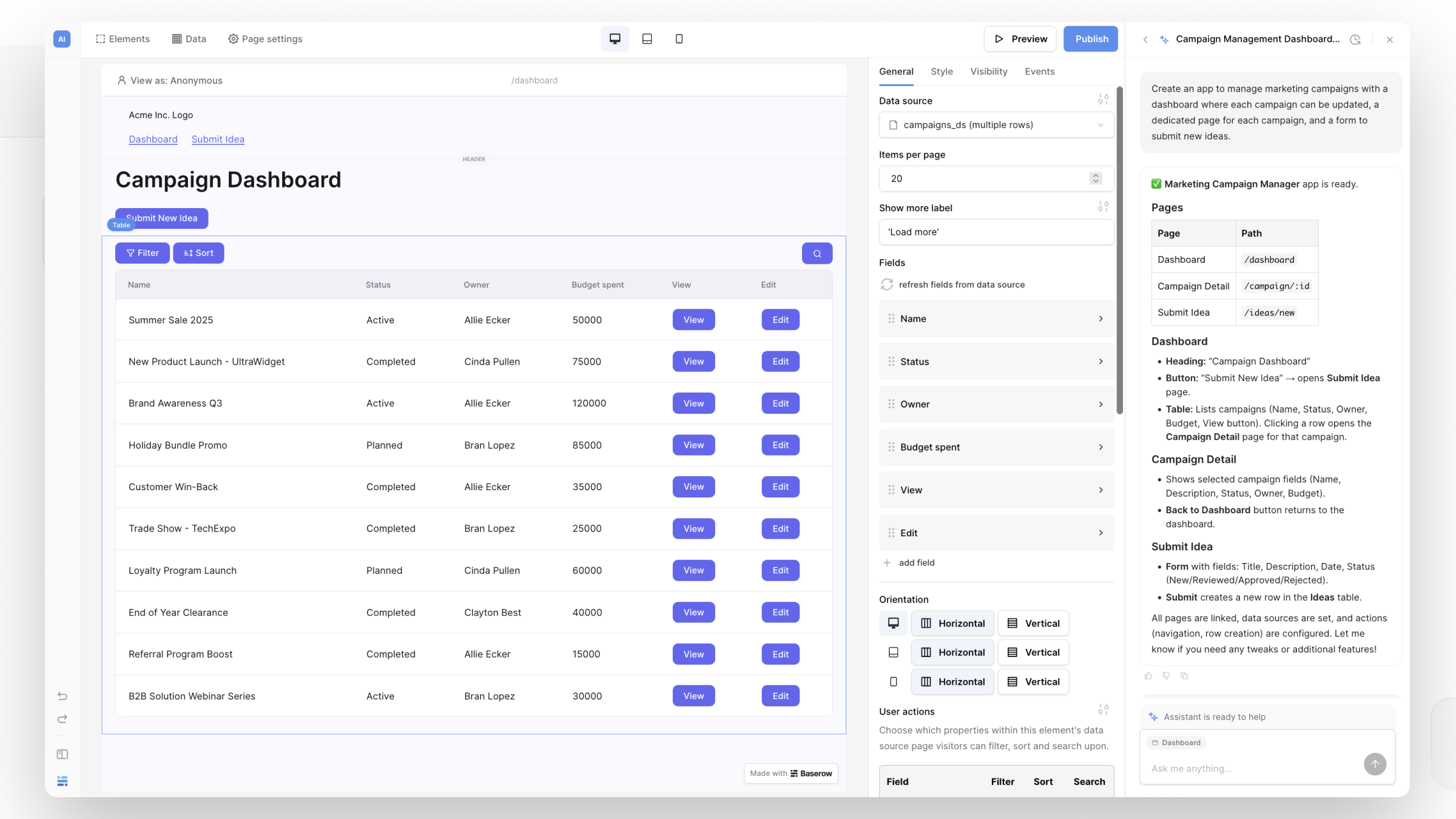
Kuma goes beyond helping with databases and automations; it can build complete applications. Instead of starting from scratch, you can start with a working app and refine it by chatting with Kuma.
Learn more: Kuma, your AI assistant
How it works
You can describe what you want in plain language, and Kuma will automatically:
- Generate application pages
- Connect data sources
- Add forms and actions
- Update the theme or apply a different style
Generating your first app
To get started, open Kuma and describe the application you want to build. Kuma will set up the necessary database tables and build the interfaces for your data.
Example prompt:
“Create an app with a task list page, a task detail page, and a form page to add tasks.”
Iterating and refining
Once Kuma generates the initial application, you don’t have to make manual adjustments right away. You can continue iterating on the design and functionality by giving Kuma follow-up instructions.
Example follow-up prompts:
- “Add a header with navigation.”
- “Create a contact form and store submissions.”
- “Change the layout to two columns.”
Related content
- Get started with the Application Builder
- Kuma AI assistant
- Overview of Application Builder Elements
- Layout styling
Still need help? If you’re looking for something else, please feel free to make recommendations or ask us questions; we’re ready to assist you.
- Ask the Baserow community
- Contact support for questions about Baserow or help with your account